
In an era where smartphone battery life remains a top concern, users are constantly searching for ways to stretch every milliampere-hour. One widely adopted strategy is switching to dark mode—a visual theme that replaces bright white backgrounds with deep blacks or dark grays. While many embrace it for aesthetic or eye comfort reasons, a compelling argument persists: dark mode saves battery, especially on OLED displays. But is this more than just digital folklore? The answer lies in the fundamental physics of how OLED screens operate and how pixels consume power based on what they display.
The relationship between screen content and energy use isn’t linear across all display technologies. Unlike traditional LCDs, OLED (Organic Light-Emitting Diode) screens have a unique characteristic: each pixel produces its own light. This self-illuminating property means that when a pixel is black, it can be turned off completely—consuming no power at all. This simple but powerful principle forms the foundation of the dark mode battery-saving claim. However, the extent of the savings depends on several factors, including screen brightness, usage patterns, and app design.
How OLED Screens Work: The Foundation of Power Efficiency
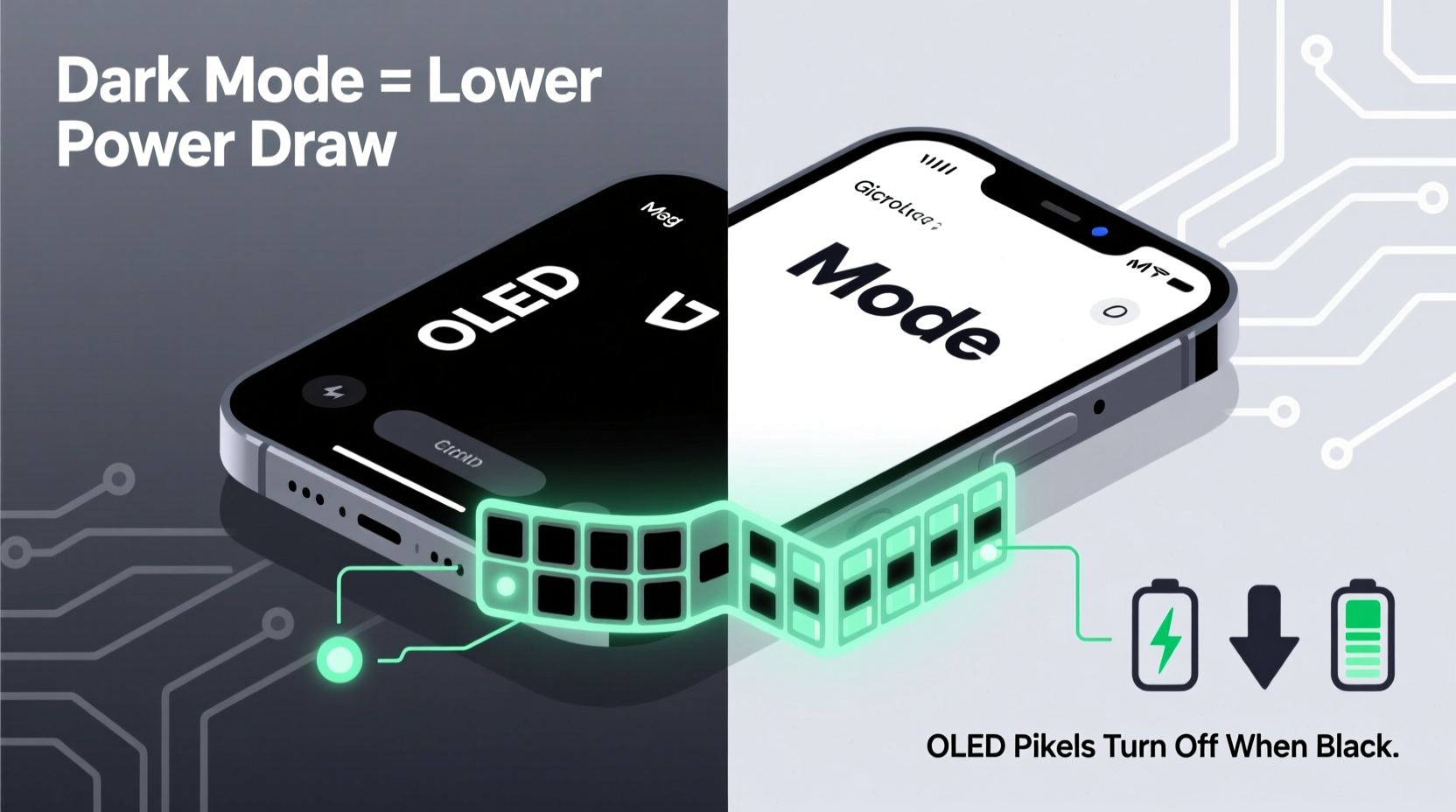
OLED technology differs fundamentally from LCD (Liquid Crystal Display) screens, which rely on a backlight to illuminate all pixels uniformly. In an LCD panel, even when displaying black, the backlight remains on, and liquid crystals merely block the light. This means black pixels still consume energy indirectly. In contrast, OLED panels consist of organic compounds that emit light when an electric current passes through them. Each pixel is an independent light source.
When a pixel displays black, no current flows through it, and it emits no light. It is effectively “off” and consumes zero power. As brightness increases—from dark gray to pure white—the current increases, and so does energy consumption. This variable power draw per pixel makes OLED uniquely suited to dynamic content optimization. A screen filled with dark content, such as a black background with white text, uses significantly less power than one dominated by bright whites.
“OLED’s per-pixel lighting is a game-changer for energy efficiency. Turning off pixels during dark scenes isn’t just cosmetic—it directly translates to lower power draw.” — Dr. Lena Park, Display Technology Researcher at MIT.nano
Quantifying the Savings: How Much Battery Does Dark Mode Actually Save?
While the theory is sound, real-world savings vary. Studies and experiments have attempted to measure the actual impact of dark mode on battery life. One notable test conducted by Android Authority in 2020 found that at 100% brightness, switching from light to dark mode on a Google Pixel 4 saved up to 63% of screen power when viewing YouTube. On average, across various apps, the savings ranged from 15% to 40%, depending on screen content.
Another study by Purdue University researchers used automated tools to analyze popular Android apps and found that dark mode reduced display power consumption by an average of 21% at 50% screen brightness and up to 47% at maximum brightness. These figures confirm that the higher the brightness setting, the greater the potential savings from dark mode.
However, it's important to note that the overall impact on total battery life depends on how much the display contributes to total power consumption. On most smartphones, the display accounts for 30% to 60% of total battery drain, depending on usage. Therefore, even a 30% reduction in display power could extend total battery life by 10–15% under heavy screen use.
App Design Matters: Not All Dark Modes Are Created Equal
Not every implementation of dark mode delivers equal energy savings. Some apps use true black (#000000), which turns off OLED pixels entirely. Others use dark gray shades (e.g., #121212, common in Google’s Material Design), which still require some current and thus consume power. The difference may seem minor, but over time, it adds up.
For example, YouTube’s dark mode uses a near-black background, resulting in significant power savings. In contrast, Twitter’s dark theme uses a dark charcoal gray, meaning pixels remain partially active. Similarly, websites like Reddit offer both AMOLED black and standard dark themes, allowing users to choose the most efficient option.
Developers play a crucial role in maximizing energy efficiency. Apps that support adaptive themes—switching between true black and dark gray based on user preference or system settings—offer both visual comfort and optimal battery performance.
| App | Dark Mode Background | Potential Power Savings (vs. White) |
|---|---|---|
| YouTube | #000000 (True Black) | Up to 60% |
| Gmail | #121212 (Dark Gray) | ~30% |
| #15202B (Charcoal Blue-Gray) | ~25% | |
| Reddit (AMOLED Theme) | #000000 | Up to 50% |
| Google Maps (Night Mode) | #000000 | ~40% |
Practical Tips to Maximize Battery Savings with Dark Mode
While enabling dark mode is a good start, optimizing its impact requires a few strategic choices. Below are actionable steps to ensure you're getting the most out of your OLED screen’s capabilities.
Check Your App Settings
Many apps offer multiple dark themes. Look for options labeled “AMOLED black,” “true black,” or “pitch black.” These are specifically designed to turn off pixels and reduce energy use.
Schedule Dark Mode Automatically
Use your device’s built-in scheduling feature to switch to dark mode during evening hours or low-light conditions. This not only reduces eye strain but also aligns with natural usage patterns when screen brightness might be lower.
Avoid Bright Wallpapers Behind Widgets
Even with dark mode enabled, a bright wallpaper visible behind transparent widgets can force many pixels to stay lit. Opt for solid black or dark wallpapers to maintain efficiency.
Reduce Screen Brightness
The brighter the screen, the more pronounced the difference between white and black pixels. Lowering brightness amplifies the relative savings from dark mode.
Use System-Wide Dark Mode When Possible
Enable dark mode at the operating system level (Android 10+, iOS 13+) to ensure consistent application across all compatible apps, minimizing sudden shifts to bright interfaces.
Real-World Example: A Day on Dark Mode vs. Light Mode
Consider Sarah, a remote worker who spends about five hours daily on her Samsung Galaxy S23 (OLED display). She uses email, messaging apps, web browsing, and video streaming throughout the day. For one week, she uses light mode; the next, she switches to dark mode with AMOLED-optimized themes.
During the light mode week, her average screen-on time before needing a charge is 6 hours and 42 minutes. In the dark mode week, with identical usage patterns and brightness capped at 80%, her screen-on time extends to 7 hours and 55 minutes—an improvement of 73 minutes. Battery analytics show a 22% reduction in display power consumption, confirming that dark mode contributed significantly to the extended usage.
This case illustrates that while individual results vary, consistent use of dark mode on OLED devices can deliver tangible, measurable benefits—especially for heavy users.
Frequently Asked Questions
Does dark mode save battery on non-OLED screens?
No, not significantly. On LCD screens, which use a constant backlight, dark mode does not reduce power consumption because the backlight remains on regardless of pixel color. Any savings would be negligible compared to OLED displays.
Is there any downside to using dark mode?
For most users, dark mode improves readability in low-light environments and reduces eye strain. However, in very bright conditions, white text on black backgrounds can sometimes appear to “glow” due to halation, making reading harder. Additionally, some users with certain visual impairments may find dark mode less accessible.
Do all OLED devices benefit equally from dark mode?
Most modern OLED smartphones, tablets, and smartwatches benefit from dark mode. However, the degree of savings depends on the specific panel efficiency, software optimization, and usage habits. Devices with higher peak brightness and larger screens tend to see greater absolute savings.
Conclusion: A Small Change with Real Impact
Dark mode is more than just a trendy interface option—it’s a practical tool rooted in the physics of OLED technology. By turning off individual pixels, dark backgrounds reduce power consumption in a way that’s impossible on traditional LCD screens. Scientific studies, real-world tests, and user experiences consistently show that dark mode can extend battery life, particularly at higher brightness levels and during prolonged screen use.
While it won’t replace the need for better batteries or faster charging, dark mode represents a free, effortless upgrade available to millions of OLED device owners. Whether you’re commuting, working remotely, or simply trying to get through the day without hunting for an outlet, enabling true black themes and optimizing your display settings can make a meaningful difference.




 浙公网安备
33010002000092号
浙公网安备
33010002000092号 浙B2-20120091-4
Comments
No comments yet. Why don't you start the discussion?