
When your mobile phone locks due to multiple incorrect PIN attempts, it often requires a PUK (Personal Unblocking Key) to unlock. Without this 8-digit code, your SIM card becomes unusable—even if the device itself is functional. Many users find themselves in this situation after forgetting their PIN or accidentally entering it incorrectly too many times. While losing access to your phone can be stressful, there are practical and safe ways to regain control without the PUK code. This guide outlines proven strategies, backed by telecom practices and real-world troubleshooting, to help you navigate this common but frustrating issue.
Understanding the PUK Lock: Why It Exists
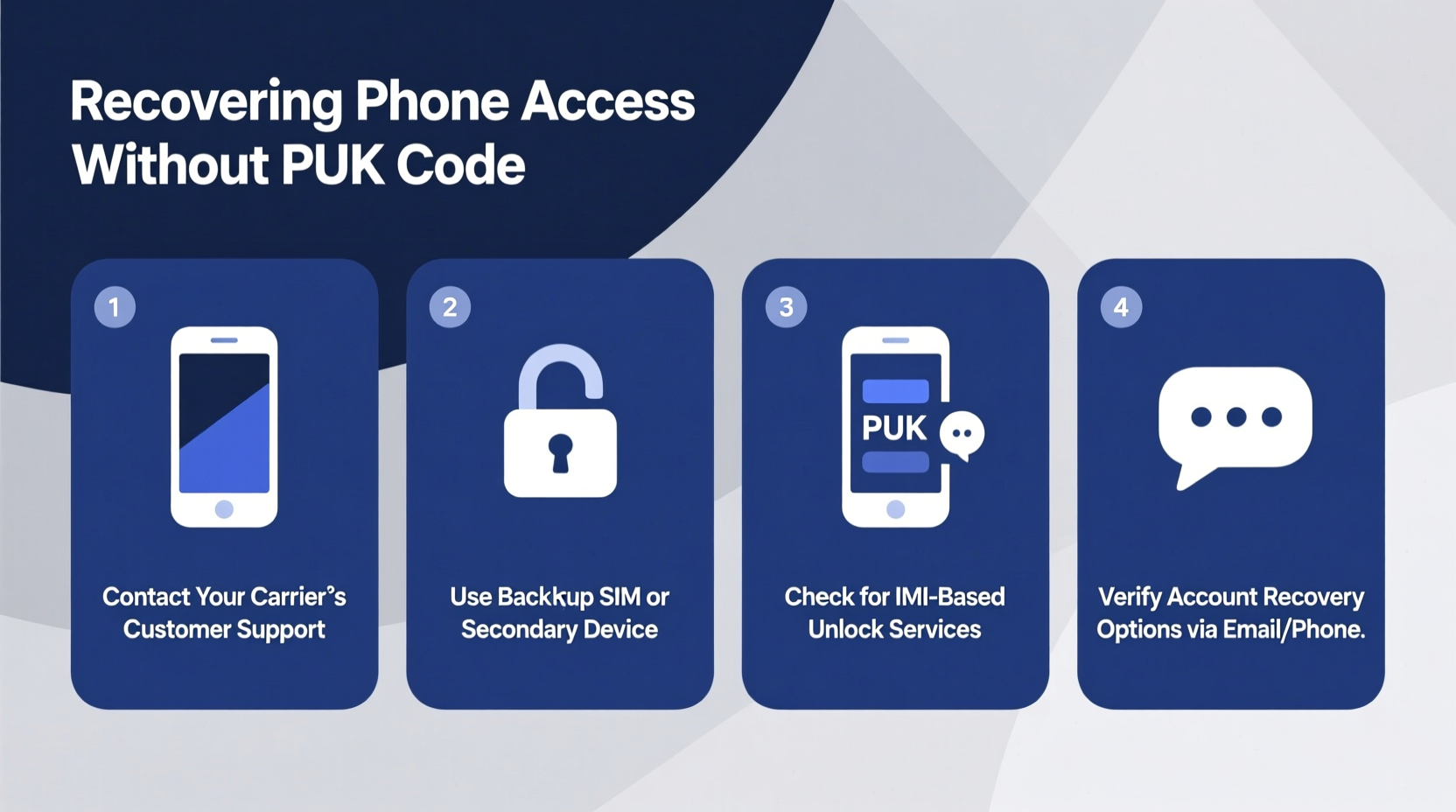
The PUK system is a security feature built into SIM cards by mobile carriers to prevent unauthorized access. After three failed PIN attempts, the phone prompts for the PUK code. If entered incorrectly ten times, the SIM card becomes permanently disabled. This safeguard protects your number from being hijacked but can also lock out legitimate users who’ve misplaced their PUK details.
Most users never receive their PUK code unless they specifically request it during SIM activation. Some carriers include it on the original packaging, while others store it in online accounts. Once lost, retrieving it becomes essential—but not always straightforward.
Step-by-Step Guide to Regaining Access Without the PUK Code
If you're locked out and don’t have the PUK code, follow these steps in order of feasibility and safety. Skipping ahead may risk permanent SIM damage.
- Check Original SIM Packaging: The PUK code is often printed on the plastic card that held your SIM before insertion. If you kept the packaging, locate the 8-digit number labeled “PUK” or “Unblocking Code.”
- Log Into Your Carrier Account: Most major carriers (Verizon, AT&T, T-Mobile, etc.) provide PUK codes through their online portals. Sign in to your account and navigate to the “Manage SIM” or “Security” section under your line details.
- Contact Customer Support: If online retrieval fails, call your carrier directly. Be prepared to verify ownership with account details, government ID, or security questions.
- Visit a Retail Store: In-person visits often yield faster results. Bring photo ID and proof of service (e.g., recent bill) to confirm identity and request PUK issuance.
- Replace the SIM Card: If all else fails, request a new SIM. This bypasses the need for the PUK entirely, though it may involve a small fee and temporary service interruption.
Carrier-Specific PUK Retrieval Methods
Different providers offer varying levels of accessibility when it comes to PUK recovery. The table below summarizes reliable options across major U.S. carriers.
| Carrier | Online PUK Access | Phone Support | In-Store Option | Fees for SIM Replacement |
|---|---|---|---|---|
| AT&T | Yes – via myAT&T app or website | Available 24/7 at 800-331-0500 | Yes – with ID | $5–$10 |
| Verizon | Yes – My Verizon portal | 24/7 at 800-922-0204 | Yes – verified account needed | Free (mail) or $5 (store) |
| T-Mobile | Limited – via T-Mobile app | Available at 877-746-0909 | Yes – with government ID | $10–$20 |
| Mint Mobile | No – must contact support | Email/chat only | No | $1 – digital delivery |
“Carriers are legally required to assist legitimate account holders in regaining access to their lines. Identity verification is standard, but persistence pays off.” — Jamal Reed, Telecommunications Consumer Advocate
Real Example: Recovering Access After a Forgotten PIN
Sarah, a freelance designer, loaned her phone to a colleague who mistakenly entered the wrong PIN four times. Her phone then demanded a PUK code she had never seen. Panicked about missing client calls, she tried guessing the code twice before stopping—aware that too many failures could brick her SIM.
She first checked her old SIM tray packaging but found nothing. Next, she logged into her T-Mobile account and discovered the PUK under “Device Security.” After entering it correctly, her SIM reactivated instantly. She immediately changed her PIN and saved the PUK in her password manager under a secure note titled “Emergency SIM Access.”
Sarah’s experience highlights the importance of digital account management and avoiding random guesses—a move that could have cost her permanent service loss.
What Not to Do When Locked Out
Avoid these common mistakes when facing a PUK lock:
- Guessing the PUK code: After ten failed attempts, the SIM is destroyed and cannot be revived.
- Using third-party tools or apps: No legitimate software can bypass a PUK lock; such tools are often malware in disguise.
- Removing the SIM and inserting it into another phone: The lock follows the SIM, not the device. The same PUK requirement will appear.
- Ignoring the issue for weeks: Delay increases the risk of number porting fraud or service suspension.
Alternative Path: SIM Replacement as a Last Resort
If you cannot retrieve the PUK code and your SIM remains blocked, replacing the SIM is the most reliable solution. Here's how it works:
- Request a replacement SIM from your carrier via phone, app, or retail store.
- Verify your identity using account credentials, government ID, or security questions. <3>Receive the new SIM by mail or pick it up in person.
- Insert the new SIM and activate it following carrier instructions.
- Your phone number and service will transfer to the new SIM within minutes.
This method effectively bypasses the PUK problem. However, ensure you back up contacts stored on the SIM beforehand, as data on a locked SIM cannot be retrieved.
FAQ
Can I unlock my phone without the PUK if I have the IMEI number?
No. The IMEI identifies the device, not the SIM. A PUK lock is tied to the SIM card’s internal security chip, which cannot be overridden by IMEI-based tools.
Will resetting my phone remove the PUK lock?
No. A factory reset erases device data but does not affect the SIM card’s locked status. You’ll still need the PUK to use the current SIM.
How long does it take to get a PUK code from customer service?
Most carriers provide it instantly over the phone or through their app once identity is confirmed—typically within 5 to 15 minutes.
Final Checklist Before Proceeding
Before contacting your carrier or visiting a store, complete this checklist:
- ✅ Locate original SIM packaging (check drawers, old boxes)
- ✅ Log into your carrier account and search for “PUK” or “SIM unlock”
- ✅ Gather identification (driver’s license, passport, recent bill)
- ✅ Note your phone number and account number
- ✅ Back up any data stored on the SIM (contacts, messages)
- ✅ Prepare to pay a small fee if SIM replacement is necessary
Conclusion
Losing access to your mobile phone due to a missing PUK code doesn’t mean you’re permanently locked out. With the right approach—starting with checking your carrier account and escalating to professional support—you can regain control safely and efficiently. Avoid risky workarounds and focus on verified solutions provided by your network operator. Proactively saving your PUK code now can prevent future disruptions. Take a moment today to locate or request your code, and store it securely outside your phone.




 浙公网安备
33010002000092号
浙公网安备
33010002000092号 浙B2-20120091-4
Comments
No comments yet. Why don't you start the discussion?