
Unwanted calls—ranging from automated robocalls to persistent telemarketers—are more than just an annoyance; they’re a growing threat to privacy and personal security. The Federal Trade Commission (FTC) receives over 4 million reports of unwanted calls annually, with many consumers receiving multiple spam calls daily. The good news: modern smartphones and service providers offer powerful tools to regain control. This guide walks you through every effective method available today to block unwanted calls on any mobile device, regardless of brand or carrier.
Understanding the Problem: Why You’re Getting So Many Unwanted Calls
The rise in spam calls is driven by low-cost calling technology, caller ID spoofing, and data leaks that expose phone numbers. Scammers use auto-dialers to reach thousands of people simultaneously, often disguising their real number with fake local area codes—a tactic known as \"neighbor spoofing.\" These calls may attempt to extract personal information, sell fraudulent services, or install malware. Recognizing the patterns behind these calls is the first step toward stopping them.
Step-by-Step Guide to Blocking Unwanted Calls
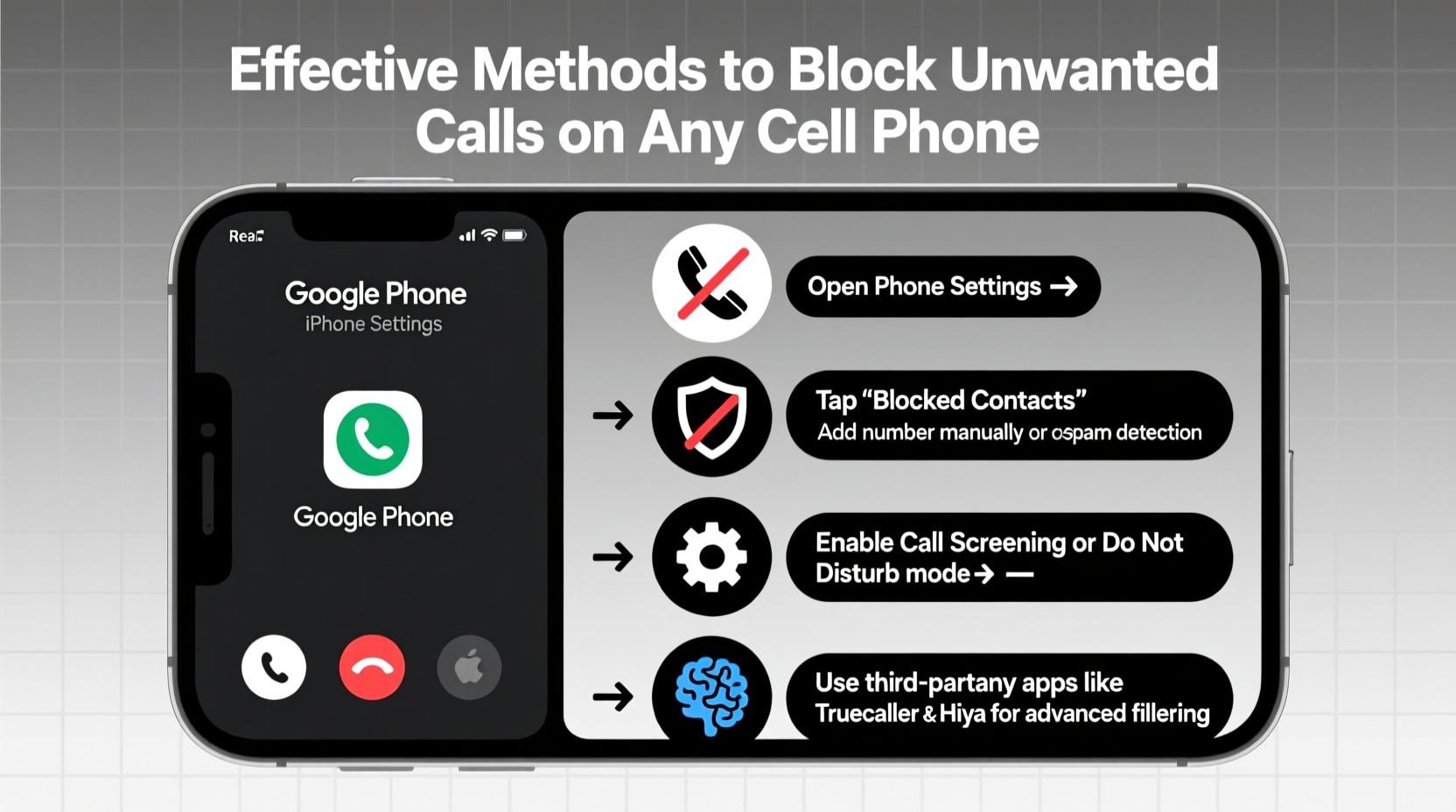
Blocking spam calls effectively requires a layered approach. Below is a comprehensive sequence of actions you can take, starting with built-in phone features and progressing to third-party tools and carrier-level protection.
- Enable Built-In Call Filtering: Both iOS and Android offer native spam detection. On iPhone, go to Settings > Phone > Silence Unknown Callers. On Android, open the Phone app > Settings > Caller ID & Spam and enable filtering.
- Block Individual Numbers Manually: After receiving a spam call, open your recent calls list, tap the number, and select “Block this caller” or “Report as spam.”
- Register Your Number with the National Do Not Call Registry: Visit donotcall.gov and add your number. While this won’t stop all spam, it reduces legitimate telemarketing.
- Activate Carrier Call Protection: Most major carriers offer free or premium call-blocking services. Activate them through your account portal or customer service.
- Install a Trusted Third-Party App: Apps like Truecaller, Hiya, or RoboKiller enhance blocking with community-sourced databases and AI-powered detection.
Carrier-Specific Call Blocking Tools Compared
Your mobile provider plays a crucial role in combating spam. Most now offer advanced call-screening features at no extra cost. Here's how the top U.S. carriers compare:
| Carrier | Free Call Protection | Premium Option | Key Features |
|---|---|---|---|
| AT&T | ATT Call Protect (Basic) | Call Protect Plus ($3.99/mo) | Spam detection, caller ID, fraud alerts |
| Verizon | Call Filter (Basic) | Call Filter Plus ($3.99/mo) | Real-time spam warnings, customizable block lists |
| T-Mobile | Scam Shield (Free) | Scam Shield Advanced (Free) | Scam ID, Scam Block, Voicemail Defense |
| Sprint (now part of T-Mobile) | Scam Shield | Same as T-Mobile | Fully integrated with T-Mobile’s network-level protection |
“Network-level call protection stops spam before it even reaches your phone. That’s far more effective than post-call reporting.” — David Liu, Telecommunications Security Analyst
Best Third-Party Apps for Advanced Protection
While built-in and carrier tools are helpful, third-party apps provide deeper functionality, including global spam databases and voiceprint analysis. Consider these top-rated options:
- Truecaller: Uses crowd-sourced data to identify and block millions of spam numbers. Offers caller ID, SMS filtering, and a smart keyboard with spam detection.
- Hiya: Partners with carriers and phone manufacturers. Provides real-time call labeling and one-tap blocking.
- RoboKiller: Stands out with its “Answer Bots” that waste scammers’ time by engaging them in automated conversations, reducing future calls.
Mini Case Study: How Sarah Reduced Spam Calls by 95%
Sarah, a small business owner in Austin, was receiving up to 15 spam calls per day. After enabling T-Mobile’s Scam Shield and installing Truecaller, her spam dropped dramatically. She also reported every suspicious number through the FTC website. Within three weeks, her unwanted calls fell to fewer than two per week. “I finally feel in control,” she said. “I don’t jump every time my phone rings anymore.”
Common Mistakes That Invite More Spam Calls
Certain behaviors can inadvertently make you a target. Avoid these pitfalls:
- Answering Unknown Numbers: Even saying “hello” can confirm your number is active, leading to more calls.
- Pressing Buttons During Robocalls: Prompts like “Press 1 to unsubscribe” are traps—they verify your number.
- Sharing Your Number Publicly: Posting your phone number on social media or public forums increases exposure.
- Using the Same Number for Everything: Use a secondary number for online sign-ups via Google Voice or Burner apps.
Do’s and Don’ts of Call Blocking
| Do | Don’t |
|---|---|
| Enable spam filtering in your phone settings | Reply to spam callers or engage in conversation |
| Use your carrier’s free call protection tool | Assume the Do Not Call Registry blocks all spam |
| Report spam calls to the FTC at ftc.gov/complaint | Click links in voicemails from unknown numbers |
| Update your phone’s OS regularly for security patches | Download call-blocking apps from untrusted sources |
FAQ: Common Questions About Blocking Unwanted Calls
Can I block all spam calls completely?
No solution offers 100% protection due to evolving scam tactics and spoofing. However, combining built-in tools, carrier services, and reputable apps can reduce spam by over 90%.
Are call-blocking apps safe? Could they access my private data?
Most reputable apps are safe, but always check permissions. Truecaller and Hiya request access to contacts for crowd-sourced identification. If privacy is a concern, review app permissions and consider using only carrier-based tools.
What should I do if a scammer has my personal information?
If you suspect a scammer obtained sensitive data, freeze your credit with the major bureaus (Equifax, Experian, TransUnion), change passwords, and monitor bank accounts. Report the incident to the FTC at reportfraud.ftc.gov.
Final Checklist: Secure Your Phone Against Unwanted Calls
Follow this actionable checklist to maximize protection:
- ✅ Enable spam filtering in your phone’s settings (iOS or Android)
- ✅ Register your number at donotcall.gov
- ✅ Activate your carrier’s free call-blocking service
- ✅ Install one trusted third-party app (e.g., Truecaller or Hiya)
- ✅ Block at least five recurring spam numbers manually
- ✅ Report recent spam calls to the FTC
- ✅ Avoid answering calls from unknown local numbers
Take Back Control of Your Phone Today
Unwanted calls don’t have to be an unavoidable part of modern life. With the right combination of settings, tools, and habits, you can drastically reduce interruptions and protect yourself from scams. The steps outlined here work across all major phones and carriers—whether you use an iPhone or an Android device, AT&T or Verizon. Start implementing them today. Your peace of mind is worth the few minutes it takes to set up robust call protection.




 浙公网安备
33010002000092号
浙公网安备
33010002000092号 浙B2-20120091-4
Comments
No comments yet. Why don't you start the discussion?