
The iPhone 15 Designer Wallet Case blends premium aesthetics with practical functionality, offering both protection and style in one sleek package. Whether crafted from fine leather, textured silicone, or a hybrid composite, these cases are investments worth preserving. Over time, everyday use introduces dust, oils, smudges, and occasional spills that dull the finish and compromise hygiene. However, improper cleaning can lead to discoloration, peeling, or weakened magnet integrity—especially critical for MagSafe compatibility. Cleaning your case correctly is not just about appearance; it’s about maintaining performance, longevity, and material integrity.
This guide outlines scientifically sound and manufacturer-aligned techniques to clean your iPhone 15 Designer Wallet Case safely. From identifying materials to step-by-step deep cleaning, you’ll learn how to preserve its elegance while avoiding common pitfalls.
Understanding Your Case Material
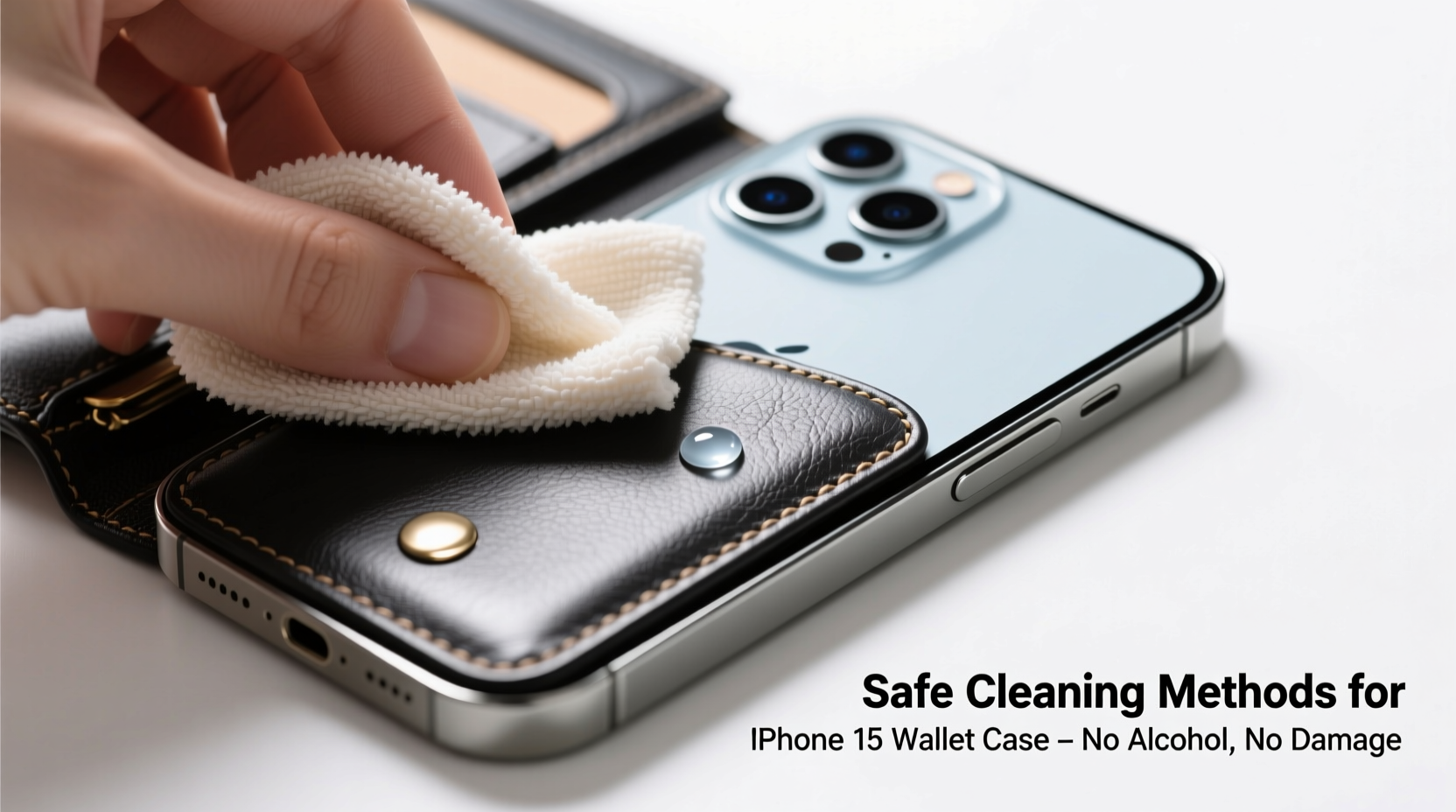
Before applying any cleaning method, identify the primary material of your wallet case. Apple offers several variants, each requiring tailored care:
- Leather: Ages beautifully but absorbs oils and moisture easily. Requires conditioning and gentle cleaners.
- Silicone: Resistant to wear but prone to collecting lint and surface grime. Can degrade under harsh chemicals.
- Fabric-composite (e.g., recycled yarns): Sensitive to water saturation and scrubbing. Needs spot treatment.
- Polyurethane or synthetic leather: Mimics real leather but may peel if exposed to alcohol or solvents.
Cleaning aniline leather with rubbing alcohol, for example, will strip its natural oils and cause cracking. Similarly, soaking a fabric-based case can warp its internal structure and weaken adhesive layers holding the card slots.
Step-by-Step Guide to Safe Cleaning
Follow this five-phase process to ensure thorough yet non-damaging cleaning:
- Remove Phone and Cards: Take out your iPhone 15 and all inserted cards. This prevents liquid exposure to electronics and allows full access to inner surfaces.
- Dry Dusting: Use a dry microfiber cloth to wipe down both interior and exterior surfaces. Pay attention to crevices around the camera cutout and card slots where debris accumulates.
- Prepare Cleaning Solution: Mix one part distilled water with one part isopropyl alcohol (no more than 70% concentration) only if necessary. For sensitive materials like leather, skip alcohol entirely—use only a drop of pH-neutral soap diluted in distilled water.
- Gentle Wipe-Down: Dampen a corner of a soft, lint-free cloth (not paper towel) with the solution. Wipe the case surface using light pressure. Never soak the case. Avoid getting moisture into card slots or along seams.
- Air Dry Completely: Lay the case flat on a clean towel in a well-ventilated area away from direct sunlight or heat sources. Allow at least 2–3 hours before reinserting your phone.
For stubborn stains—such as ink marks or makeup residue—use a cotton swab lightly dampened with the cleaning solution. Gently dab the affected area without vigorous rubbing.
Do’s and Don’ts: Quick Reference Table
| Do’s | Don’ts |
|---|---|
| Use a microfiber cloth for daily wiping | Use household cleaners like Windex or bleach |
| Clean every 1–2 weeks based on usage | Submerge the case in water or run under tap |
| Apply leather conditioner (for genuine leather models) every 2 months | Expose to direct sunlight or high heat to speed drying |
| Store in a dust bag when not in use | Use abrasive pads or toothbrushes on delicate surfaces |
| Spot-test cleaning solutions on inconspicuous areas | Use hand sanitizer or disinfectant wipes regularly |
Real Example: A Case Saved by Proper Care
Jamie, a marketing executive in Seattle, used her black leather iPhone 15 Designer Wallet Case daily—carrying it in her purse alongside keys and cosmetics. After three months, the once-luxurious surface appeared greasy, with visible scuffs near the hinge. She nearly discarded it, assuming permanent damage. Instead, she researched proper care and followed a cautious cleaning routine: dry microfiber wipe daily, biweekly damp cleaning with diluted pH-neutral soap, and monthly conditioning with a cream designed for aniline leather. Within weeks, the case regained its luster. More importantly, the magnetic alignment remained strong, ensuring reliable MagSafe charging. Her experience underscores that consistent, gentle maintenance beats infrequent aggressive cleaning.
“Many customers ruin premium cases by treating them like disposable accessories. A few minutes of mindful cleaning per week can extend their life by years.” — Lena Torres, Senior Product Care Advisor at TechGlow Solutions
Essential Maintenance Checklist
To keep your iPhone 15 Designer Wallet Case looking pristine, follow this actionable checklist:
- ✅ Remove phone and cards before cleaning
- ✅ Inspect for trapped debris in card slots weekly
- ✅ Wipe exterior with dry microfiber cloth after daily use
- ✅ Perform deep clean with damp cloth every 10–14 days
- ✅ Condition genuine leather cases every 6–8 weeks
- ✅ Store in a breathable pouch when switching devices
- ✅ Avoid stacking with metal objects that may scratch
Frequently Asked Questions
Can I use disinfectant wipes on my iPhone 15 wallet case?
Apple advises against using disinfectant wipes containing bleach or hydrogen peroxide, as they can degrade coatings and discolor materials. If sanitization is essential, use a 70% isopropyl alcohol wipe sparingly on hard plastic or glass surfaces only—not on leather or fabric. Always avoid saturation.
How often should I deep clean my wallet case?
For regular users, a thorough cleaning every two weeks is ideal. Heavy users—those in humid environments, frequent travelers, or individuals who eat while handling their phones—should consider weekly cleaning to prevent buildup of oils and bacteria.
Will cleaning affect the MagSafe magnets?
No, proper external cleaning does not impact the embedded magnets. The magnetic array is sealed within the case structure. However, prolonged exposure to moisture—especially if liquids seep inside—can corrode internal components over time. Always ensure the case is fully dry before reuse.
Preserve Functionality and Elegance Through Smart Care
Your iPhone 15 Designer Wallet Case is engineered for durability and sophistication, but it thrives under attentive stewardship. Unlike generic cases, designer models rely on precise material treatments and structural integrity to deliver both form and function. By adopting a disciplined yet gentle cleaning regimen, you protect not only the visual appeal but also the magnetic performance, RFID shielding, and tactile comfort that justify the premium price.
Remember: the goal isn’t sterility—it’s sustainable cleanliness. Over-cleaning or using inappropriate products causes more harm than dirt ever could. With the right tools and timing, your case can remain a seamless extension of your device for years.




 浙公网安备
33010002000092号
浙公网安备
33010002000092号 浙B2-20120091-4
Comments
No comments yet. Why don't you start the discussion?