
Water exposure is one of the most common causes of mobile phone failure. Whether it's a spilled drink, a rainstorm, or an accidental drop in the sink, moisture can wreak havoc on internal components within seconds. While modern smartphones often come with some level of water resistance, that protection isn't foolproof—especially against submersion or prolonged exposure. Knowing how to respond quickly and correctly can mean the difference between a fully functional device and costly repairs—or replacement.
The key lies not just in drying the phone, but in doing so without causing additional harm. Many people instinctively reach for rice, blow dryers, or shake the device vigorously, but these methods can do more damage than good. This guide outlines scientifically sound, practical, and safe techniques to recover a wet phone and protect it from future incidents.
Immediate Actions After Water Exposure
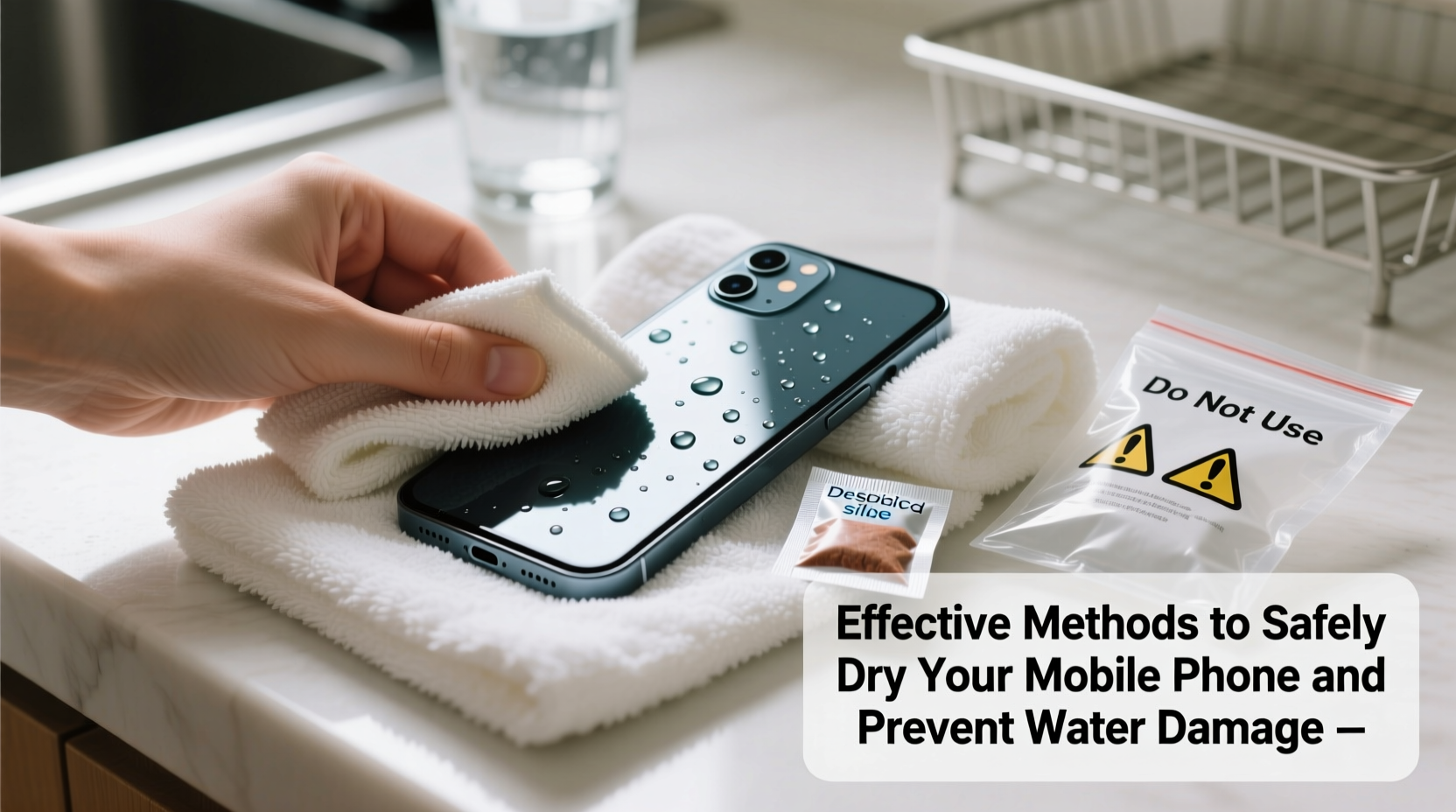
Time is critical when your phone gets wet. The longer moisture remains inside, the higher the risk of corrosion and short circuits. Follow these initial steps immediately after exposure:
- Turn off the device instantly. If the phone is still on, power it down to prevent electrical shorts.
- Remove it from the water source gently. Avoid shaking, as this can push water deeper into crevices.
- Take out the SIM card, case, and any accessories. This allows better airflow and reduces trapped moisture.
- Dry the exterior with a soft, lint-free cloth. Gently wipe around ports and buttons.
- Avoid charging or pressing buttons until completely dry.
Safe and Effective Drying Methods
Once the immediate response is complete, focus shifts to removing internal moisture safely. Not all drying techniques are equal; some popular myths can actually worsen the situation.
Use Silica Gel Packets (Best Option)
Silica gel is a desiccant, meaning it absorbs moisture from its surroundings. Unlike rice, which has limited absorbency and may leave behind dust, silica gel actively pulls water vapor from enclosed spaces.
Place your phone in an airtight container or resealable bag with several silica gel packets (commonly found in shoeboxes, supplement bottles, or purchased online). Leave it undisturbed for at least 24–48 hours before attempting to turn it back on.
Try a Vacuum Chamber (Advanced Method)
In controlled environments, vacuum chambers reduce air pressure, lowering the boiling point of water and accelerating evaporation. While most consumers don’t have access to lab equipment, small portable vacuum sealers designed for electronics recovery exist and can be effective when used properly.
Air-Dry in a Warm, Ventilated Area
If desiccants aren’t available, place the phone in a warm (not hot), dry room with good airflow. Position it upright near a fan set to low speed—never direct heat. Keep ports facing downward to allow drainage via gravity.
“Silica gel remains the gold standard for moisture absorption in electronics recovery. It’s safer and more effective than rice, which offers minimal benefit.” — Dr. Alan Reyes, Electronics Engineer & Failure Analyst
Methods to Avoid
Certain commonly recommended practices can cause more harm than good. Here’s what not to do—and why:
| Method | Risk | Better Alternative |
|---|---|---|
| Using a hair dryer | Heat can warp components and melt adhesives; forced air pushes moisture deeper | Room-temperature air circulation with a fan |
| Putting the phone in rice | Limited moisture absorption; rice dust can clog ports | Silica gel packets in an airtight container |
| Shaking the device | Spreads water to unaffected areas, increasing damage risk | Gently tilt to drain, then let sit |
| Placing near radiators or in ovens | Excessive heat damages batteries and screens | Warm, dry indoor environment away from direct heat |
Real-World Recovery Example
Consider Sarah, a college student who dropped her phone in a sink full of soapy water while washing dishes. She immediately turned it off, removed the case and SIM tray, and dried the surface with a microfiber towel. Instead of using rice, she placed the phone in a sealed container with five silica gel packets from old vitamin bottles. After 36 hours, she reassembled the device and powered it on—it worked perfectly.
Her success wasn’t luck. By avoiding heat, resisting the urge to press buttons, and using proper desiccants, she maximized her chances of recovery. In contrast, her roommate tried the rice method two months earlier and ended up with a non-responsive touchscreen due to starch buildup in the charging port.
Preventive Measures to Reduce Future Risk
Even the best recovery techniques can’t guarantee full restoration. Prevention is always preferable. Incorporate these habits into daily life:
- Use waterproof cases near pools or beaches. Invest in IP68-rated protective enclosures for full submersion protection.
- Enable water-repellent coatings. Some manufacturers apply nano-coatings; third-party sprays are available but vary in effectiveness.
- Keep phones away from high-moisture zones. Avoid placing them near sinks, bathtubs, or kitchen counters during cooking.
- Check weather alerts before outdoor use. Sudden downpours can catch users off guard.
- Know your phone’s water resistance rating. An IPX7 rating means it can survive 30 minutes in 1 meter of water; IPX8 offers deeper protection. Note: Ratings degrade over time due to wear and tear.
Step-by-Step Recovery Timeline
Follow this structured timeline to maximize recovery odds:
- Minute 0–5: Power off, remove case/SIM, gently dry exterior.
- Minute 5–15: Place phone in silica gel container or dry, ventilated area.
- Hours 1–24: Let sit undisturbed. Do not attempt to charge or turn on.
- After 24 hours: Inspect for visible moisture. If none, try powering on.
- If unresponsive: Wait another 12–24 hours before retrying. Consider professional repair if still failing.
Frequently Asked Questions
Can I use a vacuum cleaner to suck out water?
No. Household vacuums generate static electricity and lack precision, risking further damage. They are not suitable for electronics drying.
How long should I wait before turning my phone back on?
At minimum, 24 hours in silica gel. For total assurance, 48 hours is ideal. Rushing increases the chance of short circuits.
Does water damage void my warranty?
Yes, in most cases. Even water-resistant models lose coverage if liquid damage is detected. Check your manufacturer’s policy and consider insurance for added protection.
Final Thoughts and Call to Action
Water damage doesn’t have to spell the end of your mobile device’s life—but only if you act wisely and avoid common misconceptions. Safe drying hinges on patience, the right materials, and avoiding heat or force. With silica gel, airflow, and time, many wet phones can be restored to full function.
Equally important is prevention: understanding your device’s limits, using protective gear, and staying mindful of your surroundings. A few simple habits today can save hundreds tomorrow.




 浙公网安备
33010002000092号
浙公网安备
33010002000092号 浙B2-20120091-4
Comments
No comments yet. Why don't you start the discussion?