
Switching mobile carriers has become increasingly common as users seek better coverage, lower prices, or improved service. However, a major roadblock can arise if your phone is locked to a specific network. A locked device only works with one carrier’s SIM card, limiting flexibility. Knowing whether your phone is truly unlocked—and ready for any carrier—is essential before making the switch. Fortunately, several practical and accessible methods allow you to verify your phone's unlock status with confidence.
Why Unlock Status Matters
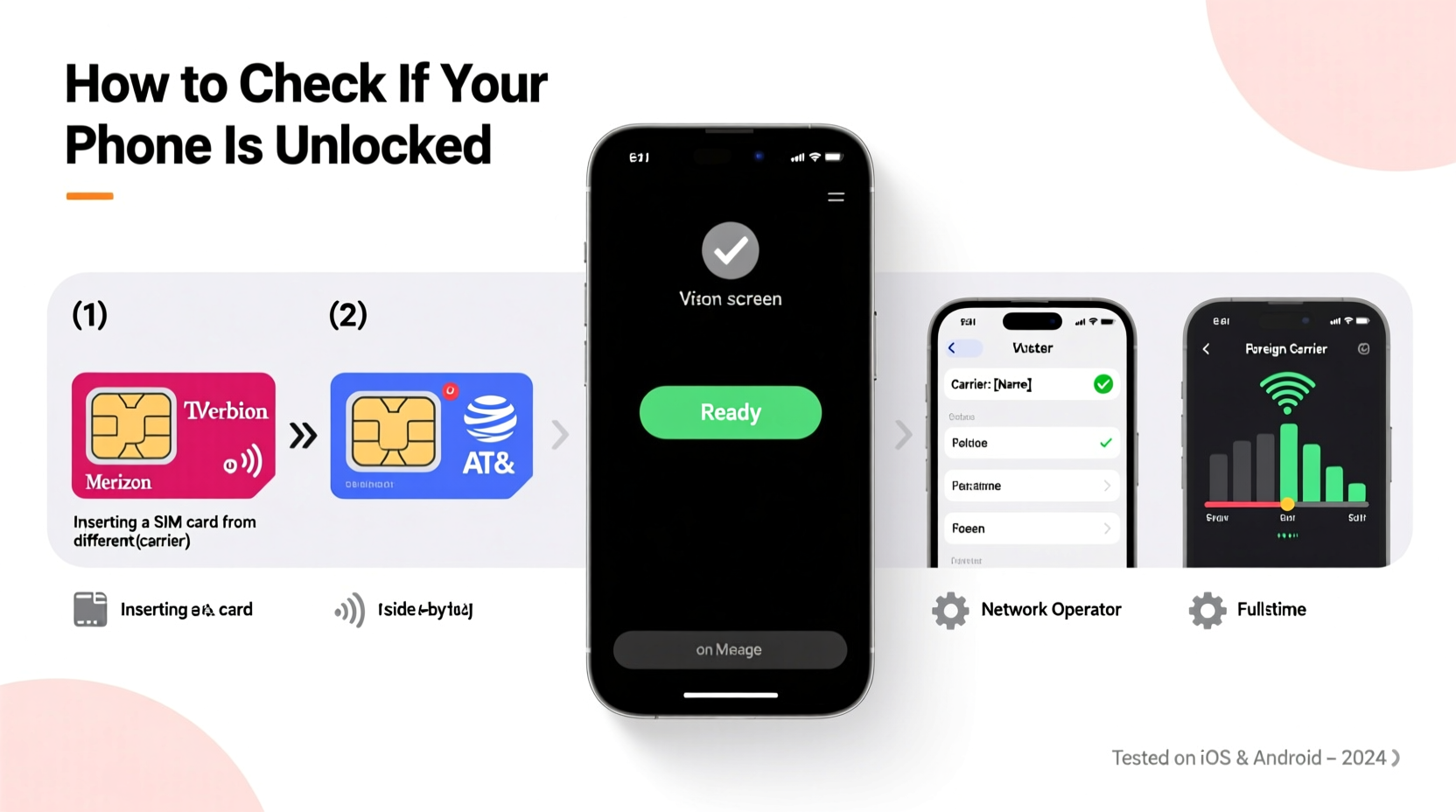
An unlocked phone gives you full control over which carrier you use. Whether you're traveling internationally, switching providers, or buying a used device, an unlocked phone ensures compatibility across networks. Carriers often sell phones at a discount in exchange for locking them to their network for a set period. Once that contract ends—or if you paid full price—the device should be eligible for unlocking. But assumptions can be misleading. A phone may appear to work normally on your current network while still being locked underneath.
Testing unlock status isn’t just about convenience—it prevents costly mistakes. Inserting a foreign SIM into a locked phone can result in error messages like “SIM Not Supported” or “Network Locked,” rendering the device useless on that carrier until properly unlocked.
Step-by-Step Guide: How to Test Your Phone’s Unlock Status
The most accurate way to confirm your phone is unlocked is through real-world testing using a different carrier’s SIM card. Follow this sequence for definitive results:
- Obtain a SIM card from another carrier – Borrow a working SIM from a friend who uses a different provider (e.g., switch from Verizon to AT&T).
- Power off your phone – This ensures a clean insertion and avoids software glitches.
- Insert the new SIM card – Replace your current SIM with the borrowed one.
- Power on the device – Allow it to boot completely.
- Check for service – Look for signal bars, carrier name, and the ability to make a call or send a text.
If the phone connects and functions normally, it’s almost certainly unlocked. If you see messages such as “This SIM card is not supported” or “Network Locked,” your phone remains restricted to its original carrier.
Alternative Methods When No SIM Is Available
Not everyone has access to multiple SIM cards. In such cases, built-in tools and carrier verification can help determine unlock status.
Check Device Settings (iOS and Android)
On iPhones running iOS 14 or later, go to Settings > General > About. Scroll down and look for “Carrier Lock.” If it says “No SIM Restrictions,” your iPhone is unlocked. Any other message (e.g., “SIM Locked”) indicates restrictions are in place.
Most Android devices do not display unlock status directly in settings. However, some manufacturers, like Google Pixel, show “Carrier” or “Network” information under Settings > Network & Internet > Mobile Network. If no carrier-specific branding appears and you can change APN settings freely, it’s a good sign the phone is unlocked.
Contact Your Carrier
Even if you believe your phone should be unlocked, confirm directly with your provider. Most major U.S. carriers—including Verizon, AT&T, T-Mobile, and their MVNOs—offer online unlock request portals or customer support lines to verify eligibility.
According to FCC guidelines, carriers must unlock devices upon request if the account is in good standing and the device has been fully paid for. As David Strickland, former Administrator of the National Highway Traffic Safety Administration and telecom policy advisor, noted:
“Consumers have a right to use their lawfully purchased devices on any network that accepts them. Transparency around lock status empowers informed choices.” — David Strickland, Telecom Policy Advisor
IMEI Lookup: Fast but Limited Accuracy
Another popular method involves checking your phone’s IMEI (International Mobile Equipment Identity) number. Dial *#06# to display it instantly. Then visit a free IMEI checker site such as IMEICheck.org, Swappa’s IMEI Checker, or the carrier’s official IMEI tool.
These services may reveal:
- Original carrier
- Lock status
- Blacklist or theft reports
- Warranty status
However, IMEI checks aren't always reliable. They reflect historical data, not real-time unlock status. A phone could have been unlocked after the database was last updated, leading to false negatives. Use IMEI results as a clue—not a final verdict.
Comparison Table: Testing Methods Overview
| Method | Accuracy | Speed | Requirements |
|---|---|---|---|
| SIM Swap Test | High | 5–10 minutes | Different carrier’s SIM card |
| iOS Settings Check | High (for iPhones) | 1–2 minutes | iOS 14+, active device |
| Android Settings | Medium | 2–3 minutes | Limited visibility on most models |
| Carrier Verification | Very High | 5–30 minutes | Account access, proof of ownership |
| IMEI Lookup | Low to Medium | 2–5 minutes | IMEI number only |
Real Example: Traveler Avoids Roaming Fees
Sarah, a digital nomad based in Austin, planned a three-month trip across Southeast Asia. She wanted to avoid expensive international roaming charges by using local prepaid SIMs. Before departure, she assumed her iPhone 13 was unlocked since she had purchased it outright.
To confirm, she borrowed a friend’s AT&T SIM (her phone was originally on Verizon). After inserting it, her phone displayed “No Service.” Concerned, she checked Settings > About and saw “Carrier Lock: No SIM Restrictions”—conflicting with the physical test.
She contacted Verizon support and discovered her account had been closed six months prior, and though the device was eligible, it hadn’t been formally unlocked due to an automated system error. After a quick verification process, Verizon processed the unlock remotely. On her next SIM test, the phone connected immediately. Sarah saved hundreds in roaming fees and stayed connected throughout her journey.
Checklist: Verify Your Phone Is Unlocked
Use this checklist to ensure your phone is truly ready for any carrier:
- ✅ Confirm the device is fully paid off and not under contract
- ✅ Power down and insert a SIM from a different carrier
- ✅ Boot the phone and check for network connectivity
- ✅ For iPhones: Navigate to Settings > General > About and verify “No SIM Restrictions”
- ✅ Contact your carrier to request unlock confirmation
- ✅ Perform an IMEI lookup as supplementary verification
- ✅ Test voice, data, and SMS functionality with the new SIM
Frequently Asked Questions
Can a phone be unlocked but still not work on another carrier?
Yes. Unlock status only removes carrier restrictions—it doesn’t guarantee compatibility. Network bands, 5G support, and CDMA vs. GSM technology vary between carriers. For example, older Sprint phones may lack the LTE bands needed for T-Mobile, even if unlocked.
Does factory resetting a phone unlock it?
No. A factory reset erases personal data but does not alter carrier lock settings. The lock is embedded in the device firmware and requires either a carrier-provided unlock code or official remote unlock process.
Is it legal to unlock my phone?
Yes. Under the Unlocking Consumer Choice and Wireless Competition Act, consumers in the U.S. have the legal right to unlock their phones if they meet carrier requirements. Third-party unlocking services exist, but using unauthorized methods may void warranties or violate terms of service.
Final Steps and Recommendations
Knowing your phone’s unlock status protects your investment and expands your options. While online tools and settings provide clues, nothing beats the SIM swap test for certainty. Combine hands-on verification with carrier confirmation for maximum confidence.
If you're buying a used phone, always perform these checks before finalizing the purchase. Ask the seller to demonstrate SIM compatibility with a different network during the transaction. For travelers, pre-trip unlock verification eliminates connectivity stress abroad.




 浙公网安备
33010002000092号
浙公网安备
33010002000092号 浙B2-20120091-4
Comments
No comments yet. Why don't you start the discussion?