
Smart sunglasses have evolved from a futuristic concept into a practical accessory, combining UV protection with hands-free audio, voice control, and smartphone integration. However, when Bluetooth fails to connect or drops unexpectedly, the experience quickly becomes frustrating. Unlike traditional headphones, smart sunglasses sit at the intersection of fashion and function, making connectivity reliability essential. The good news is that most Bluetooth issues are fixable with systematic troubleshooting. This guide walks through proven techniques to identify root causes and restore smooth wireless performance.
Understanding Common Causes of Bluetooth Failure
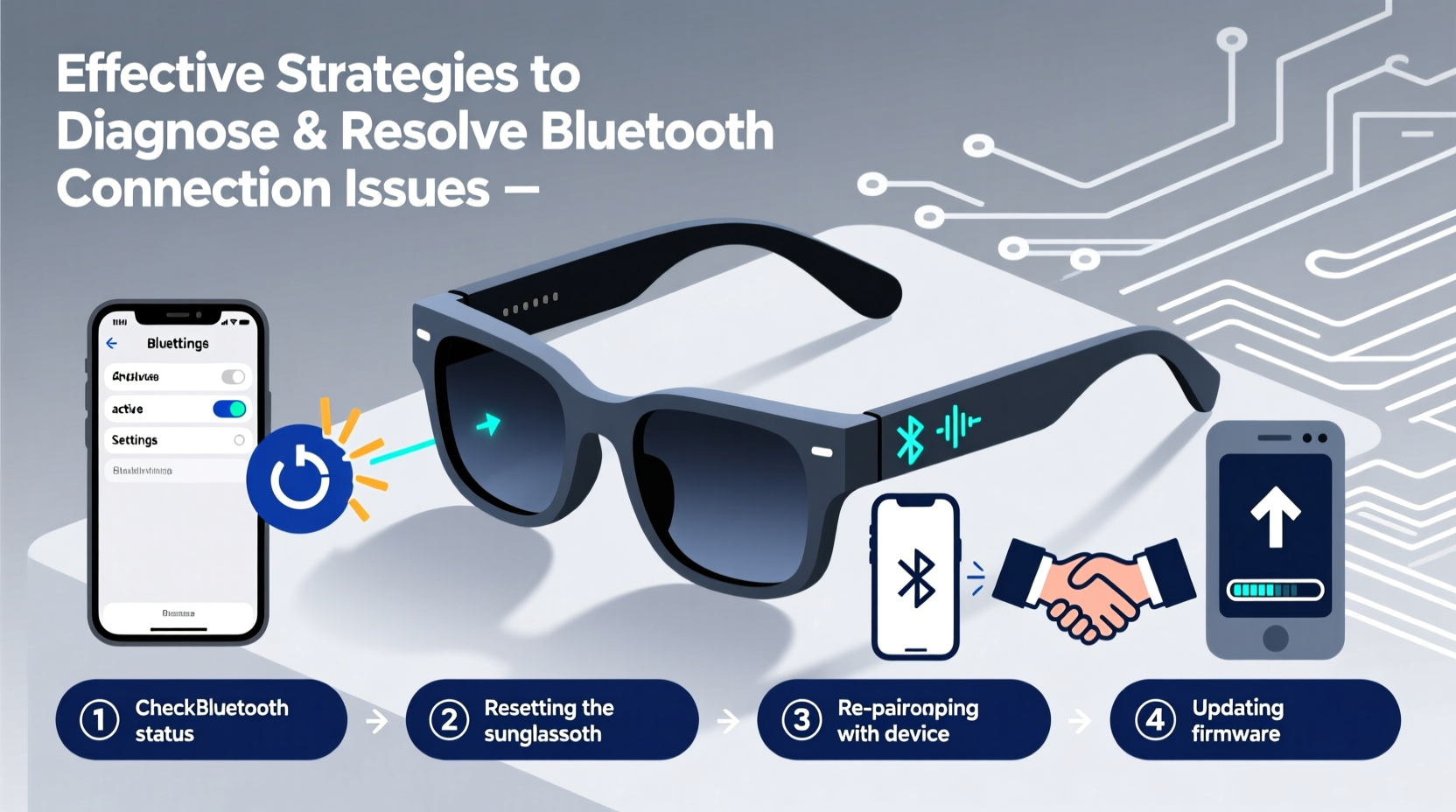
Before diving into solutions, it's important to recognize what typically disrupts Bluetooth communication in wearable devices like smart sunglasses. These gadgets operate on low-energy Bluetooth (BLE) protocols, which are sensitive to environmental interference, power limitations, and software inconsistencies.
- Low battery: Smart sunglasses often shut down peripheral functions like Bluetooth when power drops below critical levels.
- Signal interference: Wi-Fi routers, microwaves, and other 2.4 GHz devices can congest the frequency band used by Bluetooth.
- Outdated firmware: Manufacturers release updates to improve stability, but users often miss them.
- Device memory overload: Sunglasses may only support pairing with a limited number of devices; exceeding this limit causes conflicts.
- Physical obstructions: Metal frames, buildings, or even your body can block or weaken signals over short distances.
Step-by-Step Guide to Reestablishing Connection
Follow this sequence to methodically eliminate possible failure points. Many users skip early steps, assuming their device is ready to pair, only to waste time on advanced fixes unnecessarily.
- Charge both devices: Ensure your sunglasses have at least 50% battery and your phone isn’t in low-power mode.
- Enable Bluetooth on your phone: Swipe down your control panel and verify Bluetooth is active. Don’t rely solely on automatic reconnection.
- Enter pairing mode: Press and hold the multifunction button on the temple for 5–7 seconds until an audible cue or LED flash confirms pairing mode.
- Forget previous connections: On your smartphone, go to Bluetooth settings, find the sunglasses under “Paired Devices,” and select “Forget.” <5> Restart Bluetooth stack: Turn Bluetooth off, wait 10 seconds, then turn it back on.
- Re-pair from scratch: Search for new devices and select your sunglasses from the list.
- Test audio output: Play music or a voice memo to confirm two-way functionality.
If the connection still fails, proceed to deeper diagnostics.
Advanced Troubleshooting: Firmware and Device Management
Sometimes, the issue lies beneath the surface. Outdated firmware is a silent culprit behind unstable Bluetooth behavior. Most smart sunglasses require a companion app for updates—often overlooked after initial setup.
Download the official app (e.g., Bose Frames, Ray-Ban Meta, or Shokz OpenComm), log in if necessary, and navigate to the device management section. If an update is available, follow the prompts carefully. Keep both the sunglasses and your phone charged during the process—interruptions can corrupt firmware.
| Issue | Likely Cause | Solution |
|---|---|---|
| Device appears but won’t connect | Firmware glitch or corrupted profile | Forget device, restart phone, re-pair |
| No sound from one earbud | Audio balance misconfigured | Check phone’s accessibility settings for mono/stereo balance |
| Intermittent dropouts | Signal interference or weak battery | Move away from Wi-Fi sources; charge fully |
| Sunglasses not showing in list | Not in pairing mode or hardware fault | Hold button 10 sec; consult manufacturer |
Mini Case Study: Recovering a “Bricked” Pair of Audio Sunglasses
A user in Austin reported that their premium smart sunglasses stopped responding after a firmware update failed mid-process. The LEDs wouldn’t light up, and the device was invisible to all phones. After confirming the battery wasn’t dead (charging indicator worked), they downloaded the manufacturer’s app and discovered a hidden “recovery mode” triggered by holding the volume-up and power buttons simultaneously for 15 seconds. The app detected the device in recovery state and pushed a clean firmware image. Within ten minutes, full functionality returned. The lesson: always consult brand-specific recovery procedures before concluding hardware failure.
Preventive Maintenance Checklist
Once you’ve restored connectivity, prevent future disruptions with these proactive measures:
- ✅ Update firmware monthly via the companion app
- ✅ Clean charging contacts weekly with a dry cotton swab
- ✅ Limit paired devices to two trusted smartphones
- ✅ Store in a protective case away from extreme temperatures
- ✅ Reboot sunglasses weekly by powering off and on
- ✅ Avoid using near high-interference zones (e.g., gyms with many wearables)
Expert Insight: What Engineers Recommend
Bluetooth stability in compact wearables remains a challenge due to size constraints limiting antenna strength and battery capacity. Industry specialists emphasize design trade-offs.
“With audio sunglasses, we’re balancing aesthetics, comfort, and wireless performance. A common oversight is assuming Bluetooth range matches that of traditional earbuds. In reality, the temple placement and frame materials reduce signal penetration. Users should keep their phone within three feet whenever possible.” — Dr. Lena Torres, Senior RF Engineer at WearableComms Labs
FAQ: Common Questions About Smart Sunglass Connectivity
Why do my sunglasses connect but produce no sound?
This usually occurs when the phone routes audio to another output (like AirPlay or wired headphones). Go to Settings > Bluetooth, tap the info icon next to your sunglasses, and select “Use for Media Audio.” Also ensure media volume—not call volume—is turned up.
Can I pair my sunglasses with multiple devices at once?
Most models support multi-point pairing, but not simultaneous audio streaming. You can switch between a phone and laptop, but only one plays audio at a time. Check your model’s specifications—some require app configuration to enable this feature.
How far can I move from my phone before losing connection?
The effective range is typically 30 feet (10 meters) in open space. Walls, crowds, or metal objects reduce this significantly. For best results, maintain line-of-sight and avoid placing your phone in a backpack or pocket behind your back.
Conclusion: Take Control of Your Wireless Experience
Bluetooth issues with smart sunglasses are rarely permanent. With a structured approach—starting with basic checks and progressing to firmware and environmental factors—most problems can be resolved without professional help. The key is consistency: treat your smart eyewear like any high-performance tech, not just a fashion item. Regular maintenance, timely updates, and mindful usage habits ensure years of reliable service.




 浙公网安备
33010002000092号
浙公网安备
33010002000092号 浙B2-20120091-4
Comments
No comments yet. Why don't you start the discussion?