
Email remains one of the most widely used communication tools in both personal and professional settings. Yet, one persistent challenge lingers: uncertainty. Did the recipient open your message? Did they actually read it—or simply glance at the subject line before moving on? Unlike instant messaging platforms that offer real-time read receipts, standard email doesn’t provide automatic confirmation. However, several reliable techniques—ranging from technical tools to strategic follow-ups—can help you gain insight into whether your email has been seen and understood.
Knowing when an email is read isn’t just about satisfying curiosity. It’s critical for timely follow-ups, closing deals, ensuring accountability, and maintaining workflow efficiency. Whether you're a manager tracking project updates, a sales professional nurturing leads, or someone sending an important request, confirming email engagement can significantly improve outcomes.
Use Read Receipts and Delivery Notifications
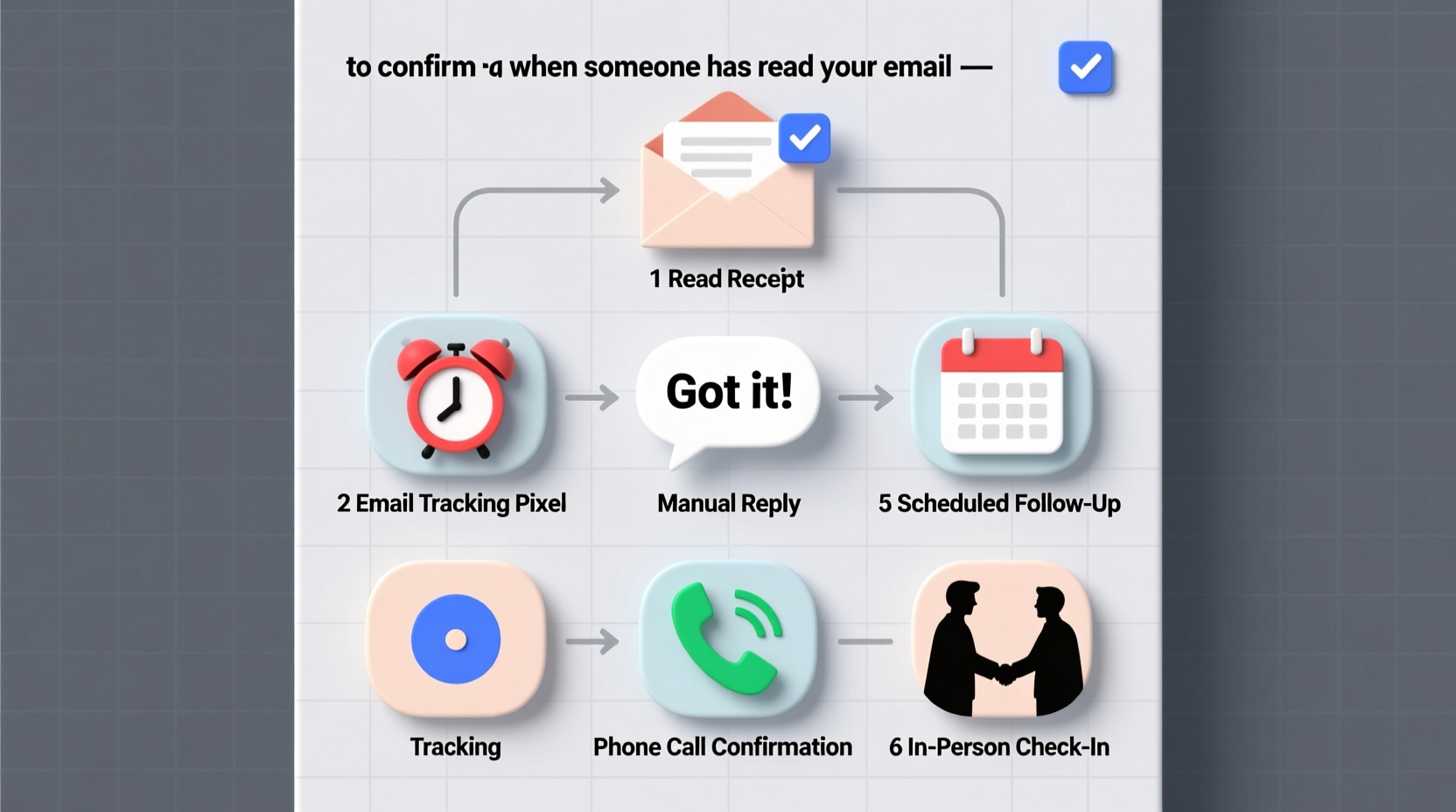
Many email clients, including Microsoft Outlook and some enterprise versions of Gmail, offer built-in features like read receipts and delivery notifications. These tools send automated alerts when an email is opened or delivered.
A delivery receipt confirms that the message reached the recipient’s server. A read receipt, on the other hand, notifies you when the recipient opens the email. While useful, these features come with limitations. For instance, recipients can decline to send a read receipt, rendering the feature ineffective. Additionally, many users disable this function due to privacy concerns.
How to Enable Read Receipts (Outlook Example)
- Open a new email message.
- Navigate to the “Options” tab.
- Select “Request a Read Receipt.”
- Send the message.
If the recipient agrees, you’ll receive a notification once the email is opened. Note that this only works if both parties use compatible systems and have not disabled the feature.
Leverage Email Tracking Tools
Email tracking software offers a more robust solution than native read receipts. Platforms like Mailtrack, HubSpot Sales Hub, Mixmax, and Yesware embed invisible tracking pixels into emails. When the recipient opens the message, the pixel loads from a remote server, triggering a notification to the sender.
These tools often provide additional insights: time of opening, number of views, location (based on IP), and even device type. Some integrate directly with Gmail or Outlook, displaying real-time status next to sent messages.
| Tool | Key Features | Best For |
|---|---|---|
| Mailtrack | Free tier, real-time read notifications, browser extension | Freelancers and small teams |
| HubSpot Sales Hub | CRM integration, link tracking, scheduling | Sales professionals |
| Mixmax | Templates, sequences, calendar sync | High-volume outreach |
| Yesware | Team reporting, attachment tracking, analytics | Enterprise sales teams |
While powerful, tracking tools raise ethical considerations. Always ensure compliance with data privacy regulations such as GDPR or CCPA. Transparency is key—some professionals include a brief note at the bottom of their emails: “This message may include tracking to improve communication efficiency.”
Analyze Behavioral Cues and Response Patterns
Even without digital tools, you can infer whether an email has been read by observing behavioral patterns. Timely replies, references to specific content, or actions taken based on your message are strong indicators of engagement.
For example, if you send a meeting proposal and the recipient counters with a new time slot within hours, it’s safe to assume they read and processed your email. Conversely, delayed or generic responses—such as “I’ll get back to you”—may suggest the message was acknowledged but not fully reviewed.
- Direct reference: The recipient quotes a sentence or addresses a detail unique to your email.
- Action alignment: They complete a requested task or respond with relevant documentation.
- Follow-up questions: Specific inquiries indicate deeper reading rather than skimming.
“People often underestimate how much they can learn from response quality. A thoughtful reply is the best proof of reading.” — Laura Simmons, Communication Strategist at ExecFlow Consulting
Design Emails for Engagement and Confirmation
The structure and clarity of your email influence not only whether it gets read—but whether the recipient feels compelled to acknowledge it. Well-designed emails increase the likelihood of both engagement and response.
Start with a compelling subject line that conveys urgency or value. Avoid vague phrases like “Following Up” in favor of specific ones like “Action Required: Approval Needed by EOD Thursday.” Inside the body, use short paragraphs, bullet points, and bold headers to guide the reader’s eye.
Include a clear call-to-action (CTA). Instead of ending with “Let me know what you think,” try “Please confirm by Friday if you approve the budget outlined above.” This sets expectations and invites acknowledgment.
Mini Case Study: Improving Internal Compliance
A mid-sized marketing agency struggled with delayed approvals on campaign assets. Team leads would send detailed emails, only to face silence for days. After analyzing the issue, they introduced a new protocol: all approval requests now include a subject line with “[ACTION NEEDED]” and end with a deadline-specific CTA. Additionally, they began using HubSpot to track opens.
Within four weeks, response time dropped from an average of 68 hours to under 24. The combination of structured messaging and tracking visibility allowed managers to follow up precisely when an email had been opened but not acted upon.
Step-by-Step Guide to Confirming Email Reads
Follow this practical sequence to maximize your chances of knowing whether your email has been read—and prompt a response when needed.
- Draft with purpose: Clearly state the objective and desired action in the first paragraph.
- Use a tracking tool: Enable a lightweight tracker like Mailtrack for Gmail.
- Set expectations: Include a polite but firm deadline: “Kindly respond by Tuesday so we can proceed.”
- Monitor activity: Check tracking dashboard or await read receipt.
- Follow up strategically: If the email is opened but no reply comes within 24 hours, send a concise follow-up: “I see you’ve viewed my note about the Q3 report—do you have any initial feedback?”
- Adjust approach: If multiple attempts fail, consider switching channels (e.g., phone call or instant message).
Common Pitfalls to Avoid
While seeking confirmation is reasonable, certain behaviors can damage trust or appear intrusive.
| Do’s | Don’ts |
|---|---|
| Use tracking tools transparently | Track every casual message without reason |
| Follow up after a read + delay | Send aggressive reminders minutes after a read alert |
| Respect privacy preferences | Press recipients to enable read receipts |
| Focus on mission-critical emails | Over-monitor routine correspondence |
FAQ
Can I track if someone reads my email without them knowing?
Technically, yes—through embedded tracking pixels used by third-party tools. However, ethically, it's advisable to be transparent, especially in professional or regulated environments. Surprise tracking can erode trust if discovered.
Why didn’t I get a read receipt even though I requested one?
The recipient may have declined the receipt, disabled the feature, or used an email client that doesn’t support it (e.g., standard Gmail). Some corporate firewalls also block receipt requests for security reasons.
Are email tracking tools accurate?
Most are highly accurate for open detection, but false negatives can occur if images are blocked or the email is previewed in a secure environment. They do not confirm comprehension—only that the message was likely viewed.
Conclusion
Confirming when someone has read your email blends technology, psychology, and professionalism. From leveraging tracking tools to crafting intentional messages and interpreting behavioral signals, the strategies outlined here empower you to close the communication loop effectively. The goal isn't surveillance—it's clarity. Knowing whether your message landed allows you to act decisively, reduce ambiguity, and keep projects moving forward.




 浙公网安备
33010002000092号
浙公网安备
33010002000092号 浙B2-20120091-4
Comments
No comments yet. Why don't you start the discussion?