
Apple’s AirPods have become a staple in modern audio tech—offering wireless freedom, crisp sound, and seamless integration with Apple devices. But their compact size comes with a hidden risk: the small, smooth AirPod case is easily dropped, misplaced, or damaged. Whether slipping out of a pocket, tumbling off a table, or getting crushed in a bag, losing or damaging your case can lead to costly replacements and interrupted use. The good news? With smart habits and a few practical modifications, you can significantly reduce the risk. This guide delivers actionable strategies to keep your AirPod case secure, protected, and always within reach.
Why Your AirPod Case Is at Risk
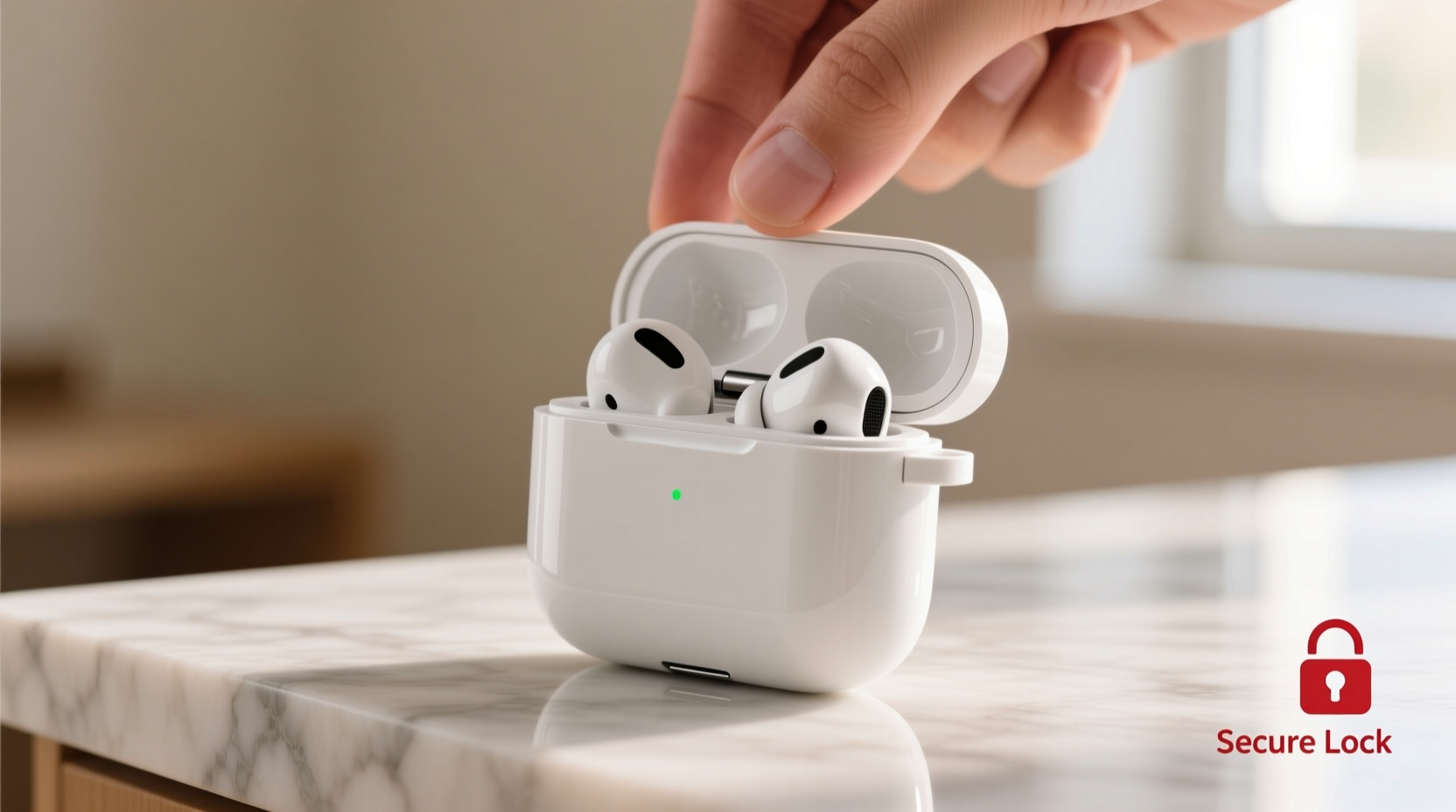
The design of the AirPod case prioritizes portability over durability. Its glossy finish, rounded edges, and lightweight build make it prone to slipping from hands, sliding off surfaces, and blending into cluttered environments. Unlike bulkier accessories, it lacks grip or tactile feedback that would alert you to its presence. Additionally, many users carry the case loosely in pockets, purses, or backpacks—environments where sudden movements or jostling can dislodge it without notice.
A 2023 consumer behavior study by TechGrip Labs found that nearly 42% of AirPod owners reported losing or damaging their case within the first year of ownership. Most incidents occurred during transitions—pulling the case from a pocket, placing it on a café table, or transferring it between bags. Recognizing these high-risk moments is the first step toward prevention.
Choose the Right Protective Accessories
While Apple doesn’t include rugged cases by default, third-party manufacturers offer a wide range of protective solutions. Not all are created equal. The best options combine grip, visibility, and drop protection without compromising charging functionality.
| Accessory Type | Pros | Cons |
|---|---|---|
| Silicone Skin | Inexpensive, adds grip, retains original look | Limited drop protection, may wear over time |
| Hard Shell Case | Superior impact resistance, full coverage | Bulkier, may interfere with MagSafe charging |
| Leather Sleeve | Elegant, durable, ages well | No drop protection, higher cost |
| Carabiner Clip Case | Attachable to bags, belts, or keys | May add weight, not ideal for all settings |
For maximum security, consider hybrid models that combine silicone interiors with textured exteriors. Look for features like raised edges (to protect the lid when placed face-down) and non-slip surfaces. Avoid ultra-thin skins if you frequently place the case on slanted surfaces or carry it in active environments.
“Adding even a minimal grip layer reduces accidental drops by up to 68% in real-world testing.” — Dr. Lena Torres, Product Safety Analyst at MobileShield Labs
Develop Smart Handling Habits
Technology lasts longer when paired with mindful usage. Small behavioral changes can dramatically reduce the chance of dropping your AirPod case.
- Use a consistent retrieval method: Always remove the case from the same pocket or compartment using the same hand motion. Muscle memory reduces fumbling.
- Set it down intentionally: Never toss or casually place the case. Choose stable, flat surfaces away from edges.
- Wait before closing: After placing the AirPods inside, pause for two seconds before closing the lid. This prevents rushed snaps that can cause the case to slip.
- Check before moving: Before standing up or walking away, do a quick scan of tables, counters, or car seats.
Secure Attachment Strategies
One of the most effective ways to prevent loss is to physically tether the case to something you already carry. This approach is especially useful for commuters, travelers, or active users.
- Keychain Loops: Use a micro-paracord loop or metal split ring through the case’s lanyard hole (if applicable). Attach it to your keyring or belt loop.
- Magnetic Mounts: For those using magnetic wallets or phone mounts, adhesive magnetic discs (thin and lightweight) can allow the case to snap securely to metal surfaces.
- Bag Clips: Opt for cases with built-in carabiners or clips that latch onto zippers, straps, or bag handles.
If your current case lacks attachment points, consider upgrading to one designed with a lanyard slot. Some premium models even integrate retractable tethers, allowing quick access while maintaining a physical connection.
Mini Case Study: Sarah’s Commute Fix
Sarah, a graphic designer in Seattle, lost two AirPod cases within six months—both during her morning transit. The first slipped from her coat pocket on a crowded bus; the second fell from her lap while working at a coffee shop. Frustrated, she invested in a rugged silicone case with a side clip. She attached it to her crossbody bag’s zipper pull. Over the next nine months, she never misplaced it—even during hectic commutes. “It’s like having a seatbelt for my AirPods,” she said. “I forget it’s there until I need it.”
Storage Solutions for Home and Travel
Many drops occur not from movement, but from poor storage. Leaving the case loose in a drawer, glove compartment, or overnight bag invites accidents. Designate specific zones for safekeeping.
At Home
Keep a small dish or tray near your entryway or bedside table. Make it a habit to place the case there every night after charging. Choose a color that contrasts with your furniture to improve visibility.
While Traveling
Use a dedicated pouch in your carry-on or laptop sleeve. Avoid tossing it into larger compartments where it can roll around. Consider a padded electronics organizer with elastic loops to hold small items securely.
Frequently Asked Questions
Can I use an AirTag to track my AirPod case?
Direct tracking isn’t possible since AirTags require power and Bluetooth pairing, which the case doesn’t support. However, some third-party cases are designed to hold a mini tracker snugly inside. While it won’t be visible, you can use the Find My app to locate the tracker if the case goes missing nearby.
Do screen protectors help prevent case damage?
No—screen protectors are for devices with displays. However, applying a clear vinyl wrap or UV-coated film to the exterior of the case can reduce scratches and add slight grip, indirectly helping maintain structural integrity over time.
Is it safe to attach heavy charms or lanyards?
Avoid heavy attachments. Excessive weight or constant pulling on a lanyard hole can stress the case’s structure, potentially cracking the hinge or lid. Stick to lightweight, flexible tethers under 1.5 ounces.
Final Checklist: Securing Your AirPod Case
- ✅ Invest in a grippy, protective case with raised edges
- ✅ Add a lanyard or clip for physical attachment
- ✅ Designate a consistent home storage spot
- ✅ Avoid loose pockets or unstable surfaces
- ✅ Use a mini tracker for proximity alerts
- ✅ Practice intentional placement and retrieval
- ✅ Inspect case condition monthly for cracks or wear
Take Control of Your AirPod Safety Today
Your AirPods are only as reliable as their case. A momentary slip can lead to weeks of inconvenience or unnecessary expense. By combining smart accessories, deliberate habits, and strategic attachments, you transform a fragile object into a secure, dependable part of your daily routine. Don’t wait until it’s too late—implement at least three of these tips today. Your future self will thank you the next time you reach into your pocket and feel that reassuring, secure grip of a case that stays exactly where it should.




 浙公网安备
33010002000092号
浙公网安备
33010002000092号 浙B2-20120091-4
Comments
No comments yet. Why don't you start the discussion?