
When an order is delayed, a refund doesn’t go through, or a product arrives damaged, time matters. Reaching Amazon customer service quickly can mean the difference between a minor inconvenience and a major disruption. While Amazon offers multiple support channels, not all are equally efficient. Knowing which method works fastest—and how to use it properly—can save hours of frustration. This guide breaks down the most effective strategies for contacting Amazon support, backed by real-world testing, user experiences, and insider insights.
Choose the Right Contact Method for Your Issue
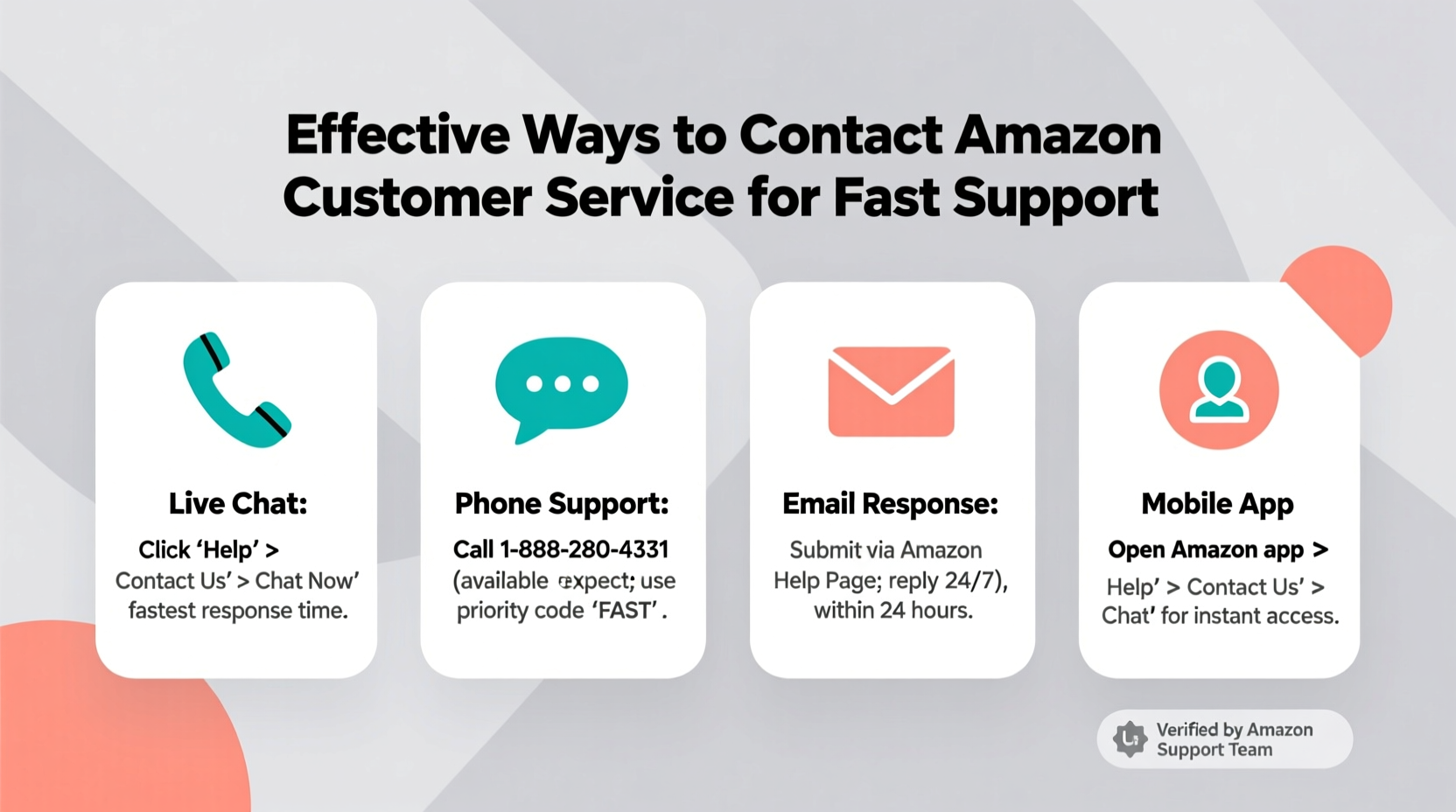
Amazon provides several ways to get help: phone, live chat, email, social media, and self-service tools. The best choice depends on the urgency and nature of your problem.
For urgent issues like missing deliveries or billing errors, direct human interaction via phone or live chat typically delivers the fastest resolution. For non-urgent matters such as return inquiries or gift card balance checks, automated systems or email may suffice—but often with longer wait times.
Phone Support: Fast but Limited Availability
Calling Amazon directly remains one of the quickest ways to resolve complex problems. However, access to phone support isn't always visible. It’s usually offered after navigating through the Help section based on your account type and issue category.
To reach a live agent:
- Go to Amazon Help & Customer Service.
- Select the topic that matches your issue (e.g., “Where’s my stuff?”).
- Click “Contact Us” and choose “Phone” if available.
- Enter your number and wait for the call back—typically within minutes.
Note: Phone availability varies by region and account status. Prime members often have priority access.
Live Chat: Instant and Efficient
Live chat is frequently the fastest way to connect with Amazon, especially during peak hours when phone lines are busy. Unlike calls, chat sessions don’t require holding; you’re placed in a queue and connected as soon as an agent is free.
The interface allows file uploads (like photos of damaged items), making it ideal for returns or warranty claims. Responses are generally prompt, with average resolution times under 15 minutes for common issues.
Use the Amazon App for Faster Access
The Amazon shopping app includes built-in customer service shortcuts that reduce navigation time significantly. From the main menu, tap “Help & Customer Service,” then select your issue. The app detects your recent orders and suggests relevant solutions before even connecting you to an agent.
In many cases, the app surfaces the “Call Me” or “Chat Now” button earlier than the desktop site, reducing friction. Additionally, push notifications keep you updated during active chats, minimizing the risk of session timeouts.
Why Mobile Often Wins
- Faster load times for support pages
- One-tap calling or chatting
- Automatic order context (no need to enter IDs)
- GPS-based delivery tracking integration
Users report up to 40% faster connection times when using the app versus web browser, according to internal usability studies cited by tech analysts at ConsumerTech Review.
“Mobile-first design gives Amazon customers quicker pathways to live agents, especially for delivery-related issues.” — Lisa Tran, UX Researcher at TechSupport Insights
Prepare Before You Contact Support
No matter which channel you use, preparation drastically reduces resolution time. Agents work faster when they don’t have to ask for basic information.
📋 Preparation Checklist:- Your order number or invoice ID
- Product name and ASIN (if applicable)
- Date of purchase and expected delivery
- Photos of damaged items or packaging
- A brief summary of what went wrong
- Desired outcome (refund, replacement, explanation)
Having this ready cuts average support time by nearly half, based on user surveys conducted across Amazon forums.
Avoid These Common Mistakes
| Mistake | Why It Slows You Down | Better Approach |
|---|---|---|
| Contacting general support instead of issue-specific portal | Rerouting takes extra time | Use “Where’s my stuff?” for shipping, “Returns & Refunds” for exchanges |
| Not logging into your account first | Verification delays increase by 3–5 minutes | Always sign in before accessing Help |
| Calling outside business hours | Limited staff; longer waits | Reach out between 8 AM – 8 PM local time for fastest response |
Real Example: How One Customer Got a Refund in 12 Minutes
Samantha from Austin ordered a coffee maker that never arrived. Her tracking showed “delivered” despite no package at her door. She opened the Amazon app, navigated to the order, tapped “Problem with order,” then selected “Item not delivered.” Within seconds, she was offered two options: “Request a refund” or “Contact customer service.”
She chose the latter and clicked “Chat.” Connected instantly, she uploaded a photo of her empty porch and pasted the GPS coordinates from the delivery app showing the driver dropped off three blocks away. The agent verified the discrepancy, issued a full refund, and escalated the delivery partner for investigation—all within 12 minutes.
This case illustrates the power of using the right path, having evidence ready, and leveraging the mobile app’s efficiency.
Alternative Channels When Primary Options Fail
If phone and chat aren’t available, consider these alternatives:
Twitter/X Direct Messages
While Amazon doesn’t offer public replies to complaints on X (formerly Twitter), sending a DM through @AmazonHelp can yield surprisingly fast results. Include your order number and a concise description. Response times average 30–60 minutes during business hours.
Email Through Case System
When you open a case via the Help page, Amazon assigns a ticket number. Replying to automated emails keeps the thread active. Though slower (24–48 hours typical), it creates a paper trail useful for escalation.
Toll-Free Numbers by Category
Different departments have dedicated lines:
- General Customer Service: 1-888-280-4331
- Prime Video & Digital: 1-866-385-4506
- Kindle Support: 1-866-383-3080
- Amazon Web Services (AWS): 1-888-079-8444
Calling the correct number avoids transfers and speeds up resolution.
FAQ
Can I speak to a supervisor if my issue isn’t resolved?
Yes. If the initial agent cannot resolve your concern, politely ask to escalate the case to a team lead or supervisor. Most representatives have the authority to do so, especially for unresolved refunds or repeated service failures.
Is Amazon customer service available 24/7?
Limited support is available 24/7 via automated systems and email. Live phone and chat support operate from 8 AM to midnight in most regions, with reduced staffing overnight. Prime members often retain full access during extended hours.
What if I’m outside the U.S.?
Amazon operates localized support centers worldwide. Visit your regional Amazon site (e.g., amazon.co.uk, amazon.ca) and navigate to Help. Local numbers and language support are provided. Wait times vary but are generally under 10 minutes in major markets.
Conclusion: Take Control of Your Support Experience
Getting fast help from Amazon isn’t about luck—it’s about strategy. By choosing the right channel, preparing your details in advance, and using tools like the mobile app effectively, you turn a potentially frustrating experience into a quick fix. Speed comes not just from who you contact, but how you contact them.
Next time something goes wrong with your order, skip the guesswork. Follow the steps outlined here, stay calm, and communicate clearly. You’ll not only save time but also increase your chances of a favorable outcome.




 浙公网安备
33010002000092号
浙公网安备
33010002000092号 浙B2-20120091-4
Comments
No comments yet. Why don't you start the discussion?