
In an age where we carry multiple devices—laptops, smartphones, tablets, headphones, smartwatches—the number of accompanying cables grows just as fast. Tangled cords in backpacks, loose ends snagging on zippers, or forgotten adapters buried under clutter are common frustrations. Yet, the solution doesn’t require complex organizers, bulky cases, or expensive kits. A small pouch, thoughtfully used, can transform how you manage your digital lifelines.
This approach is minimalist, portable, and highly effective. Whether you're a frequent traveler, a remote worker, or someone who simply values order, organizing your cables in a compact pouch streamlines your routine. More than just tidiness, it enhances accessibility, prevents damage, and reduces daily friction. The key lies not in the size of the solution, but in its consistency and design.
Why Cable Chaos Happens (And Why It Matters)
Cables become disorganized because they’re often treated as afterthoughts. We plug them in when needed and toss them back into bags or drawers without structure. Over time, this leads to knots, fraying, and difficulty identifying one cord from another. Beyond inconvenience, poor cable management has real consequences:
- Degraded performance: Bent or twisted connectors can interfere with charging or data transfer speeds.
- Shortened lifespan: Repeated stress on cable joints increases breakage risk.
- Time loss: Fumbling through a tangled mess wastes minutes each day—adding up over weeks.
- Safety hazards: Exposed wires or overheating due to poor airflow can pose risks.
The root issue isn't the number of cables, but the lack of a dedicated, consistent system. That’s where a small pouch shifts the dynamic—from reactive scrambling to proactive organization.
The Power of the Pouch: Simplicity Meets Functionality
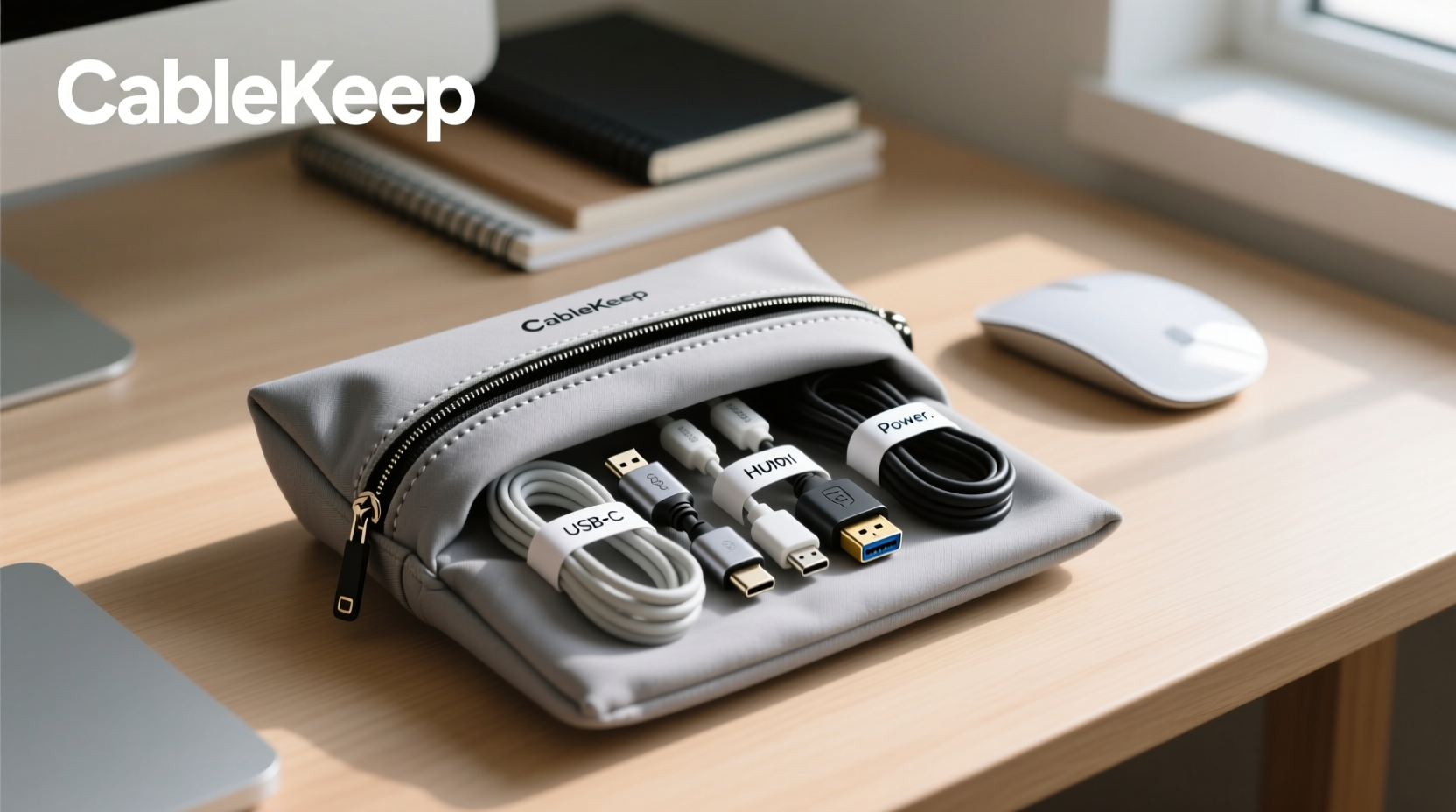
A well-chosen pouch acts as a micro-hub for all essential cables. Unlike large organizers that encourage hoarding, a compact pouch enforces curation. You only include what fits—and what you truly use. This constraint promotes intentionality.
The ideal pouch should be durable, lightweight, and sized to hold 3–5 standard cables (e.g., USB-C, Lightning, HDMI, Ethernet). Materials like nylon, neoprene, or waxed canvas offer protection against abrasion and minor impacts. Internal dividers or elastic loops help separate cords and prevent tangling.
What to Store Inside Your Cable Pouch
Not every cable deserves a spot. Prioritize those you use regularly or need on the go. A typical setup might include:
- Primary charging cable (USB-C or Lightning)
- Backup charging cable (shorter version for travel)
- Headphone/audio cable (if not wireless)
- Mini HDMI or DisplayPort adapter
- Multi-port USB hub or dongle
- Small power bank (if space allows)
Labeling cables with colored tape or tags makes identification instant. A tiny marker dot on both plug and device end ensures quick matching later.
Step-by-Step: Building Your Pouch-Based System
Transitioning to a pouch-based cable management system takes less than 20 minutes. Follow this sequence to set it up effectively:
- Gather all your cables from drawers, bags, and desks.
- Test each one—discard any that no longer charge or sync properly.
- Categorize by frequency of use: Daily, occasional, rare, obsolete.
- Select only the essentials (3–5 items) for your pouch.
- Neatly coil each cable using the over-under method to avoid kinks.
- Place them in the pouch, arranging so connectors face the same direction.
- Store the pouch in a consistent location: laptop bag, desk drawer, or nightstand.
Once established, this system becomes automatic. Every time you return a device, you also return its cable to the pouch. No more “Where’s my charger?” moments before leaving the house.
Do’s and Don’ts of Pouch-Based Cable Management
| Do’s | Don’ts |
|---|---|
| Use the over-under coiling technique for tangle-free storage | Wrap cables tightly around sharp edges or objects |
| Include a microfiber cloth in the pouch for cleaning ports | Overstuff the pouch, causing pressure on connectors |
| Label cables with color-coded rings or tags | Store wet or damp cables inside the pouch |
| Inspect cables monthly for wear and tear | Ignore frayed insulation or bent pins—replace immediately |
| Keep a spare cable at home and in the pouch for redundancy | Use the pouch for non-cable items that reduce available space |
Real-World Example: From Clutter to Confidence
Consider Mark, a freelance designer who travels weekly for client meetings. His old routine involved digging through a overstuffed backpack, pulling out knotted cables, and often arriving late because his presentation laptop wouldn’t charge due to a damaged cable. After switching to a slim neoprene pouch with labeled, coiled cables, his workflow changed dramatically.
He now packs his gear in under two minutes. During transit, he keeps the pouch clipped to his bag’s interior zipper. At client sites, he unzips it cleanly, lays out his adapters, and connects seamlessly. “It sounds minor,” he says, “but not worrying about cables has reduced my pre-meeting anxiety by half.”
“Efficiency isn’t about doing more—it’s about removing friction from the things you do every day.” — Lena Patel, Productivity Consultant
Expert Tips for Long-Term Success
To ensure your pouch remains effective over time, integrate these habits:
- Monthly audit: Remove any cable you haven’t used in 30 days.
- Seasonal upgrade: Replace worn cords before they fail during critical use.
- Dual-location strategy: Keep identical pouches at work and home to eliminate duplication stress.
- Travel-specific variant: Use a smaller pouch with only international adapters and universal chargers when flying.
Frequently Asked Questions
Can I use any small pouch, or does it need special features?
You can start with any zippered pouch, but optimal ones have internal loops or padding to secure cables. Look for reinforced stitching and water-resistant fabric for durability. Pouches designed for electronics (like those from Peak Design or Twelve South) offer tailored functionality, but even a repurposed pencil case works initially.
How do I prevent cables from tangling inside the pouch?
Tangling happens when cables are loosely thrown in. Always coil them using the over-under method: alternate loops over and under your hand to maintain natural twist. Then secure with a velcro tie or rubber band before placing in the pouch. Internal elastic loops also keep each cable isolated.
Isn’t a cable roll better than a pouch?
Rolls are useful for larger setups or stationary desks, but they lack portability and full enclosure. A pouch protects connectors from pocket lint, spills, and crushing weight in bags. For mobility and safety, a closed pouch is superior.
Final Thoughts: Small Change, Lasting Impact
Organizing your cables with a small pouch may seem like a minor adjustment, but its ripple effects are significant. It saves time, reduces frustration, extends the life of your accessories, and supports a calmer, more intentional relationship with your technology. In a world of constant digital demands, regaining control over the smallest tools can restore a sense of order.
The best systems aren’t flashy—they’re reliable, repeatable, and invisible in their success. A single pouch won’t revolutionize your life, but it removes one recurring obstacle. And once you experience the ease of grabbing exactly what you need, without hesitation or hassle, you’ll wonder why you waited so long.




 浙公网安备
33010002000092号
浙公网安备
33010002000092号 浙B2-20120091-4
Comments
No comments yet. Why don't you start the discussion?