
In today’s fast-paced world, staying connected without sacrificing focus or style has become essential. Enter the 3-in-1 Bluetooth glasses—sunglasses that double as audio devices and hands-free calling tools. Designed for professionals on the move, fitness enthusiasts, and tech-savvy users alike, these smart glasses merge fashion, function, and communication into one sleek package. But how do you truly master call management with them? This guide walks you through setup, usage, optimization, and real-world integration to ensure every conversation is clear, convenient, and distraction-free.
Understanding 3-in-1 Bluetooth Glasses: What Makes Them Unique?
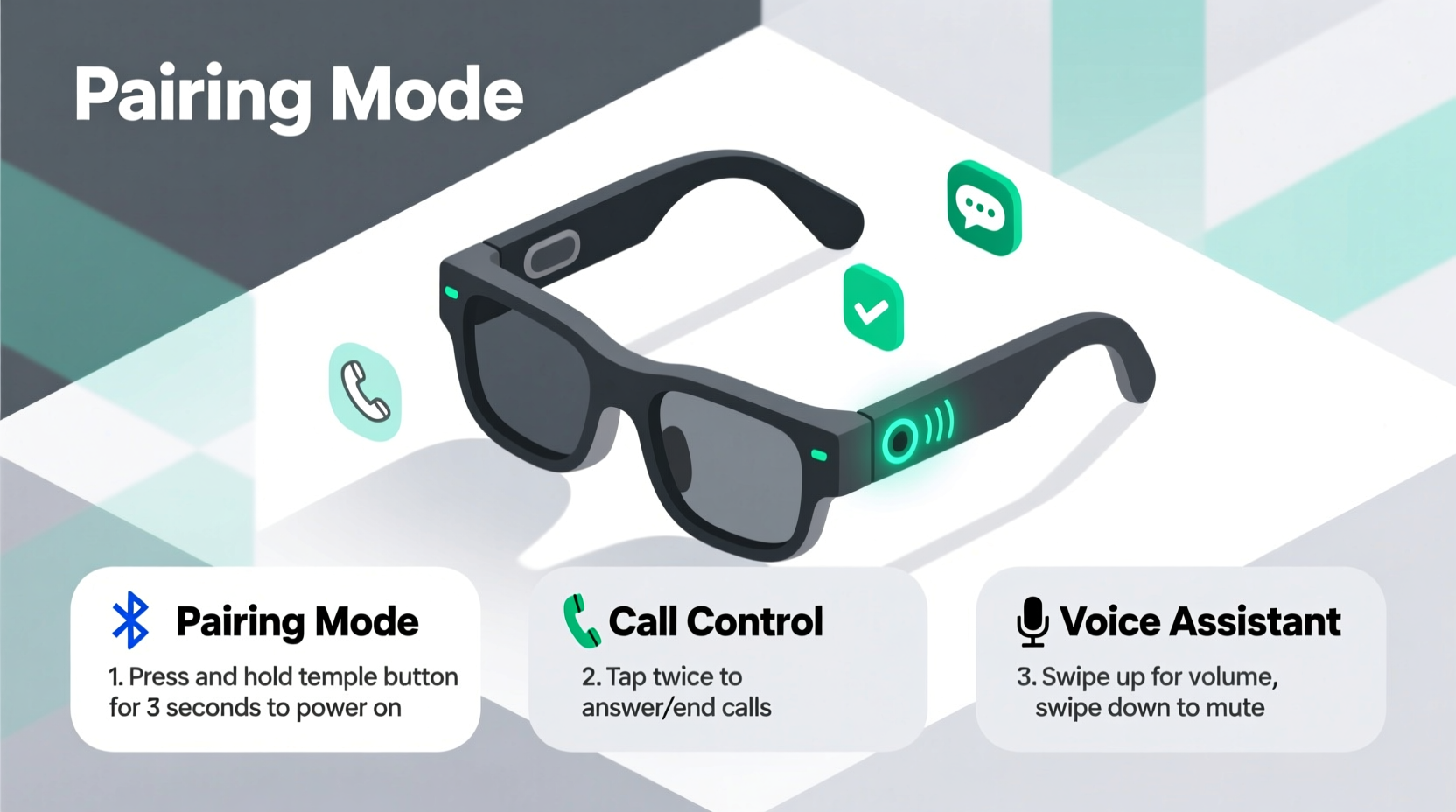
Unlike standard Bluetooth earbuds or headsets, 3-in-1 Bluetooth glasses integrate three core functions: eyewear protection (UV filtering or prescription-ready lenses), built-in stereo speakers, and a noise-canceling microphone—all powered by Bluetooth connectivity. These features allow users to take calls, listen to music, and enjoy visual comfort simultaneously.
The design prioritizes minimalism and ergonomics. Speakers are embedded near the temples, directing sound toward the ears while minimizing audio leakage. The microphone is typically located on the right arm, optimized for voice pickup during outdoor use. Battery life ranges from 4 to 8 hours depending on volume and call frequency, with magnetic charging docks for quick recharges.
“Smart glasses represent the next evolution of wearable tech—where utility meets daily necessity.” — Dr. Lena Torres, Wearable Technology Researcher at MIT Media Lab
Step-by-Step Guide to Seamless Call Management
To get the most out of your 3-in-1 Bluetooth glasses, follow this structured process for setting up and managing calls efficiently.
- Unbox and Inspect: Check all components—glasses, charging cable, user manual, and any additional nose pads or cases. Ensure the battery is charged before first use.
- Power On and Pair: Press and hold the multifunction button (usually on the right temple) for 5 seconds until LED flashes blue and red. Open your phone’s Bluetooth settings, locate the device (e.g., “VisionLink Pro” or similar), and tap to pair.
- Test Audio Quality: Play a short audio clip or make a test call. Adjust volume via the glasses’ buttons and verify both speaker clarity and microphone performance.
- Assign Voice Assistant Shortcut: Most models support long-press activation of Siri or Google Assistant. Set this up in your phone’s accessibility settings for instant voice commands.
- Manage Incoming Calls: When a call comes in, press the multifunction button once to answer, press and hold to reject. After hanging up, the glasses automatically return to standby mode.
- Switch Between Devices: If you use multiple devices (phone, tablet, laptop), disconnect manually after use to avoid cross-ring issues. Reconnect when needed by turning on Bluetooth or using a companion app.
Optimizing Performance in Real-World Scenarios
Using smart glasses effectively goes beyond pairing and answering calls. Context matters—whether you're walking through a city, biking, or working remotely, environmental factors influence performance.
For example, wind noise can interfere with microphone clarity. Many premium models include AI-powered wind reduction algorithms. Activate these through the manufacturer’s mobile app if available. In noisy environments, position your mouth closer to the mic zone (just below the ear) and speak slightly louder than normal.
Mini Case Study: Remote Worker During Commute
Sophia, a project manager based in Denver, uses her 3-in-1 Bluetooth glasses during her 30-minute walk to a co-working space. She receives a critical client call just after leaving home. Instead of fumbling with earbuds or finding a quiet bench, she answers instantly with a single button press. The built-in mic filters out traffic noise, and her client doesn’t notice she’s outdoors. After the call, she activates her podcast playlist with a double-tap, arriving focused and informed.
This seamless transition between work and movement highlights the true value of integrated audio eyewear—not just convenience, but continuity of engagement.
Do’s and Don’ts of Using Bluetooth Glasses for Calls
| Do’s | Don’ts |
|---|---|
| Charge nightly if used daily | Expose to heavy rain or submerge in water |
| Use voice prompts to manage calls when driving | Maximize volume for extended periods (risk hearing damage) |
| Store in protective case when not in use | Place face-down on rough surfaces (can scratch lenses or damage speakers) |
| Update firmware via companion app regularly | Ignore firmware updates (they often improve call stability) |
| Adjust temple tips for secure fit during motion | Wear loosely—this reduces audio seal and mic accuracy |
Essential Tips for Long-Term Reliability and Comfort
- Firmware Updates: Manufacturers release patches to enhance microphone sensitivity, reduce latency, and fix connection drops. Enable automatic updates in the app or check monthly.
- Battery Preservation: Avoid leaving glasses in hot cars or direct sunlight. High temperatures degrade lithium-ion batteries over time.
- Secure Fit Matters: A snug fit ensures better sound delivery and prevents slippage during movement. Consider aftermarket silicone temple grips if you're active.
- Voice Command Mastery: Train yourself to use voice dialing (“Call Alex on speaker”) to eliminate physical interaction mid-task.
FAQ: Common Questions About Call Management
Can others hear my conversation through the glasses?
Modern 3-in-1 Bluetooth glasses use directed audio technology that beams sound toward your ears. While faint audio may be audible within 12 inches in quiet rooms, it's generally inaudible in public spaces. For maximum privacy, lower volume and use in enclosed areas when discussing sensitive topics.
How long does the battery last during calls?
Most models offer 4–6 hours of continuous talk time on a full charge. Standby time extends up to 72 hours. Charging takes about 1.5 hours via magnetic dock. Carry a portable charger if expecting long call days.
Are these glasses suitable for people who wear prescriptions?
Yes—many brands offer interchangeable lenses or RX-compatible frames. Some even partner with vision providers to install prescription lenses directly. Confirm compatibility with your optician before purchase.
Final Checklist Before Daily Use
- ✅ Charge overnight
- Ensure at least 80% battery before leaving home.
- ✅ Test connection each morning
- Play a short tone or initiate a quick call to confirm pairing.
- ✅ Clean temple zones
- Wipe down speaker and mic areas with a soft cloth.
- ✅ Verify voice assistant access
- Confirm Siri/Google Assistant triggers respond correctly.
- ✅ Store properly when idle
- Always use the hard-shell case to protect against impacts.
Conclusion: Elevate Your Communication Game
Effortless call management isn’t just about convenience—it’s about reclaiming time, reducing distractions, and maintaining professionalism wherever you are. With 3-in-1 Bluetooth glasses, you’re no longer tethered to devices or forced to choose between safety and connectivity. By mastering setup, optimizing settings, and applying best practices, you transform everyday moments into opportunities for seamless interaction.




 浙公网安备
33010002000092号
浙公网安备
33010002000092号 浙B2-20120091-4
Comments
No comments yet. Why don't you start the discussion?