
In an age where screen time dominates daily life, choosing between an e-reader and a tablet isn’t just about convenience—it’s about health. Many people report eye fatigue, headaches, or disrupted sleep after prolonged digital reading. This has led to renewed interest in e-ink devices like the Kindle or Kobo, which mimic paper more closely than backlit LCD or OLED screens. But is e ink genuinely easier on the eyes, or is it just nostalgia speaking? Let’s examine the science, user experiences, and practical differences to determine whether e-readers truly offer superior visual comfort over tablets.
How E Ink Works: The Science Behind the Paper-Like Display
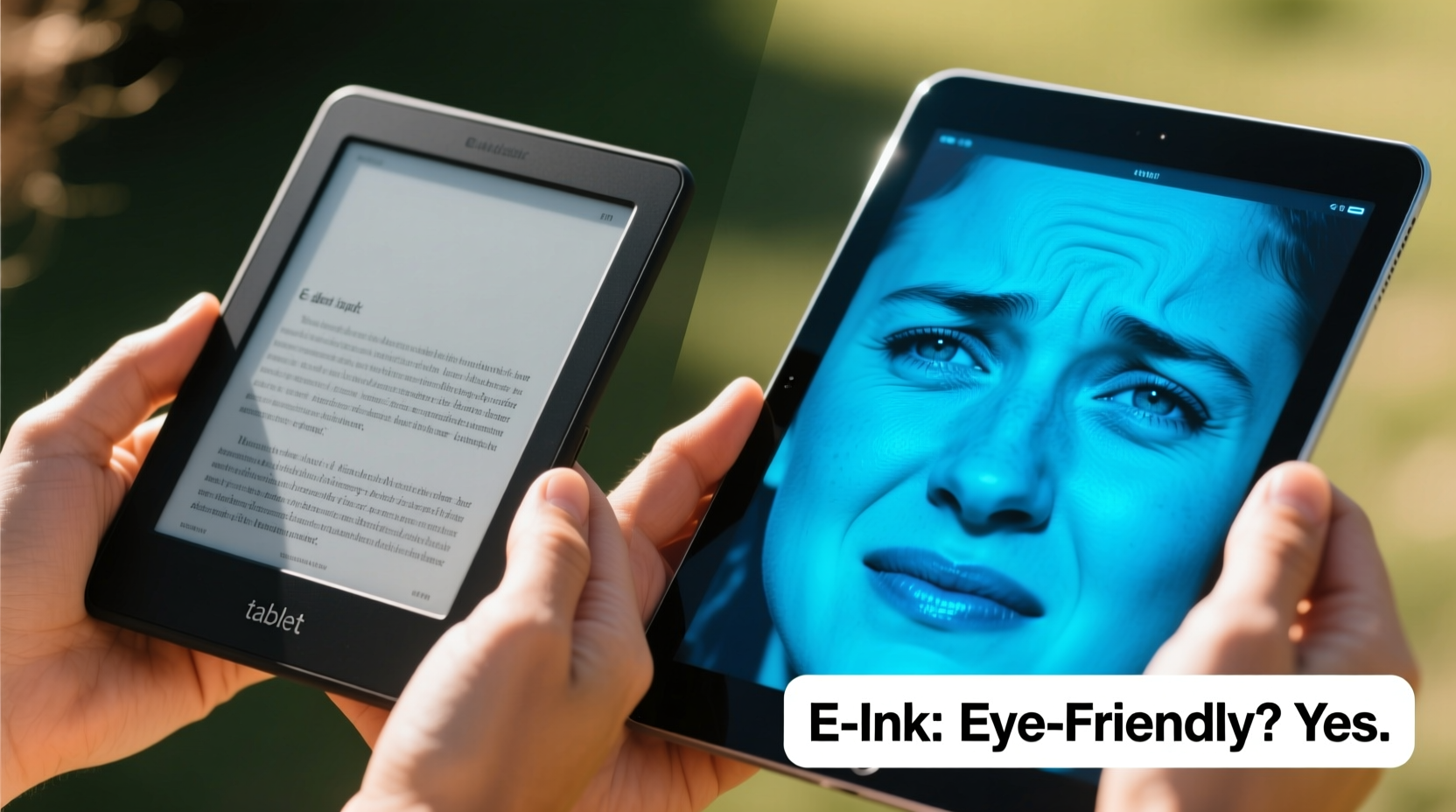
E ink, short for electronic ink, operates on a fundamentally different principle than the screens found on tablets, smartphones, or laptops. Instead of emitting light, e ink reflects ambient light much like printed paper. Each pixel consists of tiny microcapsules filled with charged black and white particles. When an electric field is applied, these particles move to the top or bottom of the capsule, creating visible text or images.
This reflective technology means that e ink displays don’t require a backlight to be legible—though most modern e-readers include front lighting for low-light environments. Even with this added illumination, the light shines *onto* the screen rather than directly from it, reducing glare and minimizing blue light exposure.
Because there’s no constant refresh rate or flicker, e ink screens remain stable. What you see stays exactly as it is until the page turns. This stability reduces the subtle visual stress caused by the rapid pixel cycling in LCD and OLED displays, which can contribute to eye strain over time.
Tablet Screens: Convenience at a Cost to Eye Health?
Tablets such as the iPad, Samsung Galaxy Tab, or Microsoft Surface use high-resolution LED-backlit LCD or OLED panels. These screens deliver vibrant colors, smooth animations, and excellent responsiveness—ideal for multimedia consumption, web browsing, and productivity apps. However, their design comes with trade-offs when it comes to extended reading sessions.
The primary concern is **blue light emission**. Blue light, particularly in the 400–450 nm range, suppresses melatonin production, the hormone responsible for regulating sleep. Studies have shown that using backlit screens before bedtime can delay sleep onset and reduce sleep quality. A Harvard Medical School study found that participants who read on a tablet for several hours before bed took longer to fall asleep and experienced less REM sleep compared to those reading a physical book.
Additionally, tablet screens refresh continuously—typically at 60 Hz or higher—which may cause subtle flickering imperceptible to conscious awareness but detectable by the brain. This phenomenon, known as **visual flicker fatigue**, contributes to headaches and eye strain, especially in sensitive individuals.
Glare is another issue. While anti-reflective coatings help, glossy tablet screens still reflect ambient light, forcing the eyes to work harder to distinguish content from reflections. In contrast, matte e ink screens scatter light diffusely, mimicking real paper.
Key Differences Between E Ink and Tablet Displays
| Feature | E Ink (E-Reader) | Tablet (LCD/OLED) |
|---|---|---|
| Light Source | Reflects ambient light; optional front light | Self-emissive backlight |
| Blue Light Exposure | Minimal (only from front light) | High, especially at night |
| Screen Flicker | Nearly none (static image) | Present (refresh rate dependent) |
| Glare in Sunlight | Low; improves readability | High; difficult to view |
| Battery Life | Weeks on a single charge | Typically 8–12 hours |
| Color Support | Limited (grayscale or basic color models) | Full color, high dynamic range |
| Best For | Long-form reading, note-taking, focus | Media, multitasking, interactive apps |
Real-World Impact: Who Benefits Most From E Ink?
Not everyone experiences eye strain equally. Some people can scroll through a tablet for hours without discomfort, while others develop headaches within minutes. Sensitivity varies based on age, pre-existing vision conditions, screen habits, and environment.
A mini case study illustrates this well: Sarah, a 38-year-old academic, used her iPad for all research and reading. After six months, she began experiencing chronic eye fatigue, dryness, and difficulty concentrating. Her optometrist suggested switching to an e-reader for reading tasks. Within two weeks of using a Kindle Paperwhite, Sarah reported significant improvement—less squinting, reduced headaches, and better sleep quality.
Her experience aligns with findings from a 2020 study published in Optometry and Vision Science, which concluded that participants reading on e ink devices showed lower levels of accommodative lag (a measure of focusing effort) and reported fewer symptoms of asthenopia (eye strain) compared to those using tablets.
Certain groups benefit especially from e ink:
- Students and researchers who read long texts regularly
- People with migraines or light sensitivity
- Older adults experiencing age-related vision changes
- Night readers concerned about sleep disruption
“E ink reduces the cognitive load associated with sustained reading. It allows the visual system to function more naturally, similar to print.” — Dr. Linda Chen, Optometrist and Visual Ergonomics Researcher
When a Tablet Might Still Be the Better Choice
Despite the advantages of e ink for eye comfort, tablets are not obsolete for reading. They excel in scenarios requiring interactivity, multimedia integration, or accessibility features.
For example, someone reading a textbook with embedded videos, interactive diagrams, or audio explanations will find a tablet indispensable. Similarly, language learners benefit from instant translation tools, pronunciation guides, and dictionary pop-ups available only on full-featured operating systems.
Modern tablets also include advanced eye comfort settings:
- Night Shift / Blue Light Filters
- True Tone / Adaptive Brightness
- Dark Mode interfaces
- Framerate throttling (e.g., iPad Pro’s variable refresh rate)
While these features mitigate some risks, they don’t eliminate the core physiological differences between emissive and reflective displays. A filtered blue light is still emitted directly into the eyes, whereas e ink avoids emission altogether.
Checklist: Choosing the Right Device for Your Needs
- Do I read for more than one hour at a time?
- Do I experience eye strain, headaches, or dry eyes after screen use?
- Am I primarily reading books, articles, or documents (text-heavy content)?
- Do I need color, video, or interactive content?
- Do I read in bright sunlight often?
- Am I concerned about sleep quality when reading at night?
- Do I value battery life and portability?
If you answered “yes” to questions 1–3 and 5–7, an e-reader is likely the better choice. If 4 is critical, consider a tablet—or both devices for different purposes.
Expert Tips for Reducing Eye Strain—Regardless of Device
Even with the best hardware, poor reading habits can undermine eye health. Follow these evidence-based practices to protect your vision:
- Follow the 20-20-20 rule: Every 20 minutes, look at something 20 feet away for at least 20 seconds. This relaxes the ciliary muscle responsible for focusing.
- Adjust brightness appropriately: Match screen brightness to ambient lighting. A screen that’s too bright in a dark room increases pupil constriction and strain.
- Maintain proper distance: Hold your device 16–20 inches from your eyes, slightly below eye level.
- Blink consciously: People blink less when staring at screens, leading to dry eyes. Make a habit of full, deliberate blinks.
- Use matte screen protectors: On tablets, a matte film can reduce glare and improve readability.
- Limit nighttime screen use: Avoid reading on any backlit screen within 60–90 minutes of bedtime if possible.
Frequently Asked Questions
Can e ink completely prevent eye strain?
No technology eliminates eye strain entirely. However, e ink significantly reduces contributing factors like blue light, flicker, and glare. Proper posture, lighting, and break frequency still matter. But for pure reading tasks, e ink is the closest digital equivalent to paper in terms of visual comfort.
Are color e-readers worth it?
Current color e ink models (like the Kaleido series from Onyx or PocketBook’s InkPad Color) offer limited color gamut and slower refresh rates. They’re suitable for comics, children’s books, or simple graphics, but not for photo-heavy or fast-moving content. If color is essential, a tablet remains superior—but expect higher eye strain with prolonged use.
Do e-readers help with dyslexia or reading difficulties?
Many users with dyslexia report improved reading fluency on e-readers due to customizable fonts (like OpenDyslexic), high contrast, and reduced visual crowding. The ability to adjust line spacing and margin size further enhances readability. While not a cure, e ink devices provide a less distracting environment than cluttered tablet interfaces.
Conclusion: Prioritize Eye Health Without Sacrificing Access
The evidence is clear: e ink displays are objectively gentler on the eyes than tablet screens. Their reflective nature, lack of flicker, minimal blue light, and paper-like appearance make them ideal for long reading sessions, nighttime use, and individuals prone to eye strain. While tablets offer unmatched versatility, they come with physiological costs that accumulate over time.
You don’t necessarily have to choose one over the other. Many professionals and avid readers now use both—a tablet for dynamic content and an e-reader for immersive, restful reading. By matching the tool to the task, you preserve eye health without sacrificing functionality.
Start small. Try reading your next novel on an e-reader. Notice how your eyes feel afterward. Track your sleep patterns. Compare the experience honestly. Chances are, you’ll discover what countless readers already know: sometimes, the simplest technology is the smartest choice for your well-being.




 浙公网安备
33010002000092号
浙公网安备
33010002000092号 浙B2-20120091-4
Comments
No comments yet. Why don't you start the discussion?