
For millions of readers, digital devices have replaced printed pages. But as screen time increases, so do concerns about eye fatigue, sleep disruption, and long-term visual discomfort. The debate between e-readers with E Ink displays and standard tablets with LCD or OLED screens often centers on one critical question: Is the E Ink screen truly gentler on the eyes? The answer isn’t just marketing hype—it’s rooted in physics, physiology, and real-world usage patterns.
This article dives deep into how different screen technologies affect your vision, compares their impact during extended reading sessions, and explores who benefits most from each type of device. Whether you're a student, a commuter, or an avid reader trying to reduce digital fatigue, understanding these differences can help you make a smarter, healthier choice.
How Screen Technology Affects Your Eyes
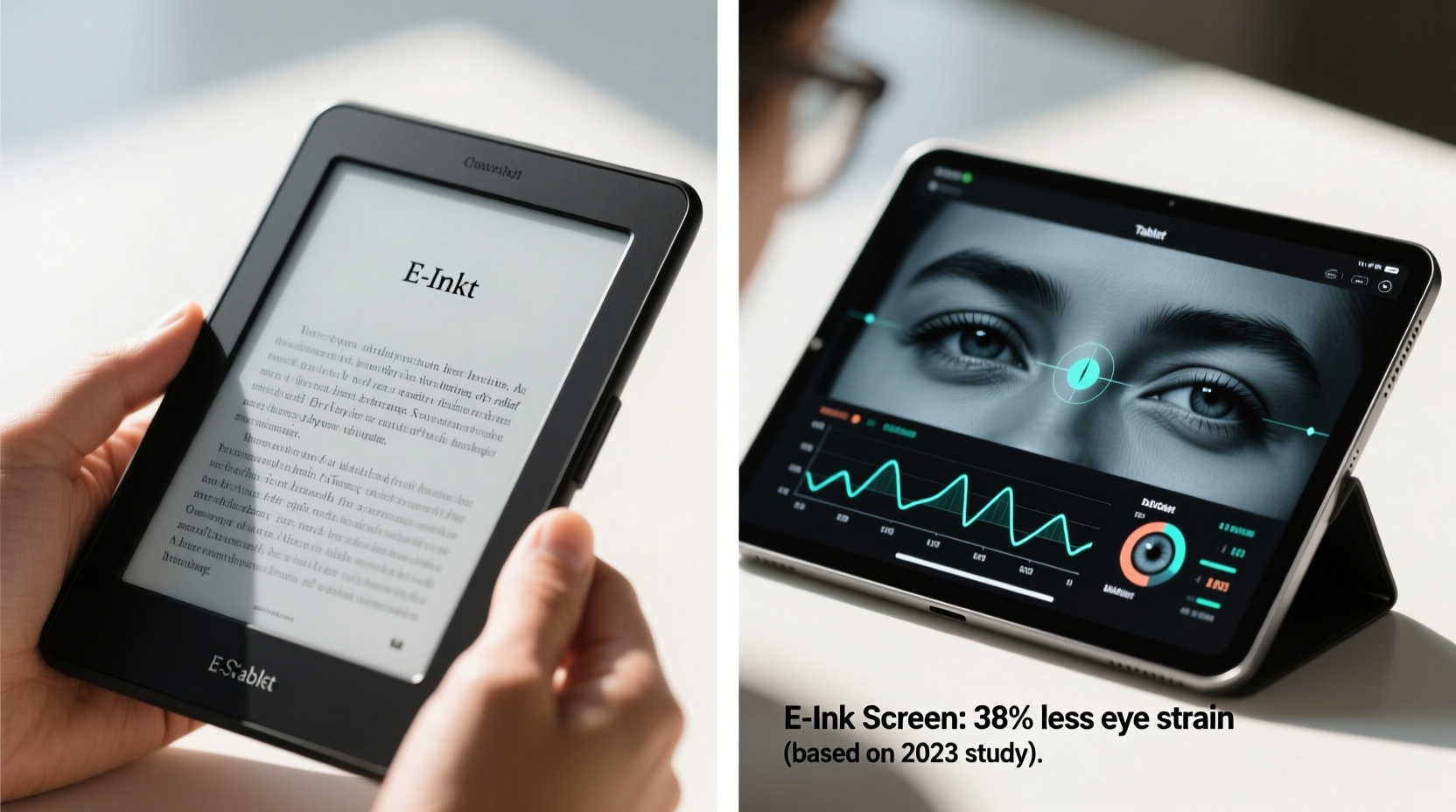
The human eye evolved to interpret reflected light—sunlight bouncing off leaves, paper, or objects—not emitted light streaming directly from a source. This distinction is fundamental when comparing E Ink and traditional tablet screens.
E Ink (electronic ink) mimics the appearance of printed ink on paper. It uses tiny microcapsules filled with charged black and white particles. When an electric field is applied, the particles rearrange to form text or images. Because the display reflects ambient light rather than emitting its own, it behaves much like physical paper.
In contrast, tablets use LCD or OLED panels that generate light from LEDs behind or within the screen. These screens shine light directly into your eyes, especially in dark environments. While modern tablets include features like blue light filters and auto-brightness, they still rely on constant backlighting, which contributes to visual strain over time.
“Prolonged exposure to bright, emissive screens can lead to symptoms of digital eye strain, including dryness, headaches, and blurred vision.” — Dr. Lena Patel, Optometrist and Vision Health Researcher
Studies from the American Optometric Association show that nearly 60% of adults experience symptoms of digital eye strain after two or more hours of screen use. The risk increases with screen brightness, contrast settings, and duration of uninterrupted focus.
Key Differences: E Ink vs. Tablet Displays
To understand why E Ink may be easier on the eyes, consider the following comparison across key factors:
| Feature | E Ink E-Reader | Standard Tablet |
|---|---|---|
| Light Source | Reflects ambient light (like paper) | Emits light directly (backlit) |
| Blue Light Emission | Negligible (unless front-lit at night) | High, even with filters |
| Flicker | None (static image once rendered) | Potential flicker at low brightness |
| Glare in Sunlight | Minimal; readable in direct sun | Severe; hard to see outdoors |
| Refresh Rate | Slower (noticeable flash during page turns) | Fast (smooth scrolling and video) |
| Best For | Long-form reading, low-light comfort | Multimedia, web browsing, apps |
The table highlights a trade-off: E Ink excels in readability and eye comfort but lacks the versatility of a full-featured tablet. If your primary goal is immersive, distraction-free reading—especially for novels, textbooks, or research papers—an E Ink device offers significant advantages in reducing ocular stress.
Real-World Impact: Who Benefits Most?
Not all users experience eye strain equally. Certain groups report greater relief when switching from tablets to E Ink e-readers.
- Students and researchers who spend hours reading academic texts often find that E Ink reduces mental fatigue and improves concentration.
- People with migraines or light sensitivity frequently report fewer headaches when using non-emissive screens.
- Night readers benefit from E Ink's optional warm front lights, which are less disruptive to melatonin production than tablet backlights.
- Older adults dealing with age-related vision changes appreciate the high contrast and lack of glare.
A Mini Case Study: From Tablet Burnout to E Ink Relief
Sarah, a graduate student in literature, used her iPad for all her coursework. After six months, she began experiencing daily headaches, dry eyes, and difficulty focusing after 90 minutes of reading. She tried blue light glasses, screen filters, and the 20-20-20 rule (looking away every 20 minutes), but symptoms persisted.
On her optometrist’s recommendation, she purchased a Kindle Paperwhite. Within a week, she noticed reduced eye discomfort and could read for up to three hours without strain. “It felt like going back to paper,” she said. “The words didn’t ‘glow,’ and I wasn’t squinting anymore.”
While individual results vary, Sarah’s experience aligns with clinical observations: reducing direct light exposure can significantly improve reading endurance and comfort.
Limitations of E Ink: Where Tablets Still Win
No technology is perfect. While E Ink shines for reading, it has notable limitations:
- No video or animation support: Ideal for static text, but useless for watching lectures or interactive content.
- Slower refresh rate: Page turns involve a brief flash or partial redraw, which some users find distracting.
- Limited app ecosystem: You can’t browse the web freely or use productivity tools like you can on a tablet.
- Monochrome display (mostly): Though newer models like the Kindle Scribe offer grayscale annotation, color E Ink remains rare and low-resolution.
Tablets, by contrast, are multimedia powerhouses. They support PDFs with embedded figures, audiobook syncing, language learning apps, and note-taking with styluses. For users who need flexibility beyond plain text, a tablet—even with higher eye strain potential—may still be the better overall tool.
The key is intentionality. Using a tablet solely for reading long articles or books means exposing your eyes to unnecessary emissions when a simpler device would suffice.
Practical Guide: Choosing Based on Your Reading Habits
Follow this step-by-step decision framework to determine whether an e-reader or tablet suits your needs best:
- Assess your primary use case: Are you mainly reading books, articles, or documents? Or do you also watch videos, take notes, and browse the web?
- Evaluate your environment: Do you read in bright sunlight (e.g., outdoors, near windows)? E Ink performs better there. Do you read mostly at night? Consider warm lighting options on both devices.
- Monitor your symptoms: Track headaches, dry eyes, or sleep quality over a week of tablet-only reading. Then try a library loan or friend’s e-reader for comparison.
- Test readability duration: Can you comfortably read for 60+ minutes on each device without breaks? Note when fatigue sets in.
- Consider long-term habits: If you plan to read daily for years, investing in eye-friendly hardware pays dividends in comfort and sustainability.
Checklist: Should You Switch to an E-Reader?
- ☐ You read for more than one hour daily
- ☐ You experience eye strain, headaches, or disrupted sleep after screen use
- ☐ You value distraction-free reading
- ☐ You often read in bright or outdoor environments
- ☐ You don’t need multimedia features while reading
If four or more apply, an E Ink e-reader is likely a worthwhile upgrade for your eye health and reading enjoyment.
FAQ: Common Questions About E Ink and Eye Strain
Does E Ink eliminate eye strain completely?
No technology eliminates eye strain entirely. However, E Ink significantly reduces common triggers like blue light, glare, and flicker. Proper posture, lighting, and taking breaks remain essential regardless of device type.
Can I use an e-reader at night without affecting sleep?
Yes—with caveats. Most modern E Ink devices have adjustable front lights, including warm-toned options. Set the light to its warmest, dimmest setting and avoid scrolling through bright menus before bed. Unlike tablets, E Ink emits minimal blue light, making it far less disruptive to circadian rhythms.
Are there any downsides to E Ink for people with poor vision?
Some users with low vision prefer high-contrast, backlit tablets because they can zoom aggressively and change font styles dynamically. However, many e-readers now support large fonts, bold text, and high-contrast modes. Try both types if accessibility is a concern.
Conclusion: Prioritize Comfort Without Sacrificing Function
The evidence is clear: E Ink screens are objectively better for reducing eye strain compared to traditional tablet displays. Their paper-like reflectivity, absence of flicker, and minimal blue light emission create a reading experience that’s closer to print—both visually and cognitively.
That doesn’t mean tablets are obsolete. They serve vital roles in education, creativity, and entertainment. But if your main goal is comfortable, sustainable reading over long periods, an E Ink e-reader is not just a nostalgic alternative—it’s a scientifically sound choice for long-term eye health.
You don’t have to choose one device forever. Many people successfully use both: an e-reader for books and long articles, and a tablet for everything else. By matching the tool to the task, you protect your eyes without sacrificing functionality.




 浙公网安备
33010002000092号
浙公网安备
33010002000092号 浙B2-20120091-4
Comments
No comments yet. Why don't you start the discussion?