
For millions of office workers, remote employees, and digital creators, the computer mouse is a constant companion. But prolonged use in unnatural positions can lead to chronic wrist strain, carpal tunnel syndrome, and repetitive strain injuries (RSIs). As awareness grows, ergonomic alternatives like ergonomic and vertical mice have surged in popularity. Yet confusion remains: which design actually offers better long-term protection for your wrists?
This article examines both types in depth—how they differ, how they affect hand posture, and what clinical and user evidence says about their impact on wrist health over time. The goal isn’t just to compare features, but to determine which solution provides meaningful, sustainable relief from strain.
The Anatomy of Mouse-Related Wrist Strain
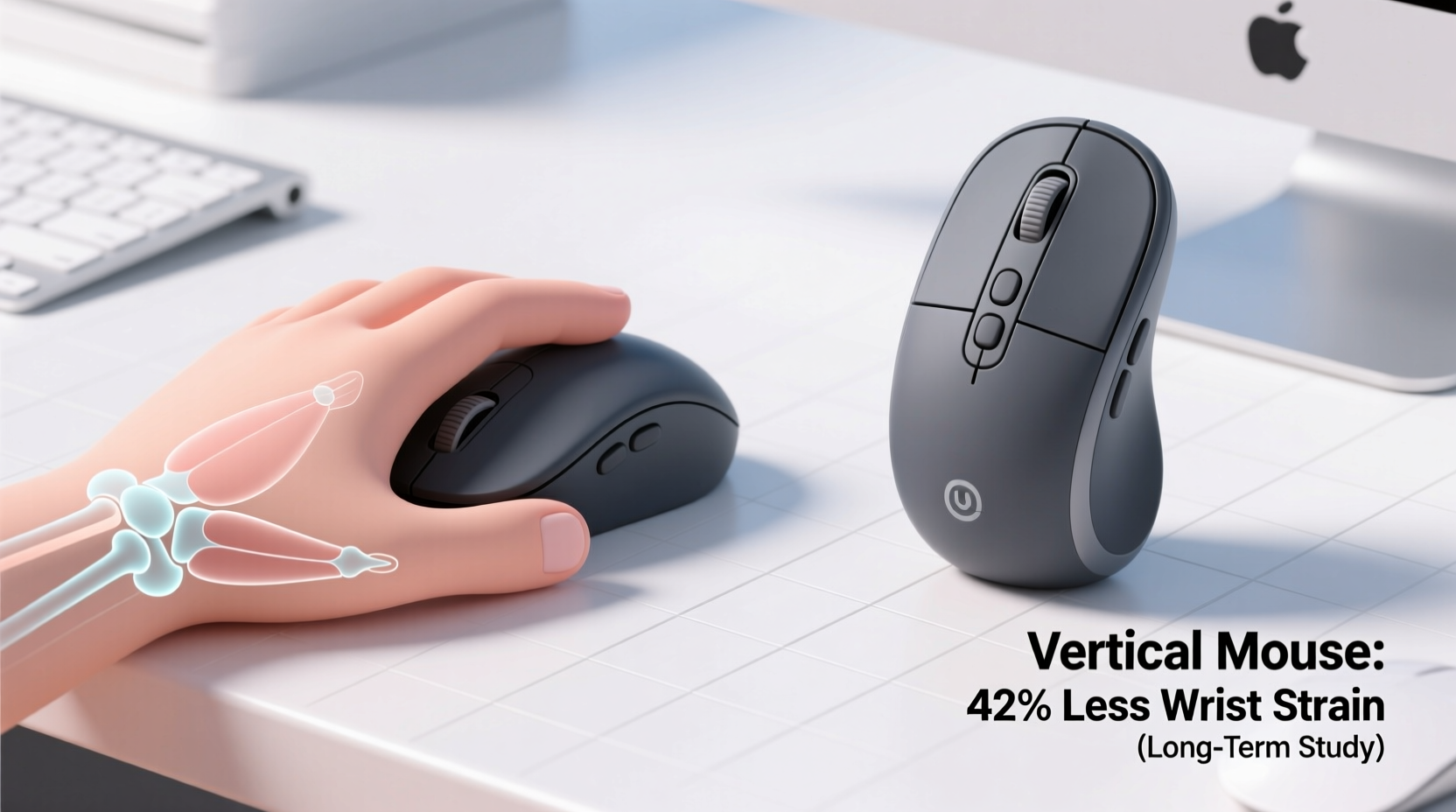
Traditional horizontal mice force the hand into a pronated position—palm down, forearm twisted inward. This unnatural orientation places stress on the ulnar nerve, tendons in the wrist, and muscles of the forearm. Over hours and years, this cumulative strain can result in inflammation, numbness, tingling, and pain.
The root issue lies in forearm rotation. When using a standard mouse, the forearm rotates approximately 60–90 degrees—a posture humans did not evolve for sustained activity. This misalignment increases pressure within the carpal tunnel and strains soft tissues with every movement.
“Prolonged forearm pronation during computer work is a primary biomechanical risk factor for developing musculoskeletal disorders.” — Dr. Susan Hallbeck, Professor of Industrial Health & Safety, University of Nebraska Medical Center
Ergonomic and vertical mice aim to correct this by repositioning the hand closer to a neutral, handshake-like alignment. But while both claim to reduce strain, their approaches—and effectiveness—differ significantly.
What Is an Ergonomic Mouse?
The term “ergonomic mouse” is broad, covering any mouse designed to improve comfort and reduce injury risk through shape, button layout, or grip style. These designs vary widely:
- Contoured palm support models: Fit the natural curve of the hand, often with thumb rests.
- Trackball mice: Stationary devices where the thumb or fingers move a ball instead of sliding the entire device.
- Pen-style mice: Held like a writing instrument, promoting fingertip control.
- Symmetrical split designs: Separate left and right buttons to align with arm anatomy.
While these offer improvements over flat mice, most still keep the hand relatively flat. Some reduce grip force or improve thumb access, but they don't always address forearm pronation—the core cause of wrist strain.
How Vertical Mice Work Differently
A vertical mouse positions the hand in a firm handshake orientation—thumb up, palm facing inward. This brings the forearm into near-supination (natural resting position), reducing internal rotation by up to 50% compared to traditional mice.
By aligning the wrist and forearm more naturally, vertical mice minimize pressure on nerves and tendons. Studies show this position decreases muscle activity in the forearm, meaning less fatigue during extended use.
Key advantages include:
- Near-neutral wrist alignment
- Reduced ulnar deviation (side-to-side wrist tilt)
- Lower grip force required due to gravity-assisted positioning
- Decreased activation of extensor carpi ulnaris (a common pain site)
However, vertical mice require an adjustment period. Users accustomed to flat surfaces may initially feel strain in the thumb or shoulder as muscles adapt. Proper height and angle settings are crucial for maximizing benefit.
Comparative Analysis: Ergonomic vs Vertical Mice
| Feature | Ergonomic Mouse | Vertical Mouse |
|---|---|---|
| Hand Position | Slightly angled or contoured, still mostly palm-down | Handshake position, palm facing inward |
| Forearm Rotation | Moderate reduction (10–30°) | Significant reduction (40–60°) |
| Wrist Alignment | Improved but often still deviated | Near-neutral, minimal ulnar deviation |
| Muscle Activation | Lower than standard mouse | Lowest among all mouse types |
| Learning Curve | Minimal; familiar motion | Moderate (1–2 weeks adaptation) |
| Portability | Generally high | Limited by size and shape |
| Best For | Mild discomfort, occasional users | Chronic strain, RSI prevention, full-time professionals |
The data suggests that while many ergonomic mice offer incremental comfort gains, vertical mice deliver a more fundamental biomechanical correction. They directly target the root cause of strain: excessive forearm pronation.
Real-World Evidence: A Case Study
Mark T., a software developer with seven years of experience, began experiencing persistent wrist pain after long coding sessions. Despite trying gel wrist pads and taking frequent breaks, his symptoms worsened over six months. An occupational therapist diagnosed early-stage tendonitis and recommended switching to a vertical mouse.
He adopted a popular vertical model and adjusted his desk setup—raising his chair, lowering his keyboard tray, and ensuring his elbow remained at 90 degrees. Within three weeks, he reported reduced nighttime tingling and improved morning comfort. After two months, his pain dropped from a daily 6/10 to occasional 2/10 flare-ups.
“It felt awkward at first,” Mark said. “But once I got used to it, my whole arm felt lighter. I didn’t realize how much tension I was holding until it was gone.”
His case reflects broader trends seen in clinical observations: users with moderate to severe strain often report greater relief from vertical mice than from conventional ergonomic models.
Expert Consensus and Clinical Research
A 2020 study published in the Journal of Occupational Rehabilitation analyzed EMG (electromyography) readings from 32 participants using various mouse types. Results showed that vertical mice reduced forearm muscle activity by an average of 38% compared to standard mice and 22% compared to contoured ergonomic models.
Another longitudinal survey conducted by Cornell University’s Ergonomics Lab found that 76% of participants who switched to vertical mice due to wrist pain reported significant improvement within 60 days. Only 54% of those using non-vertical ergonomic mice reported similar outcomes.
“Vertical mice provide one of the most effective passive interventions for reducing biomechanical stress during computer work. Their ability to maintain forearm supination makes them uniquely suited for long-term injury prevention.” — Dr. Alan Hedge, Director, Human Factors & Ergonomics Laboratory, Cornell University
Experts agree that while individual needs vary, the vertical design’s anatomical advantage gives it an edge in preventing long-term damage—especially for individuals already showing signs of strain.
Choosing the Right Option: A Step-by-Step Guide
Selecting between an ergonomic and a vertical mouse should be based on your current condition, usage patterns, and workspace setup. Follow this timeline to make an informed decision:
- Week 1: Assess Your Symptoms
Track when wrist pain occurs, its intensity, and associated activities. Note any numbness, clicking sensations, or stiffness. - Week 2: Evaluate Workspace Setup
Ensure your keyboard is at elbow height, your chair supports natural spine alignment, and your forearm is parallel to the floor. Poor ergonomics undermine even the best mouse. - Week 3: Try an Ergonomic Mouse First (Optional)
If symptoms are mild, test a well-reviewed ergonomic model. Use it consistently for five days. Monitor changes in comfort. - Week 4: Upgrade to Vertical if Needed
If discomfort persists or worsens, transition to a vertical mouse. Allow 7–10 days for adaptation. Start with shorter work blocks and gradually increase duration. - Ongoing: Monitor Progress Monthly
Keep a log of pain levels, productivity, and ease of use. Adjust grip, sensitivity, or placement as needed.
This phased approach prevents premature investment while ensuring you adopt the most appropriate tool for your body’s needs.
Tips for Maximizing Long-Term Benefits
- Adjust DPI settings so you don’t need large arm movements across a wide surface.
- Use a mouse pad with a slight cushion to reduce impact on the heel of the hand.
- Position the mouse close to your body to avoid reaching, which strains the shoulder and indirectly affects the wrist.
- Consider alternating between a vertical mouse and a trackball to vary muscle engagement.
Frequently Asked Questions
Can a vertical mouse cure carpal tunnel syndrome?
No single device can cure carpal tunnel syndrome, which involves compression of the median nerve. However, a vertical mouse can significantly reduce contributing factors like poor wrist posture and muscle overuse. It’s often recommended as part of a comprehensive treatment plan including splinting, therapy, and activity modification.
Are ergonomic mice worth it if I don’t have pain yet?
Yes. Prevention is far more effective than treatment. Using an ergonomic or vertical mouse before symptoms appear can delay or prevent the onset of strain-related conditions, especially if you spend more than four hours daily on a computer.
Do vertical mice slow down my workflow?
Initially, yes—many users report slightly slower navigation during the first week. However, studies show that after 10–14 days of consistent use, accuracy and speed return to baseline or improve. The trade-off in temporary adjustment is often outweighed by lasting comfort.
Final Recommendation: Which Reduces Wrist Strain Long Term?
When evaluating long-term wrist health, the vertical mouse emerges as the superior choice. Its ability to maintain a neutral forearm position addresses the foundational biomechanical flaw of traditional computing setups. While some ergonomic mice offer comfort enhancements, only vertical designs fundamentally realign the hand and arm to reduce strain at its source.
That said, success depends not just on the device, but on holistic ergonomics—desk height, chair support, typing technique, and movement habits. A vertical mouse is not a magic fix, but it is one of the most impactful single upgrades you can make for sustained hand health.
For those already experiencing discomfort, the switch is urgent. For those feeling fine, it’s a proactive investment. Either way, prioritizing wrist alignment today can prevent debilitating issues tomorrow.




 浙公网安备
33010002000092号
浙公网安备
33010002000092号 浙B2-20120091-4
Comments
No comments yet. Why don't you start the discussion?