
The iPhone 16 Pro Max represents a significant investment in both performance and design. Its precision-engineered chassis, advanced camera system, and sleek finish demand careful handling—especially during routine tasks like installing a protective case. While seemingly simple, improper case installation can lead to scratches, misalignment, or even internal stress on the frame and ports. With the right approach, you can secure your device safely, preserve its pristine condition, and extend its lifespan. These essential tips ensure that every time you install a case, your iPhone remains as flawless as the day you unboxed it.
Understand Your Case Design and Material
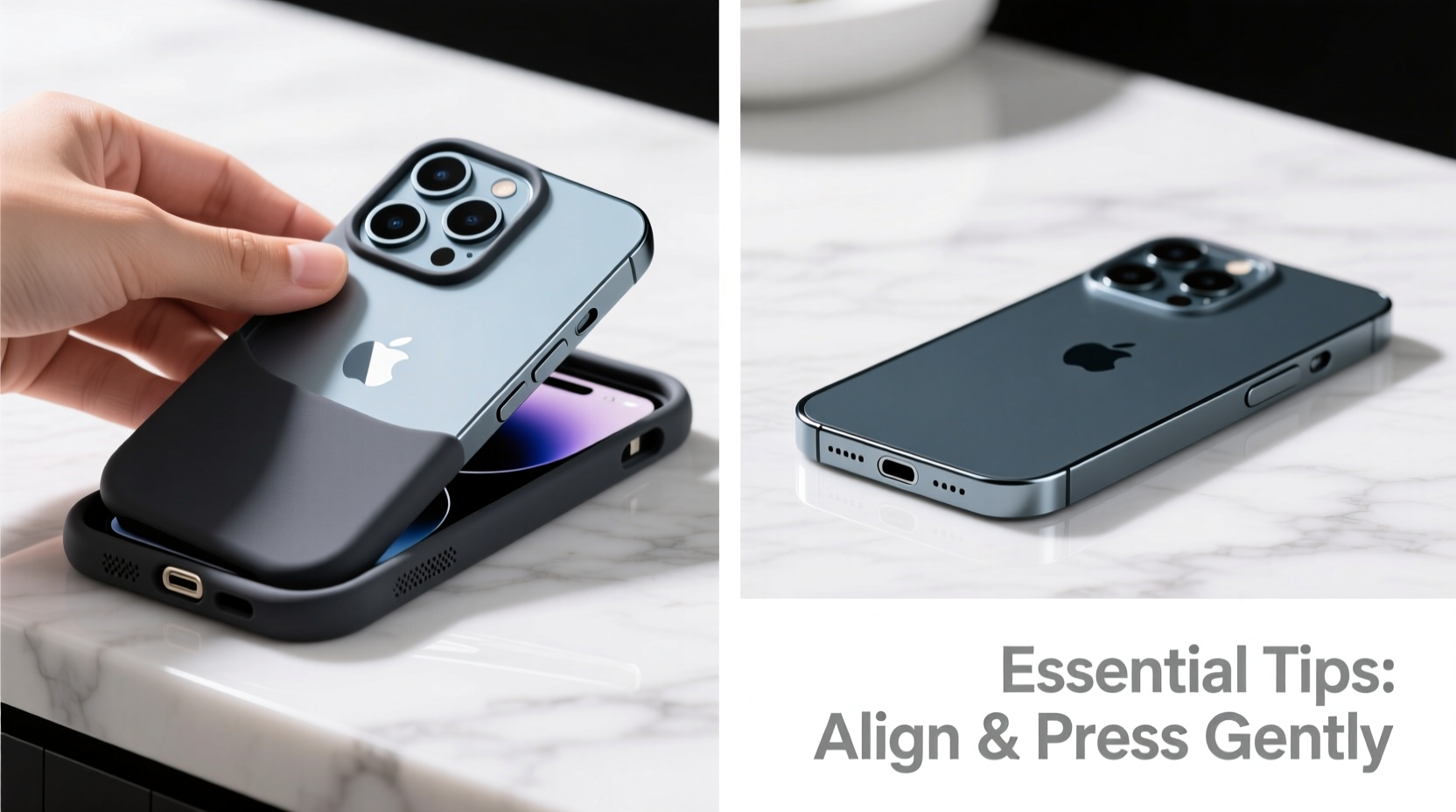
Not all cases are created equal. The material and structural design of your iPhone 16 Pro Max case directly influence how it should be installed. Common materials include TPU (thermoplastic polyurethane), silicone, polycarbonate, hybrid combinations, and eco-leather. Each has different flexibility, grip, and expansion characteristics.
Rigid polycarbonate cases require precise alignment and minimal force, while flexible TPU models can stretch slightly to accommodate the phone’s dimensions. Silicone cases often have tighter fits due to their dense composition but offer excellent shock absorption once properly seated.
Hybrid cases—those combining hard backplates with soft inner linings—require extra attention at the corners and button areas. Always refer to the manufacturer’s instructions if provided, as some premium brands incorporate proprietary attachment mechanisms or snap-fit designs.
Prepare Your Workspace and iPhone
A clean, clutter-free environment is critical when handling high-end electronics. Dust, lint, or microscopic debris trapped between the case and the phone can cause micro-scratches over time. Begin by powering off your iPhone to prevent accidental inputs during installation.
- Choose a flat, well-lit surface such as a desk or table.
- Clean the iPhone thoroughly using a microfiber cloth. Pay special attention to edges, camera bump, and charging port.
- Inspect the interior of the case for any manufacturing residue or loose fibers. Wipe gently with a dry cotton swab if needed.
- Remove screen protectors temporarily if they extend beyond the display bezel, which may interfere with case fitment.
Static electricity can attract dust particles during handling. To minimize this, avoid working on synthetic fabrics or carpeted floors. If possible, use an anti-static mat or wrist strap, especially in dry environments.
Step-by-Step Installation Process
Installing a case correctly involves more than just sliding the phone in. A methodical approach prevents strain on the frame and ensures full coverage without gaps.
- Align the bottom first: Hold the case with the opening facing up. Position the iPhone so the Lightning port aligns perfectly with the case’s cutout. Gently guide the bottom edge into place.
- Secure one side corner: Press down lightly on one lower corner until it clicks or seats fully. Do not force it.
- Engage the opposite corner: Move diagonally across to the other bottom corner and press down gradually. This creates balanced tension.
- Work upward along the sides: Slowly run your fingers up each side, ensuring the mid-frame adheres smoothly. Avoid bending the phone.
- Check top and camera module: Verify that the front lip covers the screen adequately and the camera cutout surrounds the lens array without pressing against it.
- Test button function: Press each volume and action button to confirm tactile feedback and unrestricted movement.
If resistance is felt at any point, stop immediately. Forcing the phone in risks damaging the aluminum frame or cracking internal components. Reassess alignment and try again with less pressure.
| Action | Recommended | Never Do |
|---|---|---|
| Pressure applied during installation | Even, gentle pressure starting from bottom corners | Twisting or levering the phone into place |
| Tools used | Fingers only | Screwdrivers, keys, or sharp objects |
| Case fit after installation | Snug with no gaps or warping | Gaps near buttons or bulging around camera |
| Post-installation check | Verify speaker, mic, and wireless charging access | Ignore small misalignments—they worsen over time |
Common Mistakes That Cause Damage
Many users unknowingly compromise their iPhone’s integrity during case installation. Awareness of these pitfalls helps avoid costly errors.
- Using excessive force: The iPhone 16 Pro Max uses aerospace-grade titanium, but repeated stress at stress points (like corners) can weaken structural rigidity.
- Ignoring temperature effects: Cold environments make plastics brittle. Installing a case straight from an air-conditioned car increases fracture risk.
- Skipping alignment checks: Misaligned cases exert uneven pressure, potentially interfering with thermal regulation or antenna bands.
- Reusing damaged cases: Cracked or warped cases cannot provide proper protection and may scratch the finish during removal or reinstallation.
“Over 30% of cosmetic damage reported within six months of purchase occurs during accessory installation. Proper technique matters as much as the product itself.” — Dr. Lena Torres, Senior Device Durability Analyst at Mobile Insight Group
Real-World Example: A Close Call with a Premium Case
Mark, a digital designer in Seattle, purchased a magnetic folio case advertised as “perfect fit” for the iPhone 16 Pro Max. Eager to protect his new device, he attempted installation right out of the box. Without cleaning either surface, he pressed the phone in forcefully from the top down. The case snapped into place—but upon inspection, he noticed a faint scuff near the volume rocker.
After removing the case, he discovered a tiny piece of grit had been embedded between the metal frame and the inner lining. Though the mark was minor, it compromised the resale value. He learned to always inspect and clean both surfaces first. On his second attempt—with lint-free cloths and careful corner-first alignment—the case seated flawlessly, with no resistance or marks.
FAQ: Frequently Asked Questions
Can I install the case with a screen protector on?
Yes, but only if the screen protector does not extend beyond the glass edge (such as certain tempered glass models). Overhang can prevent the case’s front lip from making full contact, reducing drop protection.
Why does my case feel tight and make creaking sounds?
This is common with brand-new TPU or hybrid cases. The material will loosen slightly after 24–48 hours of normal use. However, persistent creaking may indicate internal friction caused by poor fit or debris—remove and inspect immediately.
Should I remove the case periodically?
Yes. Experts recommend removing and cleaning both the phone and case every two weeks. Sweat, oils, and pocket lint accumulate underneath and can degrade coatings or trap moisture.
Final Checklist Before Every Installation
- ✅ Phone is powered off
- ✅ Work surface is clean and stable
- ✅ Both phone and case interiors are free of dust
- ✅ Bottom ports and top sensors are clear
- ✅ Case is undamaged and matches iPhone 16 Pro Max specifications
- ✅ You’re using finger pressure only—no tools
- ✅ Final fit includes full button coverage and flush edges
Conclusion
Protecting your iPhone 16 Pro Max starts with thoughtful habits, not just expensive accessories. Installing a case might seem trivial, but doing it incorrectly risks permanent blemishes or functional issues. By understanding materials, preparing properly, and following a disciplined process, you maintain both aesthetics and performance. Treat your device with the care it deserves—not just today, but every time you handle it.




 浙公网安备
33010002000092号
浙公网安备
33010002000092号 浙B2-20120091-4
Comments
No comments yet. Why don't you start the discussion?