
Visual immersion in gaming isn't just about high frame rates or expansive worlds—it's deeply tied to how accurately and vividly your screen renders light, color, and contrast. As display technology evolves, the choice between a standard dynamic range (SDR) monitor and one with High Dynamic Range (HDR) has become a critical decision for serious gamers. While both can deliver crisp visuals, HDR fundamentally alters how light and shadow are perceived, creating a more lifelike experience. But does it truly improve immersion more than a high-quality standard monitor? The answer lies in understanding how HDR works, where it excels, and its limitations in real-world gaming scenarios.
Understanding HDR and SDR: The Core Differences
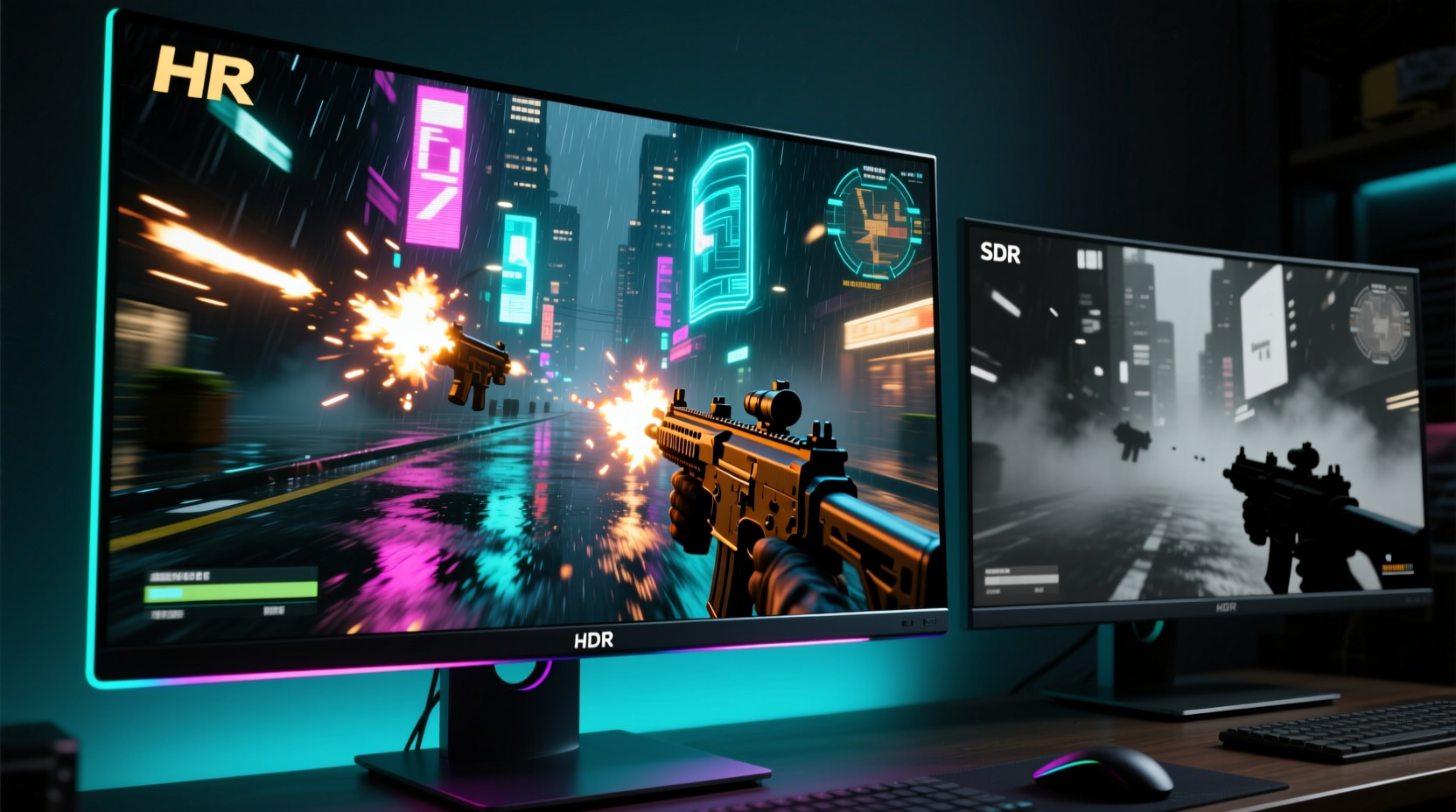
At the heart of the comparison is how each technology handles brightness, contrast, and color depth. Standard Dynamic Range (SDR) monitors have been the norm for decades. They operate within a limited luminance range—typically peaking at around 250–300 nits—and use an 8-bit color depth, translating to approximately 16.7 million colors. While adequate for everyday use, SDR struggles to represent realistic lighting, especially in scenes with both deep shadows and bright highlights.
In contrast, HDR expands this envelope significantly. True HDR monitors support higher peak brightness (often 600 nits or more), deeper blacks, wider color gamuts (such as DCI-P3), and higher bit depths (10-bit or more). This allows them to display over a billion colors and render gradients more smoothly. The result is a display that mimics the way human eyes perceive real-world lighting, enhancing depth and realism.
HDR isn’t a single specification but a category with multiple tiers:
- HDR10: The most common baseline, using static metadata and 10-bit color.
- HDR10+: An advanced version by Samsung that uses dynamic metadata to optimize per-scene brightness.
- Dolby Vision: Offers dynamic metadata and superior tone mapping, though rare in gaming monitors.
- DisplayHDR Certifications: VESA’s tiered system (DisplayHDR 400, 600, 1000) sets measurable standards for brightness, contrast, and color accuracy.
The key advantage of HDR is not just brighter whites or darker blacks—it’s the ability to show detail in both simultaneously. A sunset in a game might reveal texture in the clouds while still preserving the silhouette of a character in the foreground, something SDR often flattens into overexposed or underexposed areas.
How HDR Enhances Gaming Immersion
Immersion in gaming is psychological—it's about feeling present within the virtual world. HDR contributes to this by improving three core aspects: realism, spatial awareness, and emotional impact.
First, realism improves because HDR mirrors natural lighting conditions. In open-world games like The Witcher 3 or Red Dead Redemption 2, sunlight filtering through trees appears softer and more directional, while reflections on water gain intensity and variation. These subtle cues help the brain accept the environment as believable.
Second, spatial awareness increases due to better contrast differentiation. In dark, atmospheric titles such as Resident Evil Village or Control, HDR helps distinguish enemies lurking in shadows without washing out the rest of the scene. This isn’t just aesthetic—it affects gameplay. Players report spotting threats earlier and navigating low-light environments with greater confidence.
Third, emotional engagement rises when visuals align with narrative tone. A horror game’s tension builds more effectively when flickering lights cast unstable shadows across a room, or when a sudden explosion illuminates a battlefield in stark, fleeting brilliance. HDR makes these moments more visceral.
“HDR doesn’t just make games look better—it changes how players feel during pivotal scenes. That shift from observation to participation is where true immersion begins.” — Dr. Lena Torres, Human-Computer Interaction Researcher, MIT Media Lab
When Standard Monitors Still Hold Their Ground
Despite HDR’s advantages, standard monitors remain competitive in several key areas. For competitive esports titles like CS2, Valorant, or Overwatch, consistency and responsiveness matter more than color depth. Many professional players prefer SDR monitors with ultra-fast response times (1ms) and refresh rates up to 360Hz, prioritizing fluid motion over visual richness.
Additionally, not all HDR implementations are equal. Entry-level “HDR-compatible” monitors often lack the hardware to deliver meaningful improvements. A panel labeled “HDR400” may only reach 400 nits peak brightness with mediocre contrast, resulting in dim highlights and grayish blacks. In practice, such displays can appear worse than well-calibrated SDR monitors, especially in brightly lit rooms.
Another limitation is content readiness. While AAA titles increasingly support HDR, many indie games, older titles, and even some new releases don’t properly implement it. Enabling HDR in unsupported games can lead to washed-out colors, incorrect gamma, or input lag without any benefit.
Budget also plays a role. High-performance HDR monitors with FALD (Full Array Local Dimming) backlights, wide color coverage, and DisplayHDR 1000 certification typically start above $600. For gamers focused on value or high-refresh-rate performance, a premium SDR monitor may offer better overall utility.
Comparative Analysis: HDR vs Standard Gaming Monitors
| Feature | HDR Monitor (High-End) | Standard Monitor (High-End) |
|---|---|---|
| Peak Brightness | 600–1000+ nits | 250–400 nits |
| Contrast Ratio | 1000:1 to 2000:1 (higher with local dimming) | 1000:1 (typical VA/PVA) |
| Color Gamut | 90–100% DCI-P3 | 72% NTSC (~sRGB) |
| Bit Depth | 10-bit (8-bit + FRC) | 8-bit |
| Best Use Case | Narrative-driven, cinematic, or visually rich games | Esports, fast-paced shooters, competitive play |
| Input Lag (Avg) | 4–8ms (with HDR processing) | 1–4ms |
| Recommended Price Range | $600+ | $200–$500 |
This table illustrates that while HDR excels in visual fidelity, it often trades off raw speed and affordability. Gamers must weigh these factors based on their primary use case.
Real-World Example: A Gamer’s Transition to HDR
Consider Mark, a long-time PC gamer who primarily played MOBAs and FPS titles on a 144Hz SDR IPS monitor. After switching to an LG 27GP950-B (a DisplayHDR 600 certified 4K 144Hz monitor), his expectations shifted dramatically. Initially, he noticed no difference in League of Legends—the game wasn’t optimized for HDR, and the increased input lag made him feel less responsive.
But when he loaded up Cyberpunk 2077 with HDR enabled, the change was immediate. Neon signs in Night City glowed with authentic intensity, reflections on wet pavement looked dimensional, and interior scenes didn’t collapse into black voids. Over time, he found himself drawn to story-rich games like Horizon Zero Dawn and Death Stranding, citing the immersive atmosphere as a major factor. He eventually adjusted his setup to toggle HDR only when needed, using Windows’ auto-HDR feature to streamline the process.
Mark’s experience reflects a broader trend: HDR doesn’t enhance every game equally, but when it works, it transforms the experience in ways resolution or frame rate alone cannot.
Actionable Checklist: Choosing the Right Monitor for Immersion
To determine whether HDR or a high-end standard monitor will serve you best, follow this checklist:
- Assess your gaming library: Do you play mostly cinematic, single-player games? HDR will likely add significant value.
- Check HDR support: Verify that your GPU and games support HDR. NVIDIA GTX 10-series or newer and AMD RX 400-series or newer are required.
- Look for proper certification: Prioritize DisplayHDR 600 or higher. Avoid “HDR-ready” or “HDR-effect” panels without certification.
- Test input lag: If you play competitive titles, measure response time with and without HDR enabled.
- Calibrate settings: Enable HDR in Windows, then fine-tune brightness, gamma, and color mode in your monitor’s OSD for optimal results.
- Consider ambient lighting: HDR performs best in dim or controlled lighting. Bright rooms can wash out the effect.
Frequently Asked Questions
Does HDR make a noticeable difference in all games?
No. HDR enhances games specifically mastered for it or those with robust lighting engines. Older or competitively focused titles may show little to no improvement, and some may even look worse due to improper tone mapping.
Can I enable HDR on a standard monitor?
Technically, yes—Windows allows you to turn on HDR in settings—but without the necessary hardware, the image will appear oversaturated, dim, or distorted. True HDR requires a compatible panel with sufficient brightness and color depth.
Is OLED better than LCD for HDR gaming?
OLED offers perfect blacks and infinite contrast, making it ideal for HDR. However, it comes at a much higher cost and carries risks of burn-in with static HUDs. High-end LCDs with FALD provide a balanced alternative with excellent HDR performance and lower risk.
Conclusion: Maximizing Immersion Through Informed Choice
HDR undeniably elevates visual immersion when implemented correctly. It brings depth, realism, and emotional weight to games in a way that standard monitors simply cannot replicate. However, it is not a universal upgrade. For competitive gamers, budget-conscious buyers, or those playing non-HDR-optimized titles, a high-performance SDR monitor may deliver a more satisfying experience.
The future of gaming visuals leans heavily toward HDR, especially as more developers adopt it natively and hardware becomes more accessible. But the best choice depends on how you play, what you play, and how you define immersion. Whether you prioritize split-second reactions or cinematic storytelling, the right monitor should align with your goals—not just industry trends.




 浙公网安备
33010002000092号
浙公网安备
33010002000092号 浙B2-20120091-4
Comments
No comments yet. Why don't you start the discussion?