
For years, the debate has simmered in forums, comment sections, and gaming communities: is a gaming mouse truly better than a regular office mouse when it comes to actual gameplay improvement? While marketing campaigns paint high-DPI, RGB-lit mice as essential tools for victory, the reality is more nuanced. The answer isn’t simply “yes” or “no”—it depends on your use case, sensitivity to input precision, and the type of games you play. This article dissects the technical and practical differences between gaming and regular mice, evaluates real-world performance gains, and helps you decide whether an upgrade will genuinely elevate your experience.
Understanding the Core Differences
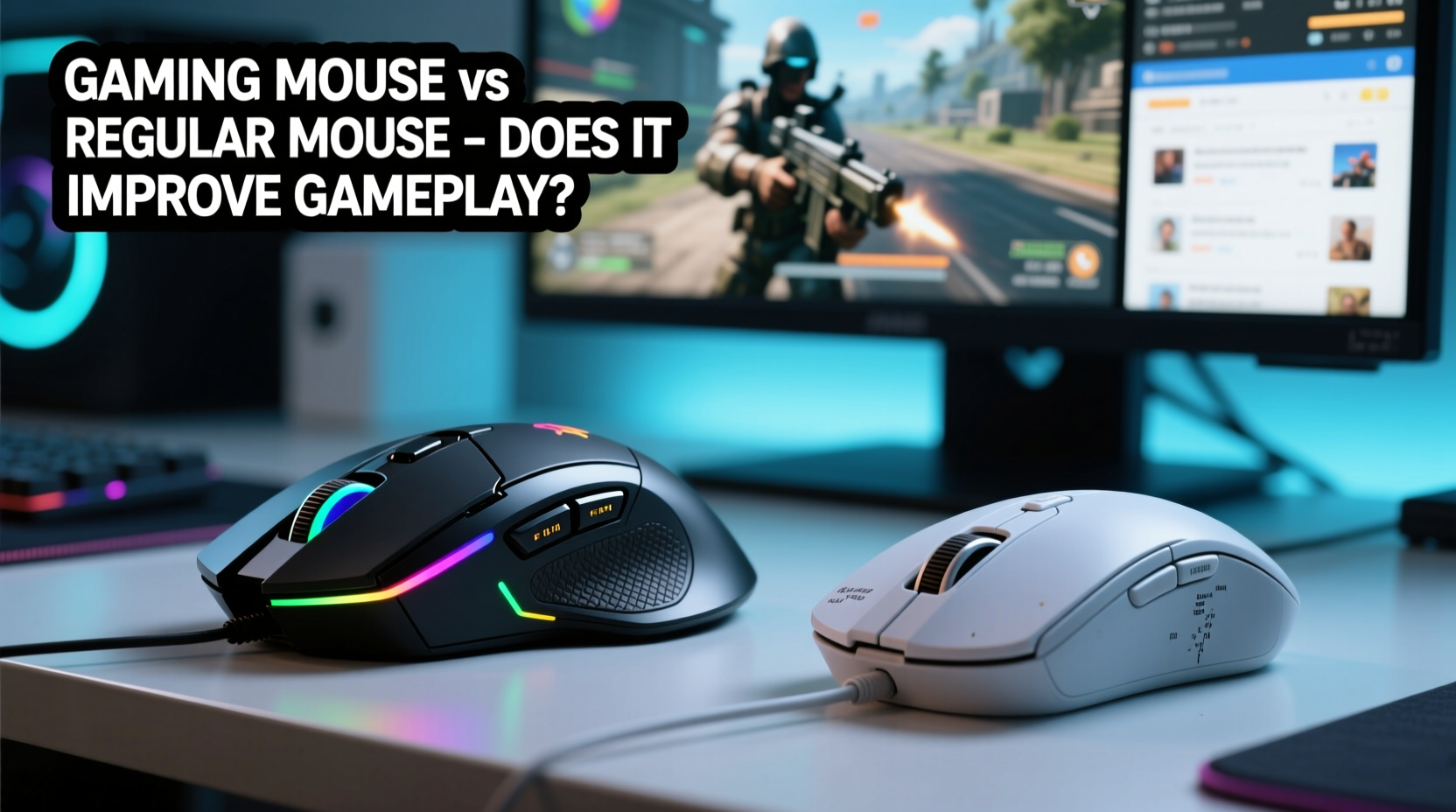
The most obvious distinction between a gaming mouse and a regular mouse lies in design intent. A standard office mouse prioritizes comfort, battery life, and basic functionality for everyday computing tasks like browsing, document editing, and email. In contrast, a gaming mouse is engineered for responsiveness, durability, and customization under high-pressure scenarios.
Key differentiators include:
- Sensor quality: Gaming mice typically feature higher DPI (dots per inch) sensors with better tracking accuracy, especially on challenging surfaces.
- Polling rate: Measured in Hz, this determines how often the mouse reports its position to the computer. Gaming mice usually offer 500Hz or 1000Hz, compared to 125Hz on most regular mice.
- Switch durability: Mechanical switches in gaming mice are rated for tens of millions of clicks, far exceeding the lifespan of standard mouse buttons.
- Ergonomics and weight: Designed for extended sessions, gaming mice often allow for adjustable weights and come in various grip styles (palm, claw, fingertip).
- Programmable buttons: Extra side buttons can be mapped to in-game commands, macros, or system functions—useful in MMOs or MOBAs.
- Onboard memory: Some models store profiles directly on the mouse, enabling consistent settings across different systems.
These features aren't just cosmetic upgrades—they serve specific functional purposes that can influence performance in fast-paced environments.
Performance Impact: Does It Actually Improve Gameplay?
The central question remains: do these hardware advantages translate into measurable improvements in gameplay? The short answer is yes—but only under certain conditions.
In casual games like puzzle titles, turn-based strategy, or single-player adventures, a gaming mouse offers minimal tangible benefit. However, in competitive genres such as first-person shooters (FPS), real-time strategy (RTS), or multiplayer online battle arenas (MOBA), even marginal gains in input precision and response time can make a difference.
A higher polling rate reduces input lag. For example, a standard 125Hz mouse updates every 8 milliseconds, while a 1000Hz gaming mouse updates every 1 millisecond. Though imperceptible in isolation, over hundreds of rapid movements during a firefight, this consistency enhances control and predictability.
Similarly, advanced optical or laser sensors reduce acceleration artifacts and jitter—issues that plague cheaper sensors when moved quickly or at odd angles. This means what you see on screen more accurately reflects your hand movement, improving aim stability.
“Input consistency is critical at the professional level. Even minor inconsistencies in tracking can compound over time and affect muscle memory.” — Daniel Reyes, Esports Hardware Analyst at GameFrame Labs
Real-World Example: Competitive FPS Player Transition
Consider Alex, a semi-professional CS:GO player who used a basic wireless office mouse for over two years. Despite strong game sense and positioning, he struggled with inconsistent flick shots and felt his aim lacked precision. After switching to a lightweight gaming mouse with a 16,000 DPI sensor and 1000Hz polling rate, he noticed immediate improvements—not because the mouse \"made him better,\" but because it removed variables that were hindering his execution.
His old mouse exhibited noticeable cursor drift on his wooden desk and had a double-click issue after prolonged use. With the new device, tracking was flawless, button actuation was crisp, and he could fine-tune DPI stages mid-match. Over three months, his headshot percentage increased by 12%, and his K/D ratio improved from 1.1 to 1.4. While skill development played a major role, eliminating unreliable hardware gave him a stable foundation to build upon.
Comparative Analysis: Gaming Mouse vs Regular Mouse
| Feature | Gaming Mouse | Regular Mouse |
|---|---|---|
| DPI Range | 400–26,000 (adjustable) | 800–1600 (fixed or limited adjustment) |
| Polling Rate | 500–1000Hz | 125Hz |
| Switch Lifespan | 20–70 million clicks | 3–10 million clicks |
| Programmable Buttons | 5–12+ customizable buttons | Typically 3 (left, right, scroll wheel) |
| Build Material | Reinforced plastic, metal springs, braided cable | Basic plastic, rubberized coating |
| Software Support | Firmware updates, macro programming, RGB lighting | Limited or none |
| Price Range | $40–$150+ | $10–$30 |
This table highlights not just performance gaps but also longevity and adaptability. A gaming mouse may cost more upfront, but its extended lifespan and versatility across multiple applications often justify the investment for serious users.
When a Gaming Mouse Makes a Real Difference
Not all gamers will benefit equally from a high-end mouse. The impact depends largely on three factors: game genre, play style, and personal sensitivity to input devices.
FPS and Battle Royale Games: These rely heavily on precise aiming and quick reflexes. A responsive sensor and consistent polling rate help maintain tight crosshair control during fast turns and micro-adjustments. Gamers using low sensitivity settings (e.g., 400–800 DPI) benefit most from pixel-perfect tracking.
MMOs and MOBAs: Here, the advantage shifts to programmable buttons. Assigning abilities, consumables, or camera controls to thumb buttons reduces keyboard dependency and speeds up command execution. For instance, a WoW raid leader might map healing spells or target markers to side buttons for instant access.
RTS and Simulation Games: While less dependent on raw speed, these games require extensive unit selection and hotkey management. A mouse with quick-access buttons can streamline multitasking and improve efficiency.
Conversely, in non-competitive or single-player experiences—such as RPGs, platformers, or visual novels—the hardware edge provides little return. If your gameplay emphasizes story, exploration, or slow-paced mechanics, a regular mouse performs just as well.
Step-by-Step Guide: Upgrading Your Mouse for Better Gameplay
If you’re considering a switch, follow this structured approach to ensure optimal results:
- Assess your current setup: Identify pain points—laggy response, inaccurate tracking, worn-out buttons.
- Determine your grip style: Choose a mouse shape that fits palm, claw, or fingertip grips. Test sizes if possible.
- Select appropriate DPI range: Start with 800–1600 DPI for 1080p monitors. Adjust based on in-game sensitivity preferences.
- Check polling rate compatibility: Ensure your PC supports USB 2.0+ for full 1000Hz performance.
- Install driver software: Use manufacturer tools (Logitech G Hub, Razer Synapse) to customize buttons and save profiles.
- Test in-game: Run aim trainers (like Kovaak’s or Aim Lab) or deathmatch modes to evaluate tracking and responsiveness.
- Adjust gradually: Don’t change sensitivity drastically. Adapt over days to retrain muscle memory.
Common Misconceptions About Gaming Mice
Despite their advantages, several myths persist about gaming mice:
- Myth: Higher DPI always means better performance. Reality: Excessively high DPI (e.g., 16,000+) reduces control and makes small movements overly sensitive. Most pros use 400–1600 DPI.
- Myth: All gaming mice are heavy. Reality: Many modern models prioritize lightweight designs (under 70g) for faster flicks and reduced fatigue.
- Myth: RGB lighting improves performance. Reality: Lighting is purely aesthetic. It doesn’t affect function, though some claim it aids in dark environments.
- Myth: Wireless gaming mice have lag. Reality: Modern wireless protocols (e.g., Logitech Lightspeed, Razer HyperSpeed) match wired performance with sub-1ms latency.
Understanding these nuances prevents buyers from overspending on unnecessary specs or overlooking critical ergonomic needs.
FAQ: Common Questions Answered
Do I need a gaming mouse for casual gaming?
Not necessarily. If you play casually or focus on story-driven games, a regular mouse suffices. However, if you notice lag or imprecise tracking, upgrading can enhance comfort and control—even outside competitive scenes.
Can a gaming mouse improve aim in FPS games?
It won’t automatically make you a better shot, but it removes hardware limitations that hinder consistent performance. A reliable sensor and responsive buttons allow your skills to shine without interference from double-clicks or tracking errors.
Are expensive gaming mice worth the price?
High-end models ($100+) often offer premium materials, lighter weight, and longer durability. For enthusiasts or professionals, they’re a worthwhile investment. For average users, mid-range options ($50–$80) deliver excellent value with most essential features.
Final Checklist Before Buying a Gaming Mouse
- ✅ Determine your primary game genres
- ✅ Measure your hand size and preferred grip style
- ✅ Decide between wired and wireless connectivity
- ✅ Set a realistic budget ($40–$100 recommended for balance)
- ✅ Research sensor type (optical preferred for consistency)
- ✅ Check software compatibility with your OS
- ✅ Read user reviews focusing on long-term durability
Conclusion: Is the Upgrade Worth It?
A gaming mouse doesn’t magically transform an average player into a pro. But for those serious about refining their craft—especially in competitive environments—it eliminates friction between intention and execution. The improvements aren’t flashy; they’re subtle, cumulative, and rooted in reliability. You gain confidence that your inputs are registered exactly as intended, every time.
If you spend hours in fast-paced games, stream regularly, or demand precision from your gear, investing in a quality gaming mouse is justified. For others, a dependable regular mouse remains perfectly adequate. The key is aligning your tools with your goals.




 浙公网安备
33010002000092号
浙公网安备
33010002000092号 浙B2-20120091-4
Comments
No comments yet. Why don't you start the discussion?