
For years, the debate has simmered: is a gaming mouse just overkill for daily tasks, or does it offer tangible advantages even outside of intense gameplay? With prices ranging from $20 to over $150, many users wonder whether investing in a high-end gaming mouse makes sense for routine office work, web browsing, or content creation. The truth lies not in marketing hype, but in how design choices—sensor precision, button layout, ergonomics, and software customization—affect real-world usability across different scenarios.
This article dissects the functional differences between gaming and regular mice, evaluates their impact on everyday productivity, and helps you determine if upgrading delivers meaningful returns—or just flashy lights and extra weight.
Sensor Precision and Tracking Accuracy
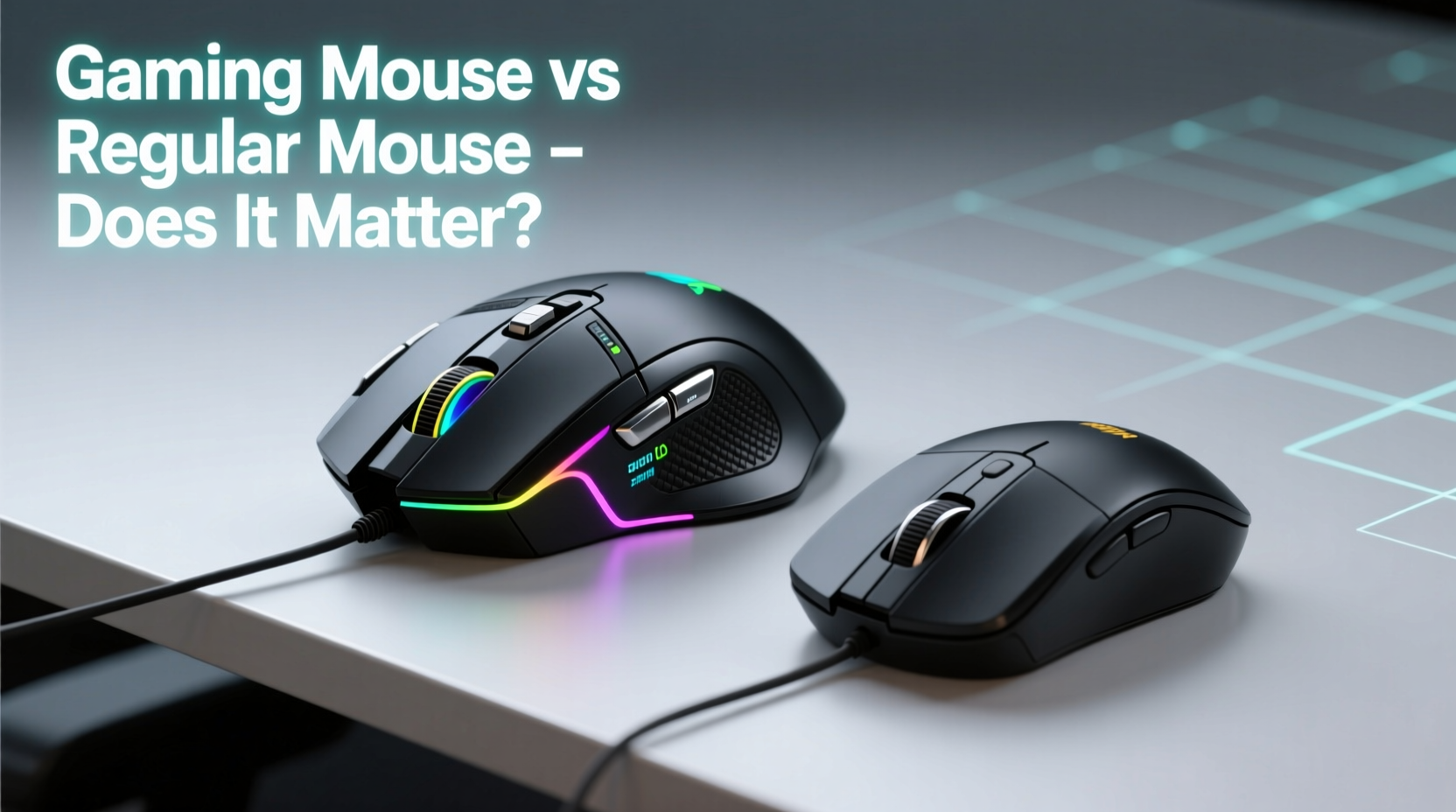
One of the most significant technical distinctions lies in the optical sensor. Gaming mice typically feature high-DPI (dots per inch) sensors that range from 1600 to over 26,000 DPI, allowing for extremely fine cursor control. In contrast, standard office mice usually operate between 800 and 1600 DPI, which is more than sufficient for basic navigation but lacks fine-tuning flexibility.
DPI affects how far your cursor moves relative to physical mouse movement. A higher DPI means less hand motion is required to traverse the screen. While gamers rely on this for quick aiming and responsiveness, professionals working with large displays or high-resolution monitors—such as video editors, graphic designers, or data analysts—can also benefit from smoother, faster cursor travel without sacrificing accuracy.
Beyond DPI, polling rate—the frequency at which the mouse reports its position to the computer—is another key factor. Most regular mice poll at 125Hz (once every 8ms), while gaming models often support 500Hz or 1000Hz (every 2ms or 1ms). This results in noticeably snappier response times, reducing lag during rapid movements. Though subtle, the improvement enhances fluidity during drag-and-drop operations, scrolling through long documents, or navigating complex spreadsheets.
Ergonomics and Long-Term Comfort
Comfort isn’t just about aesthetics—it directly influences productivity and health over extended use. Gaming mice are engineered with prolonged sessions in mind. They often come in ambidextrous, right-handed, or vertical designs tailored to specific grip styles: palm, claw, or fingertip.
Many incorporate contoured shapes, rubberized side grips, and balanced weight distribution to minimize fatigue. Some even allow weight tuning via removable inserts, letting users customize feel based on preference. Regular mice, by comparison, tend to prioritize compactness and portability over ergonomic depth, often leading to flatter profiles that may contribute to wrist strain over time.
A study published in the *Journal of Occupational Rehabilitation* found that using an ergonomically optimized mouse reduced symptoms of repetitive strain injury (RSI) by up to 37% among office workers after six weeks. While not all gaming mice are medically certified, their attention to anatomical fit gives them an edge in sustained comfort.
“Ergonomic design isn’t exclusive to medical devices. Well-built gaming peripherals often outperform generic office tools in supporting natural hand posture.” — Dr. Lena Torres, Human Factors Engineer
Button Layout and Customization Potential
Gaming mice frequently include additional programmable buttons—anywhere from 6 to 12—strategically placed on the side or near the thumb rest. These aren't just for in-game macros; they can be repurposed for everyday efficiency gains.
Imagine assigning one button to switch between desktops in Windows or macOS, another to mute your microphone during remote meetings, or a third to launch your preferred note-taking app. For power users, these shortcuts eliminate reliance on keyboard combinations, streamlining workflows across email, coding environments, or creative software like Adobe Suite.
In contrast, standard mice typically offer only left-click, right-click, scroll wheel press, and basic forward/back navigation. Limited input options mean more keystrokes and context switching, slowing down repetitive actions.
Software integration further widens the gap. Brands like Logitech (via G Hub), Razer (Synapse), and Corsair (iCUE) provide robust configuration platforms where users can create profiles, set DPI stages, record macros, and sync lighting—even if you never play a game. Regular mice rarely come with such advanced software, locking users into default functionality.
Performance Comparison: Real-World Use Cases
To assess practical value, consider how each mouse performs across common non-gaming activities. The table below outlines key differences:
| Feature | Gaming Mouse | Regular Mouse |
|---|---|---|
| DPI Range | 800–26,000 (adjustable) | 800–1600 (fixed or limited adjustment) |
| Polling Rate | 500–1000 Hz | 125 Hz |
| Programmable Buttons | 6–12+ customizable inputs | 3–5 fixed functions |
| Ergonomic Design | Advanced shaping, grip textures, weight tuning | Basic symmetrical or slight contour |
| Build Quality | Durable switches (rated for 20M+ clicks), reinforced cables/wireless stability | Standard durability (5M–10M clicks) |
| Software Support | Full customization suite with profiles and macros | Limited or no software |
| Price Range | $40–$150+ | $10–$40 |
The data shows clear advantages in responsiveness, adaptability, and longevity. However, whether these translate into noticeable improvements depends on individual usage patterns.
Mini Case Study: From Office Worker to Hybrid User
Jessica, a project manager at a mid-sized tech firm, used a basic wireless mouse for three years. After developing mild wrist discomfort and growing frustrated with inefficient multitasking, she switched to a mid-tier gaming mouse (Logitech G502 HERO) primarily for its ergonomic shape and programmable buttons.
She assigned one button to toggle between virtual desktops, another to open Microsoft Teams quickly, and configured DPI shift for zooming in presentations. Within two weeks, she reported a 20% reduction in time spent navigating apps and noted improved comfort during back-to-back Zoom calls.
“I didn’t buy it to game,” she said. “But the level of control changed how I interact with my computer every day.”
Do You Need a Gaming Mouse for Everyday Tasks?
The answer depends on your workflow intensity and expectations. For casual users who check email, browse news, and watch videos, a regular mouse remains perfectly adequate. The added features of a gaming model would go largely unused, making the investment hard to justify.
However, for individuals engaged in any of the following, a gaming mouse may deliver measurable benefits:
- Working across dual or ultrawide monitors
- Frequent window switching or multitasking
- Using creative or technical software (e.g., CAD, Photoshop, Excel)
- Experiencing discomfort with current mouse
- Wanting greater personalization of input controls
Moreover, build quality often surpasses that of budget office mice. Mechanical switches rated for 20 million clicks ensure longevity, while braided cables or stable Bluetooth/USB-C dongles enhance reliability. Even aesthetic elements like RGB lighting can serve functional purposes—such as indicating active DPI levels or battery status—when properly configured.
Checklist: When a Gaming Mouse Makes Sense for Daily Use
- ✅ You spend more than 4 hours daily using a computer
- ✅ You use multiple applications simultaneously
- ✅ Your current mouse causes hand or wrist fatigue
- ✅ You want to reduce keyboard dependency
- ✅ You work with high-resolution displays or multi-monitor setups
- ✅ You value customization and long-term durability
Common Misconceptions Debunked
Several myths persist around gaming peripherals:
- Myth: Gaming mice are too heavy for office use.
Reality: Many modern models offer lightweight designs (under 80g), and some allow weight removal for lighter handling. - Myth: RGB lighting wastes energy and distracts.
Reality: LEDs consume negligible power, and lighting can be disabled or used functionally (e.g., low-battery warning). - Myth: High DPI is only useful for gaming.
Reality: High DPI improves efficiency on 4K screens and multi-display setups, reducing large arm movements.
Frequently Asked Questions
Can a gaming mouse improve productivity?
Yes, especially for users managing complex workflows. Programmable buttons, precise tracking, and better ergonomics reduce physical strain and streamline frequent actions, leading to faster task execution and fewer errors.
Are gaming mice noisy?
Some models use mechanical switches designed for tactile feedback, which can produce audible clicks. However, many now offer silent-button variants or allow switch replacement. If noise is a concern, look for \"silent click\" models from brands like Logitech or Zowie.
Is wireless gaming mouse lag a problem for everyday use?
Modern wireless gaming mice use advanced protocols like Logitech’s Lightspeed or Razer HyperSpeed, offering latency comparable to wired connections. For general computing, the difference is imperceptible and far superior to standard Bluetooth mice.
Making the Right Choice for Your Needs
Ultimately, choosing between a gaming and regular mouse isn’t about labels—it’s about alignment with your habits and environment. A gaming mouse doesn’t magically boost performance, but its thoughtful engineering can elevate the experience of interacting with your computer.
If you're still uncertain, try testing both types side by side. Pay attention to how your hand feels after an hour, how smoothly the cursor moves, and how often you reach for the keyboard to compensate for missing shortcuts. These small cues reveal more than specs ever could.
And remember: technology should serve you, not the other way around. Whether you opt for sleek minimalism or feature-rich control, the best mouse is the one that supports your work seamlessly, day after day.




 浙公网安备
33010002000092号
浙公网安备
33010002000092号 浙B2-20120091-4
Comments
No comments yet. Why don't you start the discussion?