
When it comes to optimizing your gaming setup, few peripherals have as direct an impact on performance as your mouse. The debate between a feature-rich gaming mouse with multiple programmable buttons and a minimalist, lightweight design isn’t just about aesthetics—it’s about how each approach influences precision, reaction time, and long-term comfort. Gamers across genres—from fast-paced shooters to complex strategy titles—are constantly weighing whether added functionality improves their edge or becomes unnecessary clutter.
This decision isn’t one-size-fits-all. It hinges on game type, hand size, grip style, and even personal preference in muscle memory development. Understanding the trade-offs between complexity and simplicity can help you choose the right tool for your playstyle—and potentially elevate your performance.
The Case for Extra Buttons: Functionality and Efficiency
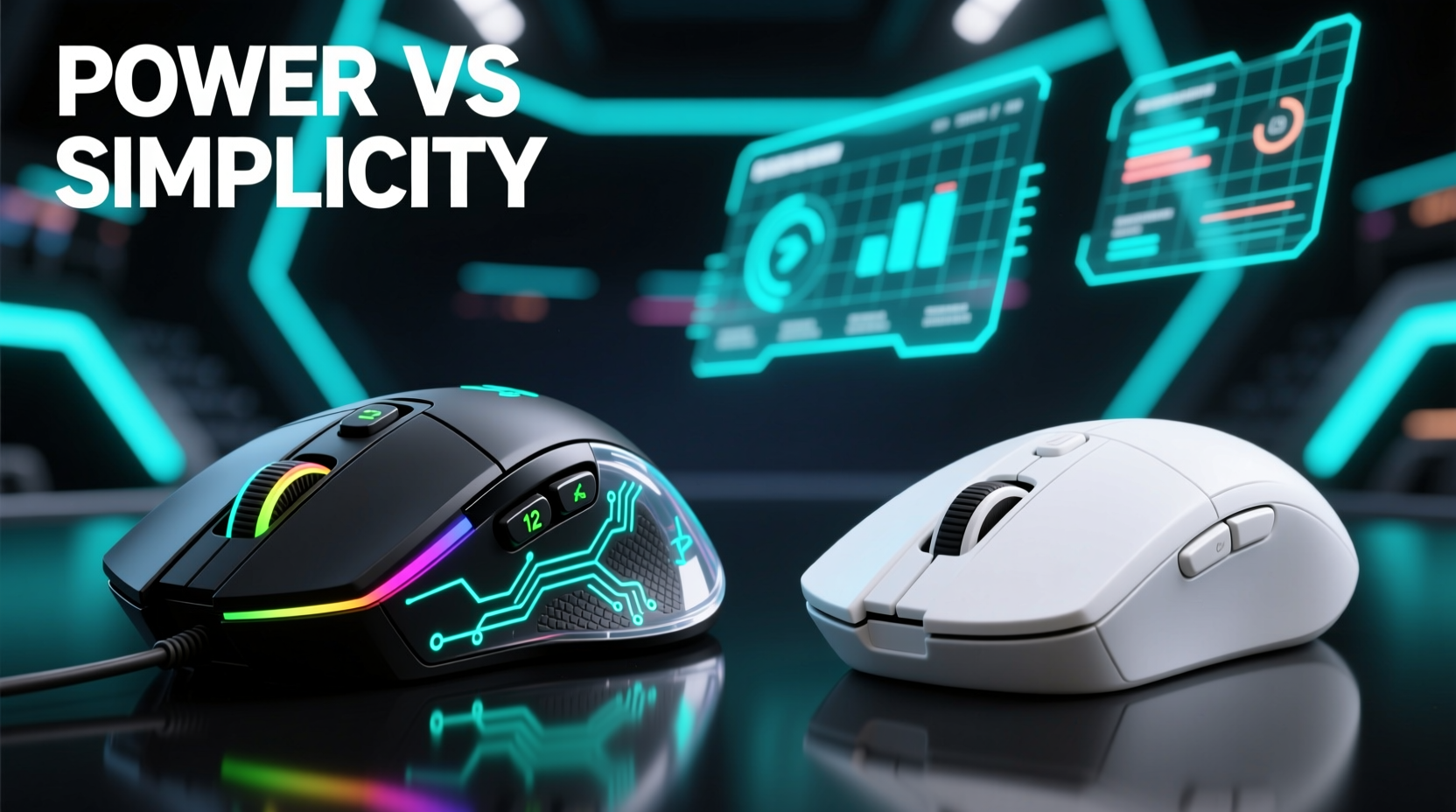
Gaming mice equipped with additional side buttons, DPI switches, and onboard memory offer tangible benefits in games that demand rapid access to commands. These buttons are typically placed within easy reach of the thumb and can be programmed using manufacturer software like Logitech G Hub, Razer Synapse, or SteelSeries Engine.
In MMORPGs such as World of Warcraft or Final Fantasy XIV, where players manage dozens of abilities, having 10–12 dedicated buttons allows for seamless spell rotation without relying solely on keyboard combinations. This reduces finger travel and minimizes input lag caused by reaching across the keyboard mid-combat.
Similarly, in simulation or productivity-heavy games—like flight simulators or real-time strategy titles such as StarCraft II—extra buttons can execute macros, toggle views, or issue group commands instantly. For streamers, these buttons also double as shortcuts for muting audio, switching scenes, or capturing clips without leaving the game.
Ergonomic Considerations with Multi-Button Mice
While functionality is key, ergonomics cannot be ignored. Larger mice with numerous buttons often cater to palm or claw grippers with medium to large hands. However, they may cause strain during extended sessions if not properly contoured. Some high-button-count models exceed 100 grams, adding weight that affects flick accuracy in FPS titles.
Manufacturers address this with textured grips, adjustable weights, and ambidextrous designs. Still, users must evaluate whether the added control justifies potential fatigue. A well-placed button should require minimal thumb movement—ideally no more than a 5mm press—to avoid micro-strains over hours of use.
The Minimalist Advantage: Speed, Precision, and Focus
On the other end of the spectrum lies the ultra-lightweight, two-button plus scroll wheel philosophy popularized by esports professionals in titles like CS:GO, Valorant, and Overwatch. These mice often weigh under 60 grams and eliminate all non-essential features to prioritize raw speed and tracking consistency.
Lighter mice reduce inertia, allowing quicker swipes and tighter turns—critical when tracking fast-moving targets at high sensitivity settings. With fewer physical distractions, players report improved focus on core mechanics: aiming, recoil control, and positioning. There's less cognitive load associated with remembering button mappings, enabling instinctive responses under pressure.
Modern minimalist mice aren't primitive; they integrate advanced sensors (e.g., PixArt PAW3395), optical switches for faster actuation, and honeycomb shell designs to cut weight without sacrificing durability. Brands like Glorious, Finalmouse, and Razer have pushed the envelope in creating featherlight devices tailored specifically for competitive shooters.
“Simplicity breeds consistency. In tournaments, I don’t want to think about what my thumb is doing—I need every motion to feel predictable.” — Adrian Cho, Professional Valorant Player
Ease of Mastery and Long-Term Comfort
Beginners often find simpler mice easier to adapt to because there’s no learning curve tied to button layout. Muscle memory develops faster when only left-click, right-click, and scroll wheel are involved. Additionally, lighter weight and compact shapes suit fingertip and claw grips common among aggressive clickers.
From a health perspective, reduced grip force lowers the risk of repetitive strain injuries. Many pro gamers switch to minimalist mice after experiencing wrist discomfort from heavier, bulkier models. Less material also means better ventilation, reducing sweat buildup during intense matches.
Comparative Analysis: When Complexity Wins vs. When Simplicity Reigns
To clarify which design suits different scenarios, consider the following breakdown based on game genre, usage patterns, and physical factors.
| Factor | Extra Buttons Advantage | Simple Design Advantage |
|---|---|---|
| Game Genre | MMORPGs, MOBAs, RTS, Simulation | FPS, Battle Royale, Fast-Paced Arena Shooters |
| Input Demand | High command frequency, macro reliance | Focus on aim, low input complexity |
| Weight Range | 80–120g (heavier for stability) | 45–65g (ultra-light for speed) |
| Ease of Use | Steeper learning curve, customizable | Immediate usability, consistent feedback |
| Ergonomic Risk | Potential thumb strain, bulkiness | Lower fatigue, better airflow |
| Lifespan & Maintenance | More parts = higher failure risk | Fewer components = greater durability |
Real-World Example: Two Players, Two Paths
Consider two gamers: Maya and Jordan.
Maya plays Elder Scrolls Online, a class-based MMORPG requiring constant ability cycling, healing allies, and managing resources. She uses a Corsair Dark Core RGB Pro with 14 programmable buttons. Her thumb rests naturally on four side buttons mapped to her primary rotation, while DPI shift toggles targeting modes. During raids, she credits her mouse for maintaining composure under pressure—her actions are pre-programmed, reducing misclicks.
Jordan competes in regional Valorant tournaments. He uses a Logitech G Pro X Superlight weighing just 63 grams. His entire strategy revolves around pixel-perfect flick shots and micro-adjustments. He removed all side buttons entirely, disabling them in software to prevent accidental presses. “Every gram matters,” he says. “And every millisecond saved on recovery time gives me the edge.”
Both achieve peak performance—but through opposite philosophies. Their success underscores a critical truth: optimal gear depends on context, not trends.
Choosing the Right Mouse: A Step-by-Step Guide
Selecting between a multi-button powerhouse and a streamlined performer requires deliberate evaluation. Follow this sequence to make an informed decision:
- Identify Your Primary Game Genre: List the top three games you play weekly. Are they command-heavy or aim-focused?
- Assess Your Grip Style: Do you use palm, claw, or fingertip grip? Larger hands may benefit from extra support and button access.
- Measure Current Pain Points: Are you missing shots due to slow ability access, or struggling with fatigue after long sessions?
- Test Both Extremes: Try borrowing or demoing a high-button mouse (e.g., Razer Naga Trinity) and a lightweight model (e.g., Razer Viper Mini).
- Simulate Real Conditions: Play identical scenarios in your main game using both mice. Track accuracy, response time, and comfort.
- Evaluate Long-Term Viability: Can you maintain consistent performance over 2+ hour sessions? Does one design cause distraction or strain?
- Make a Data-Driven Choice: Base your purchase on actual experience, not marketing claims.
Expert Insight: What Top Designers Say
Mouse engineering has evolved beyond mere hardware specs. Human-computer interaction specialists now emphasize biomechanics and cognitive load in peripheral design.
“The ideal gaming mouse isn’t the one with the most buttons, but the one that disappears from your awareness during play.” — Dr. Lena Torres, HCI Researcher at MIT Media Lab
This concept, known as \"perceptual transparency,\" suggests that the best tools become extensions of the body. Whether achieved through intuitive button placement or near-weightless agility, the goal remains immersion without interference.
Frequently Asked Questions
Can extra buttons hurt my FPS performance?
Yes—if they lead to accidental presses or add excessive weight. In fast-paced shooters, unintended thumb activation can disrupt aim or trigger unwanted actions. Additionally, heavier mice may slow down rapid directional changes. However, if buttons are well-positioned and intentionally used (e.g., for sprint or weapon swap), they can enhance efficiency without compromising speed.
Are lightweight mice durable enough for daily use?
Modern lightweight mice are engineered for resilience despite their porous shells. High-end models use aerospace-grade polymers and reinforced internal frames to withstand regular handling. While early versions had issues with dust ingress and structural fragility, current iterations from brands like Glorious Model O or Pulsar Xlite have proven longevity—even under tournament conditions.
Do I need software to use extra buttons effectively?
Absolutely. Most programmable buttons require proprietary software to assign functions, create profiles, or set up macros. Without configuration, these buttons either do nothing or default to basic commands like forward/backward navigation. Ensure your preferred brand offers reliable, low-resource software compatible with your OS before purchasing.
Action Plan: Building Your Ideal Setup
- For MMORPG/MOBA Players: Prioritize mice with 8+ buttons, ergonomic thumb zones, and onboard profile storage.
- For Competitive FPS Gamers: Focus on weight (under 65g), sensor accuracy (20K+ DPI, minimal latency), and clean button layouts.
- For Hybrid Users: Choose a balanced option—6 programmable buttons, weight around 75g, and ambidextrous shape.
- All Users: Regularly clean your mouse, update firmware, and recalibrate sensitivity settings every few months.
Conclusion
The choice between a gaming mouse with extra buttons and a simplified design ultimately reflects your relationship with the game itself. If your success relies on executing complex sequences efficiently, expanded controls provide a legitimate advantage. But if victory hinges on split-second reactions and unwavering precision, stripping away everything non-essential might be the smartest upgrade you make.
There is no universal winner in this debate—only what works best for your hands, your game, and your goals. Experiment thoughtfully, listen to your body, and let performance be your guide.




 浙公网安备
33010002000092号
浙公网安备
33010002000092号 浙B2-20120091-4
Comments
No comments yet. Why don't you start the discussion?