
In an era where space efficiency and aesthetic cohesion matter as much as performance, the demand for compact yet capable gaming PC chassis has surged. Gamers no longer need to sacrifice power for size. Today’s compact cases offer exceptional airflow, support for high-end components, and sleek designs that blend into modern workspaces. Whether you're building a living room battlestation, a minimalist desk setup, or a portable rig for LAN parties, choosing the right compact case is pivotal. The best models balance form, function, and flexibility—delivering full ATX capabilities in micro-ATX or even mini-ITX footprints.
The Rise of Compact Gaming Builds
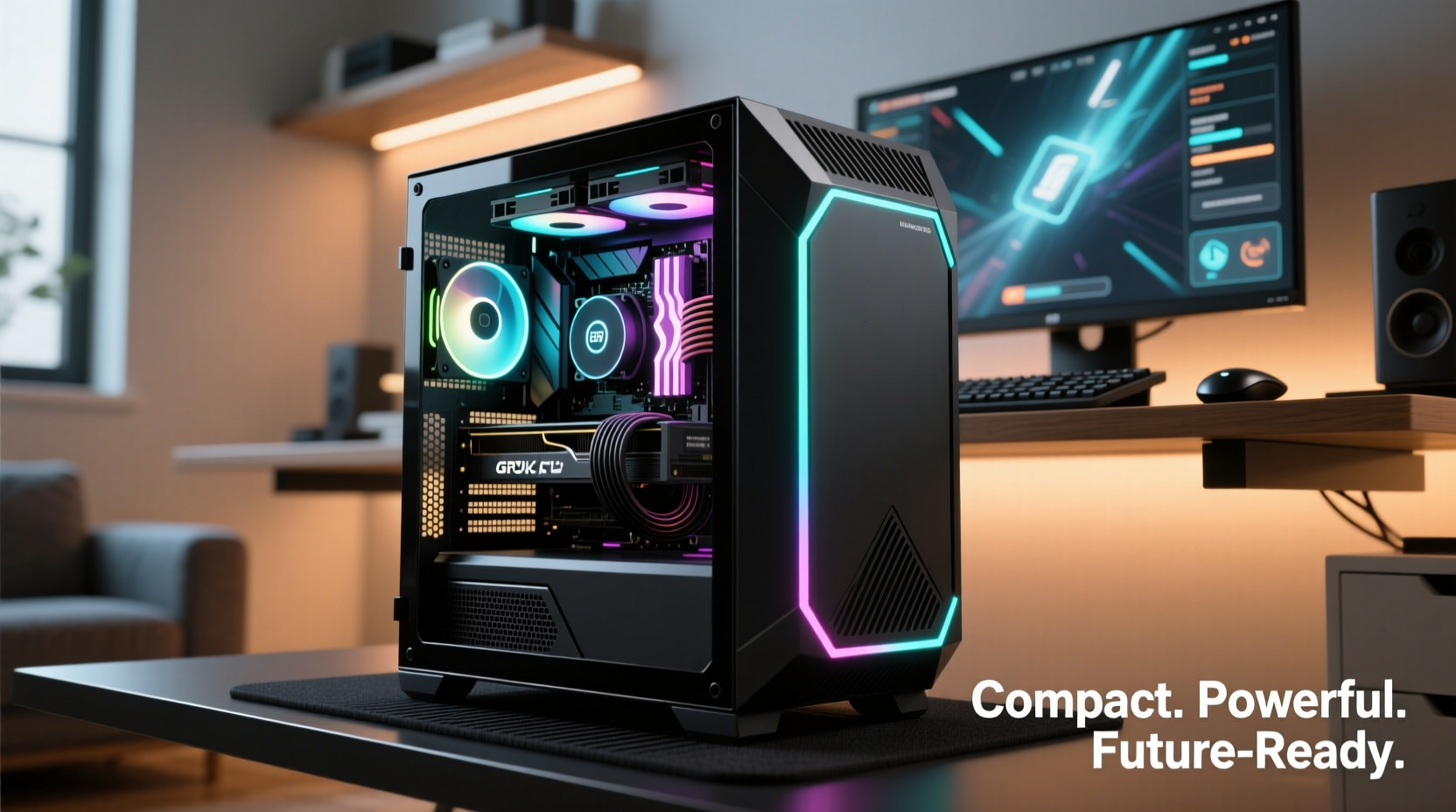
Gone are the days when a serious gaming PC required a towering case dominating half the desk. Advances in component efficiency, cooling solutions, and modular design have enabled manufacturers to create highly capable systems in drastically reduced sizes. Compact doesn’t mean compromised: many small form factor (SFF) cases now support high-wattage PSUs, dual-slot GPUs up to 330mm long, and advanced liquid cooling loops. This evolution reflects a broader shift in consumer preferences—toward cleaner setups, quieter operation, and multi-functional spaces where a PC must coexist with other devices.
According to market research from Jon Peddie Research, SFF gaming builds grew by over 24% in adoption between 2020 and 2023. Enthusiasts appreciate not only the space savings but also the design elegance these cases bring. A well-chosen compact chassis can elevate a workspace from cluttered to curated, offering cable management channels, tool-less drive trays, and tempered glass panels—all while occupying less than half the volume of traditional mid-towers.
Key Features to Look For in Compact Cases
Selecting the ideal compact case requires balancing several technical and practical factors. Unlike larger enclosures, there's little room for error in SFF builds. Every millimeter counts. Here are the most critical features to evaluate:
- Internal Dimensions: Check maximum GPU, CPU cooler, and PSU lengths. Even minor discrepancies can render a component incompatible.
- Airflow & Cooling Support: Look for mesh front panels, multiple fan mounts, and radiator compatibility (up to 240mm in some models).
- Cable Management: Built-in routing channels and Velcro straps reduce clutter and improve airflow.
- Build Flexibility: Some cases support both ATX and SFX PSUs, allowing future upgrades.
- Material Quality: Aluminum and steel blends offer durability without excessive weight.
- Port Accessibility: USB-C front ports, headphone jacks, and easy access I/O panels enhance usability.
Top Compact Chassis Models Compared
The market offers a wide range of compact cases, each tailored to different needs. Below is a comparison of five leading models known for versatility, build quality, and user satisfaction.
| Model | Form Factor | Max GPU Length | Cooling Support | PSU Type | Ideal Use Case |
|---|---|---|---|---|---|
| NZXT H210i | Mini-ITX | 330mm | Up to 240mm radiator | SFX-L | Living room console-style PC |
| Fralic T7 | Midi-Tower (compact) | 360mm | Up to 360mm radiator | ATX | High-performance SFF with upgrade headroom |
| Lian Li Q58 | Mini-ITX | 375mm | Up to 280mm radiator | SFX | Balanced aesthetics and cooling |
| Fractal Design Node 202 | Horizontal SFF | Dual GPUs (shorter cards) | Limited air cooling | SFX | HTPC or media-centric gaming rig |
| SSUPD Meshlicious v2 | Mini-ITX | 335mm | Excellent airflow, supports 240mm rad | SFX | Minimalist, high-airflow builds |
The Fralic T7 stands out for users who want near-full tower performance in a condensed frame, supporting standard ATX PSUs and large GPUs. Meanwhile, the NZXT H210i appeals to those integrating RGB lighting and smart cooling via CAM software. For purists valuing airflow above all, the SSUPD Meshlicious v2 delivers unmatched ventilation in a minimalist shell.
“Small form factor cases are no longer niche—they’re mainstream. The engineering advancements in thermal management have closed the performance gap with mid-towers.” — David Chen, Hardware Engineer at PCPer
Building Smart: A Step-by-Step Guide to Your Compact Setup
Assembling a compact build demands precision and planning. Follow this sequence to avoid frustration and ensure optimal results.
- Define Your Goals: Determine whether you prioritize portability, silence, visual appeal, or raw power.
- Select Components First: Choose your motherboard (mini-ITX recommended), GPU, CPU cooler, and PSU based on case compatibility.
- Verify Clearance: Cross-check dimensions against the manufacturer’s specs. Include tolerances for cables and thermal expansion.
- Install in Order: Begin with PSU, then motherboard, followed by CPU and RAM. Install GPU last to avoid strain.
- Manage Cables Early: Route cables behind the motherboard tray before installing drives or fans.
- Test Before Closing: Power on outside the case if possible. Confirm boot, temperatures, and fan curves.
- Finalize Aesthetics: Adjust RGB settings, secure side panels, and position the system in its intended environment.
Real-World Example: From Cluttered Desk to Sleek Battlestation
Mark, a freelance designer and avid gamer in Portland, struggled with a bulky mid-tower that dominated his small home office. His desk was cramped, cables snaked across the floor, and the system’s noise disrupted video calls. After researching compact options, he chose the Lian Li Q58 for its clean lines, excellent cooling, and ability to house his RTX 4070 and Ryzen 7 7800X3D.
He paired it with a low-profile Noctua NH-U12S chromax.black cooler and a fully modular SFX PSU. The result? A quiet, visually striking system that fits neatly beside his monitor stand. Cable management became effortless thanks to the case’s rear channels and Velcro straps. “I didn’t think I could get this kind of performance in something so small,” Mark said. “It transformed my workspace completely.”
Checklist: Choosing Your Ideal Compact Case
Before making a purchase, run through this checklist to ensure compatibility and satisfaction:
- ✅ Supports your motherboard size (ITX, mATX, etc.)
- ✅ Fits your GPU length and thickness (including triple-fan models)
- ✅ Accommodates your preferred CPU cooler height
- ✅ Includes sufficient fan mounts or radiator support
- ✅ Offers accessible front-panel ports (USB-A/C, audio)
- ✅ Has adequate ventilation (mesh vs. solid panels)
- ✅ Allows for future upgrades (PSU wattage headroom, extra drive bays)
- ✅ Matches your aesthetic (color, glass panels, RGB cutouts)
Frequently Asked Questions
Can a compact case handle high-end gaming components?
Yes, many modern compact cases support high-TDP CPUs and full-length GPUs. Thermal performance depends on case design—models with mesh fronts and good airflow paths perform exceptionally well, often matching larger cases under load.
Are SFX PSUs reliable and widely available?
SFX and SFX-L units have become increasingly robust and accessible. Brands like Corsair, Cooler Master, and SilverStone offer 750W–850W 80+ Gold units suitable for high-end builds. While more expensive than ATX, they are essential for true SFF compatibility.
Do compact cases limit future upgrades?
Some do, especially ultra-small models. However, many compact mid-towers (like the Fralic T7) allow ATX PSUs and full-size GPUs, preserving upgrade paths. Always check clearance specs before assuming limitations.
Conclusion: Rethink Size, Redefine Performance
Compact gaming PC chassis have evolved from niche experiments to essential tools for modern builders. They prove that power doesn’t require bulk, and performance can coexist with elegance. Whether you're optimizing a tight apartment setup, crafting a silent workstation, or building a showpiece for your streaming desk, today’s versatile cases deliver on every front. By prioritizing intelligent design, thermal efficiency, and real-world usability, manufacturers have made it easier than ever to build small without sacrificing capability.




 浙公网安备
33010002000092号
浙公网安备
33010002000092号 浙B2-20120091-4
Comments
No comments yet. Why don't you start the discussion?