
Smart displays have become fixtures in modern homes—promising hands-free control, visual feedback, and seamless integration with daily routines. The two most prominent contenders are Google’s Nest Hub and Amazon’s Echo Show. Both offer voice assistants, video calling, media playback, and smart home control. But beyond the marketing buzz, do they deliver meaningful value? Or are they overpriced gadgets that quietly gather dust after a few weeks?
This isn’t just about which device has a better screen or louder speaker. It’s about how well each fits into real life—morning alarms, kitchen timers, bedtime routines, and family coordination. Let’s cut through the hype and examine what these devices actually do, where they excel, and whether upgrading—or buying one at all—is truly worth your investment.
Design and Display: Function Meets Form
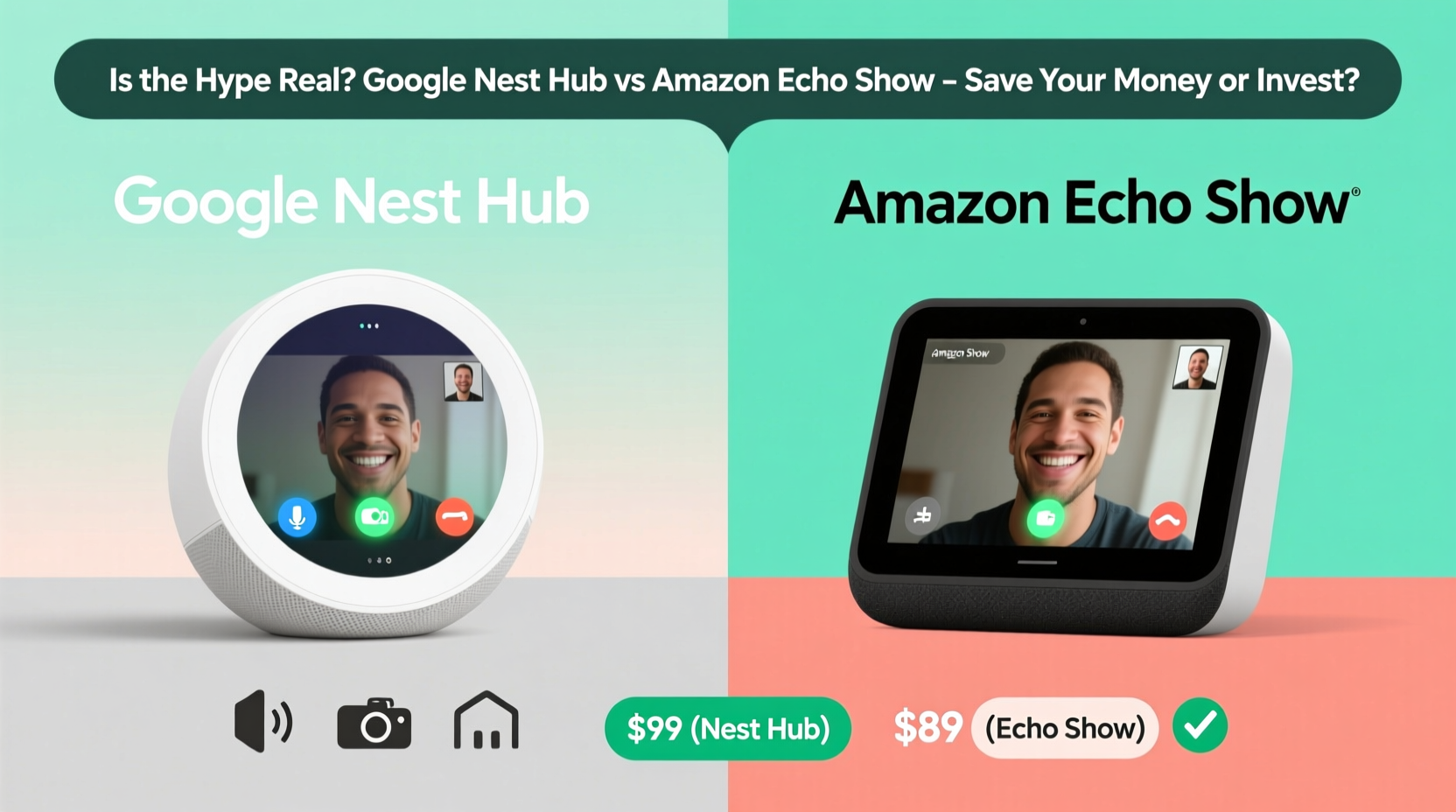
The physical design of a smart display influences where and how often you use it. The Google Nest Hub (2nd gen) features a 7-inch touchscreen with a fabric-covered base and a slightly curved edge. Its minimalist look blends well in bedrooms or nightstands. The screen uses an ambient light sensor to adjust brightness, reducing eye strain in low-light environments.
In contrast, the Amazon Echo Show 5 (2nd gen) also has a 5.5-inch screen but feels more utilitarian. The newer Echo Show 8 bumps up to an 8-inch display and includes a rotating base, allowing vertical or horizontal orientation—a useful feature for recipes or video calls. However, its plastic-heavy build doesn’t feel as premium as the Nest Hub.
While both devices support touch and voice input, the Nest Hub’s interface feels more intuitive, thanks to Google’s clean software design. The Echo Show leans heavily on widgets and promotional content from Amazon, which can clutter the home screen.
Smart Assistant Performance: Google Assistant vs Alexa
The heart of any smart display is its voice assistant. Here, Google Nest Hub runs Google Assistant; the Echo Show uses Alexa. This distinction shapes everything from search accuracy to third-party integrations.
Google Assistant excels at natural language understanding and information retrieval. Ask, “What’s the weather like during my commute tomorrow?” and it pulls data from your calendar and location. It handles complex queries with ease and integrates tightly with Gmail, Google Calendar, and YouTube. For users already in the Google ecosystem, this means smoother automation and fewer manual inputs.
Alexa, while improving, still lags in contextual awareness. It answers straightforward commands well—“Set a timer for 10 minutes” or “Turn off the lights”—but struggles with layered questions. However, Alexa leads in smart home compatibility. With over 150,000 supported devices, it connects with brands like Philips Hue, Ring, Ecobee, and countless others more reliably than Google Assistant.
“Alexa’s strength lies in breadth of integration, while Google Assistant wins on depth of understanding.” — David Lin, IoT Product Analyst at TechHome Insights
If your home is filled with smart plugs, cameras, and thermostats from various manufacturers, Alexa may be the more practical choice. But if you prioritize accurate answers, calendar syncing, and YouTube access, Google Assistant delivers a noticeably smarter experience.
Feature Comparison: Who Does What Better?
| Feature | Google Nest Hub (2nd Gen) | Amazon Echo Show 8 (2nd Gen) |
|---|---|---|
| Screen Size | 7 inches | 8 inches (rotatable) |
| Speaker Quality | Mono, adequate for music and alerts | Dual stereo speakers, richer audio |
| Camera | No camera (privacy advantage) | 5MP camera with shutter |
| Video Calling | Via Google Duo (app required) | Built-in Zoom, Skype, and Alexa-to-Alexa |
| Sleep Sensing | Yes (motion and breathing detection) | No |
| Smart Home Control | Works with most Google-compatible devices | Broadest third-party support |
| YouTube Integration | Full access, including YouTube Music | Limited; no official YouTube app |
The absence of a camera on the Nest Hub is a deliberate privacy feature—especially appealing in bedrooms. Meanwhile, the Echo Show’s camera enables video calling without extra apps, though some users may find the always-listening mic unsettling despite the mute button.
Real-World Use Case: The Morning Routine Redefined
Consider Sarah, a working mother of two in Portland. She placed a Nest Hub in her kitchen and an Echo Show 8 in the living room. Each morning, her routine starts with saying, “Hey Google, good morning,” which triggers a sequence: weather forecast, school schedule summary, traffic updates, and her favorite news podcast—all displayed on the Nest Hub.
Later, her kids use the Echo Show 8 to watch cartoons via Amazon Kids+, while she checks security camera feeds from her Ring doorbell using Alexa. At bedtime, she says, “Alexa, turn off the living room lights and start sleep mode,” dimming lights and playing white noise.
In this scenario, both devices serve distinct roles. The Nest Hub shines in information delivery and personalization; the Echo Show dominates in entertainment and smart home orchestration. Neither replaces the other completely—instead, they complement based on ecosystem strengths.
Is the Hype Worth It? A Practical Checklist
Before purchasing a smart display, ask yourself the following. If you answer “yes” to three or more, it may be a worthwhile addition:
- Do you regularly use voice assistants (Google or Alexa)?
- Do you rely on smart home devices daily?
- Would visual feedback (recipes, calendars, photos) improve your routine?
- Do you make frequent video calls with family or friends?
- Are you looking for a bedside alternative to your phone (e.g., for alarms or sleep tracking)?
If you’re tech-curious but don’t actively use connected devices, a smart display might underdeliver. Many users report initial excitement followed by disuse within months—often because the device didn’t solve a real problem.
Frequently Asked Questions
Can I use the Nest Hub without a Google account?
No. Full functionality requires a Google account. You can mute the microphone, but setup and core features depend on being logged in.
Does the Echo Show work with Google services?
Limited integration. You can access Gmail and Google Calendar via skills, but it’s clunky compared to native support on Nest devices. YouTube is not available on Echo Show.
Which is better for seniors or less tech-savvy users?
The Echo Show edges ahead due to simpler voice commands and broader video calling options. However, the Nest Hub’s cleaner interface and sleep sensing can benefit older adults focused on health routines.
Final Verdict: To Buy or Not to Buy?
The hype around smart displays isn’t entirely justified—but it’s not baseless either. These devices aren’t essential for everyone. They work best when integrated into an existing smart home ecosystem and used consistently.
If you're deeply invested in Amazon’s ecosystem—using Prime Video, Ring, and Alexa-compatible lights—the Echo Show offers tangible benefits. Its larger screen and superior speaker make it ideal for kitchens and common areas.
If you live in the Google universe—relying on YouTube, Android phones, and Google Workspace—the Nest Hub provides a smoother, more intelligent experience. Its sleep tracking feature alone adds unique value for health-conscious users.
For casual users or those testing the waters, consider starting with a lower-cost option like the Echo Dot with Clock or a used Nest Hub. Save the full investment until you’re certain the technology enhances—not complicates—your day.
“Technology should simplify life, not demand constant attention. A smart display earns its place only when it becomes invisible in its usefulness.” — Lena Patel, Human-Centered Design Researcher
Take Action: Make It Work for You
Rather than chasing the latest model, assess your actual needs. Set up a trial period with a friend’s device or returnable unit. Test key functions: morning routines, recipe viewing, smart home control, and bedtime wind-downs. After two weeks, ask: Did I reach for it naturally? Did it reduce friction in my day?




 浙公网安备
33010002000092号
浙公网安备
33010002000092号 浙B2-20120091-4
Comments
No comments yet. Why don't you start the discussion?