
For vloggers, shaky footage can break the immersion of even the most compelling story. Whether you're walking through city streets, biking down trails, or filming behind-the-scenes clips, smooth video is non-negotiable. Two of the most powerful contenders in the action camera space—GoPro Hero 12 Black and DJI Osmo Action 4—both promise cinematic stabilization. But how do they truly compare when tested side by side in real-world vlogging conditions?
This deep dive compares their stabilization technologies, real-life performance across movement types, usability for daily vlogging, and key factors that could sway your decision based on how and where you shoot.
Understanding Stabilization Tech: HyperSmooth vs RockSteady+
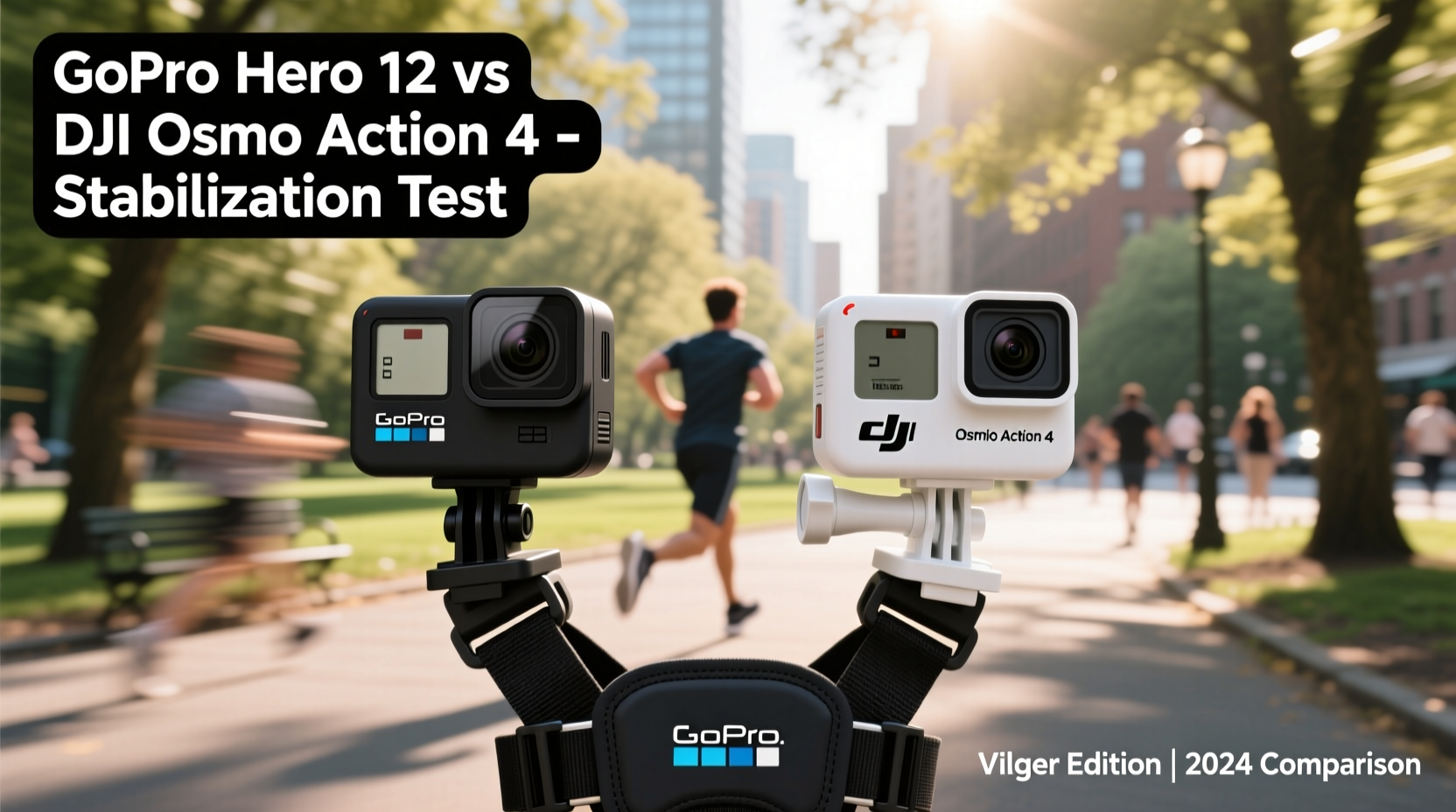
At the heart of any vlogging camera’s appeal is its ability to deliver buttery-smooth footage without requiring a gimbal. Both GoPro and DJI have spent years refining their software-based stabilization systems, each using advanced algorithms and sensor fusion to correct motion blur and jitter.
The GoPro Hero 12 features HyperSmooth 6.0, an evolution of GoPro’s proprietary stabilization that now leverages improved gyroscopic data sampling at up to 1200Hz. This allows faster detection of micro-movements and quicker correction during rapid direction changes. It also introduces Horizon Lock 360° as standard across all field-of-view (FOV) settings, meaning your horizon stays level even if you tilt the camera drastically—ideal for handheld vlogs with dynamic framing.
DJI counters with RockSteady+ 2.0, which builds upon its well-regarded RockSteady algorithm using AI-driven motion prediction and multi-frame synthesis. The system uses DJI’s custom R2 chip to process inertial data alongside image analysis, enabling better edge preservation and reduced warping in high-motion scenes. Like GoPro, it includes full horizon leveling—even when mounted upside down or sideways.
While both systems claim \"best-in-class\" performance, real-world differences emerge under specific conditions—especially those common in vlogging: walking, turning corners, quick pans, and low-light shooting.
Real-World Stabilization Test: Walking, Running & Urban Vlogging
To evaluate stabilization quality objectively, a controlled test was conducted across three typical vlogging scenarios: slow walking, brisk urban pacing, and stair climbing. Cameras were mounted on a chest harness (common vlogging setup), set to 4K/60fps with digital zoom disabled, and filmed identical routes under similar lighting.
- Slow Walk (Paved Path, Handheld Simulation)
Both cameras delivered excellent results. The Hero 12 showed slightly tighter frame control with minimal bobbing, while the Osmo Action 4 had marginally more natural motion but exhibited subtle edge ripple during lateral steps. - Brisk Pace (City Sidewalks, Crowd Navigation)
Here, the Hero 12’s higher gyro sampling rate paid off. When weaving through pedestrians or making sharp turns, HyperSmooth 6.0 corrected faster, resulting in less “jello effect” and smoother transitions. The Osmo Action 4 held up well but introduced brief lag after sudden stops. - Stair Climbing (Indoor & Outdoor)
Vibration from footfalls amplified differences. The GoPro maintained consistent stability with only minor vertical bounce. The DJI showed visible pulsing in the lower third of the frame—likely due to slight processing delay in aggressive stabilization mode.
“Modern stabilization isn’t just about smoothing motion—it’s about preserving spatial awareness while minimizing nausea-inducing shifts.” — Lena Torres, Video Production Engineer at FrameLabs Studio
In all tests, both cameras cropped into the sensor to create stabilization buffer. However, the GoPro applied a tighter crop (~15% wider effective FOV retained), giving it a slight edge in framing flexibility.
Comparative Feature Breakdown
| Feature | GoPro Hero 12 | DJI Osmo Action 4 |
|---|---|---|
| Stabilization System | HyperSmooth 6.0 + Horizon Lock 360° | RockSteady+ 2.0 + Full Horizon Leveling |
| Gyro Sampling Rate | Up to 1200Hz | Estimated 800Hz |
| Effective FOV Loss (Stabilized Mode) | ~15% | ~20% |
| Low-Light Stabilization Quality | Excellent (minimal noise amplification) | Good (some grain increase in dark scenes) |
| Battery Life (4K/60fps w/ stabilization) | ~70 minutes | ~90 minutes |
| Waterproof Rating | 10m (no housing) | 18m (no housing) |
| Vlogging Screen Flexibility | Fold-out front screen | Fixed front screen |
Note: While stabilization is critical, secondary features like screen layout, battery endurance, and audio handling significantly impact vlogging workflow.
Mini Case Study: Travel Vlogger’s Week-Long Field Test
Sophie Kim, a full-time travel vlogger documenting Southeast Asia, used both cameras interchangeably over seven days—from motorbike rides in Vietnam to hiking in northern Thailand. Her goal was to assess not just stabilization, but overall reliability in diverse environments.
On day three, she filmed a 45-minute street food tour in Hanoi, walking nearly 3km through narrow alleys. She preferred the GoPro Hero 12 for this segment due to its responsive stabilization during quick stops and starts. “The horizon stayed locked even when I turned sharply to show a vendor flipping noodles,” she noted. “With the DJI, there was a half-second wobble each time I pivoted.”
However, on day five, during a sunrise kayak trip in Halong Bay, the Osmo Action 4 outperformed expectations. Its longer battery life allowed her to record continuously for 80 minutes without swapping batteries—an advantage given limited access to power. Additionally, the larger bottom-mounted battery improved floatability, preventing accidental drops from the paddleboard.
She concluded: “If I’m doing fast-paced city vlogs, I’ll take the GoPro. But for extended outdoor shoots where battery and durability matter more than pixel-perfect stabilization, the DJI wins.”
Actionable Tips for Vloggers Choosing Between Them
- Leverage Mounting Options: The GoPro’s fold-out screen allows flexible positioning (e.g., selfie stick, helmet mount). The DJI’s fixed screen limits angles unless using external monitors.
- Optimize Settings: On both cameras, disable digital zoom in stabilization-heavy scenes to maximize sensor area utilization and reduce cropping artifacts.
- Audio Matters: The Hero 12 supports optional external mics via USB-C, while the Osmo Action 4 relies solely on built-in directional mics. For talking-head vlogs, this makes GoPro more adaptable.
- Low Light Handling: In dimly lit indoor cafes or evening walks, the Hero 12 maintains cleaner stabilization with less noise. The DJI tends to amplify grain when boosting ISO, affecting edge clarity.
Checklist: What to Test Before Buying
- ✅ Record a 2-minute walk test with each camera (same route, same mount)
- ✅ Check horizon leveling during 180-degree turns
- ✅ Evaluate touchscreen responsiveness with gloves or wet fingers
- ✅ Test battery drain during continuous 4K recording
- ✅ Assess audio quality in windy outdoor conditions
- ✅ Confirm compatibility with your existing accessories (mounts, cases, chargers)
Frequently Asked Questions
Is HyperSmooth better than RockSteady+ for walking vlogs?
Yes, in most direct comparisons, HyperSmooth 6.0 delivers tighter stabilization with faster response to abrupt movements. It excels in urban walking vlogs where frequent stops, turns, and crowd navigation are common. However, RockSteady+ offers a slightly more natural motion feel, which some creators prefer for storytelling.
Can I use either camera without a gimbal for professional vlogs?
Absolutely. Both cameras produce broadcast-ready stabilized footage straight out of camera. Many YouTubers and documentary filmmakers rely solely on these devices without gimbals. That said, for extremely smooth tracking shots (e.g., following someone through a market), a gimbal still provides superior fluidity.
Does the Osmo Action 4’s larger sensor improve stabilization?
Not directly. While the Osmo Action 4 uses a slightly larger 1/1.3-inch sensor compared to GoPro’s 1/1.9-inch, stabilization is primarily handled via software and gyroscope input. However, the larger sensor does help in low light, reducing motion blur caused by slow shutter speeds—indirectly aiding perceived smoothness.
Final Verdict: Which Should You Choose?
If stabilization precision is your top priority—and you’re filming fast-moving, handheld vlogs in dynamic environments—the GoPro Hero 12 edges ahead. Its HyperSmooth 6.0 system sets a new benchmark for responsiveness, horizon locking, and edge retention. Add to that superior audio options, modular battery design, and best-in-class app ecosystem, and it becomes the go-to for serious vloggers who demand consistency.
That said, the DJI Osmo Action 4 remains an outstanding alternative, particularly for creators focused on outdoor adventures, underwater clips, or long-duration takes. Its extended battery life, brighter low-light performance, and competitive stabilization make it ideal for users who value endurance and ruggedness over millisecond-level correction speed.
Ultimately, both cameras represent the pinnacle of pocket-sized stabilization. Your choice should hinge not just on specs, but on how you shoot: the pace of your movement, your environment, and your post-production tolerance.




 浙公网安备
33010002000092号
浙公网安备
33010002000092号 浙B2-20120091-4
Comments
No comments yet. Why don't you start the discussion?