
Netflix offers thousands of movies and TV shows, but the library varies dramatically by country. A viewer in Japan might enjoy exclusive anime titles unavailable in Canada, while French audiences may have early access to European cinema not yet released in the U.S. This regional limitation—known as geo-blocking—is based on licensing agreements and copyright laws. However, with the right tools and knowledge, you can securely access international Netflix libraries without compromising your privacy or violating platform terms.
The key lies in appearing to connect from a different location while maintaining fast streaming speeds and data protection. While bypassing geo-restrictions exists in a legal gray area depending on your region, doing so for personal use is generally tolerated when no piracy is involved. The focus should always be on safety, reliability, and minimizing risks.
Why Netflix Libraries Differ Around the World
Content availability on Netflix is determined by distribution rights negotiated between Netflix and studios or producers. These rights are often sold on a per-country basis due to historical media licensing models. As a result, a show produced in South Korea may only be licensed for streaming in Asia, while another series filmed in the UK might be restricted to European territories.
This fragmentation means that users in smaller markets typically have fewer options than those in larger regions like the United States or Germany. According to research by Flixed, the U.S. Netflix catalog includes over 5,000 titles, whereas some Latin American countries offer closer to 3,000. Meanwhile, niche content such as Japanese dramas or Scandinavian thrillers may only appear in their native regions.
How to Change Your Netflix Region: Step-by-Step Guide
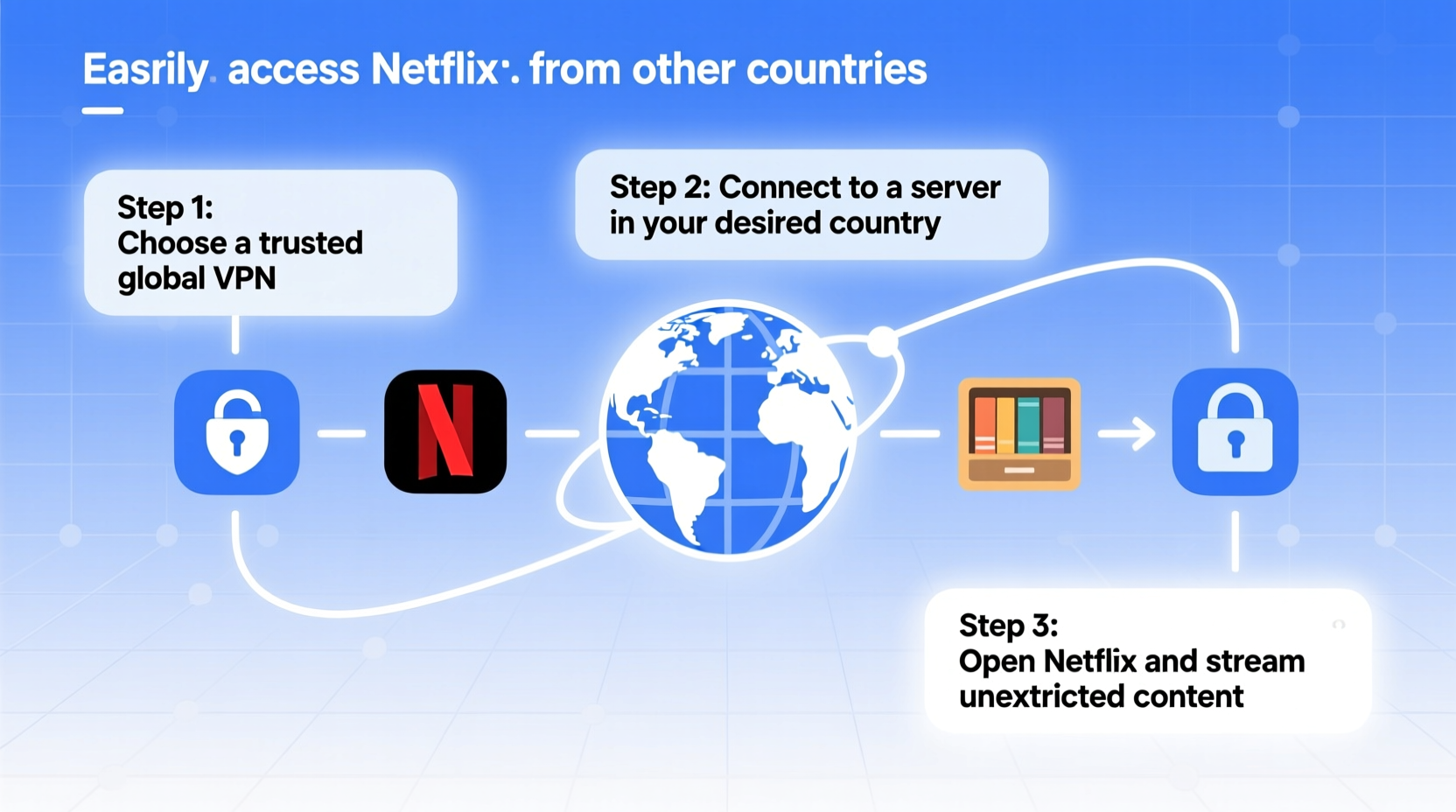
To stream content from another country, you must mask your real IP address and make it appear as if you're browsing from the target region. This requires tools designed for secure routing of internet traffic. Below is a reliable process:
- Choose a reputable VPN provider known to work with Netflix (e.g., ExpressVPN, NordVPN).
- Download and install the app on your device (smartphone, tablet, smart TV, or router).
- Log into the app and select a server located in the country whose Netflix library you want to access.
- Clear browser cookies or app cache to remove any stored location data.
- Open Netflix and search for region-specific titles.
If successful, you'll see new menus, thumbnails, and recommendations tailored to that country. Some platforms also support changing language settings independently of region, allowing dual customization.
Alternative: Smart DNS Proxy Services
Unlike full encryption-based solutions like VPNs, Smart DNS reroutes only specific requests related to geo-blocked services. It doesn’t encrypt all traffic, making it faster but less secure. Ideal for devices where installing a VPN is difficult—such as older smart TVs or gaming consoles—Smart DNS works by replacing your default Domain Name System (DNS) servers with ones based in the desired country.
Popular providers include SmartDNSProxy and Unlocator. Setup usually involves manually configuring network settings rather than installing software.
Comparison: VPN vs. Smart DNS
| Feature | VPN | Smart DNS |
|---|---|---|
| Encryption | Yes – full tunnel encryption | No – only reroutes specific traffic |
| Speed Impact | Moderate (depends on server distance) | Minimal – faster streaming |
| Security | High – protects against snooping | Low – no encryption |
| Device Compatibility | Broad (apps available) | Limited (manual setup required) |
| Cost | $5–$12/month | $4–$8/month |
| Netflix Support | Varies; top providers maintain access | Generally consistent |
“Streaming global content responsibly starts with understanding both technology and policy. Not all tools are equal—choose one that balances performance with privacy.” — David Lin, Cybersecurity Analyst at StreamSecure Labs
Real Example: Accessing Japanese Anime on Netflix from Australia
Sophie, a film student in Melbourne, wanted to study rare Studio Ghibli director’s cuts available only on Japan’s Netflix lineup. Her local version lacked these editions. After researching compatible services, she subscribed to ExpressVPN, connected to a Tokyo server, cleared her Chrome browsing data, and refreshed Netflix. Within minutes, she found “Nausicaä of the Valley of the Wind” with extended scenes absent elsewhere. She used split-tunneling to keep other apps outside the encrypted connection, preserving download speeds for university uploads.
By taking precautions—using a no-logs provider, avoiding public Wi-Fi, and disabling WebRTC leaks—Sophie accessed the content safely without triggering account warnings.
Critical Tips for Safe International Streaming
- Use only well-established providers with proven track records against Netflix’s detection algorithms.
- Enable kill switches on your VPN to prevent accidental exposure if the connection drops.
- Avoid free VPNs—they often log user activity, inject ads, or sell bandwidth.
- Regularly update apps and firmware to patch security vulnerabilities.
- Never use torrenting or pirated links alongside Netflix accounts.
Checklist: Preparing to Stream Global Netflix Content
- ✅ Research and subscribe to a Netflix-compatible VPN or Smart DNS service
- ✅ Install the application on your primary streaming device
- ✅ Connect to a server in the target country
- ✅ Clear browser cache or Netflix app data
- ✅ Verify your IP location using an online tool (e.g., whatismyipaddress.com)
- ✅ Launch Netflix and browse the new library
- ✅ Bookmark favorite international titles for future access
Frequently Asked Questions
Is it legal to use a VPN to watch Netflix from another country?
Using a VPN itself is legal in most countries. However, Netflix's Terms of Service discourage circumventing geo-restrictions. While they may block connections from detected proxies, there are no known cases of individual users being fined or prosecuted solely for accessing alternate libraries. The risk is primarily limited to temporary login issues or service interruption.
Will Netflix ban my account if I use a VPN?
Netflix does not permanently ban accounts for using a VPN. Instead, it displays error code M7111-5059, indicating proxy usage. Once the VPN is disconnected, normal access resumes. Reputable providers frequently rotate IP addresses to stay ahead of blacklists, reducing visibility.
Can I share my Netflix account with someone abroad?
Yes, but each profile is tied to the main account’s registered region. To view content from a different country, the person abroad must use a local IP via VPN or DNS. Simply logging in from another country won't change the library unless the network identity also changes.
Conclusion
Accessing Netflix content from other countries opens up a world of cinematic diversity—from Korean thrillers to French arthouse films—all from the comfort of your home. With careful selection of tools like premium VPNs or Smart DNS services, you can explore global catalogs safely and efficiently. Prioritize providers that value transparency, maintain high-speed servers, and respect user privacy. Whether you're a cinephile, language learner, or expatriate missing homegrown shows, expanding your digital horizon has never been more accessible.




 浙公网安备
33010002000092号
浙公网安备
33010002000092号 浙B2-20120091-4
Comments
No comments yet. Why don't you start the discussion?