
Custom visuals are essential for standing out on YouTube. Whether it’s a compelling thumbnail that boosts click-through rates or a professionally designed channel banner that communicates your brand, images shape viewer perception before they even press play. Many creators rely on default settings or generic templates, missing the opportunity to build a cohesive, memorable presence. With simple tools and attention to detail, anyone can elevate their channel using custom graphics.
This guide walks through every stage of adding custom images—both for individual videos and your overall channel. From dimensions and design principles to uploading and troubleshooting, you’ll learn how to implement visuals that attract attention and reflect your content’s tone.
Understanding YouTube Image Types and Their Purpose
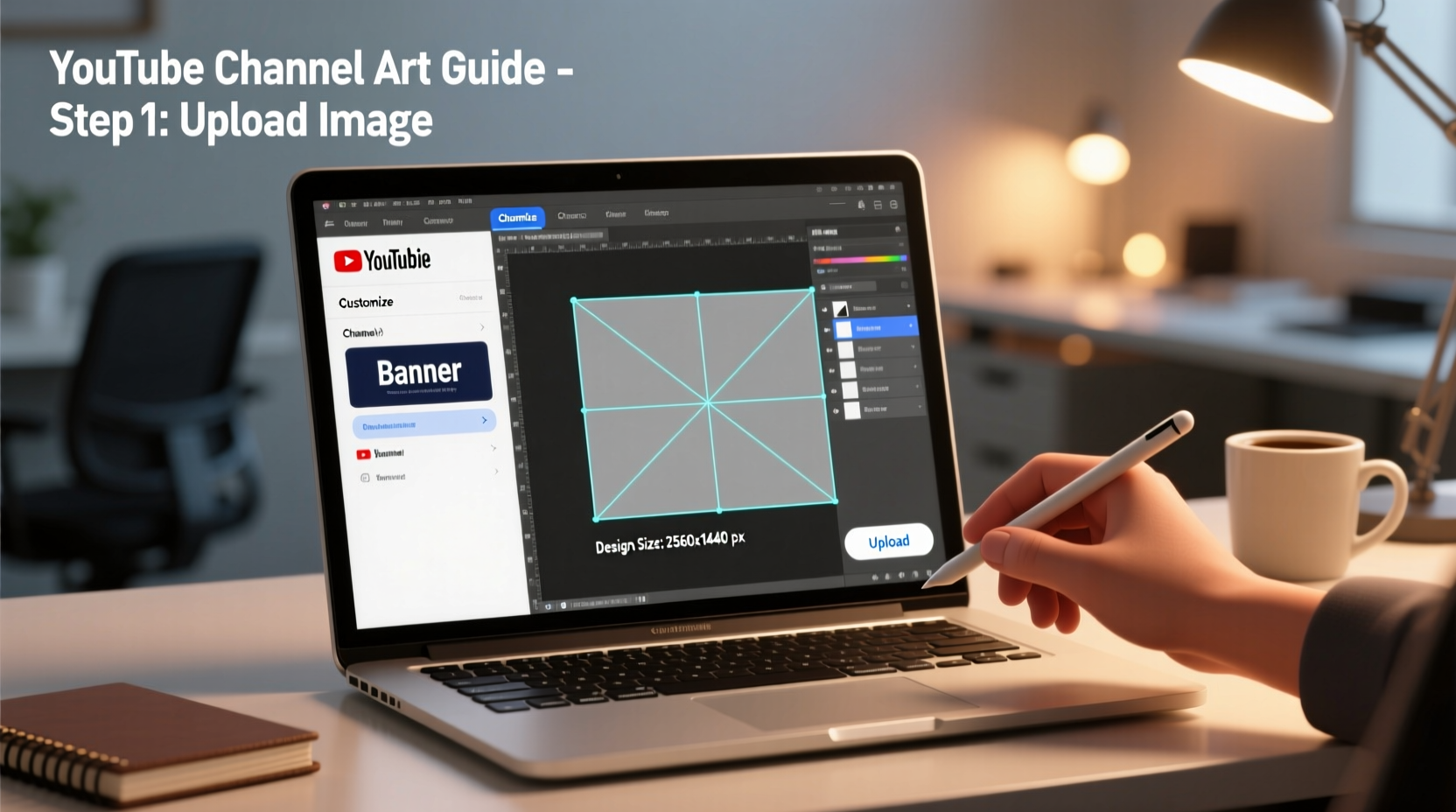
YouTube uses several types of images, each serving a unique function. Knowing where and why each is displayed helps you create appropriate designs.
- Video thumbnails: The first visual impression of your content. A well-designed thumbnail increases click-through rates (CTR) and signals professionalism.
- Channel profile picture: Appears next to your comments, video uploads, and in search results. Best used for logos or recognizable headshots.
- Channel banner (or art): The large header image visible across desktop and mobile views. It reinforces branding and often includes social handles or upload schedules.
- End screens and cards: While not static uploads, these use custom images to drive engagement and promote other videos.
Step-by-Step: Uploading Custom Thumbnails for Videos
YouTube automatically generates thumbnails from video frames, but custom ones consistently outperform them in engagement metrics. Here’s how to replace them:
- Select or create a high-quality image. Use 1280x720 pixels at minimum, with an aspect ratio of 16:9. Save as JPG, PNG, or GIF (under 2MB).
- Design with clarity and contrast. Include readable text, bold colors, and a focal point. Avoid cluttering the edges, which may be obscured by timestamps or UI elements.
- Upload your video to YouTube Studio. During the upload process, navigate to the \"Details\" section.
- Scroll to \"Thumbnail.\" Click \"Upload thumbnail\" and select your prepared image.
- Preview across devices. YouTube shows how the thumbnail appears on TV, desktop, and mobile. Adjust if key details are cut off.
- Publish or save as draft. Once satisfied, proceed to publish or continue editing other fields.
“Channels that use consistent, branded thumbnails see up to 30% higher CTR than those using auto-generated options.” — Sarah Lin, Digital Content Strategist
Designing and Uploading Your Channel Banner
Your channel banner is prime branding real estate. It should align with your niche—whether educational, entertainment, or lifestyle—and remain consistent across all platforms.
Follow this checklist when creating and uploading your banner:
- Use recommended size: 2560 x 1440 pixels
- Ensure safe zone (1546 x 423 px) contains critical info like logo or tagline
- Design for multiple devices: Test visibility on desktop, tablet, and mobile
- Include social media handles or website URL if relevant
- Avoid copyrighted material or misleading imagery
- Save as JPG or PNG under 6MB
To upload:
- Go to YouTube Studio.
- In the left menu, click “Customization,” then “Branding.”
- Under “Channel art,” click “Upload” and select your banner file.
- Adjust positioning if needed using the drag tool—this sets how the image centers on different screens.
- Click “Publish” to apply changes.
Note: Changes may take a few minutes to appear live due to caching.
Optimizing Profile Pictures and Consistent Branding
Your profile picture is small but impactful. It appears beside every comment, video, and community post. For recognition, use a clear, centered image—ideally a logo or professional headshot.
| Image Type | Recommended Size | File Format | Best Practices |
|---|---|---|---|
| Video Thumbnail | 1280 x 720 px | JPG, PNG, GIF | Bold text, high contrast, minimal clutter |
| Channel Banner | 2560 x 1440 px | JPG, PNG | Safe zone centered, mobile-friendly |
| Profile Picture | 800 x 800 px (displays as circle) | PNG, JPG | Solid background, recognizable at small scale |
Consistency across all visuals builds trust. Use the same color palette, fonts, and logo placement in thumbnails, banners, and external platforms like Instagram or TikTok. This creates a unified brand identity that viewers instantly recognize.
Real Example: How a Cooking Channel Transformed Engagement
Maya runs a home cooking channel focused on quick weeknight meals. After six months, her average view count plateaued around 800 per video. She was using auto-generated thumbnails and a plain red background as her banner.
She decided to revamp her visuals. Using free Canva templates, she created vibrant thumbnails featuring high-resolution food photos, bold yellow titles, and a small “5-Minute Meals” badge in the corner. Her new banner included her logo, a tagline (“Easy Recipes, Real Ingredients”), and links to her weekly newsletter.
Within four weeks, her average CTR rose from 3.2% to 7.8%, and total watch time increased by 45%. Viewers began commenting, “I click just for the thumbnails—they look so good!” The investment in custom images paid off quickly in both algorithmic promotion and audience loyalty.
Frequently Asked Questions
Can I use copyrighted images in my thumbnails?
No. Using copyrighted photos, logos, or celebrity images without permission risks strikes, demonetization, or removal. Always use royalty-free or self-created content. Sites like Unsplash, Pexels, and Pixabay offer safe options.
Why isn’t my banner displaying correctly on mobile?
Mobile devices display only the center portion of your banner (about 1546 x 423 px). If important text or logos are near the edges, they’ll be cut off. Always preview using YouTube’s built-in device simulator in the branding tab.
Do custom thumbnails affect YouTube’s algorithm?
Indirectly, yes. While thumbnails aren’t a direct ranking factor, they influence CTR and watch time—both of which the algorithm prioritizes. A strong thumbnail attracts more clicks, signaling relevance and quality.
Final Tips for Long-Term Visual Success
Creating great images isn’t a one-time task. As your channel evolves, so should your visuals. Revisit your branding quarterly to ensure alignment with your content direction.
- Create a template for thumbnails to maintain consistency across uploads.
- Use analytics in YouTube Studio to compare CTR between different thumbnail styles.
- Refresh your banner seasonally or when launching a new series.
- Back up original design files in case you need to re-upload or modify later.
Take Action Today
Your YouTube channel deserves visuals that match the quality of your content. Whether you’re a beginner or rebranding an established presence, applying these steps will enhance recognition, improve engagement, and support long-term growth. Start with one element—your most-watched video’s thumbnail or your outdated banner—and build from there. Great design doesn’t require expensive tools, just intention and consistency.




 浙公网安备
33010002000092号
浙公网安备
33010002000092号 浙B2-20120091-4
Comments
No comments yet. Why don't you start the discussion?