
Access to systems, data, facilities, or resources is often restricted to ensure security, compliance, and operational integrity. Whether you're requesting entry to a secure database, administrative rights on a software platform, or authorization to enter a physical workspace, the process of applying for access must be precise and well-documented. A poorly structured request can result in delays, denials, or even raise red flags about your intentions. This guide outlines a systematic approach to securing permissions efficiently—minimizing friction and maximizing approval rates.
Understand the Type of Access You Need
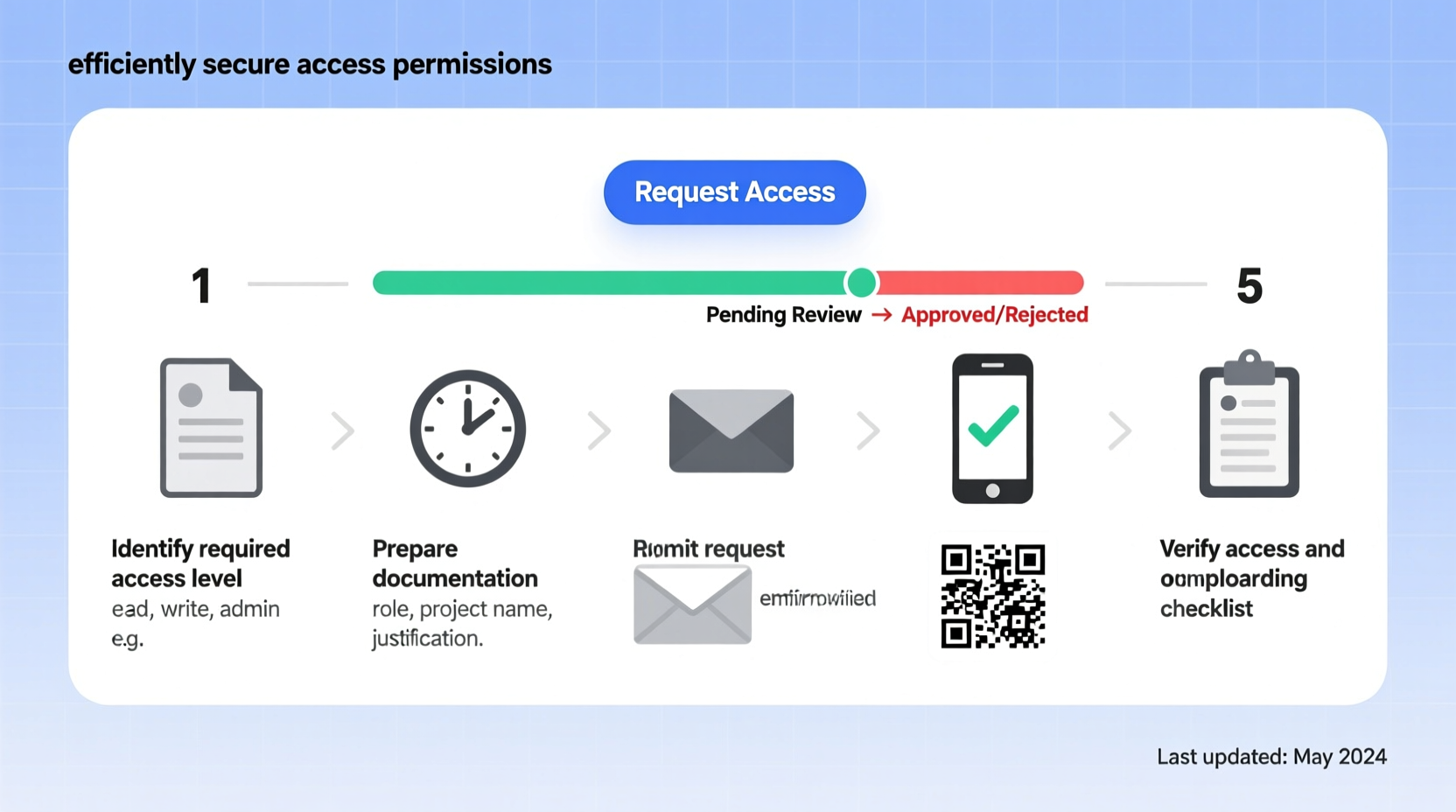
Before submitting any request, clearly define what kind of access you’re seeking. Permissions vary widely depending on context: IT systems may require role-based access control (RBAC), research institutions might need ethics board approvals, and corporate environments often involve multi-level authorization workflows.
- Digital access: Software platforms, cloud services, internal databases.
- Physical access: Restricted areas, laboratories, server rooms.
- Data access: Sensitive customer information, financial records, health data (often governed by GDPR, HIPAA, etc.).
- Administrative privileges: System configuration rights, user management capabilities.
Misidentifying your access level can lead to overreach or under-preparation. For example, requesting full admin rights when read-only access suffices signals poor judgment and increases scrutiny.
Step-by-Step Guide to Applying for Access
Follow this proven sequence to increase the likelihood of timely approval:
- Identify the governing authority – Determine who controls the access: an IT department, facility manager, compliance officer, or third-party vendor.
- Review existing policies – Locate official documentation such as access protocols, security guidelines, or service agreements that outline eligibility criteria.
- Prepare justification – Draft a concise explanation detailing why you need access, how it supports your responsibilities, and the expected duration.
- Gather required documentation – This may include employment verification, training certificates, non-disclosure agreements (NDAs), or project authorization forms.
- Submit the formal request – Use the designated channel: a ticketing system (e.g., ServiceNow), email template, or physical form.
- Track and follow up – Monitor response timelines. If no acknowledgment arrives within 48 hours, send a polite follow-up.
- Complete onboarding steps – Upon approval, fulfill prerequisites like identity verification, two-factor setup, or orientation sessions before gaining active access.
This methodical approach ensures you present yourself as organized, compliant, and respectful of procedural boundaries.
Checklist: Preparing Your Access Request
Use this checklist to verify completeness before submission:
- ✅ Confirmed the correct access type needed
- ✅ Identified the approving authority or department
- ✅ Reviewed organizational policies related to access control
- ✅ Prepared a clear business justification (1–3 sentences)
- ✅ Collected supporting documents (ID, NDA, job description, etc.)
- ✅ Used the official request format or portal
- ✅ Set calendar reminders for follow-up if no response in 2 business days
- ✅ Documented the request reference number or timestamp
Avoid Common Pitfalls: Do’s and Don’ts
| Do’s | Don’ts |
|---|---|
| Be specific about scope and duration (e.g., “Read-only access to CRM for Q3 reporting”) | Request broad or indefinite access without justification |
| Cite relevant projects, deadlines, or team dependencies | Assume urgency overrides protocol—always respect review timelines |
| Use professional tone and proper formatting in communications | Send multiple urgent messages or escalate prematurely |
| Keep copies of all submitted materials and responses | Forget to revoke access once it's no longer needed |
| Consult colleagues or supervisors if unsure about requirements | Bypass channels by asking for “backdoor” access informally |
Real Example: Gaining Database Access for a Marketing Campaign
Sophie, a marketing analyst at a mid-sized tech firm, needed temporary access to the customer relationship management (CRM) database to pull campaign performance metrics. Instead of emailing IT directly, she followed protocol:
First, she reviewed the company’s Data Governance Policy and confirmed that analysts could request read-only access via the internal service portal. She prepared a justification noting her role in the upcoming quarterly review and attached her signed data handling agreement. Within the portal, she selected “Limited CRM Read Access” with a defined end date three weeks later.
The request was routed to both her manager and the data steward. Her manager approved instantly; the data steward responded within 12 hours with a short verification call. By documenting each step and adhering to policy, Sophie received credentials in under 48 hours—well ahead of her deadline.
“Efficiency in access requests isn’t about speed—it’s about precision. The clearer the intent and tighter the alignment with policy, the faster the approval.” — Raj Mehta, IT Security Manager at Nexora Systems
Frequently Asked Questions
How long does it typically take to get access approved?
Processing times vary by organization and sensitivity of the resource. Routine digital access may take 1–3 business days, while high-security or cross-departmental approvals can take up to two weeks. Providing complete documentation upfront reduces delays significantly.
What should I do if my request is denied?
Request feedback from the approving authority. Denials often stem from insufficient justification, missing paperwork, or lack of sponsorship. Revise your submission accordingly and resubmit with corrections. Never attempt to circumvent the denial through informal channels.
Is it necessary to reapply for access if I’ve had it before?
In most cases, yes. Access is often time-bound and deactivated after inactivity. Reapplying ensures current authorization aligns with your present role and responsibilities. Some systems allow quick reinstatement if recent audits confirm eligibility.
Conclusion: Secure Access Starts with Smart Preparation
Applying for access isn’t just a bureaucratic hurdle—it’s a demonstration of professionalism, accountability, and respect for organizational safeguards. By understanding your needs, following structured procedures, and communicating clearly, you position yourself as a trustworthy custodian of sensitive resources.
Every successful access request strengthens your reputation for reliability and attention to detail. Whether you're entering a lab, logging into a financial system, or analyzing proprietary data, the way you request permission matters as much as the work you intend to do afterward.




 浙公网安备
33010002000092号
浙公网安备
33010002000092号 浙B2-20120091-4
Comments
No comments yet. Why don't you start the discussion?