
Smart lighting systems offer unparalleled control over ambiance, mood, and functionality in homes, offices, and event spaces. However, when using multiple smart light strands—whether for holiday decor, room accenting, or architectural highlighting—differences in brightness, color temperature, or hue can disrupt visual harmony. Even devices from the same brand and model line may display slight variances due to manufacturing tolerances, firmware differences, or environmental wear. Achieving uniform brightness across all strands requires more than just syncing them through an app; it demands deliberate calibration. This guide provides a comprehensive approach to ensuring every strand performs in unison, delivering a seamless and professional-grade lighting experience.
Why Uniform Brightness Matters
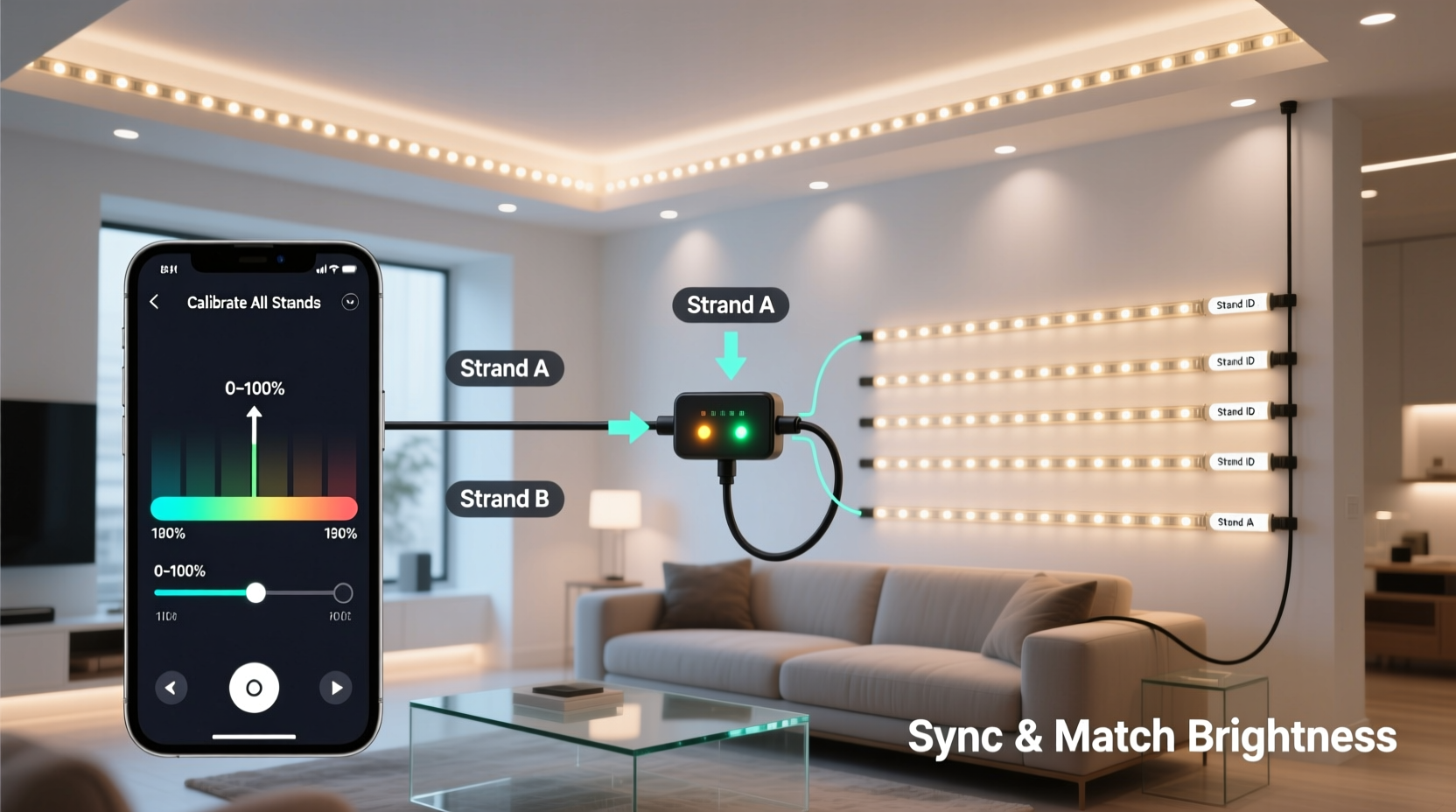
Inconsistent brightness among smart light strands creates visual imbalance. A single dimmer strip in a set of ceiling-mounted LEDs draws attention not to the design, but to the flaw. In photography or video setups, uneven lighting introduces color casts and shadows that complicate post-production. For ambient home environments, mismatched output undermines the calming effect smart lighting is designed to provide.
The root causes of brightness variation include:
- Differences in LED binning during manufacturing
- Voltage drop in longer strips or daisy-chained units
- Aging components, especially in older strands
- Firmware version discrepancies affecting output algorithms
- Environmental factors like heat exposure or dust accumulation
While some variation is inevitable, precise calibration minimizes perceptible differences and ensures cohesive illumination.
Step-by-Step Guide to Calibration
Follow this structured process to align multiple smart light strands for consistent brightness and color output.
- Gather compatible hardware: Ensure all light strands are from the same ecosystem (e.g., Philips Hue, LIFX, Nanoleaf) or support a common protocol like Zigbee, Wi-Fi, or DMX. Mixing incompatible systems complicates synchronization.
- Update firmware: Check each device’s status in your smart lighting app. Manufacturers often release updates that improve color accuracy and brightness consistency. Apply all pending updates before proceeding.
- Group lights logically: In your app, create a new group containing only the strands you intend to calibrate. Avoid including unrelated fixtures that could skew settings.
- Set default white point: Choose a neutral white setting (typically 4000K–4500K) as your baseline. Avoid extreme warm (2700K) or cool (6500K) temperatures during calibration—they exaggerate minor differences.
- Adjust brightness manually: Set all strands to 100% brightness. Observe each one visually in a dimly lit room. Identify any that appear noticeably brighter or dimmer. Reduce the output of brighter strands incrementally (e.g., 95%, 90%) until they match the dimmest acceptable level in the group.
- Use a lux meter for precision: For high-accuracy results, measure illuminance (in lux) at a fixed distance (e.g., 12 inches) from each strand. Record values and adjust individual strand brightness until readings differ by no more than 5–10%.
- Test across color spectrum: Cycle through saturated colors (red, green, blue) and pastels. Some strands render certain hues more intensely. Use per-light adjustments in advanced apps (like Home Assistant or TouchDesigner) to fine-tune RGB values individually.
- Save as a scene: Once satisfied, save the calibrated settings as a named scene (e.g., “Uniform White – Living Room”). This allows instant recall without re-adjustment.
Advanced Tip: Voltage Compensation for Long Runs
If you're daisy-chaining multiple LED strips, voltage drop along the line can cause the last few LEDs to appear dimmer. To counteract this:
- Power injection: Feed 12V/24V power into the middle or end of long runs.
- Use constant-voltage drivers with regulated output.
- In programmable systems (e.g., WLED), enable \"gamma correction\" and \"brightness compensation\" profiles tailored to strip length.
Comparison Table: Calibration Methods by Accuracy
| Method | Accuracy Level | Tools Required | Best For |
|---|---|---|---|
| Visual Matching | Low | Human eye, dim environment | Casual use, temporary setups |
| App-Based Slider Sync | Medium | Smart lighting app | Home users with same-brand devices |
| Lux Meter Measurement | High | Digital lux meter ($20–$50) | Photography, retail displays |
| Spectrometer Analysis | Very High | Colorimeter or spectrometer | Professional studios, film sets |
| Automated Scripting (API) | High | Home Assistant, Python scripts | Tech-savvy users, large installations |
Checklist: Pre-Calibration Preparation
Before beginning calibration, complete the following steps to ensure reliable results:
- ✅ Confirm all light strands are powered and responsive
- ✅ Update all device firmware to the latest version
- ✅ Clean LED surfaces of dust or residue
- ✅ Allow lights to operate for 10–15 minutes to stabilize
- ✅ Dim ambient room lighting to reduce visual interference
- ✅ Position strands in their final installation location
- ✅ Disable automatic brightness features (e.g., daylight sensors)
- ✅ Back up existing scenes or configurations
Real Example: Holiday Display Consistency
Jamal installed eight 5-meter smart LED strands around his home’s eaves for the winter holidays. Though all were the same model, three appeared significantly dimmer, especially in white mode. He initially assumed they were defective. Instead of replacing them, he followed a calibration process:
He grouped the lights in the manufacturer’s app and set all to 100% brightness. Using a $30 digital lux meter, he measured output at 18-inch intervals along the roofline. The dimmer strands registered 85–90 lux, while others hit 110–115 lux. He adjusted the brighter strands down to 85% and 80%, bringing all readings within 5% of each other. He then tested red and blue modes, making minor RGB tweaks via the app’s advanced editor. The result was a perfectly uniform glow visible from the street—no hotspots, no dim zones.
“It took 45 minutes,” Jamal said, “but now my display looks professionally installed instead of DIY.”
Expert Insight: Lighting Engineer Perspective
“Perceived brightness is logarithmic, not linear. A 10% difference in lumens can look like a 30% gap to the human eye. That’s why calibration isn’t optional for multi-strand setups—it’s essential for visual coherence.” — Lena Park, Lighting Systems Engineer, IllumiDesign Labs
Do’s and Don’ts of Multi-Strand Calibration
| Action | Do | Don't |
|---|---|---|
| Brightness Adjustment | Lower bright strands to match the dimmest stable unit | Increase dim strands beyond rated capacity (risk of burnout) |
| Environment | Calibrate in low ambient light | Attempt calibration in daylight or under competing lights |
| Measurement | Use consistent distance and angle for readings | Measure from varying positions or heights |
| Maintenance | Re-calibrate seasonally or after firmware updates | Assume once-calibrated means permanently matched |
| Control Method | Use centralized hub or API for synchronized commands | Rely on voice assistants alone (lag and imprecision) |
Frequently Asked Questions
Can I calibrate smart lights from different brands?
Yes, but with limitations. If all devices integrate into a unified platform like Apple HomeKit, Google Home, or Home Assistant, you can apply similar brightness levels. However, color accuracy and brightness scales vary between manufacturers. True uniformity is difficult without hardware-level matching. For best results, stick to one brand or ecosystem.
How often should I re-calibrate my light strands?
Re-calibrate every 3–6 months, especially if used daily. LEDs degrade over time—typically losing 5–10% brightness after 10,000 hours. Seasonal recalibration (e.g., before holiday displays or summer events) ensures lasting consistency. Also re-check after major firmware updates or physical relocation.
Why do my lights look different even after syncing in the app?
Most smart lighting apps send identical commands but don’t guarantee identical output. Manufacturing variances mean two “100%” LEDs may emit different luminance. Additionally, apps often lack per-device brightness scaling. Use external tools like lux meters or advanced platforms (e.g., WLED with REST API) for true parity.
Conclusion: Achieve Professional-Grade Lighting Harmony
Uniform brightness across multiple smart light strands is not a luxury—it’s a standard of quality. Whether illuminating a living space, enhancing a retail display, or crafting a seasonal spectacle, inconsistent lighting breaks immersion and diminishes impact. By combining technical awareness with practical calibration techniques, anyone can achieve results that rival professional installations.
Start with proper preparation, leverage measurement tools when possible, and don’t overlook the value of incremental adjustments. Remember that lighting evolves: periodic maintenance ensures longevity and sustained visual integrity. With these strategies, your smart lighting system becomes not just intelligent, but truly harmonious.




 浙公网安备
33010002000092号
浙公网安备
33010002000092号 浙B2-20120091-4
Comments
No comments yet. Why don't you start the discussion?