
Selecting the right backpack for college is more than a fashion decision—it’s a long-term investment in your academic comfort, physical health, and organizational efficiency. With heavy textbooks, laptops, notebooks, chargers, and personal items to carry every day, an ill-fitting or poorly designed backpack can lead to back strain, shoulder pain, and unnecessary stress. The ideal college backpack must balance size, structure, comfort, and smart compartmentalization. This guide walks you through every critical factor to consider when choosing a backpack that safely holds your laptop and accommodates bulky textbooks while supporting your posture and lifestyle.
Understand Your Daily Load
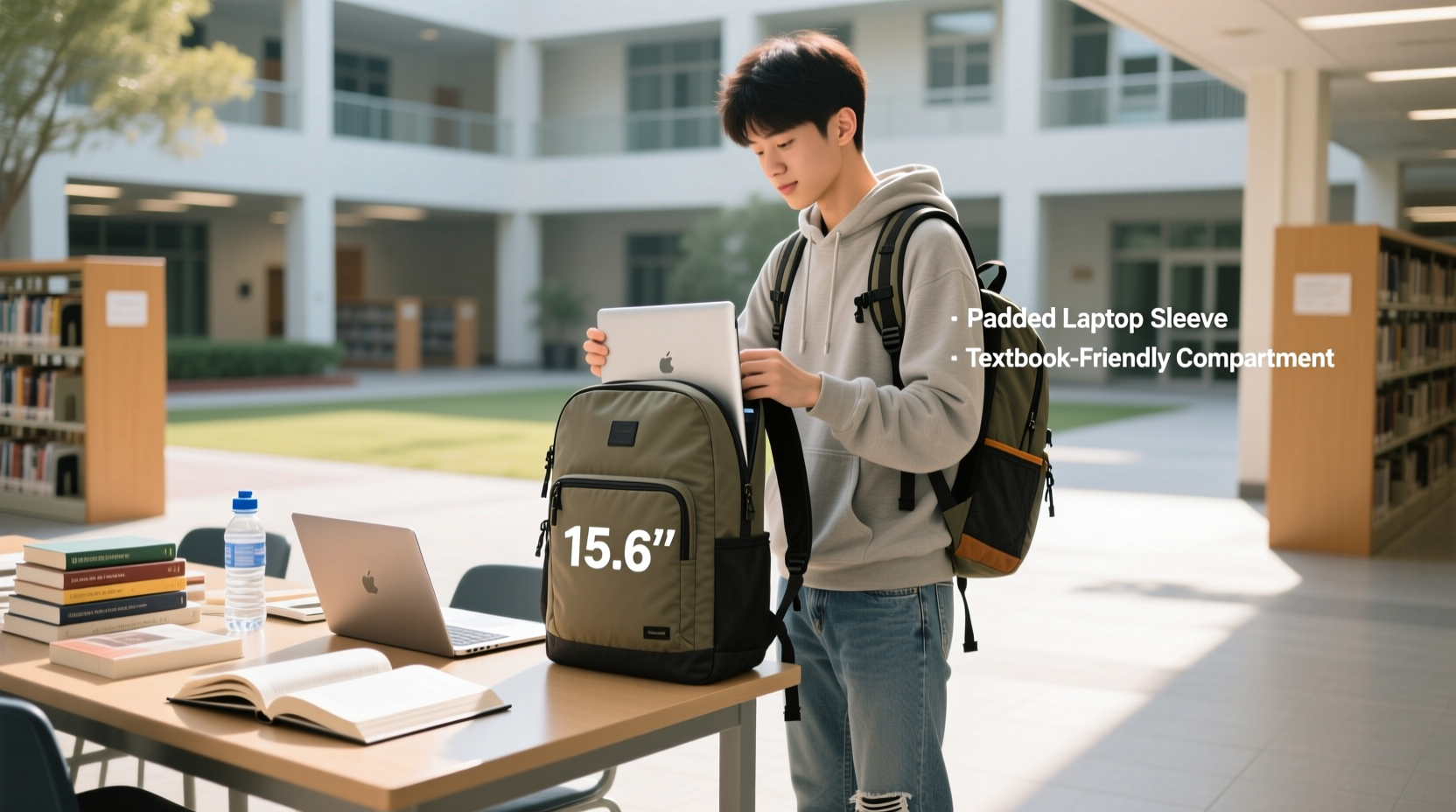
Before browsing brands or styles, assess what you’ll actually be carrying. A typical college student might need to transport:
- A 13” to 16” laptop
- 3–5 textbooks (each weighing 2–4 lbs)
- Notebooks, pens, and a planner
- A water bottle
- Lunch or snacks
- Chargers, headphones, and a power bank
- Personal items like keys, wallet, and phone
The combined weight of these items often exceeds 15–20 pounds—sometimes even more during midterms or finals week. Carrying this load improperly can lead to chronic discomfort. According to the American Physical Therapy Association, students should never carry more than 10–15% of their body weight in a backpack. For a 150-pound student, that means no more than 15–22 pounds. Choosing a backpack with proper support and organization helps distribute that weight evenly and reduces strain.
Key Features to Look For
Not all backpacks are built to handle the demands of college life. Here are the essential features that separate functional, durable packs from those that fall apart after a semester.
Dedicated Laptop Compartment
A padded, suspended laptop sleeve is non-negotiable. It should be located in the back panel—closest to your spine—for optimal weight distribution and protection. Look for:
- Foam padding at least 6–8 mm thick
- Dimensions matching your laptop size (e.g., 15.6” x 10.5” for a 15” model)
- Zipped closure to prevent accidental drops
- Separate tablet sleeve if you use an iPad or e-reader
Avoid backpacks where the laptop sits loosely in a main compartment without padding. Even minor drops can damage internal components over time.
Spacious, Organized Main Compartments
Textbooks vary in size—some are wide and flat, others tall and narrow. Your backpack needs a large main compartment with enough depth (at least 8–10 inches) to fit standard textbooks vertically. Internal dividers or mesh pockets help separate notebooks from binders and reduce shifting while walking.
Ergonomic Design for Comfort
Prolonged wear demands superior ergonomics. Key elements include:
- Contoured shoulder straps: Padded, S-shaped straps that follow natural shoulder curves.
- Chest and sternum strap: Distributes weight across the upper torso and stabilizes the pack during movement.
- Load-lifter straps: Found on higher-end models, these connect the top of the shoulder straps to the backpack body, pulling weight closer to your back.
- Ventilated back panel: Mesh padding with airflow channels prevents sweating and improves comfort in warm weather.
- Hip belt: Especially useful for heavier loads; transfers up to 80% of weight from shoulders to hips.
“Students who use backpacks with chest straps and proper lumbar support report significantly less back pain.” — Dr. Alan Torres, Physical Therapist & Ergonomics Consultant
Durable Materials and Weather Resistance
College life means exposure to rain, snow, crowded hallways, and rough handling. Choose backpacks made from:
- Nylon (e.g., 600D or 1000D): Resists tears and abrasions.
- Polyester with PU coating: Offers water resistance and lightweight strength.
- Rain covers: Some premium packs include fold-out covers for sudden downpours.
Avoid thin canvas or vinyl materials—they may look stylish but lack durability under daily stress.
Size and Capacity: Finding the Sweet Spot
Backpack capacity is measured in liters. For college use, aim for 20–30 liters. Here's why:
| Capacity (Liters) | Suitable For | Risks |
|---|---|---|
| 15–19L | Laptop + 1–2 books + small essentials | Too small for full course load; frequent repacking needed |
| 20–25L | Ideal for most students: 3–5 textbooks, laptop, accessories | Balances space and manageability |
| 26–30L | Heavy loads, gym clothes, or commuting students | May exceed airline carry-on limits; bulkier to store |
| 31L+ | Hiking or extended travel | Overkill for campus; increases risk of overpacking |
A 25-liter backpack typically measures around 18” high x 12” wide x 9” deep—perfect for fitting under desks, in lockers, or on crowded buses. Always check your school’s locker dimensions if you plan to store your backpack between classes.
Step-by-Step Guide to Choosing the Right Backpack
Follow this practical sequence to make a confident, informed purchase:
- Measure your laptop. Note the exact diagonal screen size and thickness. Include any protective case you plan to use inside the backpack.
- List your daily essentials. Pack everything you regularly carry into a temporary bag and weigh it. This reveals your true load.
- Determine your primary use. Are you walking across a sprawling campus? Riding a bike? Taking public transit? This affects whether you need weatherproofing, reflective strips, or compact folding.
- Try before you buy. Visit a store and wear multiple models loaded with weights. Walk around, sit down, and simulate climbing stairs. Pay attention to pressure points.
- Adjust all straps. Ensure the backpack fits snugly but doesn’t restrict breathing. The bottom should rest just above your waist, not below your hips.
- Test accessibility. Can you reach your phone or water bottle without removing the pack? Are frequently used items in easy-access side or front pockets?
- Check return policies. Even well-reviewed backpacks may not suit your body type. Buy from retailers with flexible returns in case the fit isn’t right.
Real-World Example: Sarah’s Backpack Journey
Sarah, a sophomore biology major at the University of Michigan, started her freshman year with a sleek, minimalist backpack she bought online. It looked great in photos—lightweight, modern, and under $50. But by week three, she was struggling. Her 15.6” laptop had no dedicated sleeve, so it slid around next to her organic chemistry textbook. The thin straps dug into her shoulders, and the single main compartment made finding her lab notebook a daily frustration.
After developing mild shoulder tendinitis, she consulted the campus wellness center. A physical therapist advised her to switch to a supportive, structured backpack. She researched options and settled on a 24-liter model with a ventilated back panel, chest strap, and dual compartments. Though it cost $120—double her original spend—she noticed immediate improvements. Her posture improved, she could carry five textbooks without discomfort, and the external water bottle pocket kept her hydrated between lectures.
“I didn’t realize how much my backpack was affecting my focus until I switched,” Sarah said. “Now I walk to class without dreading the weight on my back.”
Top Backpack Brands That Deliver
While style varies, some brands consistently deliver on durability, ergonomics, and functionality for college students:
- Targus: Known for reliable laptop protection and affordable pricing. Their CityActive Pro series offers excellent value.
- SwissGear: Offers wide, deep compartments perfect for textbooks and strong ergonomic support.
- JanSport: A classic choice with lifetime warranties. SuperBreak model fits most laptops up to 17”.
- Osprey: Premium brand with exceptional back ventilation and load distribution. The Arcane and Porter series are student favorites.
- AmazonBasics: Budget-friendly with decent padding and organization—ideal for first-year students testing their load patterns.
When comparing models, read verified buyer reviews focusing on long-term durability and comfort. Avoid overly trendy designs that sacrifice function for aesthetics.
Checklist: Before You Buy
Use this quick checklist to ensure your backpack meets all essential criteria:
- ✅ Dedicated, padded laptop compartment (correct size)
- ✅ Capacity between 20–30 liters
- ✅ Contoured, padded shoulder straps
- ✅ Chest or sternum strap included
- ✅ Ventilated back panel for breathability
- ✅ Durable, water-resistant fabric (e.g., 600D+ polyester or nylon)
- ✅ Multiple compartments for organization
- ✅ Side pocket for water bottle
- ✅ Front quick-access pocket for phone/keys
- ✅ Fits within your school’s locker or desk dimensions
- ✅ Within 10–15% of your body weight when fully loaded
FAQ: Common Questions About College Backpacks
Can I use a hiking backpack for college?
You can, but it’s often over-engineered for campus use. Hiking packs prioritize load stability and weather resistance over slim profiles and classroom compatibility. They’re also bulkier and harder to store under desks. Stick to urban or commuter-style backpacks unless you're regularly trekking long distances.
How do I clean my backpack?
Spot-clean with a damp cloth and mild soap. For deeper cleaning, remove all contents, hand-wash with lukewarm water, and air-dry upside down. Never machine-wash unless the care label explicitly allows it—this can damage stitching and waterproof coatings.
Is a two-strap backpack really better than a messenger bag?
For carrying heavy loads like textbooks and laptops, yes. Two-strap backpacks distribute weight evenly across both shoulders and your core, reducing spinal asymmetry. Messenger bags place all weight on one side, increasing the risk of muscle imbalances and postural issues over time.
Final Thoughts: Invest in Your Daily Comfort
Your backpack is one of the few items you’ll interact with every single day of the semester. Choosing the right one isn’t about chasing trends—it’s about respecting your body, protecting expensive electronics, and simplifying your routine. A well-chosen backpack pays for itself in reduced physical strain, better organization, and longer lifespan. Don’t settle for discomfort or inadequate protection. Take the time to assess your needs, try different models, and invest in a pack that supports both your academic journey and your long-term well-being.




 浙公网安备
33010002000092号
浙公网安备
33010002000092号 浙B2-20120091-4
Comments
No comments yet. Why don't you start the discussion?