
As smart homes evolve, holiday lighting has moved far beyond simple plug-and-play strands. Today’s Christmas lights can sync with music, change colors via app, and integrate into broader smart home ecosystems. But when your home relies on an eero or another mesh WiFi system, not all smart lights perform reliably. Signal dropouts, slow response times, and device disconnections are common frustrations during the holidays. The key to a flawless display lies in selecting lights engineered to work seamlessly across distributed networks. Understanding compatibility, signal resilience, and network behavior ensures your festive setup dazzles without digital drama.
Why Mesh WiFi Compatibility Matters for Smart Christmas Lights
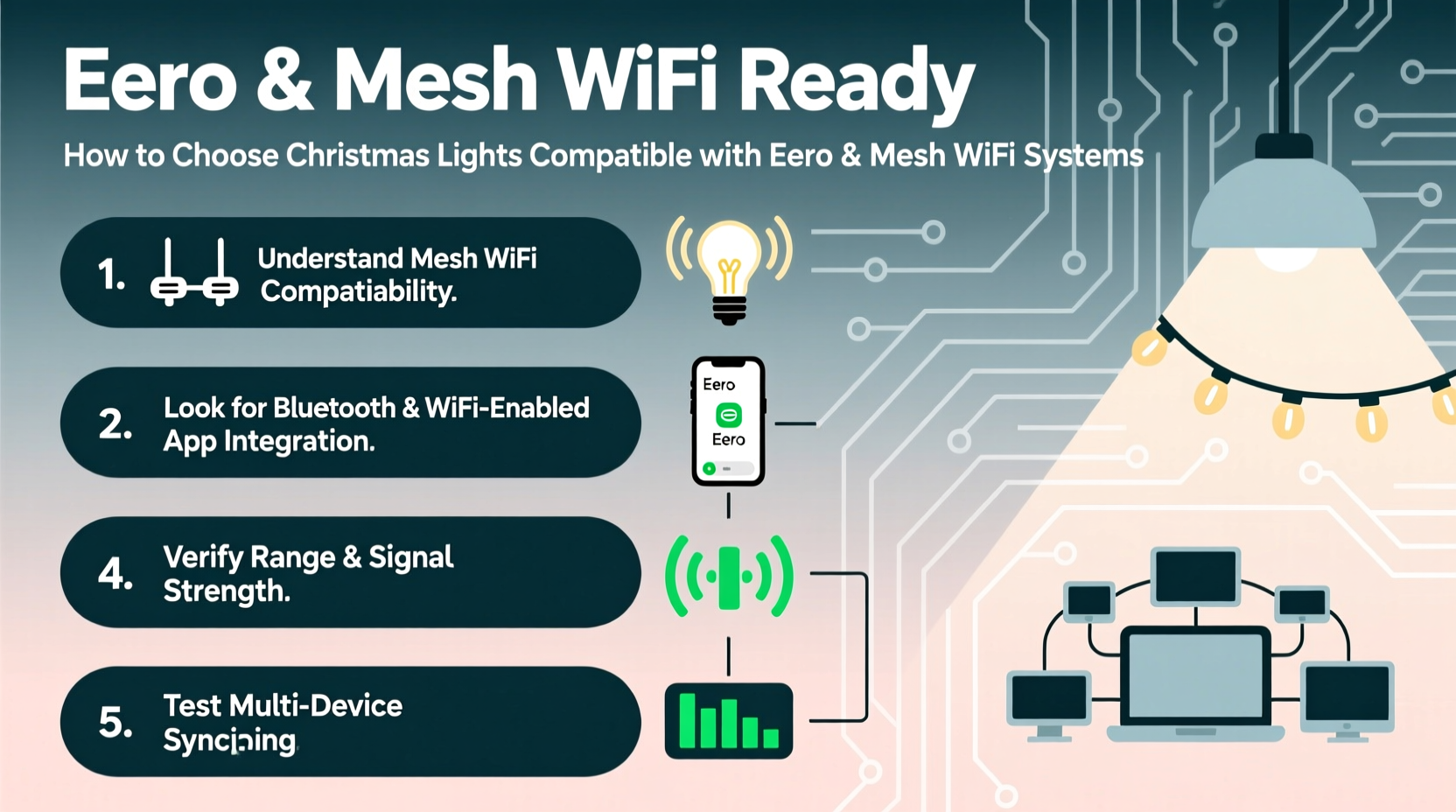
Mechanical switches and manual timers are relics of the past. Modern smart Christmas lights depend on stable, continuous WiFi connections to function. Unlike traditional routers that broadcast from a single point, mesh systems like eero use multiple nodes to blanket your home—and often your yard—in seamless coverage. While this improves overall connectivity, it introduces challenges for IoT devices that may struggle with frequent node handoffs or inconsistent IP assignments.
Smart lights operating on unstable connections can suffer from delayed commands, failed scheduling, or complete unresponsiveness. This is especially problematic outdoors, where signal strength naturally degrades. A strand of lights plugged into a patio outlet might connect to one node while your phone connects to another, creating latency or disconnects. Choosing lights designed for dynamic network environments ensures consistent control, whether you're adjusting brightness from the couch or triggering a light show from across town.
“Mesh networks improve coverage but increase complexity for IoT devices. Devices must support modern protocols and robust reconnection logic to stay online.” — Raj Patel, Senior Network Engineer at HomeNet Labs
Key Features to Look for in Mesh-Compatible Smart Lights
Not all smart Christmas lights are built the same. To thrive on an eero or similar mesh network, certain technical characteristics are non-negotiable. Prioritize these features when shopping:
- Wi-Fi 4 (802.11n) or higher support: Older lights using Wi-Fi 3 (802.11g) struggle with modern security protocols and bandwidth demands. Newer standards offer better range and stability.
- 2.4 GHz band only: Most smart lights don’t support 5 GHz, which is fine—mesh systems excel at managing 2.4 GHz traffic across nodes. Ensure your lights operate exclusively on 2.4 GHz to avoid confusion.
- Low power consumption and duty cycling: Efficient devices transmit less frequently and recover faster from sleep modes, reducing strain on the network.
- Support for mDNS and UPnP: These protocols help devices discover each other across subnets, critical in segmented mesh setups.
- Firmware update capability: Regular updates patch connectivity bugs and improve compatibility with evolving mesh firmware.
Step-by-Step Guide to Selecting and Setting Up Compatible Lights
Choosing the right lights involves more than reading packaging. Follow this sequence to ensure success:
- Assess your mesh network layout: Identify which eero node covers your outdoor outlets or indoor display areas. Use the eero app to check signal strength (RSSI). Aim for -70 dBm or better at the installation site.
- Choose certified or well-reviewed brands: Focus on products tested in real-world mesh environments. Avoid obscure brands without app-based configuration tools.
- Verify hub requirements: Some lights (like Philips Hue) require a bridge. This central hub connects to your router and communicates directly with lights, reducing individual WiFi load.
- Test one strand before full deployment: Install and connect a single set of lights. Trigger color changes, schedules, and voice commands to verify responsiveness over several hours.
- Assign static IPs (optional): In the eero app, reserve an IP address for each light or hub to prevent DHCP conflicts during reboots.
- Group devices logically: Use your smart home app to organize lights by location (e.g., “Front Porch,” “Tree”) for easier automation and troubleshooting.
Comparison: Best Smart Light Types for eero and Mesh Networks
| Light Type | WiFi Load | Mesh Reliability | Best For |
|---|---|---|---|
| Standalone Wi-Fi Strips (e.g., Govee) | High (each strip connects directly) | Moderate – prone to lag with >5 devices | Indoor accents, small displays |
| Hub-Based Systems (e.g., Philips Hue) | Low (hub handles communication) | High – minimal node switching | Large indoor/outdoor setups |
| Zigbee/Z-Wave + Bridge | Very Low (uses separate radio) | Excellent – bypasses WiFi entirely | Whole-home automation integration |
| Bluetooth Mesh (e.g., some LIFX) | Medium – limited range without extenders | Low to Moderate – poor for large yards | Small, phone-controlled displays |
Real-World Example: A Holiday Display That Worked Seamlessly on eero
Mark T., a homeowner in Portland, OR, upgraded his front yard display using six strands of Govee RGBIC LED lights controlled via smartphone and Alexa. His home uses a three-node eero Pro 6 mesh system. Initially, two strands near the garage kept disconnecting. After checking the eero app, he discovered those outlets were at the edge of Node 2’s range (-78 dBm). He relocated one node closer to the garage and switched to Govee’s newer model with built-in signal optimization. He also enabled Quality of Service (QoS) in the eero settings to prioritize IoT traffic. The result? All lights responded instantly, synchronized perfectly during holiday shows, and remained online for 45 days straight.
This case highlights that even compatible devices need proper placement and network tuning. Hardware choice matters, but so does setup precision.
Checklist: Ensuring Your Christmas Lights Work with eero and Mesh WiFi
- ☐ Confirm your mesh system is updated to the latest firmware
- ☐ Choose lights that support 2.4 GHz Wi-Fi or use a dedicated hub
- ☐ Test signal strength at installation points using the eero app
- ☐ Limit direct Wi-Fi connected lights to five per node to avoid congestion
- ☐ Use a smart plug with surge protection for outdoor strands
- ☐ Enable automatic firmware updates on lights and hubs
- ☐ Set up routines and geofencing for automated on/off cycles
Common Pitfalls and How to Avoid Them
Even experienced users make mistakes when integrating smart lights. Here are frequent issues and their solutions:
- Overloading the 2.4 GHz band: Too many devices cause interference. Solution: Space out installations and use a hub-based system to consolidate connections.
- IP address conflicts: Devices lose connection after reboot. Solution: Assign static IPs in the eero app under \"Reserved Addresses.\"
- Slow app response: Often due to cloud dependency. Solution: Choose lights with local control options (e.g., Hub Plus for Govee).
- No outdoor-rated equipment: Using indoor-only lights outside leads to failure. Solution: Verify IP44 or higher weather resistance rating.
- Ignoring power surges: Holiday circuits face voltage spikes. Solution: Plug lights into a surge-protected smart outlet.
“Smart lighting failures during holidays are rarely about the lights themselves—it’s usually network oversaturation or poor placement.” — Lisa Tran, Smart Home Consultant at NestAware
Frequently Asked Questions
Can I use any smart Christmas lights with eero?
Most Wi-Fi-enabled lights will connect to eero, but reliability varies. Lights that use excessive bandwidth or lack robust reconnection logic may drop off frequently. Opt for models known to work in mesh environments, preferably with user reviews confirming stable performance.
Do I need a hub for my smart lights if I have eero?
Not required, but highly recommended for larger setups. A hub reduces the number of individual devices on your WiFi network. For example, a Philips Hue bridge can manage up to 50 lights using a single IP address, minimizing network clutter and improving responsiveness.
Why do my lights respond slowly even with strong WiFi?
Latency often stems from cloud-based processing. If your light requires internet to process commands (rather than handling them locally), delays occur. Check if your brand offers “local control” mode—this allows instant reactions without relying on external servers.
Final Recommendations for a Flawless Festive Display
Selecting Christmas lights compatible with eero and other mesh WiFi systems isn’t just about buying the shiniest product. It’s about understanding how smart devices interact with distributed networks. Prioritize hub-based or low-bandwidth systems for expansive displays. Test early, monitor performance, and optimize placement. Keep firmware current and protect hardware from environmental stress.
The most impressive light show isn’t measured in bulb count—it’s defined by reliability, responsiveness, and ease of use. With the right choices, your holiday ambiance can be as seamless as your network.




 浙公网安备
33010002000092号
浙公网安备
33010002000092号 浙B2-20120091-4
Comments
No comments yet. Why don't you start the discussion?