
A clean laptop screen enhances visibility, reduces eye strain, and improves overall user experience. Yet many people inadvertently damage their screens by using harsh chemicals or improper cloths. The key to a streak-free finish lies not in powerful cleaners but in gentle, precise methods that protect the delicate surface while removing smudges, dust, and fingerprints. With a few household items and the right technique, you can achieve professional-level results without spending money on commercial products.
Why Most People End Up with Streaks (And How to Avoid It)
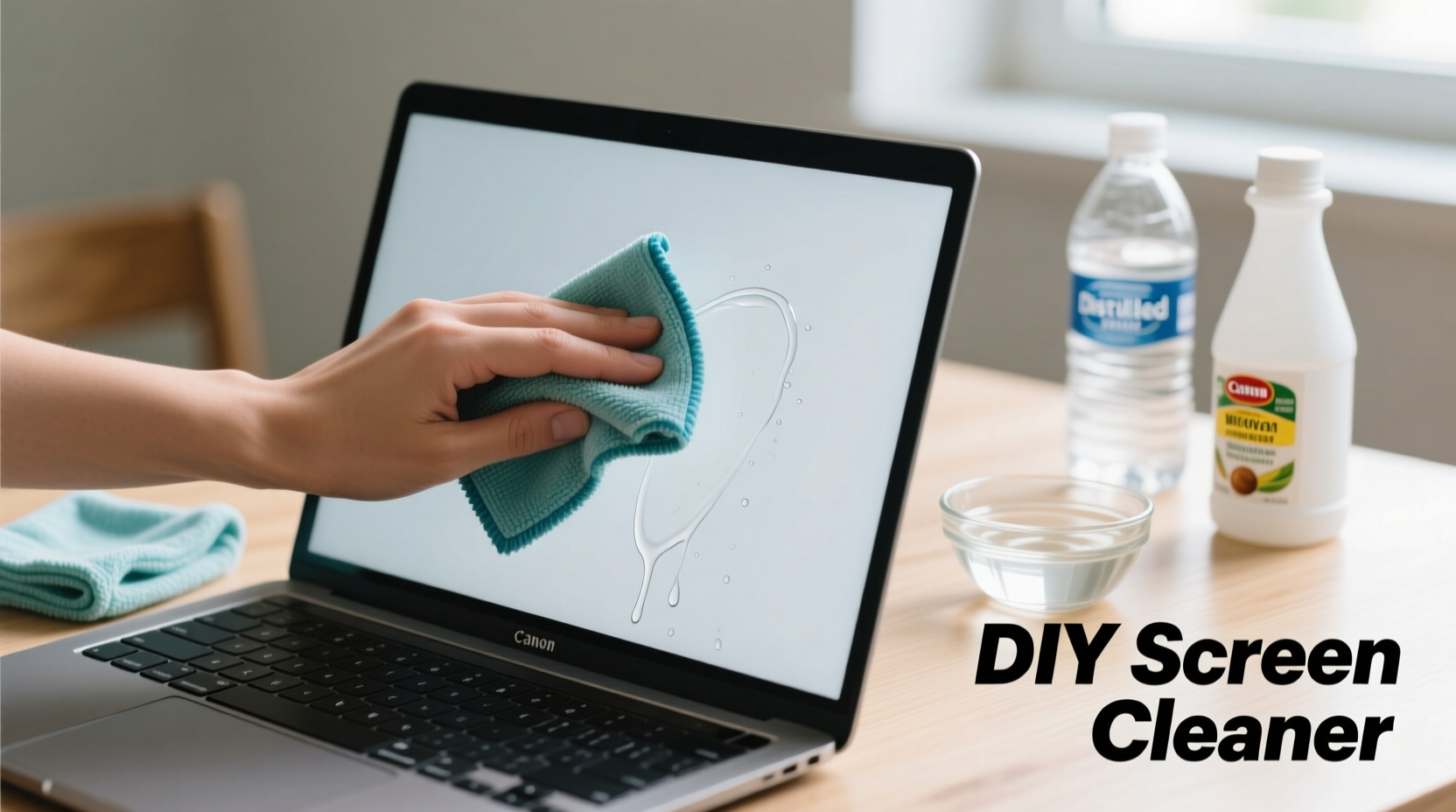
Streaks are typically caused by residue left behind from improper cleaning agents or materials. Common mistakes include using paper towels, which can scratch anti-glare coatings; spraying liquid directly onto the screen, leading to moisture seepage into internal components; or relying on ammonia-based glass cleaners like Windex, which degrade LCD layers over time.
The surface of most laptop screens is coated with anti-reflective or oleophobic (oil-repellent) layers. These coatings are sensitive to alcohol concentrations above 50%, acetone, and abrasive substances. Using anything too aggressive—even if it seems harmless—can permanently cloud or etch the display.
Safe DIY Cleaning Solutions You Can Make at Home
You don’t need specialty sprays to get a pristine screen. Simple, non-toxic ingredients found in most kitchens work effectively when properly mixed and applied. Below are three reliable homemade solutions proven to remove grime without damaging your screen.
1. Distilled Water and White Vinegar (Best for Tough Smudges)
A 1:1 ratio of distilled water and white vinegar creates a mild acidic solution that dissolves oily residues without harming the screen’s coating. Tap water should be avoided due to mineral content that leaves behind spots.
2. Distilled Water Only (Safest for Daily Maintenance)
For routine cleaning, plain distilled water is often sufficient. It removes light dust and fingerprints without introducing any chemical risk. Ideal for users who prefer minimal intervention.
3. Isopropyl Alcohol Solution (Use Sparingly)
A mixture of 70% distilled water and 30% isopropyl alcohol (rubbing alcohol) offers disinfecting properties. However, this should only be used occasionally and never exceed a 50% alcohol concentration. High alcohol levels strip protective coatings.
| Solution | Ingredients | When to Use | Risks |
|---|---|---|---|
| Vinegar-Water Mix | 1:1 distilled water + white vinegar | Weekly deep clean, oily marks | Overuse may dull coating over months |
| Pure Distilled Water | Distilled water only | Daily wipe-downs | None when used correctly |
| Alcohol-Water Blend | 70% water, 30% isopropyl alcohol | Disinfecting during illness season | Can degrade coating with frequent use |
“Many customers bring in laptops with hazy screens—they didn’t realize common cleaners were damaging the display. A little knowledge goes a long way in preserving screen integrity.” — David Lin, Certified Electronics Repair Technician, iFix Hub
Step-by-Step Guide to a Streak-Free Clean
Following a consistent method ensures maximum effectiveness and safety. This six-step process has been tested across multiple laptop brands including Dell, MacBook, HP, and Lenovo.
- Power down and disconnect: Shut your laptop completely and unplug it from power. If possible, remove the battery (on older models). This eliminates static charge and allows smudges to show clearly under ambient light.
- Remove loose debris: Use a dry microfiber cloth or a soft-bristled brush (like a clean makeup brush) to gently sweep away dust, crumbs, or pet hair from the screen surface. Do not rub—light sweeping motions only.
- Prepare your solution: In a small spray bottle, mix your chosen DIY cleaner. Never pour directly onto the screen. Always apply to the cloth first.
- Moisten a microfiber cloth: Lightly mist one corner of a lint-free microfiber cloth. It should be damp, not wet. Excess moisture can drip into hinges or bezels and damage internal circuitry.
- Wipe in one direction: Starting from the top edge, gently wipe downward using straight strokes. Avoid circular motions, which can leave swirl patterns. For vertical streaks, switch to horizontal wiping.
- Dry immediately: Flip to a dry section of the microfiber cloth and go over the screen again to absorb any remaining moisture. Buff lightly until no shine or dampness remains.
What Not to Use: Common Household Items That Damage Screens
Even well-intentioned habits can cause irreversible harm. The following items should never come into contact with your laptop screen:
- Window cleaners (e.g., Windex): Contain ammonia that breaks down anti-glare coatings.
- Paper towels and tissues: Abrasive fibers create micro-scratches visible under bright light.
- Bleach or disinfectant wipes: Too harsh and corrosive; designed for hard surfaces, not electronics.
- Fingers or clothing sleeves: Oils from skin and fabric lint worsen smudging and leave residue.
- Compressed air near the screen: While useful for keyboards, high-pressure bursts can force dust deeper into screen edges or damage pixels.
Instead, invest in a quality microfiber cloth—preferably one designed for eyeglasses or camera lenses. These are tightly woven, non-abrasive, and trap oils without scratching.
Real Example: Recovering a Cloudy MacBook Screen
Sarah, a freelance graphic designer from Portland, noticed her MacBook Pro screen had developed a persistent haze after months of using baby wipes for quick cleanings. Believing they were “gentle,” she didn’t realize the alcohol content was stripping the anti-fingerprint coating. After researching, she switched to a distilled water-only method and a fresh microfiber cloth. Within two weeks of proper cleaning, the screen clarity improved significantly. Though some coating loss was permanent, further degradation stopped, and streaks disappeared entirely.
This case illustrates how small changes in cleaning habits can halt damage and restore usability—even when early signs of wear appear.
Checklist: Your Laptop Screen Cleaning Routine
Use this checklist weekly to maintain optimal screen condition:
- ✅ Power off laptop and unplug charger
- ✅ Remove dust with dry microfiber cloth or soft brush
- ✅ Mix cleaning solution in a labeled spray bottle
- ✅ Dampen microfiber cloth (never saturate)
- ✅ Wipe screen vertically or horizontally in straight lines
- ✅ Dry thoroughly with clean side of cloth
- ✅ Store cloth in a sealed bag to prevent dust buildup
- ✅ Avoid touching screen with fingers post-clean
FAQ: Common Questions About Cleaning Laptop Screens
Can I use hand sanitizer to clean my laptop screen?
No. Hand sanitizers contain high concentrations of alcohol (often 60–90%) and added fragrances or gels that leave sticky residue and damage screen coatings. Even a small amount can cause long-term fogging.
How often should I clean my laptop screen?
Light cleaning with distilled water every 7–10 days is ideal for regular users. Deep cleaning with vinegar solution should be limited to once every 4–6 weeks. Over-cleaning increases wear on the screen’s protective layer.
What if streaks remain after cleaning?
Residual streaks usually mean either too much solution was used or the cloth wasn’t clean. Try drying again with a fresh, dry microfiber section. If streaks persist, wash your cloth with fragrance-free detergent and repeat the process.
Final Tips for Long-Term Screen Care
Prevention is just as important as cleaning. Keep your screen in top condition by adopting these habits:
- Close the lid gently to avoid pressing objects against the display.
- Avoid eating or drinking near your laptop to minimize accidental spills and greasy fingerprints.
- Wash hands before prolonged screen interaction, especially if working remotely or giving presentations.
- Store your laptop in a padded case to prevent dust accumulation and scratches.
Conclusion: Clarity Starts with Care
A streak-free laptop screen isn’t the result of a miracle product—it’s the outcome of consistent, informed care. By using simple DIY solutions, the right tools, and a careful approach, you protect your investment and enhance your daily digital experience. Whether you're working, studying, or streaming, a clean display makes everything sharper, clearer, and more enjoyable. Start today with what you already have at home, and make screen maintenance a seamless part of your tech hygiene routine.




 浙公网安备
33010002000092号
浙公网安备
33010002000092号 浙B2-20120091-4
Comments
No comments yet. Why don't you start the discussion?