
Transforming your living space into a synchronized holiday spectacle is easier than ever with smart lighting and digital music. A Christmas playlist that dynamically matches the rhythm, mood, and tempo of your favorite carols can elevate seasonal gatherings, enhance festive ambiance, and impress guests with seamless audiovisual harmony. By aligning song transitions with smart light effects—color shifts, brightness pulses, and motion patterns—you turn passive listening into an immersive experience. This guide walks you through the technical setup, music selection strategies, synchronization tools, and real-world tips to build a playlist that doesn’t just play—it performs.
Understanding Smart Light and Audio Synchronization
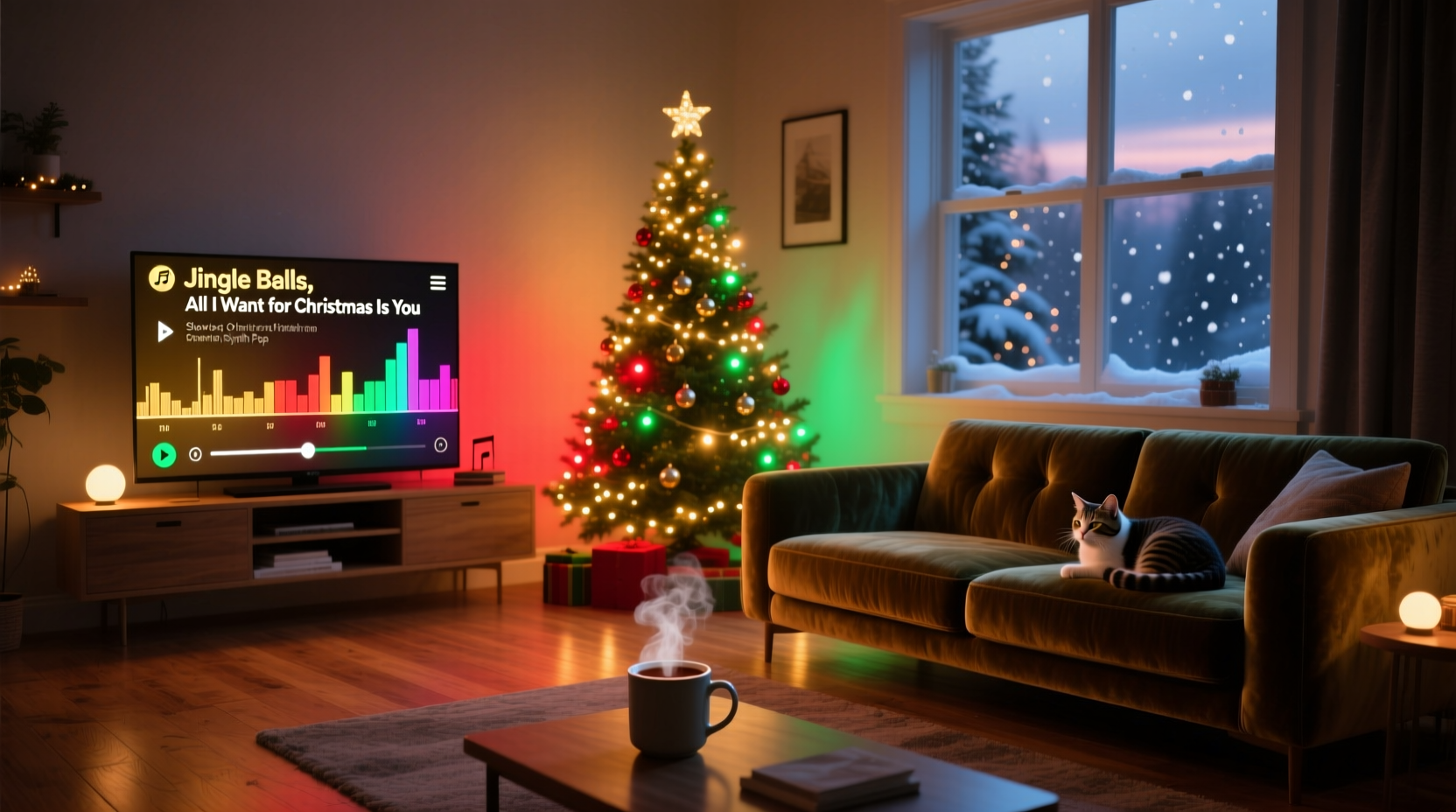
Synchronized lighting relies on software that interprets audio signals in real time and translates them into commands for smart bulbs. These systems detect beat intensity, frequency range (bass vs. treble), and volume fluctuations, then adjust lights accordingly—flashing red and green on strong beats, dimming during soft verses, or sweeping colors during instrumental builds.
Popular smart lighting ecosystems like Philips Hue, LIFX, Nanoleaf, and TP-Link Kasa support music-sync features through their companion apps or third-party integrations. The key is ensuring your lighting system has access to the audio stream and can process it with minimal latency.
“Audio-reactive lighting transforms ambient decoration into emotional storytelling. When lights pulse with sleigh bells or fade as a choir swells, you’re not just hearing Christmas—you’re feeling it.” — Marcus Tran, Smart Home Experience Designer
Selecting the Right Music for Dynamic Lighting Effects
Not all Christmas songs work equally well for light synchronization. Tracks with clear rhythmic structure, dynamic contrast, and layered instrumentation offer the best visual feedback. A flat, monotonous carol may not trigger noticeable light responses, while a richly orchestrated piece can produce vivid, evolving patterns.
Focus on songs that feature:
- Distinct drum beats or percussion (e.g., “Jingle Bell Rock”)
- Broad dynamic range (soft verses building to loud choruses)
- Instrumental breaks with shifting tones
- Vocal harmonies that vary in intensity
Avoid overly compressed tracks where all sound elements are blended at maximum volume. These leave little room for lights to respond to subtle changes.
Recommended Songs for Maximum Visual Impact
| Song Title | Artist | Why It Works |
|---|---|---|
| \"All I Want for Christmas Is You\" | Mariah Carey | Bright vocals, punchy beats, and dramatic crescendos trigger vibrant color bursts and strobing. |
| \"Last Christmas\" | Wham! | Steady synth rhythm allows smooth color cycling; chorus hits trigger full-room flashes. |
| \"Carol of the Bells\" | Leonard Bernstein / Mannheim Steamroller | Repetitive, percussive melody creates hypnotic pulsing ideal for geometric panels like Nanoleaf. |
| \"Santa Claus Is Coming to Town\" | Michael Bublé | Lively tempo and brass accents produce energetic, warm-toned flickers. |
| \"Run Rudolph Run\" | Chuck Berry | Rock ‘n’ roll rhythm drives fast color switches—perfect for high-energy parties. |
Step-by-Step Guide to Syncing Your Playlist with Smart Lights
Follow this sequence to set up a fully synchronized Christmas lighting show driven by your custom playlist.
- Choose your smart lighting platform. Ensure your bulbs (e.g., Hue, LIFX) are connected to Wi-Fi and grouped in a single zone via their app.
- Install the manufacturer’s app (e.g., Hue Sync, LIFX App, Nanoleaf Desktop) on your phone or computer.
- Create your Christmas playlist using a streaming service like Spotify, Apple Music, or YouTube Music. Save it locally if possible to reduce lag.
- Open the lighting sync feature. In most apps, this is under \"Entertainment\" or \"Music Sync\" mode.
- Grant microphone access so the app can listen to audio output from your device.
- Play your playlist from the same device running the light app, or ensure audio is routed correctly (e.g., via HDMI or Bluetooth).
- Adjust sensitivity settings. Increase responsiveness for more dramatic effects or lower it for subtler ambiance.
- Test room-wide coverage. Walk around to confirm all lights react uniformly and without delay.
- Refine transitions. Pause between songs to reset light behavior if needed, or use crossfading playlists for smoother shifts.
- Save presets. Some apps allow you to save specific color-beat profiles for certain songs or genres.
“Latency is the enemy of immersion. Even a 0.5-second delay between sound and light break the illusion. Always test playback on the actual device you’ll use during the event.” — Lena Park, IoT Integration Specialist
Optimizing Light Behavior for Different Song Phases
To maximize emotional impact, tailor your light settings to match the arc of each song. A well-structured Christmas track typically follows this pattern:
- Intro: Soft chimes or piano—set lights to gentle blue-white fades.
- Verse: Lower volume, narrative lyrics—use warm amber with low brightness.
- Chorus: Full instrumentation and vocals—trigger bright red/green flashes or rainbow sweeps.
- Bridge/Instrumental: Key change or solo—activate dynamic modes like strobe or sound-reactive gradients.
- Outro: Fade-out ending—program lights to gradually dim over 5–10 seconds.
If your lighting system supports advanced automation (via IFTTT, Home Assistant, or Apple Shortcuts), you can pre-program these phases. For example, trigger a “red flash” scene when the chorus of “Jingle Bells” begins, based on timecode or voice command.
Mini Case Study: The Johnson Family Holiday Room Makeover
The Johnsons in Minneapolis wanted to surprise their grandchildren with a “living room concert” experience during their annual Christmas Eve dinner. They installed Philips Hue bulbs throughout the living area and paired them with a 12-song Spotify playlist curated from classic and modern hits.
Using the Hue Sync desktop app, they mirrored audio from their laptop to the lights. They tested each song individually, adjusting sensitivity so that “Silent Night” produced slow lavender pulses, while “Uptown Funk Meets Christmas” triggered rapid RGB cycling.
On the big night, they started the playlist as dessert was served. The first notes of “It’s the Most Wonderful Time of the Year” triggered a cascade of golden twinkles across the ceiling strips. As the chorus hit, every bulb flashed bright red and green in unison. Their youngest grandchild shouted, “The lights are dancing!”—exactly the reaction they hoped for.
The key to their success? Rehearsal. They ran three dry tests, fine-tuning volume levels and light groupings. They also muted background noise by closing windows and pausing the HVAC system.
Common Pitfalls and How to Avoid Them
Even with the right gear, poor execution can ruin the effect. Here are frequent issues and proven fixes:
| Pitfall | Solution |
|---|---|
| Lights don’t react to music | Check microphone permissions and ensure audio is playing from the synced device. |
| Delayed or out-of-sync reactions | Reduce audio latency by using wired connections or lowering buffer settings in the app. |
| Lights flicker erratically | Lower sensitivity; avoid highly compressed tracks with no dynamic variation. |
| Only some bulbs respond | Ensure all devices are in the same room/group within the app and have strong Wi-Fi signal. |
| Battery-powered speakers cause lag | Use AC-powered speakers or connect via AUX cable instead of Bluetooth. |
Checklist: Build and Deploy Your Synchronized Christmas Playlist
- ✔️ Confirm all smart lights are online and grouped
- ✔️ Install and update lighting sync app
- ✔️ Curate a 10–15 song Christmas playlist with dynamic variety
- ✔️ Test audio source and volume on primary playback device
- ✔️ Enable microphone access for the lighting app
- ✔️ Run a live sync test with one song
- ✔️ Adjust brightness, color range, and sensitivity
- ✔️ Rehearse full playlist start to finish
- ✔️ Optimize room acoustics (reduce echo, close doors)
- ✔️ Schedule or prepare for manual start during event
Frequently Asked Questions
Can I sync multiple rooms with different light behaviors?
Yes. Most advanced systems like Philips Hue allow you to assign different light groups to zones. You can program the tree lights to pulse brightly while hallway LEDs gently shimmer, creating layered effects. Just ensure your router can handle the data load during synchronization.
Do I need expensive equipment to get started?
No. Entry-level LIFX bulbs or TP-Link Kasa strips support music sync natively via smartphone apps. You can build a responsive setup for under $100. Free apps like Hue Sync (for non-Hue lights via third-party tools) also expand accessibility.
Can I automate the playlist to start with lights at sunset?
Absolutely. Using routines in Google Home or Alexa, you can trigger both playlist playback and light activation at a specific time or sunset. Pair this with geofencing (“when family arrives”) for hands-free magic.
Final Thoughts: Turn Tradition Into Spectacle
A Christmas playlist that moves in harmony with your lights isn’t just a tech trick—it’s a modern twist on holiday tradition. It invites people into the moment, sparks joy, and turns ordinary evenings into memorable experiences. With thoughtful song selection, proper setup, and attention to detail, your home can become a stage where music and light perform together in perfect festive rhythm.
The tools are accessible, the results are impactful, and the effort pays off in smiles, laughter, and wide-eyed wonder. This season, don’t just decorate—orchestrate.




 浙公网安备
33010002000092号
浙公网安备
33010002000092号 浙B2-20120091-4
Comments
No comments yet. Why don't you start the discussion?