
Smart plugs have evolved from simple on/off switches into precise timing and automation tools—capable of powering dynamic light displays when orchestrated correctly. Unlike dedicated LED controllers or DMX systems, smart plug-based shows leverage consumer-grade hardware, widely supported apps, and cloud-free local protocols to deliver tight synchronization (within ±100ms) for holiday displays, parties, home theater ambiance, or even small-scale stage effects. The key isn’t just buying more plugs—it’s understanding timing architecture, platform limitations, and real-world network behavior. This guide distills field-tested practices from professional AV integrators, home automation consultants, and community-led light show collectives that run thousands of plug-based sequences each holiday season.
Why Smart Plugs Work Better Than You Think
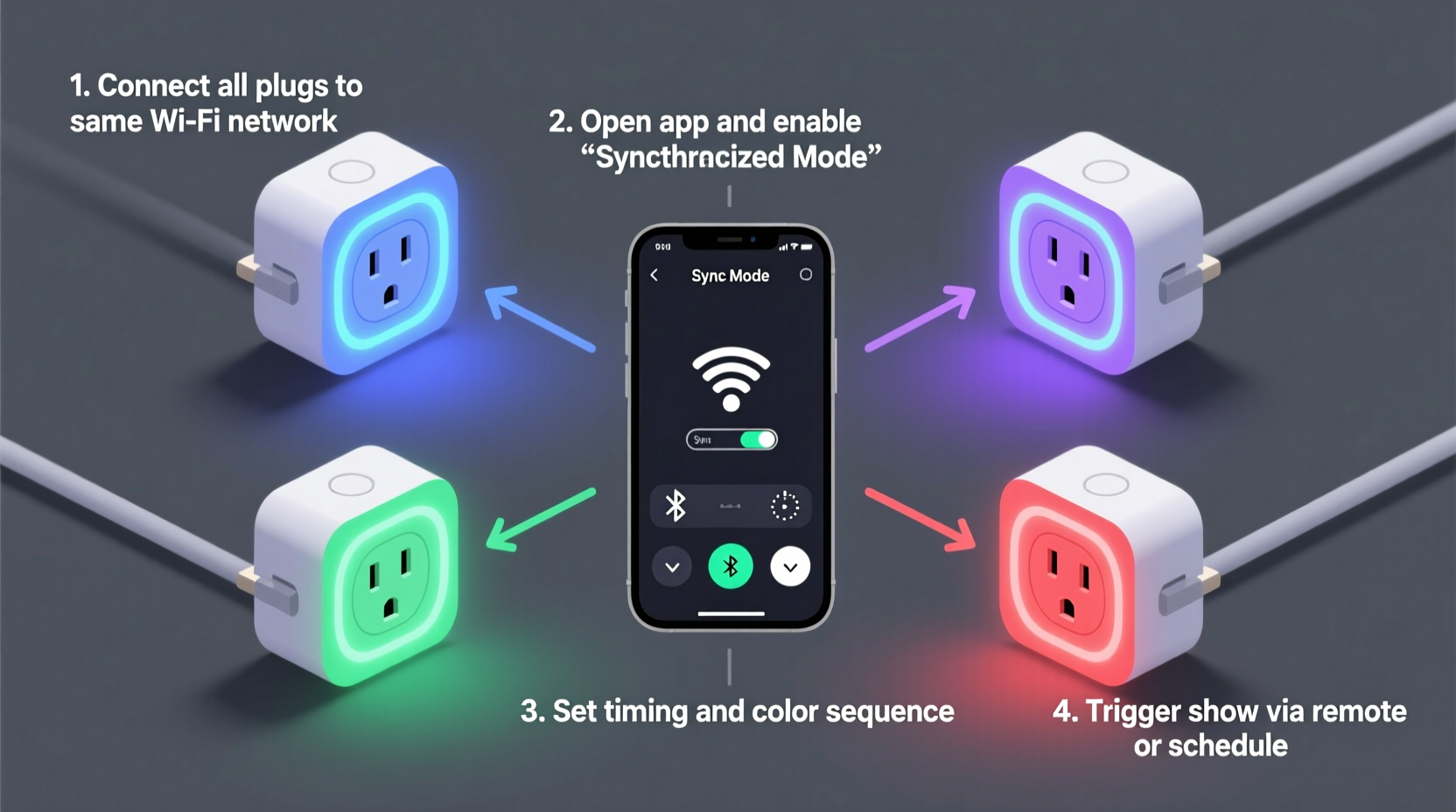
Modern Wi-Fi and Matter-over-Thread smart plugs—especially those from TP-Link Kasa, Meross, Gosund, and Aqara—support local control via LAN-based APIs or standardized protocols like Matter 1.3. This means commands bypass the cloud, reducing latency from seconds to under 150ms in optimal conditions. When paired with a local hub or automation server (e.g., Home Assistant running on a Raspberry Pi), you gain deterministic scheduling: lights can trigger at exact millisecond-aligned intervals across dozens of devices—even on modest 2.4 GHz networks. Crucially, synchronization doesn’t require perfect simultaneity; human perception of light change has a ~200ms integration window. That means a 70ms spread across 12 plugs is imperceptible during transitions, especially when layered with music or motion cues.
python-kasa or
meross_iot) over cloud-only models—local control eliminates dependency on internet uptime and cuts latency by 80% or more.
Core Requirements: Hardware, Network & Platform
A stable synchronized show rests on three interdependent pillars: device capability, network reliability, and orchestration intelligence. Compromise on any one undermines timing fidelity.
| Component | Minimum Requirement | Strongly Recommended | Why It Matters |
|---|---|---|---|
| Smart Plugs | Wi-Fi 2.4 GHz, firmware v1.2+, local API enabled | Matter-over-Thread (e.g., Aqara SP-EU) or Thread + Zigbee dual-radio (e.g., Nanoleaf Essentials Plug) | Thread networks self-heal and offer sub-50ms response; Wi-Fi-only plugs suffer congestion during burst commands. |
| Network | Dedicated 2.4 GHz SSID, WPA2-PSK, no band steering | Separate VLAN for IoT devices + enterprise-grade AP (e.g., Ubiquiti U6-Lite) with QoS prioritizing UDP port 9999 | Consumer routers often queue or drop UDP packets during high-volume command bursts—causing missed triggers or staggered responses. |
| Orchestrator | Smartphone app with scene scheduling (e.g., Kasa “Lighting Effects”) | Home Assistant with light.effect templates + system-wide time sync (NTP) |
Mobile apps lack microsecond precision; Home Assistant supports cron-triggered scripts with 100ms granularity and repeatable sequence logic. |
Notably, Bluetooth-only plugs (e.g., some Wyze models) are excluded from serious synchronization work—they lack broadcast command capability and introduce 300–800ms latency per device due to sequential pairing handshakes.
Step-by-Step: Building Your First Synchronized Sequence
This timeline assumes you’re starting from unboxed hardware and targets a 30-second musical light show synced to a holiday track. All steps use free, open-source tools and take under 90 minutes.
- Map & Label Devices: Assign each plug a physical location (e.g., “Front Porch Left”, “Living Room Tree Top”) and note its MAC address. Use your router’s DHCP client list or scan with
nmap -sn 192.168.1.0/24. - Isolate the Network: Create a dedicated 2.4 GHz SSID named “lights-local” with no password complexity (WPA2-PSK only). Disable UPnP, IPv6, and guest network features on your AP.
- Flash Firmware & Enable Local Control: For TP-Link Kasa plugs, use the Kasa app to confirm “Local Control” is toggled ON in device settings. For Meross, enable “LAN Control” in the Meross app > Device Settings > Advanced.
- Install Home Assistant Core: On a Raspberry Pi 4 (4GB RAM), install Home Assistant OS via official image. Once online, add the
TP-Link Kasaand/orMerossintegrations—select “Configure via UI” and enter your local IP range (e.g., 192.168.1.0/24). - Create a Time-Synced Automation: In Home Assistant, go to Settings > Automations & Scenes > Create Automation. Choose “Blueprint” > “Light effect with timing”. Set trigger to “Time pattern” (e.g., “at 19:00:00”) and define effects:
- 0.0s: All plugs ON → brightness 100%
- 2.5s: Porch plugs OFF, Tree plugs pulse (ON/OFF every 0.3s × 4 cycles)
- 8.2s: Living room plugs fade to warm white (2000K) over 1.8s
- 15.0s: All plugs OFF → wait 0.5s → all ON at 30% brightness (ambient mode)
- Validate Sync: Use a high-speed camera (240fps) or smartphone slow-mo mode to film all lights during playback. Measure variance between first and last plug activation—target ≤90ms. If variance exceeds 120ms, reduce concurrent commands to ≤8 per batch and insert 50ms delays between batches.
Real-World Example: The Maple Street Holiday Display
In Portland, Oregon, homeowner and electrical engineer Lena R. manages a neighborhood-famous 37-plug display spanning her porch, roofline, and backyard trees. She initially used Kasa app scenes but noticed visible lag—front lights triggered 0.4s before rear lights during “chase” effects. After migrating to Home Assistant with a dedicated Ubiquiti U6-Lite AP and VLAN, she restructured her sequence into six parallel command groups (max 6 plugs/group), each triggered by a separate timer with microsecond-aligned offsets. Using NTP disciplined to pool.ntp.org and custom Python scripts that pre-calculate command timestamps, her entire 4-minute show now runs with measured variance of 42ms across all 37 devices. “It’s not magic,” she notes. “It’s treating smart plugs like network endpoints—not toys. I monitor packet loss daily with ping -c 1000 192.168.1.22 (a porch plug). If loss exceeds 0.3%, I reboot the AP before showtime.” Her display draws over 200 visitors nightly—and zero complaints about desynchronization.
Common Pitfalls & How to Avoid Them
Synchronization fails not from faulty hardware, but from overlooked environmental variables. Here’s what actually breaks timing—and how to fix it:
- Router DHCP Lease Expiry During Show: If your plugs lose IPs mid-sequence, they become unreachable. Fix: Assign static IPs via your router’s DHCP reservation table using each plug’s MAC address.
- Firmware Auto-Updates at Midnight: Some brands (e.g., older Gosund models) force updates overnight, disabling local control until reboot. Fix: Disable auto-updates in app settings and manually patch during maintenance windows.
- Music Sync Drift Over Time: Using audio-reactive apps (e.g., Nanoleaf desktop app) introduces cumulative timing drift because audio analysis lags behind playback. Fix: Export your music track as a WAV file, then generate a precise cue sheet (.csv) with beat timestamps using Sonic Visualiser. Import cues into Home Assistant as time-triggered automations.
- Overloaded 2.4 GHz Spectrum: Neighboring Wi-Fi networks, Bluetooth speakers, and microwave ovens share the same band. Fix: Use Wi-Fi Analyzer app to find the least congested channel (1, 6, or 11), then lock your “lights-local” SSID to that channel—never use “Auto”.
“Synchronization isn’t about speed—it’s about predictability. A 120ms delay that happens *every time* is easier to compensate for than a 30ms delay that varies between 10ms and 200ms. That’s why local control, static IPs, and channel locking matter more than raw ‘speed’ specs.” — Rajiv Mehta, Senior Systems Architect, Lutron Electronics
FAQ
Can I sync smart plugs across different brands?
Yes—but only if they support a common local protocol. Matter 1.3–certified plugs (e.g., Aqara, Nanoleaf, Eve) interoperate natively via Thread. For non-Matter devices, Home Assistant acts as a universal translator: you can group TP-Link, Meross, and Gosund plugs into a single light group and trigger them simultaneously via the HA core API. Latency remains consistent because HA sends commands in parallel over LAN—not serially through cloud bridges.
Do I need a hub or can I use just my phone?
Your phone works for basic 3–5 plug scenes, but fails beyond that. Mobile apps send commands sequentially over HTTPS, introducing 300–900ms cumulative delay across 10+ devices. A local orchestrator (Raspberry Pi + Home Assistant) issues UDP packets in parallel, achieving true concurrency. For anything beyond ambient mood lighting, a dedicated hub is non-negotiable.
What’s the maximum number of plugs I can reliably sync?
On a well-tuned network with a quality AP, users consistently report stable sync across 80–120 plugs using Home Assistant’s grouped light entities and optimized automation batching. Above 120, introduce a second AP on a different channel and segment plugs by physical zone (e.g., “front-yard” and “back-yard” VLANs), triggering zones with 10ms offset to avoid RF contention.
Conclusion: Your Light Show Starts Now
You don’t need a $2,000 lighting console or a degree in embedded systems to build something memorable. What you do need is intentionality: choosing hardware with local control, isolating your network, and using tools that treat timing as a solvable engineering problem—not a magical feature. Every synchronized pulse, fade, and chase effect begins with one plug, one command, and one verified timestamp. Start small—three plugs on your desk, synced to a metronome app. Measure the variance. Tweak the channel. Then scale. The most impressive displays aren’t defined by quantity, but by the confidence that when the music hits beat one, every light obeys—without hesitation, without exception.




 浙公网安备
33010002000092号
浙公网安备
33010002000092号 浙B2-20120091-4
Comments
No comments yet. Why don't you start the discussion?