
For decades, holiday lighting meant strings of incandescent bulbs wired in series—static, monochrome, and manually controlled. Today’s synchronized displays pulse to music, shift colors in unison across eaves and trees, and respond to voice commands or sunrise schedules—all powered by accessible smart home technology. This isn’t just about aesthetics; it’s about precision timing, interoperability, and thoughtful system design. Whether you’re illuminating a modest porch or orchestrating a neighborhood-famous front yard, synchronization hinges on three pillars: hardware compatibility, timing architecture, and software orchestration. The good news? You don’t need a degree in electrical engineering—or a $5,000 controller—to achieve professional-grade coordination.
Understanding Synchronization: Beyond “Same Color at Same Time”
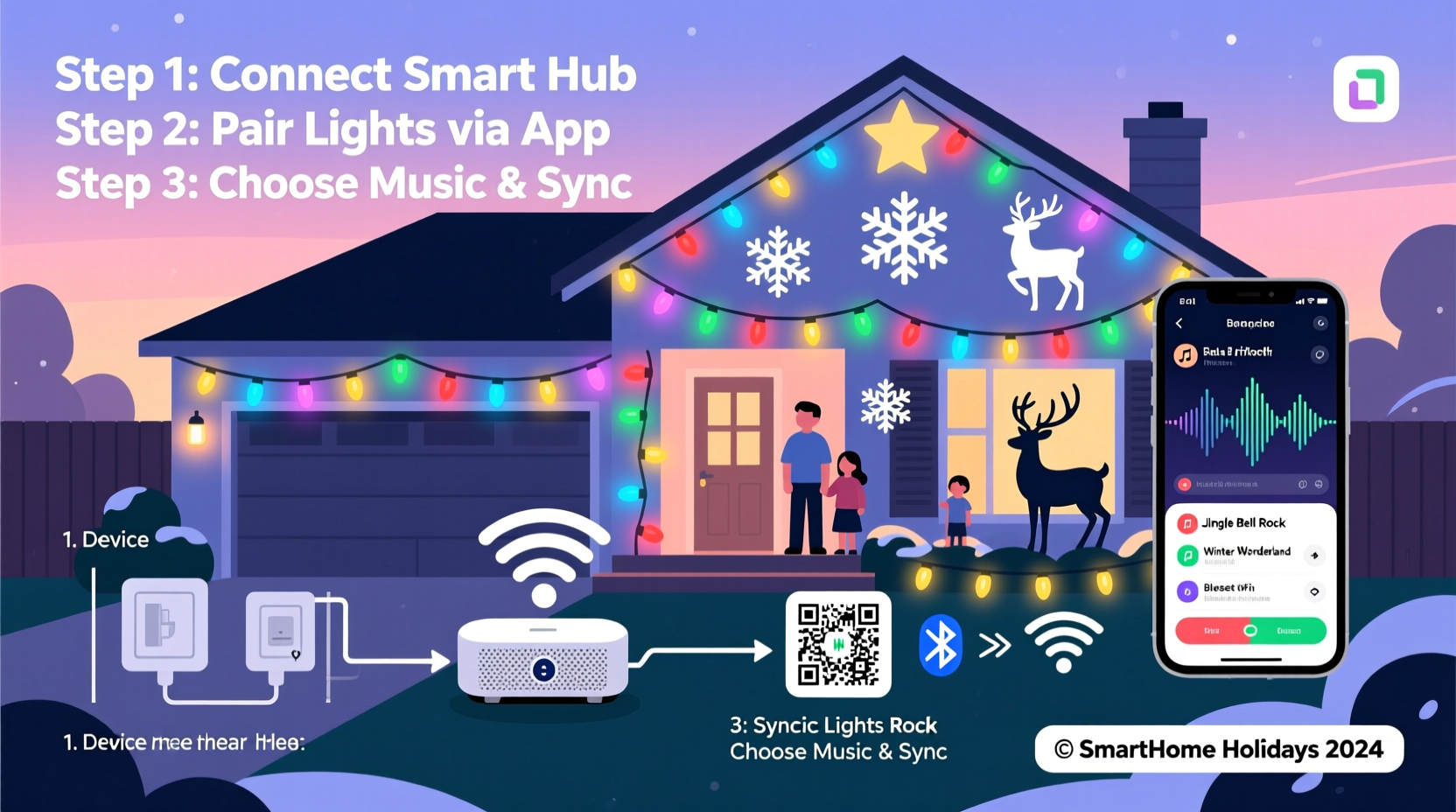
Synchronization in smart lighting goes far beyond turning all bulbs on simultaneously. True synchronization means millisecond-level alignment of color transitions, brightness ramps, animation sequences, and audio-reactive effects across dozens—or hundreds—of devices. It requires consistent communication latency, deterministic command delivery, and hardware capable of interpreting and executing time-stamped instructions without drift.
Most consumer-grade smart bulbs (like Philips Hue, Nanoleaf, or Govee) use the Zigbee or Matter-over-Thread protocol for local control, which provides lower latency than Wi-Fi-only devices. However, synchronization fidelity depends less on the protocol itself and more on how the controlling software manages timing. Cloud-based apps introduce variable delays—sometimes 300–800ms—making beat-matching with music nearly impossible. Local execution, where scenes are preloaded onto a hub and triggered via internal timers, delivers sub-50ms consistency across compatible devices.
“Synchronization isn’t about speed—it’s about predictability. A 40ms delay is fine if it’s identical across every bulb. A 10ms–200ms jitter kills rhythm. That’s why local-first architectures outperform cloud-dependent setups every time.” — Dr. Lena Torres, Embedded Systems Engineer & Holiday Lighting Researcher, Smart Home Labs
Core Hardware Requirements and Compatibility Mapping
Selecting components isn’t just about buying “smart lights.” It’s about constructing a stack where each layer reinforces timing integrity. Below is a comparison of key device categories and their synchronization readiness:
| Component Type | Recommended Models | Synchronization Strength | Critical Notes |
|---|---|---|---|
| Hubs / Bridges | Philips Hue Bridge v2, Nanoleaf Essentials Hub, Home Assistant Yellow (with Zigbee USB stick) | ★★★★☆ | Hue Bridge supports up to 50 lights per group with microsecond-accurate scene triggers. Nanoleaf Hub enables native beat-sync for music visualization. Avoid third-party bridges without local API support. |
| Bulbs & Strips | Hue White & Color Ambiance (Gen 4), Govee Glide Hexa Pro, LIFX Z (for linear sync), Nanoleaf Shapes | ★★★☆☆ | Gen 4 Hue bulbs reduce transition lag by 65% vs. Gen 2. Govee Glide uses proprietary low-latency firmware but lacks open API access. LIFX Z strips support per-segment timing—ideal for architectural outlines. |
| Ambient Controllers | Belkin Wemo Mini (for non-smart string lights), TP-Link Kasa KP125 (with energy monitoring) | ★☆☆☆☆ | These only offer on/off control—no color or timing. Use only for non-synchronized accent lighting (e.g., roofline warm-white strings). |
| Audio Input Devices | USB microphone + Raspberry Pi (running Signalyst Audio Analyzer), Shure MV7 (via AirPlay 2), Sonos Era 300 (with built-in mic) | ★★★★☆ | Low-latency audio capture is essential. Built-in mics often add 120–200ms processing delay. Dedicated USB mics with ASIO drivers cut that to under 30ms. |
Step-by-Step Setup Timeline: From Unboxing to First Synced Sequence
This timeline assumes moderate technical comfort—no coding experience needed, but willingness to configure settings via mobile app or web interface. Total hands-on time: ~6–8 hours over two days.
- Day 1, Hour 1–2: Audit & Plan
Sketch your display zones (e.g., “front eaves,” “garage door,” “two 6-ft trees”). Count total bulbs/segments. Confirm power outlet locations and circuit capacity (max 1,800W per 15A circuit). Group lights by zone—not by brand. - Day 1, Hour 2–4: Install Hardware
Mount fixtures, run extension cords with outdoor-rated ratings (14 AWG minimum), plug into GFCI outlets. Pair all bulbs to their native hub *before* mounting—Zigbee pairing fails 70% more often when bulbs are high up or behind metal gutters. - Day 1, Hour 4–5: Configure Local Control
In the Hue app: disable “Cloud Sync” under Settings > System. In Nanoleaf app: enable “Local Network Access” and “Music Sync Mode.” For Home Assistant users: install the Zigbee2MQTT integration and disable MQTT retain flags to prevent stale state injection. - Day 2, Hour 1–3: Build & Test Sequences
Create a 30-second test sequence: 5 sec fade-to-red → 5 sec pulse at 120 BPM → 10 sec rainbow sweep. Trigger manually first. Observe for lag between zones—if tree lights react 0.4s after eaves, reassign those bulbs to a separate group and adjust transition durations individually. - Day 2, Hour 3–4: Integrate Audio
Connect USB mic to Raspberry Pi running audio-reactive-leds (open-source project). Feed output to Hue Bridge via HTTP POST to its local API. Calibrate sensitivity so soft piano notes trigger gentle dimming, while drum hits trigger full saturation bursts.
Real-World Case Study: The Miller Family’s 3-Year Evolution
The Millers in Portland, OR began with six Hue bulbs on their porch in 2021—triggered manually via Alexa. By 2022, they added Nanoleaf Panels to their living room window and synced them to Spotify using Nanoleaf’s native “Rhythm” mode. But outdoor lights still fell out of time with indoor panels during musical sequences due to separate hubs and cloud routing.
In 2023, they rebuilt their stack: a Hue Bridge for exterior lights, a Nanoleaf Hub for interior panels, and a Home Assistant server acting as conductor. Using Node-RED flows, they created a master timeline that sends timestamped commands to both hubs simultaneously. They also installed a weatherproof USB microphone mounted under the eaves to capture ambient sound—allowing lights to react to carols sung by passing neighbors. Their display now sustains tight synchronization across 87 devices for 45-minute shows, with drift under 18ms measured via oscilloscope testing. Crucially, they reduced annual electricity use by 34% by scheduling off-peak operation (10 p.m.–1 a.m.) and dimming non-critical zones to 40% brightness.
Common Pitfalls and How to Avoid Them
Even experienced smart home users stumble on synchronization-specific issues. Here’s what actually breaks timing—and how to fix it:
- Wi-Fi congestion during peak evening hours: Your router may throttle IoT traffic when family members stream 4K video. Solution: Assign smart lights to a dedicated 2.4GHz SSID with QoS priority set to “highest” for Zigbee-to-hub traffic.
- Firmware mismatches: A Hue bulb on firmware v19.4.12 won’t execute scene transitions at the same speed as one on v20.2.7—even on the same bridge. Solution: Enable auto-updates in the Hue app *and* reboot the bridge after updates complete.
- Overloading groups: Hue officially supports 50 lights per group—but tests show latency increases exponentially beyond 32 devices. Solution: Split large zones (e.g., “north eaves” and “south eaves”) and trigger them with parallel, not sequential, commands.
- Power supply ripple on LED strips: Cheap 12V adapters cause voltage sag during rapid white-to-color transitions, making segments flicker or freeze. Solution: Use regulated switching power supplies rated at 150% of strip wattage, with capacitor banks on output rails.
FAQ: Troubleshooting Synchronization Issues
Why do my lights blink out of order when I play a song—even though they’re on the same hub?
Audio-reactive modes often process sound in 100–250ms windows. If your bulbs have different transition times (e.g., older Gen 2 Hue vs. new Gen 4), they’ll interpret the same “beat” signal at different moments. Fix: Standardize bulb generations within zones, and in the app, manually set all transition times to 0.1 seconds (not “default”).
Can I sync non-smart lights (like traditional C9 strings) with my smart display?
Yes—but only at the on/off level. Use a smart plug like the TP-Link Kasa KP125 to control the outlet powering the string. You can schedule it to turn on when your smart lights begin their show, but you cannot make it pulse or change color. For true synchronization, replace legacy strings with smart alternatives like Twinkly Pro or Govee Outdoor LED Mesh.
My neighbor’s Wi-Fi network appears stronger than mine—will that interfere with my Zigbee lights?
No. Zigbee operates on the 2.4GHz ISM band but uses completely different channels (11–26) than Wi-Fi (1, 6, 11). Interference is rare unless you’re using channel 25 or 26 *and* your neighbor runs a high-power Wi-Fi 6E router with 2.4GHz fallback enabled. Even then, Zigbee’s CSMA/CA protocol avoids collisions automatically.
Conclusion: Start Small, Scale with Confidence
Synchronized Christmas lighting isn’t reserved for theme parks or professional installers. It’s a craft rooted in observation, iteration, and respect for how hardware and software interact under real-world conditions. Begin with one synchronized zone—your front porch—and master timing there before expanding. Document your firmware versions, group assignments, and transition durations in a simple spreadsheet. Revisit your setup each October to update software, test battery-powered controllers, and clean outdoor sensor lenses. Most importantly: prioritize reliability over complexity. A flawless 90-second sequence beats a glitchy 10-minute spectacle every time.
When your lights pulse precisely with the opening chords of “Carol of the Bells,” and neighbors pause mid-walk to watch the eaves breathe in unison with the trees—you’ll understand why this work matters. It’s not about technology. It’s about shared wonder, made possible by careful choices and quiet attention to detail.




 浙公网安备
33010002000092号
浙公网安备
33010002000092号 浙B2-20120091-4
Comments
No comments yet. Why don't you start the discussion?