
A strong, professional logo is more than just a visual mark—it’s the face of your brand. It builds recognition, conveys values, and sets the tone for customer perception. While hiring a designer can cost hundreds or even thousands of dollars, you don’t need a big budget to create a polished logo. With the right tools and approach, you can craft a high-quality logo entirely on your own—without spending a dime.
This guide walks you through each stage of designing a professional logo using free resources. Whether you're launching a startup, rebranding a side hustle, or building a personal brand, these steps will help you produce a logo that looks intentional, modern, and credible.
Why a Professional Logo Matters
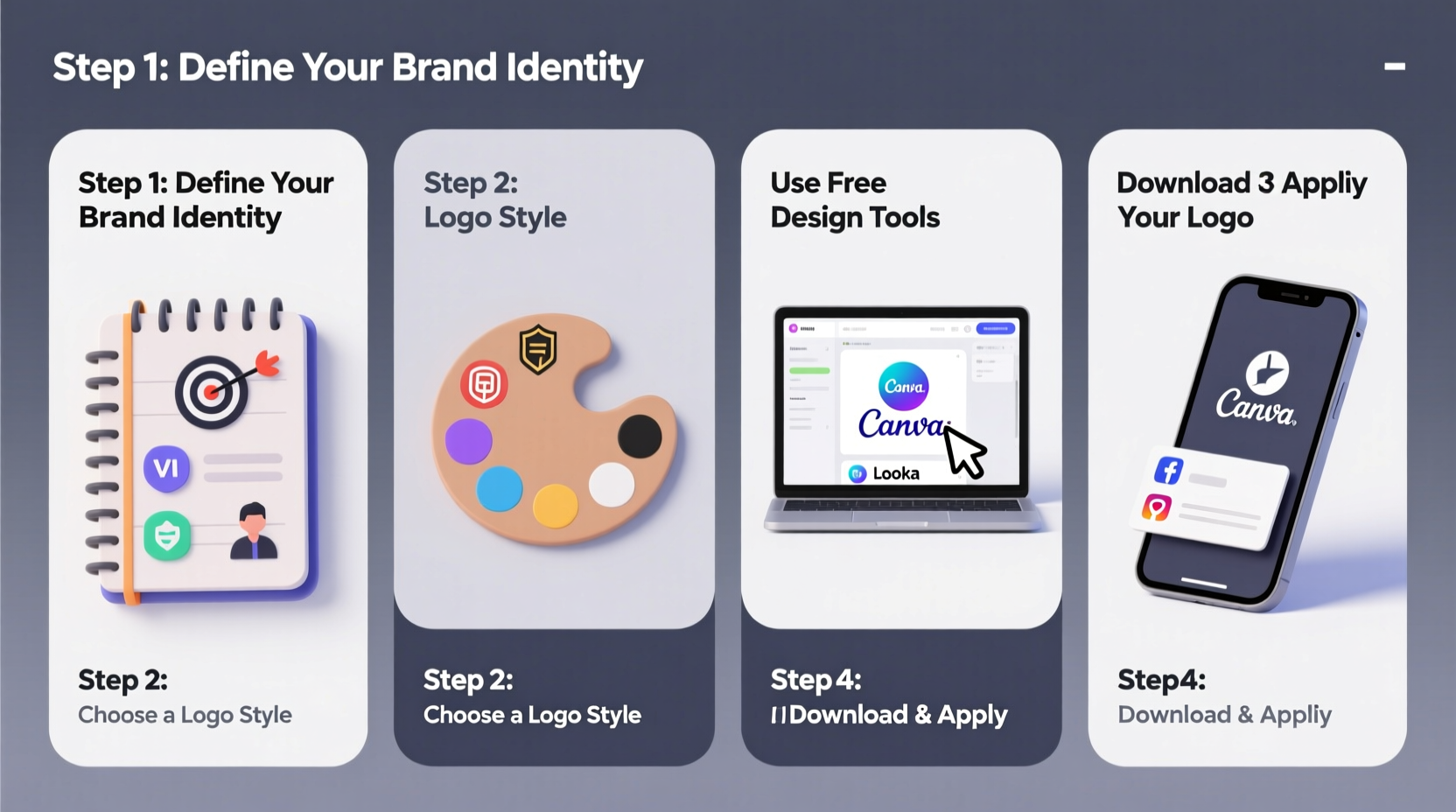
Your logo often serves as the first impression people have of your business. A poorly designed logo—cluttered fonts, mismatched colors, low resolution—can undermine credibility before you’ve had a chance to speak. Conversely, a clean, thoughtful logo signals professionalism and attention to detail.
According to branding expert Marty Neumeier, “A brand is not what you say it is—it’s what they say it is.” Your logo plays a critical role in shaping that perception. It should be scalable, memorable, and relevant to your niche.
“A great logo doesn’t need to explain everything—it needs to endure everything.” — Paul Rand, Legendary Graphic Designer
Step-by-Step Guide to Creating Your Logo
Follow this structured process to design a logo that stands up to professional standards—all without prior design experience.
- Define Your Brand Identity
- Research Competitors and Trends
- Choose a Logo Type
- Wordmark – Focuses on stylized typography (e.g., Google, Coca-Cola)
- Lettermark – Uses initials (e.g., IBM, HBO)
- Symbol/Icon – A standalone graphic (e.g., Apple, Nike)
- Combination Mark – Merges text and icon (e.g., Burger King, Lacoste)
- Emblem – Text inside a symbol (e.g., Starbucks, NFL)
- Select Fonts That Reflect Your Brand
- Pick a Color Palette Strategically
- Create Your Design Using Free Tools
- Canva – Drag-and-drop interface with thousands of templates
- Hatchful by Shopify – Industry-specific logo generator
- Looka (formerly Logojoy) – AI-powered logo creation
- Inkscape – Free vector software for advanced users
- Test for Scalability and Clarity
- Download in Correct Formats
- PNG – Transparent background, ideal for websites and apps
- JPG – Solid background, good for print materials
- SVG – Vector format, infinitely scalable (best for developers)
Before sketching anything, clarify your brand’s core: mission, audience, personality, and values. Is your brand playful or serious? Minimalist or bold? Answering these questions helps guide design decisions later.
Analyze logos in your industry. What styles dominate? Are most logos wordmarks (text-based), symbols, or combinations? Note what works—and what feels overused. This isn’t about copying; it’s about understanding context.
There are several common logo types:
For most small businesses and solopreneurs, a combination mark offers the best balance of clarity and visual appeal.
Typography communicates tone. Serif fonts (like Times New Roman) suggest tradition and reliability. Sans-serif fonts (like Helvetica) feel modern and clean. Script fonts convey elegance but can be hard to read at small sizes.
Colors evoke emotion. Blue suggests trust (used by Facebook, LinkedIn). Green implies growth and sustainability (Starbucks, Whole Foods). Red conveys energy and urgency (Coca-Cola, Netflix).
Stick to 1–3 colors max. Use tools like Coolors.co to generate free, harmonious palettes based on psychology and contrast.
You don’t need Adobe Illustrator. Several free online platforms offer intuitive logo builders:
Start with Hatchful or Canva if you’re new. Enter your business name, select your industry, and customize icons, fonts, and layout until you find a match.
Print your logo at different sizes: on a business card, website header, and social media profile. If it becomes unreadable or blurry, simplify. A professional logo should work in black and white and at tiny scales.
Always export multiple versions:
Most free tools allow PNG and JPG downloads. For SVG, use Inkscape or request it from Looka’s premium tier (though basic files are often available via inspection).
Checklist: Building a Professional Logo for Free
Use this checklist to ensure you cover every essential step:
- ✅ Define your brand identity (values, audience, tone)
- ✅ Research competitor logos in your niche
- ✅ Choose a logo type (wordmark, symbol, combination, etc.)
- ✅ Select 1–2 legible, brand-aligned fonts
- ✅ Pick a color scheme based on emotional impact
- ✅ Use a free tool (Canva, Hatchful, Looka) to build the logo
- ✅ Customize layout, spacing, and alignment carefully
- ✅ Test visibility at small and large sizes
- ✅ Download in PNG, JPG, and (if possible) SVG formats
- ✅ Save source files for future edits
Do’s and Don’ts of DIY Logo Design
| Do’s | Don’ts |
|---|---|
| Keep it simple and uncluttered | Use too many colors or fonts |
| Ensure readability at all sizes | Choose overly decorative fonts |
| Align elements precisely | Ignore spacing and balance |
| Test in black and white | Rely solely on color to convey meaning |
| Make it unique but relevant | Copy another brand’s logo directly |
Real Example: From Idea to Final Logo
Sophia runs a sustainable skincare line called \"EcoGlow.\" She wanted a logo that felt natural, clean, and trustworthy. With no design background, she used Hatchful by Shopify.
She selected “Health & Beauty” as her industry, entered her business name, and browsed generated options. One featured a minimalist leaf icon paired with a soft sans-serif font in sage green. She customized the text alignment, adjusted the icon size, and downloaded the logo in PNG format.
She tested it on her Instagram profile, packaging mockups, and email signature. After confirming it looked sharp everywhere, she finalized it—spending zero dollars and under two hours total.
The result? A cohesive, professional look that customers now associate with purity and care.
Frequently Asked Questions
Can I really make a professional logo for free?
Yes. Modern design tools provide access to professional templates, vector graphics, and typography once reserved for paid software. The key is careful customization and attention to detail—not the tool itself.
Will using a free logo builder hurt my brand’s image?
Not if you customize it well. Many template-based logos look generic because users don’t tweak spacing, color, or layout. Spend time refining your design, and it will stand out as original.
Can I trademark a logo made with a free tool?
Yes, as long as the final design is unique and not copied from another brand. Most free tools grant commercial usage rights. Always check the platform’s license agreement to confirm ownership.
Final Thoughts: Start Simple, Think Long-Term
Creating a professional logo for free is not only possible—it’s practical. You don’t need years of training or expensive software to make a mark that represents your brand with confidence. By following a clear process, leveraging intuitive tools, and applying design fundamentals, you can produce a logo that looks like it came from a studio.
Remember, your logo doesn’t have to be perfect on day one. Many iconic brands evolved their logos over time. What matters is starting with intention and clarity. Refine it as your brand grows.




 浙公网安备
33010002000092号
浙公网安备
33010002000092号 浙B2-20120091-4
Comments
No comments yet. Why don't you start the discussion?