
TikTok has become one of the most influential platforms for short-form video content, from viral dances and comedy skits to educational clips and product reviews. While browsing, you might come across a video you’d like to save—perhaps to share offline, use in a presentation, or keep for personal inspiration. However, TikTok adds its watermark and username by default, which can be distracting. Fortunately, there are reliable ways to download TikTok videos without watermarks quickly and safely. This guide walks you through proven methods, tools, and best practices to preserve video quality while removing branding elements.
Why Remove Watermarks from TikTok Videos?
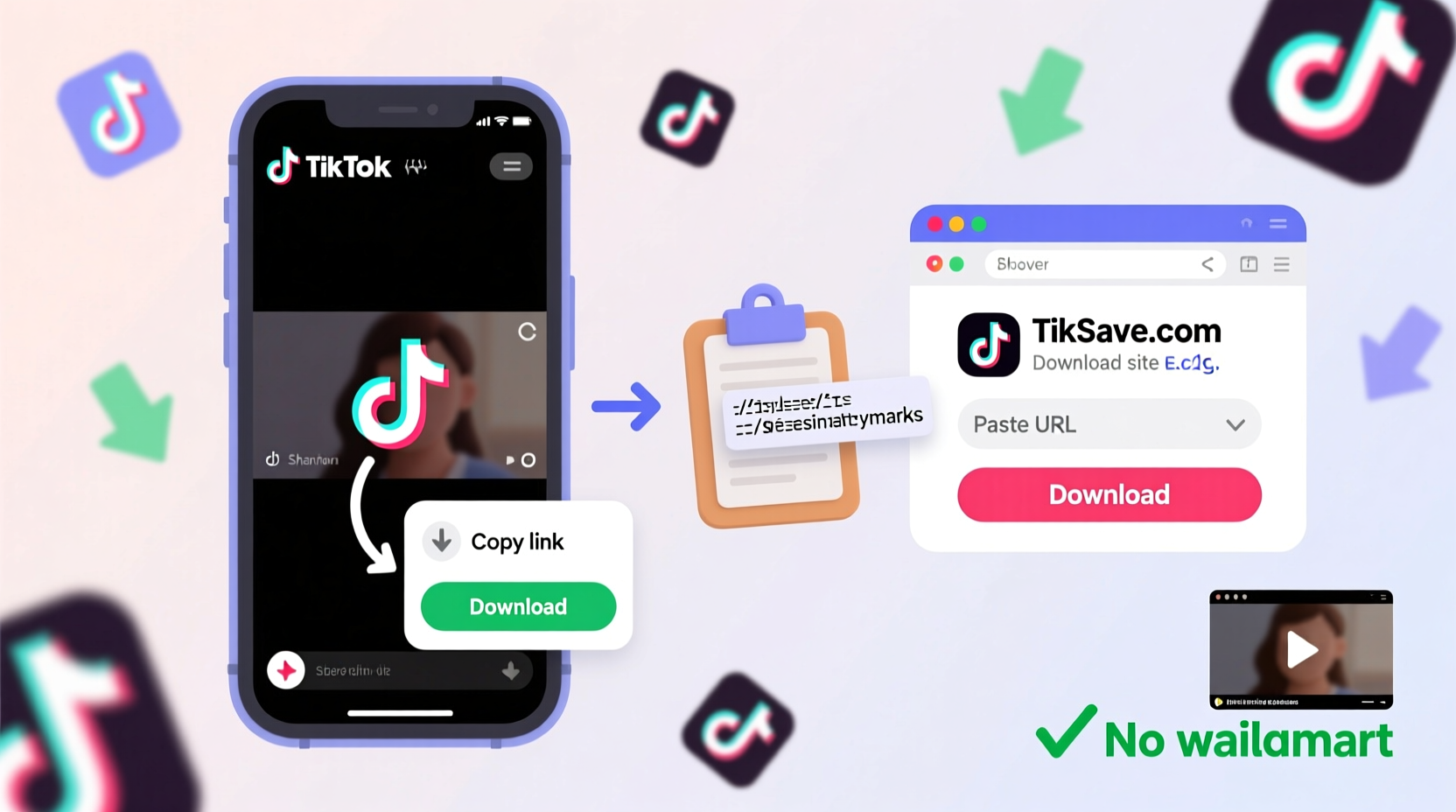
The watermark on TikTok videos includes the app logo and the creator’s username. While it credits the original poster, it may not be suitable for all use cases. For instance, educators embedding clips into lesson plans, marketers compiling social proof, or individuals sharing highlights with friends often prefer clean, unbranded versions.
Removing the watermark doesn’t mean bypassing attribution. Ethical downloading involves respecting creators by crediting them when repurposing content. The goal is to eliminate visual clutter—not authorship.
Step-by-Step Guide to Download TikTok Videos Without Watermarks
Downloading TikTok videos without watermarks is straightforward once you know the right tools and process. Follow these steps carefully to ensure high-quality results every time.
- Open the TikTok app and find the video you want to download.
- Tap the Share button (arrow icon) on the right-hand side of the screen.
- Select “Copy Link” from the menu. This copies the direct URL of the video to your clipboard.
- Open a browser on your phone or computer and go to a trusted watermark-free TikTok downloader site (examples below).
- Paste the copied link into the input box on the downloader website.
- Click “Download” or “Get Video”. The tool processes the link and generates a clean version.
- Save the video directly to your device once the download completes.
This method works across devices—Android, iOS, Windows, and Mac—without requiring any app installations.
Recommended Free Tools for Watermark-Free Downloads
Not all third-party tools are created equal. Some inject ads, compromise privacy, or deliver low-resolution files. Below is a comparison of reliable, widely used platforms that consistently deliver watermark-free videos.
| Tool Name | Platform | Watermark-Free | Max Resolution | Privacy Policy |
|---|---|---|---|---|
| TikDown | Web (Mobile & Desktop) | Yes | 1080p | Yes – no data retention |
| SSSTikTok | Web & App | Yes | 1080p | Limited tracking disclosed |
| SnapTik | Web Only | Yes | 1080p | Yes – ad-supported |
| Ttdownloader.com | Web | Yes | 720p | Yes – minimal data collection |
These services extract the source video file before the watermark layer is applied, allowing for clean downloads. They do not require login credentials or access to your TikTok account.
Avoid These Common Mistakes
While downloading seems simple, users often run into avoidable issues. Being aware of these pitfalls ensures a smoother experience.
- Using outdated links: TikTok URLs expire or change if the video is deleted. Download promptly after copying the link.
- Trusting pop-up-heavy sites: Sites bombarding you with ads may host malware. Stick to reputable tools with clear interfaces.
- Ignoring resolution settings: Some tools offer multiple quality options. Choose the highest available unless storage is limited.
- Downloading private or sensitive content: Respect privacy. Avoid saving videos marked as private or those involving minors without consent.
“Downloading public TikTok content for personal use is generally acceptable, but redistribution without permission crosses ethical lines.” — Dana Lee, Digital Ethics Consultant
Mini Case Study: Marketing Team Uses Clean Clips for Campaigns
A small digital marketing agency in Austin needed authentic user-generated content for a client’s social media campaign promoting eco-friendly products. They discovered several compelling TikTok testimonials but hesitated due to prominent watermarks and usernames that distracted from the brand message.
Using SnapTik, the team downloaded high-resolution versions without logos. They reached out to each creator for formal permission to reuse the clips, offering credit and a small usage fee. With clean footage and proper licensing, the campaign launched successfully, increasing engagement by 47% compared to previous efforts.
This example shows how watermark removal, combined with ethical sourcing, enhances professional projects without compromising integrity.
Checklist: Safe & Effective TikTok Download Process
Follow this checklist every time you download a TikTok video to ensure quality, legality, and safety:
- ✅ Confirm the video is publicly posted and not private
- ✅ Copy the link directly from the TikTok app
- ✅ Use a trusted downloader with HTTPS encryption
- ✅ Verify the preview shows no watermark before downloading
- ✅ Save the file to a designated folder for organization
- ✅ Credit the creator if sharing beyond personal use
Frequently Asked Questions
Is it legal to download TikTok videos without watermarks?
Downloading videos for personal, non-commercial use is generally allowed under fair use principles, especially if the content is public. However, redistributing, monetizing, or modifying videos without the creator’s consent may violate copyright laws. Always seek permission when repurposing content.
Do I need to install an app to remove watermarks?
No. Most reliable tools operate directly in your web browser. While some apps exist, they may request excessive permissions. Web-based solutions are safer and more transparent.
Can I download TikTok videos in HD quality?
Yes. Many downloaders support up to 1080p resolution, preserving the original clarity. The output quality depends on the source video and the tool used. Opt for platforms like SSSTikTok or TikDown for the best results.
Final Thoughts and Next Steps
Downloading TikTok videos without watermarks is a practical skill for anyone who regularly engages with digital content. Whether you're curating inspiration boards, creating educational materials, or simply saving favorite moments, having clean, high-quality videos enhances usability and professionalism.
The key is balancing convenience with responsibility. Use trusted tools, respect creators’ rights, and maintain transparency about content origins. By following this guide, you gain the ability to save videos efficiently while staying within ethical boundaries.




 浙公网安备
33010002000092号
浙公网安备
33010002000092号 浙B2-20120091-4
Comments
No comments yet. Why don't you start the discussion?