
Disney earbuds—often designed with beloved characters and vibrant colors—are more than just stylish accessories. They offer reliable sound quality and seamless connectivity for kids and adults alike. But like any wireless device, their performance depends on consistent charging. Knowing exactly when your Disney earbuds reach full charge ensures you’re never caught off guard with dead audio mid-movie or music session. This guide walks you through practical, easy-to-follow methods to monitor your earbuds’ charge status, avoid overcharging, and extend battery life.
Understanding Your Disney Earbuds Charging System
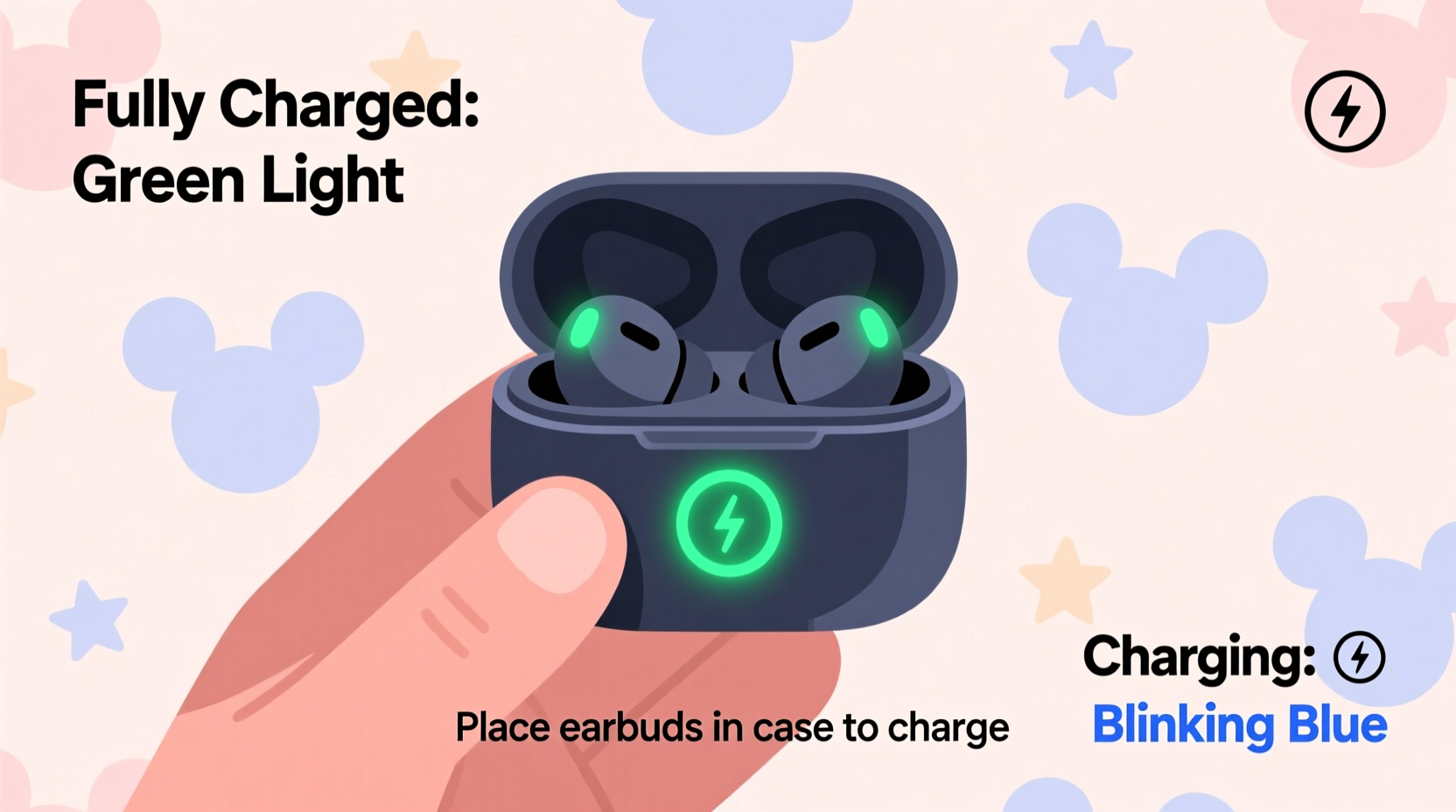
Most Disney-branded earbuds are Bluetooth-enabled wireless models that come with a compact charging case. The case itself is typically charged via USB-C or Lightning cable, depending on the model and region. Inside the case, small LED indicators communicate the charging status of both the case and the earbuds.
The key to monitoring charge levels lies in interpreting these lights correctly. While Disney doesn’t manufacture earbuds directly (they often partner with audio brands), many licensed models follow similar design principles to mainstream TWS (True Wireless Stereo) earbuds. Common features include:
- LED status lights on the charging case
- Audio cues (beeps or voice prompts) on select models
- Compatibility with smartphone battery widgets (iOS/Android)
- Auto-pause charging when batteries are full
Familiarizing yourself with these signals eliminates guesswork and helps maintain optimal battery health over time.
Step-by-Step Guide to Monitoring Charge Status
Follow this clear sequence to know precisely when your Disney earbuds are fully charged:
- Place the earbuds in the charging case – Ensure they snap into place magnetically. You should hear a soft click or see the earbud LEDs light up briefly.
- Connect the case to power – Use the appropriate cable and plug it into a USB wall adapter, computer port, or power bank.
- Observe the LED indicators – Most cases have 1–4 small lights that illuminate to show charge level:
- One light = 0–25% charged
- Two lights = 26–50%
- Three lights = 51–75%
- Four lights (or solid green) = 76–100%, fully charged
- Wait for steady illumination – When all lights are solid (not blinking), the earbuds are fully charged. Blinking usually means still charging.
- Remove and test – Take them out, pair with your device, and confirm stable connection and full battery display if supported.
This process typically takes between 60 and 90 minutes for a full charge, depending on model and battery capacity.
Alternative Ways to Confirm Full Charge
If LED indicators are dim or unclear, especially in bright environments, consider these alternative verification methods:
- Smartphone Battery Widget: On iPhones, add the “Battery” widget to your home screen. When earbuds are in the case and opened near your phone, it displays both earbud and case charge percentages. Android users can check via Bluetooth settings or third-party apps like “Material Files” or “Bubble Level” (which detect connected devices).
- Voice or Sound Alerts: Some premium Disney-labeled models emit a chime or voice message such as “Fully charged” when power reaches 100%. Check your product manual to see if your model supports this feature.
- App Integration: If your earbuds are part of a branded ecosystem (e.g., paired with a Disney+ companion app), battery status may appear within the app interface.
| Method | Accuracy | Best For |
|---|---|---|
| LED Indicators | High (if visible) | Quick visual checks at home |
| Phone Battery Widget | Very High | Precise % tracking (iOS/Android) |
| Audio Cues | Moderate | Hands-free confirmation |
| Charging Time Estimate | Low | Rough estimation only |
Common Charging Mistakes to Avoid
Even with proper tools, users often make small errors that affect charging efficiency or battery longevity. Be mindful of these pitfalls:
- Using non-certified cables: Cheap or damaged cables can deliver inconsistent voltage, leading to slow or incomplete charging.
- Leaving earbuds in the case for weeks: Long-term storage while fully charged stresses lithium-ion batteries. Ideal storage is at around 50% charge.
- Ignoring dirty charging contacts: Dust or debris on metal pins inside the case can block conductivity. Clean gently with a dry cotton swab monthly.
- Overcharging: Although most modern cases stop charging automatically, unplugging after full charge preserves long-term battery health.
“Lithium-ion batteries perform best when kept between 20% and 80% charge. Frequent full cycles accelerate wear.” — Dr. Alan Reyes, Battery Technology Researcher, MIT Energy Initiative
Real-Life Example: How Sarah Keeps Her Kids’ Earbuds Ready
Sarah, a mother of two in Portland, uses Disney-themed earbuds daily for her children’s tablet entertainment during car rides and flights. She noticed that one day, the earbuds died halfway through a long drive—despite being “charged.” After checking the case, she realized the LED had blinked only once, indicating low charge, but she’d assumed it was full.
She now follows a routine: every Sunday night, she places the earbuds in the case, connects it to a wall charger, and waits until all four LEDs glow steadily. She also added the battery widget to her iPhone so she can verify the charge before leaving the house. Since implementing this system, she hasn’t had a single episode of unexpected shutdowns.
Her advice? “Don’t trust memory or assumptions. See the lights, check the phone, and only then pack them for the day.”
FAQ: Quick Answers to Common Questions
How long does it take to fully charge Disney earbuds?
Most models take 60 to 90 minutes to reach full charge when starting from zero. The case usually charges in about 2 hours. Fast-charging models may offer 1 hour of playback after just 10 minutes of charging.
Do Disney earbuds turn off when fully charged?
Yes, most modern versions automatically stop drawing power once the battery reaches 100%. This prevents overcharging and protects battery lifespan. However, it’s still recommended to unplug the case after charging completes.
Why won’t my earbuds charge even when placed in the case?
First, ensure the earbuds are properly seated. Clean the charging pins with a dry cloth. Try a different cable or power source. If the issue persists, reset the earbuds (refer to the manual) or contact customer support if under warranty.
Final Checklist: Ensuring Reliable Charging Every Time
Use this checklist weekly to keep your Disney earbuds performing at their best:
- ✅ Inspect charging cable for fraying or stiffness
- ✅ Wipe earbud and case charging contacts clean
- ✅ Fully charge earbuds and case overnight once per week
- ✅ Verify full charge using both LED and smartphone widget
- ✅ Avoid exposing the case to extreme temperatures (hot cars, cold outdoors)
- ✅ Update firmware if supported by the brand (via companion app)
Conclusion: Stay Powered, Stay Playful
Knowing when your Disney earbuds are fully charged isn’t just about convenience—it’s about ensuring uninterrupted moments of joy, whether your child is listening to a Mickey Mouse story or you’re enjoying music on a jog. By understanding the LED signals, leveraging smartphone integration, and avoiding common charging mistakes, you gain confidence in your device’s reliability.
Battery care is a small habit with big returns. Take a few minutes today to inspect your setup, clean the contacts, and run a full charge cycle. Your earbuds will last longer, perform better, and keep the magic playing without interruption.




 浙公网安备
33010002000092号
浙公网安备
33010002000092号 浙B2-20120091-4
Comments
No comments yet. Why don't you start the discussion?