
The holiday season thrives on atmosphere—warm lights, familiar scents, and music that evokes memory and joy. What if your decorations could do more than look beautiful? By embedding NFC (Near Field Communication) chips into holiday ornaments, you can turn a simple glass bauble or wooden star into a silent conductor of sound. A tap from a smartphone triggers a QR code that launches a personalized holiday playlist—your favorite carols, family recordings, or nostalgic tunes. This fusion of tradition and technology creates an immersive experience guests remember long after the tree comes down.
This isn’t about replacing handmade charm with gadgets. It’s about enhancing it. Imagine a child tapping a reindeer ornament and hearing Grandma sing “Jingle Bells” from a 2005 home video. Or scanning a snowflake to hear a Spotify mix curated over ten Christmases. These moments deepen emotional connection, making your decor not just seen—but felt.
Understanding NFC and QR Code Integration
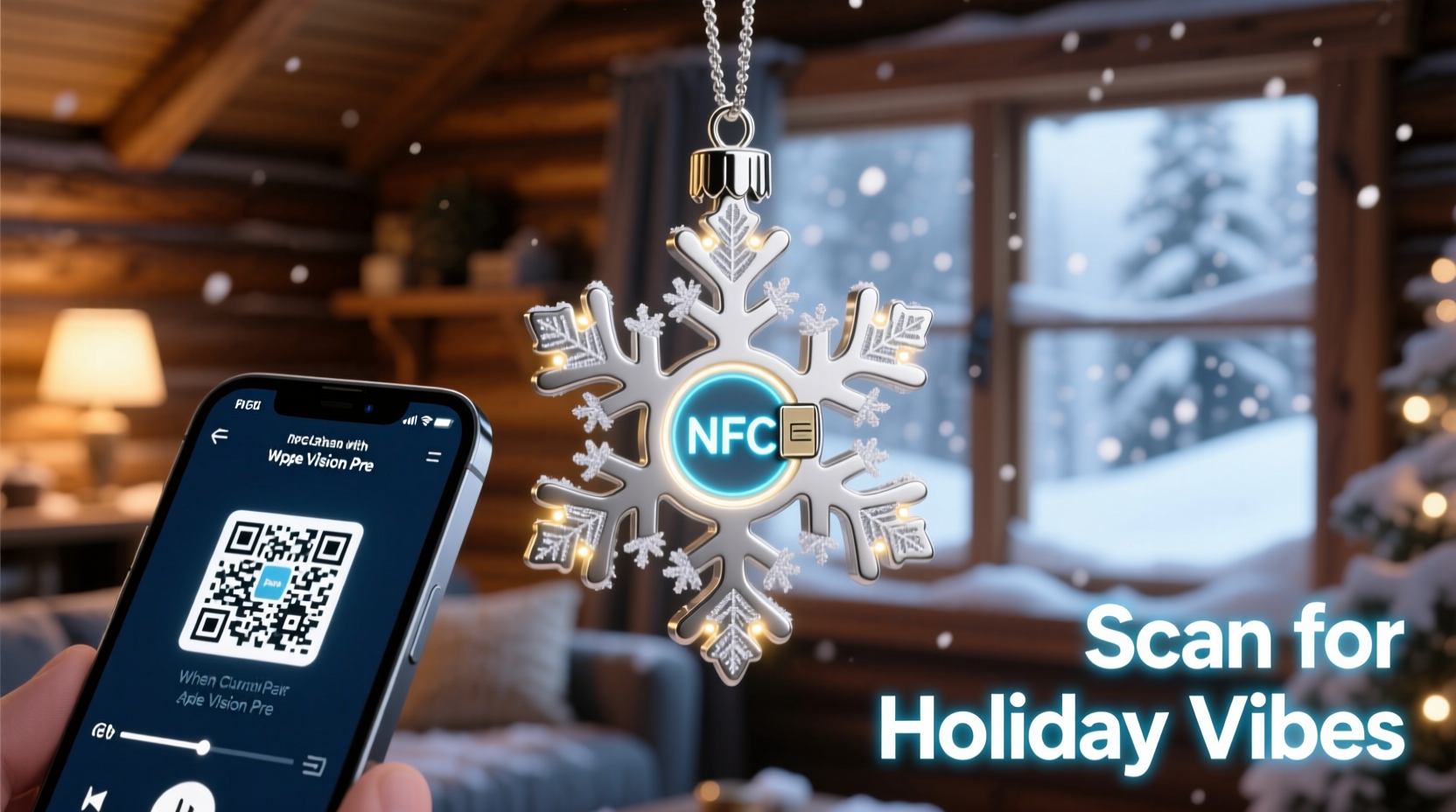
NFC is a short-range wireless communication standard allowing two devices—typically a smartphone and a tag—to exchange data when within a few centimeters. Unlike Bluetooth or Wi-Fi, it requires no pairing. You simply tap. Most modern smartphones support NFC: all recent Android models and iPhones from the iPhone 7 onward (with iOS 11+).
While NFC tags can directly open URLs, apps, or text, they have limited storage. They cannot host large files like audio. Instead, they act as smart triggers. In this application, the NFC chip stores a URL that redirects to a QR code landing page. That page then loads a streaming link to your holiday playlist—on Spotify, Apple Music, YouTube, or another platform.
Why use a QR code at all? Because platforms like Spotify require web-based authentication for deep linking. A direct NFC-to-Spotify shortcut often fails due to login prompts or app switching issues. A QR code intermediary ensures reliability. The NFC tap opens a browser, displays the QR code, and allows one-click playback—even if the user isn’t logged in.
“NFC adds tactile storytelling to physical objects. It turns passive decor into interactive memory capsules.” — Dr. Lena Torres, Digital Experience Designer, MIT Media Lab
Step-by-Step Guide: Embedding NFC Chips in Ornaments
Follow this sequence to integrate NFC functionality into any holiday ornament without compromising aesthetics.
- Select the ornament type: Choose ornaments with internal space or flat backs—wooden slices, hollow glass balls, resin stars, or ceramic houses. Avoid fragile or moisture-sensitive materials unless properly sealed.
- Choose your NFC tag: Use NTAG213 or NTAG215 chips. They’re widely compatible, writable, and cost under $1 each in bulk. Look for adhesive-backed, thin-profile tags (0.5mm thick).
- Create your playlist and hosting page: Upload your playlist to Spotify, YouTube Music, or another service. Copy the public share link. Use a free tool like Bitly or QRCode Monkey to generate a QR code image. Host this code on a simple webpage using Google Sites, Notion, or GitHub Pages.
- Program the NFC tag: Download an NFC writing app (e.g., NFC Tools for Android or NFC Writer for iPhone). Open the app, select “Write,” choose “Add a URL,” and paste your QR code landing page URL. Tap the phone to the tag to program it.
- Embed the chip discreetly: For glass balls, apply the tag inside the cap before hanging. For wooden ornaments, sand a shallow recess on the back, place the tag, and seal with clear epoxy. For fabric wreaths, stitch a small pocket behind a decorative element.
- Test thoroughly: Use multiple phones to ensure the tap opens the correct page and the QR code scans instantly. Adjust placement if signal strength is weak.
Best Practices for Design and Durability
Success lies in invisibility. The technology should enhance, not distract. Here’s how to maintain elegance while ensuring function.
- Preserve visual appeal: Place tags on the back, underside, or inside caps. Never cover shiny surfaces or obstruct designs.
- Protect against environmental damage: If using outdoors or near candles, encapsulate the tag in heat-resistant silicone or waterproof shrink tubing.
- Ensure consistent readability: Avoid placing tags near metal elements, which block NFC signals. Keep them at least 1 cm away from conductive materials.
- Label subtly: Add a tiny engraved icon—a musical note or “Tap to Play”—so guests know the ornament is interactive.
Material Compatibility Guide
| Ornament Material | NFC-Friendly? | Installation Tip |
|---|---|---|
| Glass (hollow) | Yes | Place tag inside the top cap; signal penetrates easily. |
| Wood (solid) | Limited | Sand a 1cm² recess on the back; avoid thick center areas. |
| Plastic/resin | Yes | Embed during casting or glue to interior surface. |
| Metal | No | Avoid entirely—metal blocks NFC signals. |
| Fabric/textile | Yes | Sew into backing layer; keep away from zippers/buttons. |
Mini Case Study: The Family Memory Tree
In Portland, Oregon, the Reyes family transformed their annual tree into an interactive archive. Each year since 2018, they’ve added an NFC-enabled ornament representing a milestone: a baby’s first Christmas, a pet adoption, a cross-country move.
In 2023, they embedded a chip into a hand-painted star made by their daughter at age six. When tapped, it opens a QR code that plays a voice memo of her singing “Silent Night” off-key. Relatives now gather around the star every visit, smiling at the memory.
They used NTAG213 stickers programmed via NFC Tools, hosted QR codes on a private Notion page, and sealed tags with UV-resistant epoxy. “It’s become our most cherished tradition,” says Miguel Reyes. “The kids fight over who gets to tap next.”
Their success came from simplicity. No complex apps. No logins. Just tap, scan, play. And because the system uses open web standards, it remains accessible even as devices evolve.
Checklist: Build Your NFC Holiday Ornament in 7 Steps
Use this checklist to ensure nothing is missed during setup.
- ☐ Choose an ornament with space for embedding
- ☐ Purchase NFC tags (NTAG213 recommended)
- ☐ Finalize your holiday playlist and publish it online
- ☐ Generate a QR code linking to the playlist
- ☐ Host the QR code on a reliable web page
- ☐ Program the NFC tag with the QR code URL
- ☐ Test on multiple devices before final installation
Common Pitfalls and How to Avoid Them
Even small oversights can break the experience. Here are frequent issues and solutions.
- NFC tag not responding: Often caused by interference from metal bases, batteries, or foil wrapping. Reposition the tag or switch to a non-conductive ornament.
- QR code doesn’t load playlist: Ensure the hosting page doesn’t require login. Use incognito mode to test accessibility.
- Tag detaches over time: Use industrial-strength adhesives like E6000 or epoxy instead of glue sticks.
- Wrong playlist opens: Double-check the URL before finalizing the NFC write. Once locked, rewriting requires erasing the tag.
“Technology should disappear into the experience. If people notice the gadget first, you’ve failed the design.” — Clara Nguyen, UX Lead at HolidayTech Labs
FAQ
Can guests use any smartphone to activate the playlist?
Most modern smartphones support NFC. Android users can tap directly. iPhone users need to use the Camera app or Control Center to scan—ensure instructions are visible. For older phones without NFC, include a printed QR code nearby as a backup.
Do I need to keep the playlist active forever?
The NFC tag points to a URL. If you delete the playlist or change its link, the system breaks. To preserve access, use permanent hosting (e.g., a personal website) and avoid temporary links. Consider archiving the audio on multiple platforms for redundancy.
Is this safe for children and pets?
Yes. NFC tags emit no radiation and require direct contact to activate. The chips are encased in plastic and pose no choking hazard when properly embedded. Still, avoid placing them on low-hanging ornaments within reach of toddlers.
Scaling Beyond a Single Ornament
Once you master one ornament, expand the concept. Create themed zones: a “carol corner” where each bauble plays a different song, or a “memory lane” branch with family stories. Use color-coded tags to guide exploration.
For events, consider rental kits: NFC-enabled ornaments pre-loaded with seasonal playlists, available for holiday parties. Some event planners now offer this as a premium upgrade—guests leave remembering not just the decor, but the feeling it evoked.
You can also integrate analytics. Use UTM-tagged URLs or Bitly tracking to see which ornaments are tapped most. Discover whether “Rudolph” beats “All I Want for Christmas” in popularity—or if the homemade ones get more attention than store-bought.
Conclusion: Where Tradition Meets Innovation
Holiday traditions endure because they connect us—to family, to memory, to emotion. NFC-enhanced ornaments don’t replace these values. They amplify them. A tap becomes a doorway to laughter, nostalgia, and shared joy. The magic isn’t in the chip; it’s in what the chip unlocks.
This holiday season, go beyond glitter and tinsel. Build something that speaks. Embed a story. Share a song. Let your decorations do more than hang—let them resonate.




 浙公网安备
33010002000092号
浙公网安备
33010002000092号 浙B2-20120091-4
Comments
No comments yet. Why don't you start the discussion?