
Flickering smart bulbs can be more than just annoying—they can disrupt your daily routine, affect your mood, and even raise concerns about electrical safety. While it’s natural to assume that a flicker means a wiring issue or a problem with your home’s electrical system, the truth is most cases stem from software glitches, compatibility mismatches, or simple configuration errors. The good news? You don’t need an electrician to solve the majority of these problems. With a methodical approach and a few troubleshooting steps, you can diagnose and resolve flickering issues in minutes.
Smart bulbs rely on a combination of hardware, firmware, and network stability to function properly. When any part of this ecosystem falters, flickering often follows. This guide walks you through every common cause of flickering, provides actionable solutions, and helps you regain consistent, reliable lighting across your smart home.
Common Causes of Smart Bulb Flickering
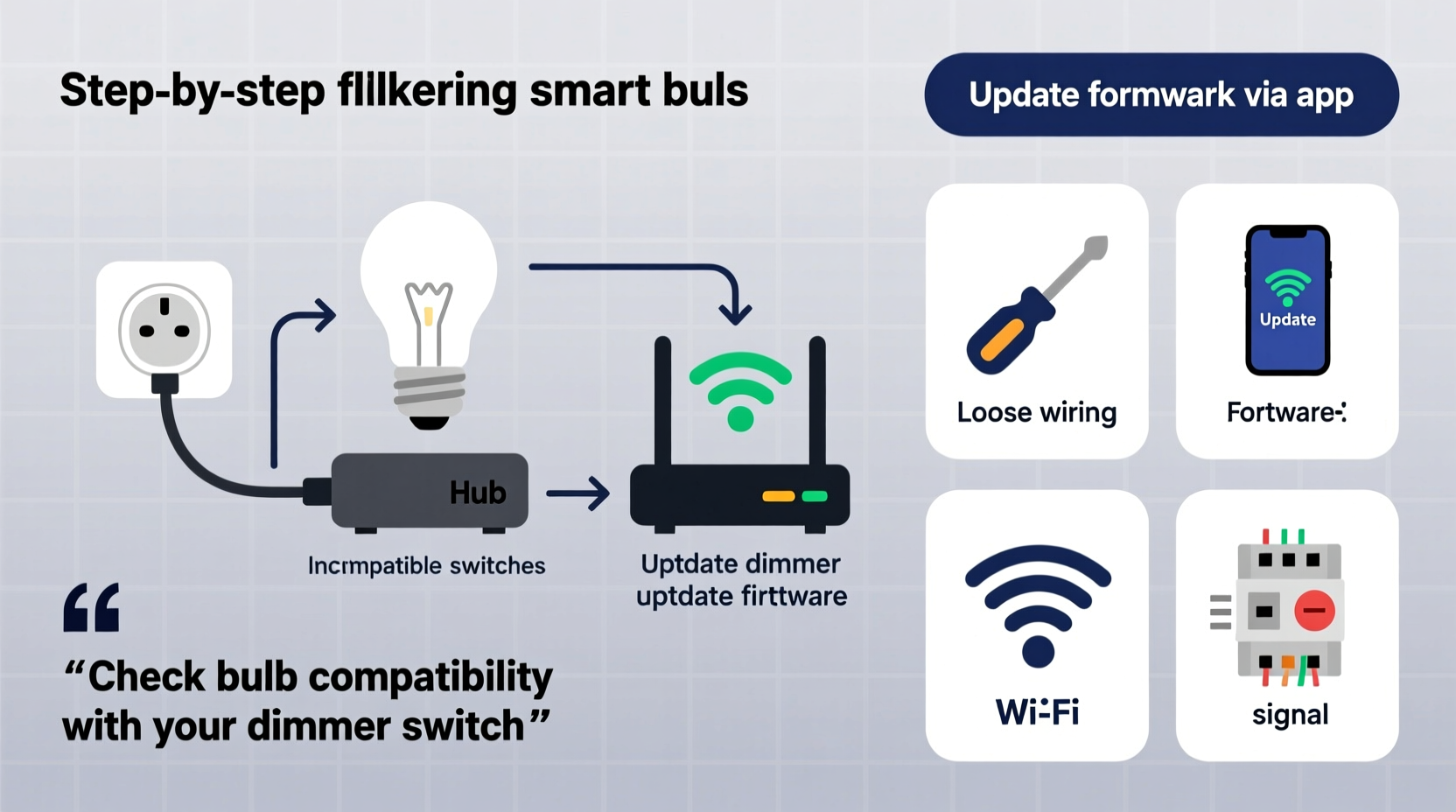
Before diving into fixes, it’s essential to understand why smart bulbs flicker in the first place. Unlike traditional incandescent bulbs, smart bulbs contain microprocessors, wireless radios (like Wi-Fi or Bluetooth), and complex drivers that regulate power. These components introduce new points of failure beyond basic electrical faults.
- Incompatible dimmer switches: Many older homes use leading-edge dimmers designed for incandescent bulbs. These can interfere with the low-voltage electronics inside smart bulbs.
- Wi-Fi signal instability: Weak or fluctuating network signals can cause communication delays between the bulb and hub or app, resulting in erratic behavior.
- Firmware bugs: Outdated or corrupted firmware may lead to timing errors in light output.
- Power supply fluctuations: Voltage drops or surges—even minor ones—can trigger flickering, especially in cheaper bulbs with poor internal regulation.
- App or automation conflicts: Overlapping schedules, conflicting scenes, or third-party integrations (like Alexa or Google Home) can send inconsistent commands.
- Overheating: Enclosed fixtures restrict airflow, causing bulbs to overheat and cycle on and off.
Step-by-Step Guide to Fix Flickering Smart Bulbs
Follow this structured process to identify and eliminate the root cause of flickering. Most users resolve the issue within 30 minutes using these steps.
- Restart the bulb and hub (if applicable): Power-cycle the bulb by turning it off at the switch for 15 seconds, then back on. If you’re using a hub (e.g., Philips Hue Bridge), restart it too.
- Check your Wi-Fi connection: Use a mobile device to test signal strength near the bulb. If below -70 dBm, consider relocating the router or adding a Wi-Fi extender.
- Update firmware: Open your smart lighting app (e.g., Kasa, Hue, or Wiz) and check for firmware updates. Install any available patches.
- Test in a different fixture: Move the bulb to a known-working socket to rule out fixture-specific issues like poor contact or incompatible dimmers.
- Disable automations temporarily: Turn off all schedules, routines, and voice assistant integrations to see if flickering stops.
- Reset the bulb to factory settings: Follow the manufacturer’s reset procedure (usually involves rapid on/off cycles) and re-pair it to your network.
- Inspect the physical socket: Ensure the bulb is tightly screwed in and the socket contacts are clean and not corroded.
If flickering persists after completing these steps, proceed to deeper diagnostics.
Compatibility Issues: Dimmers and Switches
One of the most overlooked causes of flickering is the use of smart bulbs with traditional dimmer switches. Standard dimmers work by “chopping” the AC waveform, which reduces power to incandescent bulbs. However, smart bulbs require a steady voltage to power their internal circuitry. When placed on a dimmer, they receive inconsistent power, leading to flickering—even when the dimmer is set to full brightness.
The solution is either to replace the dimmer switch or bypass it entirely. For smart bulbs, use trailing-edge (ELV) dimmers if dimming is required, or better yet, remove the dimmer and install a standard toggle switch. Control brightness entirely through the app or voice commands.
| Dimmer Type | Compatible with Smart Bulbs? | Recommended Action |
|---|---|---|
| Leading-Edge (Incandescent) | No | Replace with standard switch or ELV dimmer |
| Trailing-Edge (ELV) | Limited | Use only with compatible smart bulbs; verify specs |
| No Dimmer (Standard Switch) | Yes | Ideal setup for full app control |
| Smart Dimmer Switch | Yes (with caveats) | Ensure firmware syncs with bulb brand |
Real Example: Resolving Persistent Flickering in a Living Room Setup
Consider Mark, a homeowner in Austin, Texas, who installed four smart LED bulbs in his living room ceiling fixture. Within days, he noticed intermittent flickering, especially at night. He assumed it was a faulty bulb and replaced one—only for the issue to return.
After reviewing the steps above, Mark discovered two key factors: First, his wall switch was connected to an old leading-edge dimmer. Second, his Wi-Fi signal in the living room measured -78 dBm due to thick walls blocking the router’s signal.
He replaced the dimmer with a standard rocker switch and added a Wi-Fi mesh node nearby. After resetting the bulbs and updating their firmware, the flickering stopped completely. The fix cost under $50 and took less than an hour—no electrician required.
This case illustrates how multiple small issues can combine to create persistent flickering. Addressing each layer systematically leads to a lasting resolution.
Expert Insight: What Professionals Say About Smart Lighting Stability
“Most flickering calls we get are software or compatibility related. People don’t realize that smart bulbs are mini-computers with radios. Just like your phone, they need stable power and network conditions.” — David Lin, Electrical Systems Consultant and IoT Integration Specialist
Lin emphasizes that while homeowners worry about fire hazards, modern smart bulbs have built-in safeguards against overheating and overcurrent. True electrical faults are rare. Instead, he recommends focusing on firmware hygiene, network quality, and proper installation practices.
Troubleshooting Checklist
Use this checklist to quickly diagnose and fix flickering smart bulbs:
- ✅ Confirm the bulb is securely screwed into the socket
- ✅ Eliminate use of non-compatible dimmer switches
- ✅ Test Wi-Fi signal strength near the bulb location
- ✅ Update all bulbs and hubs to the latest firmware
- ✅ Disable all automations and test manual control
- ✅ Reset the bulb and re-pair it to the network
- ✅ Try the bulb in a different fixture to isolate the issue
- ✅ Check for overheating—ensure adequate ventilation
- ✅ Reduce RF interference by minimizing nearby devices (microwaves, cordless phones)
- ✅ Factory reset the entire lighting system if problems persist
Frequently Asked Questions
Can flickering smart bulbs be dangerous?
In most cases, no. Flickering caused by software, connectivity, or compatibility issues poses no fire hazard. However, if you notice buzzing sounds, burning smells, or scorch marks on the socket, turn off the power immediately and consult an electrician. These signs indicate potential electrical faults.
Why do my smart bulbs flicker when I turn them off?
This is often due to \"ghost voltage\" or residual current from illuminated switches or incompatible dimmers. Some switches leak small amounts of electricity even when off, enough to charge the bulb’s capacitor and cause brief flashes. Replace the switch or add a bypass resistor (available online) to absorb the stray current.
Do all smart bulbs flicker under certain conditions?
Premium brands like Philips Hue, LIFX, and Nanoleaf are engineered to minimize flicker with high-frequency drivers and stable firmware. Budget bulbs may use lower-quality components that are more susceptible to power fluctuations. Investing in reputable brands reduces long-term issues.
Final Tips for Long-Term Stability
Once you’ve fixed the flickering, take proactive steps to prevent recurrence. Schedule monthly firmware checks, avoid mixing bulb brands on the same circuit unless confirmed compatible, and monitor your home network performance. Consider using a dedicated 2.4 GHz network for IoT devices to reduce congestion.
Also, pay attention to ambient temperature. Enclosed fixtures trap heat, shortening bulb lifespan and increasing flicker risk. Opt for bulbs rated for enclosed use if needed, or switch to open designs where possible.
Conclusion: Take Control of Your Smart Lighting
Flickering smart bulbs are a common but solvable issue. By understanding the underlying causes—ranging from dimmer incompatibility to weak Wi-Fi—you can apply targeted fixes without professional help. The key is systematic testing, staying updated on firmware, and ensuring your electrical setup supports smart technology.
You don’t need specialized tools or training. With patience and the right knowledge, you can maintain a smooth, flicker-free smart lighting environment. Start with one bulb, follow the steps, and expand your fix across the home. Share your success story or tips in the comments—your experience could help another homeowner avoid an unnecessary service call.




 浙公网安备
33010002000092号
浙公网安备
33010002000092号 浙B2-20120091-4
Comments
No comments yet. Why don't you start the discussion?