
In an age where digital footprints are scrutinized by advertisers, algorithms, and even acquaintances, many users are rethinking their presence on social media. Facebook, once the cornerstone of online connection, has become a minefield of data collection, unintended exposure, and algorithmic manipulation. If you're looking to reduce your visibility, limit data sharing, or simply disappear from public view without deleting your account, it’s entirely possible. This guide walks you through actionable steps to \"go dark\" on Facebook—minimizing your digital presence while retaining control over your information.
Why Go Dark on Facebook?
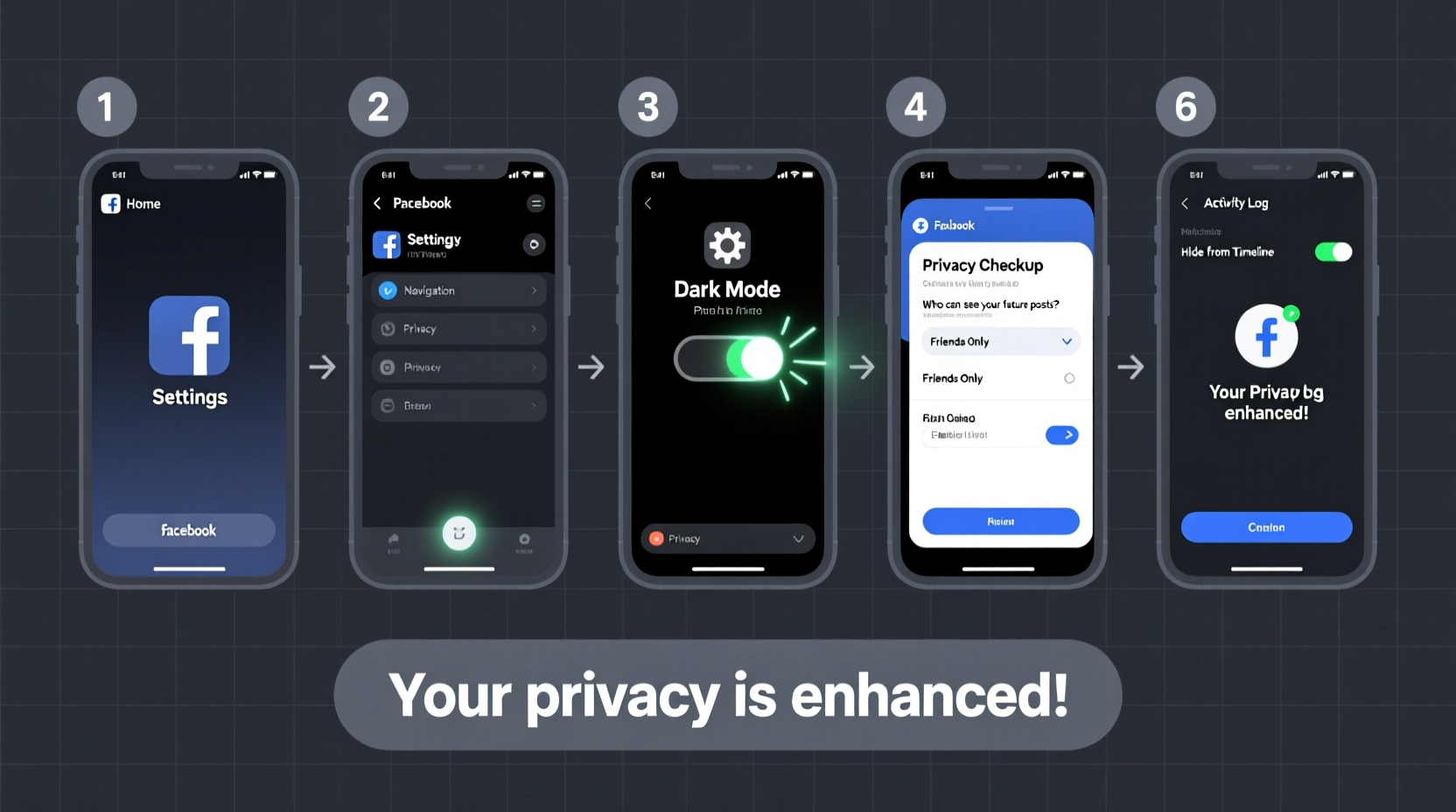
Going dark doesn’t mean abandoning the platform. It means reclaiming autonomy over who sees your content, what data is collected, and how your profile appears in search results. Whether you’re concerned about job hunting, stalking risks, identity theft, or just want peace of mind, reducing your footprint is a form of digital self-defense.
Social media platforms profit from engagement and data harvesting. The more visible you are, the more valuable you become to advertisers and third-party trackers. By adjusting your privacy settings, limiting activity, and controlling visibility, you disrupt that cycle.
Step-by-Step Guide to Disappearing on Facebook
Follow this sequence to systematically lock down your account. Each step builds on the last, ensuring comprehensive privacy protection.
- Review Your Profile Visibility: Start by checking who can see your profile information. Navigate to Settings & Privacy → Privacy Shortcuts → Who Can See My Stuff? Adjust past posts and future audience defaults to “Friends” or “Only Me.”
- Limit Past Posts: Use the “Limit Past Posts” tool to retroactively change all previous public or friend-of-friend posts to “Friends” only. This instantly reduces your historical exposure.
- Disable Tagging Permissions: Go to Settings → Profile and Tagging. Set “Who can add tags to your posts?” to “Only Me.” Also enable review for tags before they appear on your timeline.
- Opt Out of Search Engines: Under Settings → Privacy, find “Do you want search engines outside of Facebook to link to your profile?” and switch it to “No.” This prevents Google and others from indexing your profile.
- Remove Yourself from Public Suggestions: In Settings → Privacy, disable “Allow others to discover you using your email address or phone number.” This stops people from finding you via contact info.
- Adjust Future Post Audience: Before posting anything new, always check the audience selector (the globe/friends/lock icon) and set it to “Friends” or “Only Me.” Better yet, create a custom list of trusted individuals.
- Deactivate Like and Comment Visibility: When liking pages or reacting to posts, remember those actions may be visible to others. Review your activity log regularly and hide likes or reactions you don’t want associated with your name.
- Turn Off Location Services: Never share your location publicly. Disable geotagging in mobile app settings and avoid checking in at places.
- Log Out of Third-Party Apps: Visit Settings → Apps and Websites. Remove any connected apps—especially games, quizzes, or surveys that harvest data under vague privacy policies.
- Use a Pseudonym (If Possible): While Facebook enforces real-name policies, subtle adjustments (e.g., using initials instead of full first names) can reduce identifiability without violating terms.
Privacy Checklist: Actions to Take Now
- ✅ Run “Limit Past Posts” tool
- ✅ Set default future post audience to “Friends”
- ✅ Disable tagging by others
- ✅ Opt out of external search engine indexing
- ✅ Remove unused third-party app connections
- ✅ Turn off location tagging
- ✅ Hide or delete old photos and albums
- ✅ Review friend list and remove unknown contacts
- ✅ Disable ad personalization in Ad Preferences
- ✅ Enable two-factor authentication for account security
What You Shouldn’t Do When Trying to Go Dark
Some common behaviors unknowingly expose your data, even after adjusting settings. Avoid these pitfalls:
| Don't | Why It's Risky | Do Instead |
|---|---|---|
| Take personality quizzes or “Which Disney Princess Are You?” tests | These often collect personal data via third-party apps with poor privacy standards | Avoid all external quizzes; assume they harvest your data |
| Accept friend requests from strangers or old acquaintances | Each friend gains access to more of your activity unless restricted | Keep your network small and vetted; use Restricted Lists if unsure |
| Post status updates with timestamps and locations | Creates patterns that reveal habits, routines, or home address | Delay posting or generalize location (“somewhere sunny”) |
| Use Facebook Login for other websites | Links your browsing behavior across platforms | Create separate accounts or use privacy-focused alternatives like Apple ID |
Real Example: How One User Reduced Their Exposure
Julia, a marketing professional, realized her Facebook profile was showing up in Google search results when clients looked her up. She wasn’t comfortable with her vacation photos or political opinions being publicly accessible. Over a weekend, she followed the steps above: she limited past posts, removed third-party apps, disabled search engine linking, and reviewed every tag on her timeline. She also created a “Restricted” friend list for distant contacts, ensuring they saw only public posts.
Within days, her profile vanished from Google searches. Her engagement dropped, but so did unsolicited messages and targeted ads based on her interests. More importantly, she regained a sense of control. “I didn’t want to quit Facebook,” she said, “but I needed it to stop speaking for me.”
“Most people don’t realize how much passive data Facebook collects—even when you’re not actively posting. Going dark is less about deletion and more about intentional silence.” — Dr. Lena Torres, Digital Privacy Researcher, Berkman Klein Center
FAQ: Common Questions About Going Dark
Will my friends still see my profile if I go dark?
Yes, but only what you allow. Friends can still see posts you share with them, but you can customize visibility per post or use the “Restricted” list to limit what certain friends see. Your name and basic info may remain visible, but details like photos, likes, and timelines can be hidden.
Can Facebook still sell my data after I adjust privacy settings?
Facebook doesn’t “sell” your data in the traditional sense, but it does share extensive behavioral insights with advertisers. While tightening privacy reduces exposure, some tracking remains inherent to platform functionality. To minimize this, disable ad personalization under Ads Settings and opt out of partner-based ad targeting.
Is it possible to go completely invisible on Facebook?
Complete invisibility isn’t possible if you keep the account active. However, you can achieve near-total obscurity by combining strict privacy controls, minimal activity, and careful friend management. For full anonymity, consider deactivating or permanently deleting your account.
Final Thoughts: Reclaiming Control in a Hyperconnected World
Going dark on Facebook isn’t an act of retreat—it’s a strategic decision to protect your identity, relationships, and mental space. The platform rewards oversharing, but you have the right to define your own boundaries. With deliberate settings changes and mindful usage, you can stay connected on your terms, not Facebook’s.
Privacy isn’t about having something to hide. It’s about preserving autonomy in a system designed to extract value from your attention and data. Every setting you adjust, every app you remove, and every post you restrict is a step toward digital sovereignty.




 浙公网安备
33010002000092号
浙公网安备
33010002000092号 浙B2-20120091-4
Comments
No comments yet. Why don't you start the discussion?