
A sleek, wall-mounted smart TV can elevate the look of any living room or bedroom. But no matter how advanced your television is, a tangle of visible cords trailing down the wall or across the floor can instantly ruin the aesthetic. Exposed power cords, HDMI cables, audio wires, and streaming device connections not only look messy but can also pose tripping hazards and collect dust. The good news? With thoughtful planning and the right tools, you can conceal these cables effectively—preserving both safety and style.
Hiding TV cables isn’t just about appearance; it’s about creating a functional, organized space. Whether your TV sits on a stand or is mounted flush against the wall, there are practical solutions that suit every setup and budget. From in-wall routing to adhesive cable clips, this guide covers everything you need to know to achieve a clean, minimalist look without sacrificing accessibility or performance.
Assess Your Cable Setup First
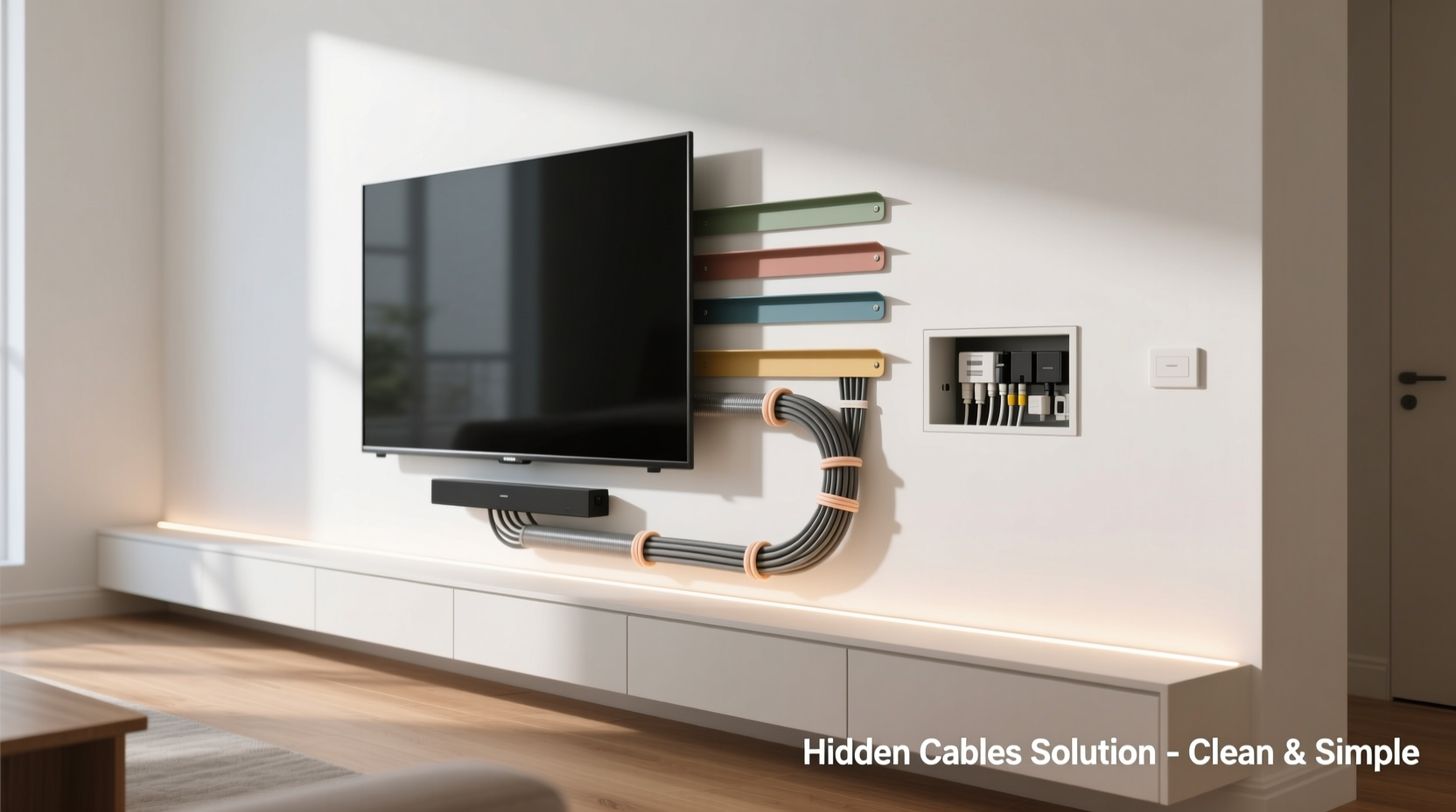
Before choosing a hiding method, take stock of what you’re working with. Most smart TVs require several types of cables:
- Power cord – Essential for operation.
- HDMI cables – Connect streaming devices, gaming consoles, or sound systems.
- Optical audio cable – Often used for home theater systems.
- Ethernet cable – For stable internet when Wi-Fi isn’t reliable.
- Antenna or coaxial cable – If you use over-the-air broadcasts.
Count how many devices are connected and measure the length of each cable. This helps determine whether you can route them behind furniture, inside walls, or along baseboards. Also consider future needs—will you add a soundbar or Blu-ray player later? Planning ahead prevents having to rework your system in a few months.
Effective Methods to Hide TV Cables
The best cable management strategy depends on your TV placement, wall type, and desired level of permanence. Here are five reliable approaches, ranging from simple to advanced.
1. Use Cable Management Raceways
Raceways are hollow plastic channels that snap closed over grouped cables. They adhere directly to the wall with strong double-sided tape or screws, offering a tidy path from your TV to an outlet or entertainment center.
Available in various lengths and paintable finishes, raceways blend seamlessly into most interiors. Choose a white or off-white model for light walls, or opt for a textured version that mimics wood molding. Installation takes under 20 minutes: position the base, secure it, lay in the cables, and snap the cover shut.
“Raceways are ideal for renters or those avoiding drywall work. They provide a clean look without permanent changes.” — Jordan Lee, Home Automation Specialist
2. Route Cables Behind Furniture
If your TV sits on a media console, you can hide most cords behind it. Start by grouping cables together using Velcro straps or braided sleeves. Then feed them through the back panel or side grommets if available.
For added concealment, install a fabric cable basket underneath the shelf or use a decorative trunking box that matches your furniture. Some modern consoles even come with built-in cable management systems, including internal channels and magnetic wire guides.
3. In-Wall Cable Installation (Best for Wall-Mounted TVs)
For a truly seamless look, run cables inside the wall. This method requires more effort but delivers the cleanest result. It involves cutting small holes above and below the mounting location, feeding cables through the cavity, and covering access points with low-voltage brackets or wall plates.
Important: Always use CL2 or CL3-rated cables designed for in-wall use. Standard HDMI or power cords aren’t fire-safe for concealed installation. Hire a licensed electrician or AV installer if you're uncomfortable drilling near electrical wiring or insulation.
4. Use Baseboard Cable Channels
When running cables from a wall-mounted TV to an outlet across the room, follow the baseboard. Adhesive cable channels attach directly to trim molding and keep wires flush against the floor.
These low-profile tracks come in corner, flat, and curved designs to navigate around doorways and furniture legs. Paint-matching kits allow you to customize the color so they disappear into the background.
5. Magnetic Cable Clips and Cord Covers
For temporary or flexible setups, magnetic clips are a renter-friendly option. Attach them to metal TV mounts or stands to hold cables in place vertically. Alternatively, self-adhesive cord covers stick to walls and create a continuous path from screen to source.
While less durable than raceways, these are inexpensive and easy to reposition. Just make sure the surface is clean and dry before applying adhesive.
Step-by-Step Guide: Concealing Cables for a Wall-Mounted Smart TV
Follow this sequence to achieve a professional-grade cable hide for a wall-mounted setup:
- Turn off and unplug all devices. Safety first—disconnect power before handling cables.
- Determine cable drop point. Identify where your power outlet and media sources (like a streaming box) are located.
- Mount the TV bracket. Secure it to wall studs using a stud finder and level.
- Mark cutout locations (if going in-wall). Use a low-voltage remodeling box at the top and bottom for safe access.
- Feed CL2-rated cables through the wall. Use a fish tape or flexible rod to guide them from top to bottom.
- Attach the TV to the bracket. Leave enough slack in cables for movement and adjustments.
- Connect all devices. Plug in power, HDMI, and audio cables securely. <8> Seal openings with wall plates or silicone. Cover gaps for a polished finish.
- Test all connections. Ensure picture, sound, and internet are working properly.
- Clean up excess cable. Bundle leftovers behind the TV using twist ties or a mesh sleeve.
Do’s and Don’ts of Cable Management
| Do’s | Don’ts |
|---|---|
| Use UL-certified in-wall rated cables for concealed runs. | Never run standard power cords inside walls—they’re not fire-rated. |
| Group cables with Velcro straps to prevent tangling. | Avoid tight bends or kinks in HDMI cables—they can damage signal integrity. |
| Label each cable before hiding it for easy identification. | Don’t overload power strips or outlets—this creates fire risks. |
| Leave service loops behind the TV for flexibility. | Don’t staple or nail cables to walls—this damages insulation and voids warranties. |
| Use cable sleeves for a streamlined appearance on stands. | Don’t ignore ventilation—ensure devices have airflow to prevent overheating. |
Real-World Example: A Living Room Makeover
Sarah, a graphic designer in Portland, recently upgraded her living room with a 65-inch OLED smart TV mounted above her fireplace. While the screen looked stunning, the cluster of black cords dangling beside it disrupted the minimalist vibe she wanted.
She opted for an in-wall solution using a single-hole retrofit kit. After consulting an electrician, she installed a low-voltage box behind the TV and another near her entertainment center. She ran one CL3-rated HDMI cable, a power extension, and an Ethernet line through the cavity. A brushed metal faceplate finished the top opening, while the bottom connected discreetly to a surge protector inside her cabinet.
The result? A gallery-like display with zero visible wiring. Friends assumed she had hired a high-end installer—but Sarah completed most of the work herself over a weekend.
Essential Tools and Products Checklist
To successfully hide your TV cables, gather these items beforehand:
- Stud finder
- Level and pencil
- Drill and hole saw (for in-wall routing)
- CL2 or CL3-rated HDMI and power cables
- Low-voltage remodeling boxes (2)
- Cable raceway or baseboard channel
- Velcro straps or cable sleeves
- Label tags or masking tape
- Silicone caulk (to seal gaps)
- Surge protector with long cord
For non-invasive setups, skip the drill and focus on adhesive solutions like cord covers and cable clips. Renters should prioritize removable, damage-free options.
Frequently Asked Questions
Can I hide cables without drilling holes in the wall?
Yes. Adhesive raceways, baseboard channels, and cord organizers let you conceal wires without damaging drywall. These are perfect for apartments or rental units where permanent modifications aren’t allowed.
Is it safe to run HDMI cables inside walls?
Only if they are CL2 or CL3-rated for in-wall use. Regular HDMI cables lack proper fire-resistant insulation and shouldn’t be enclosed. Always check packaging for certification labels.
How do I manage cables if my TV is mounted above a fireplace?
Heat is the main concern here. Avoid routing cables directly through the wall behind the mantel, as rising heat can degrade insulation. Instead, run them down the side of the wall or use a vertical raceway offset from the chimney. Ensure your TV has adequate clearance from the fireplace to prevent overheating.
Final Thoughts and Next Steps
A clutter-free entertainment area starts with smart cable management. Whether you choose a simple adhesive channel or invest in a full in-wall installation, the effort pays off in both aesthetics and functionality. A clean setup reduces visual noise, improves safety, and makes your smart TV the focal point—not its cords.
Start small if needed. Even bundling loose cables with Velcro and tucking them behind the stand makes a noticeable difference. As you gain confidence, explore more advanced options like recessed conduits or motorized lift cabinets.




 浙公网安备
33010002000092号
浙公网安备
33010002000092号 浙B2-20120091-4
Comments
No comments yet. Why don't you start the discussion?