
Cluttered cords behind your TV stand are more than just an eyesore—they disrupt the clean aesthetic of even the most thoughtfully designed living room. While many solutions require drilling, zip ties, or adhesive strips that risk wall damage, not everyone wants to alter their space permanently. The good news? You can achieve a sleek, cord-free look without any tools or permanent modifications. Whether you're renting, live in a shared space, or simply prefer non-invasive fixes, this guide reveals practical, proven methods to manage and conceal cords safely and effectively.
Why Hiding Cords Matters (Beyond Aesthetics)
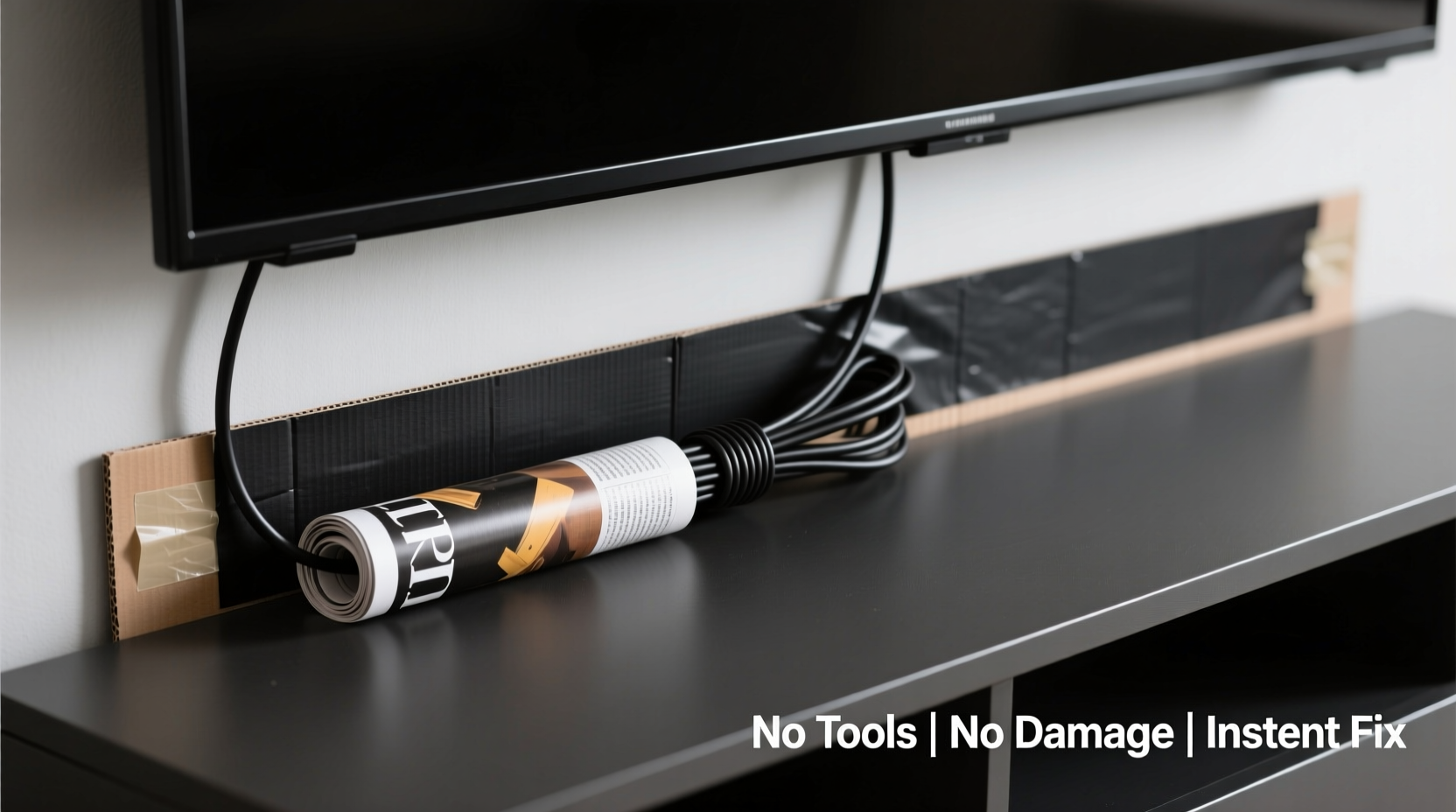
A tidy entertainment center does more than look good—it enhances safety, reduces dust accumulation, and makes troubleshooting easier. Exposed cords pose tripping hazards, especially in homes with children or pets. They also collect dust faster when left loose, requiring more frequent cleaning. Beyond function, visual clutter has been linked to increased stress and reduced focus. A study by Princeton University’s Neuroscience Institute found that physical clutter competes for attention, reducing cognitive performance. By organizing cords neatly behind your TV stand, you’re not just improving appearance—you’re creating a calmer, safer environment.
“Cord management isn’t about perfection; it’s about intentionality. Even small improvements can significantly impact how a space feels.” — Lena Torres, Interior Organization Specialist
Step-by-Step: How to Hide Cords Without Tools or Damage
The following process is designed for anyone—no technical skills, tools, or home modification experience required. Each step uses everyday household items or inexpensive accessories that leave no residue or marks.
- Clear and assess your setup: Unplug devices temporarily and lay them out on the floor. Identify which cords belong to which device (TV, soundbar, gaming console, streaming box, etc.). Group them logically based on where they connect.
- Use the back panel as a natural cord channel: Most TV stands have a recessed back panel or open gap between the top surface and the rear wall. Feed cords through this space so they fall vertically down the back instead of sprawling across the surface. <3> Create cord loops with soft bundling: Instead of twisting cords tightly—which can damage internal wiring—form gentle loops and secure them with fabric hair ties, rubber bands, or reusable twist wraps. These hold cords together without pressure or residue.
- Leverage furniture shape for concealment: Position your TV stand flush against the wall. Then, angle power strips toward the wall side so plugs face backward. This allows cords to drop straight down behind the stand, hiding them from frontal view.
- Use gravity and slack to your advantage: Allow excess cord length to pool neatly behind the stand, close to the floor. Gravity will naturally keep it tucked away. Avoid pulling tight—that creates tension and visibility.
Creative No-Tool Methods That Actually Work
You don’t need mounting kits or adhesive clips to make cords disappear. Here are five effective, damage-free techniques using common household items:
- Fabric sleeves from old charging cables: Cut off the fabric braiding from an old USB cable and slide it over grouped cords. It keeps them bundled and looks cleaner than exposed wires.
- Toilet paper or paper towel rolls: Place a cardboard tube vertically behind the TV stand and feed cords through it. The tube acts as a temporary conduit, shielding wires from view. Paint or wrap it to match your decor if desired.
- Magnetic phone mounts as cord anchors: Stick a magnetic phone mount (the kind used in cars) to the back of a metal TV stand. Loop cords around the magnet to prevent them from shifting forward.
- Washi tape (removable version): Use low-adhesion washi tape to lightly tack cords to the back of the stand—not the wall. Test on a small area first to ensure no residue. Remove within a few weeks to avoid any faint marks.
- Bookends as cord dividers: Place a small bookend behind the TV stand and use its vertical barrier to separate power cords from HDMI or audio cables, preventing tangling and keeping bundles organized.
Do’s and Don’ts of Tool-Free Cord Management
| Do’s | Don’ts |
|---|---|
| Use soft ties like cloth strips or silicone wraps | Don’t use duct tape or electrical tape directly on walls or furniture |
| Group similar cords (power, data, audio) separately | Don’t stretch cords too tightly—this causes wear and visibility |
| Label cords with masking tape and pencil | Don’t staple or nail anything into walls or furniture |
| Leave slack near devices for easy unplugging | Don’t overload power strips hidden out of sight |
| Check cord condition monthly for fraying or heat | Don’t ignore overheating devices or buzzing sounds |
Real-Life Example: Renting in a Small Apartment
Sophia, a graphic designer living in a studio apartment in Seattle, struggled with a messy tangle of cords behind her low-profile TV stand. Her landlord prohibited any alterations to walls or furniture, ruling out screws or adhesives. She needed a solution that looked clean but could be reversed when she moved out.
She began by grouping cords: one loop for her Roku, HDMI, and optical audio cable; another for her TV and soundbar power cords. She used old fabric scrunchies to bind each group. Then, she placed a plain brown cardboard tube (from a wrapping paper roll) vertically in the back corner of the stand and fed all cords through it. Finally, she positioned a woven storage basket behind the stand to house her power strip and extra cord slack.
The result? From any viewing angle, the setup appeared completely wire-free. When she eventually moved, she removed everything in under ten minutes with no trace left behind. “It cost me nothing and took less time than setting up the TV,” she said. “Now my space feels intentional, not chaotic.”
Alternative Products That Require Zero Installation
If you're open to purchasing simple accessories, several tool-free products enhance cord concealment without damaging surfaces:
- Floor-to-ceiling cord covers with tension rods: These consist of a hollow sleeve held upright by an adjustable spring-loaded rod. Place it behind the TV stand to encase multiple cords from outlet to device level.
- Modular cord boxes with magnetic bases: Some newer models attach magnetically to metal TV stands or base units, allowing you to drop cords inside without screws.
- Weighted cord organizers: Small fabric pouches with sand or metal beads in the base sit behind the stand and hold coiled cords in place via gravity.
- Slit-routed fabric channels: Flat, flexible channels made of neoprene or polyester lie flat behind the stand. Cords are slipped into slits along the top, keeping them aligned and hidden.
Checklist: Your No-Tools Cord-Hiding Plan
Follow this checklist to complete your cord organization in under 30 minutes:
- Unplug all devices connected to your TV stand
- Identify and label each cord (use small pieces of tape)
- Group cords by device or function (e.g., power, video, audio)
- Bundle each group with soft ties (fabric, silicone, or rubber bands)
- Route cords through the back gap of the TV stand
- Let excess length pool neatly near the floor
- Position power strip against the wall side of the stand
- Add a cardboard tube or fabric sleeve for extra concealment
- Place a basket or decorative object behind the stand to shield components
- Plug everything back in and test connections
Frequently Asked Questions
Can I hide cords without moving the TV stand?
Yes. If your stand is against the wall, you can still manage cords by looping and bundling them behind the unit. Use soft ties and let gravity keep them out of sight. For added coverage, place a narrow basket or potted plant behind the stand to obscure the lower section where cords meet outlets.
What if my cords are too short to pool behind the stand?
Never stretch cords to reach an outlet. Instead, use a slim, right-angle plug adapter or a low-profile power strip that extends sideways rather than outward. This reduces forward protrusion and allows tighter routing against the wall.
Are there fire risks with hiding cords behind furniture?
Poor ventilation can cause overheating. Always leave space around power strips and transformers. Avoid burying cords under rugs or stuffing them into enclosed spaces without airflow. Check periodically for warmth or unusual smells.
Final Thoughts: Simplicity Is Sustainable
Hiding cords behind a TV stand doesn’t require hardware, expertise, or expense. The most effective solutions often rely on observation, patience, and clever use of what you already own. By working with your existing furniture and avoiding permanent changes, you maintain flexibility and protect your space—especially important in rentals or shared homes.
Organization isn’t about achieving flawlessness. It’s about reducing friction in your environment. Every cord you tuck away contributes to a calmer, more functional living area. And since these methods take minutes to implement and seconds to reverse, there’s no downside to trying.




 浙公网安备
33010002000092号
浙公网安备
33010002000092号 浙B2-20120091-4
Comments
No comments yet. Why don't you start the discussion?