
As smart home technology becomes seamlessly integrated into daily life, so too does the growing challenge of managing the cords that power it. From voice assistants and smart TVs to charging stations and security hubs, these devices bring convenience—but often at the cost of visual clutter. Exposed wires not only disrupt the aesthetic of a well-designed room but can also pose tripping hazards and collect dust. The good news is that with thoughtful planning and the right tools, you can conceal cords effectively while enhancing your space’s style. This guide explores practical, attractive solutions that blend functionality with design sensibility.
Why Cord Management Matters in Smart Homes
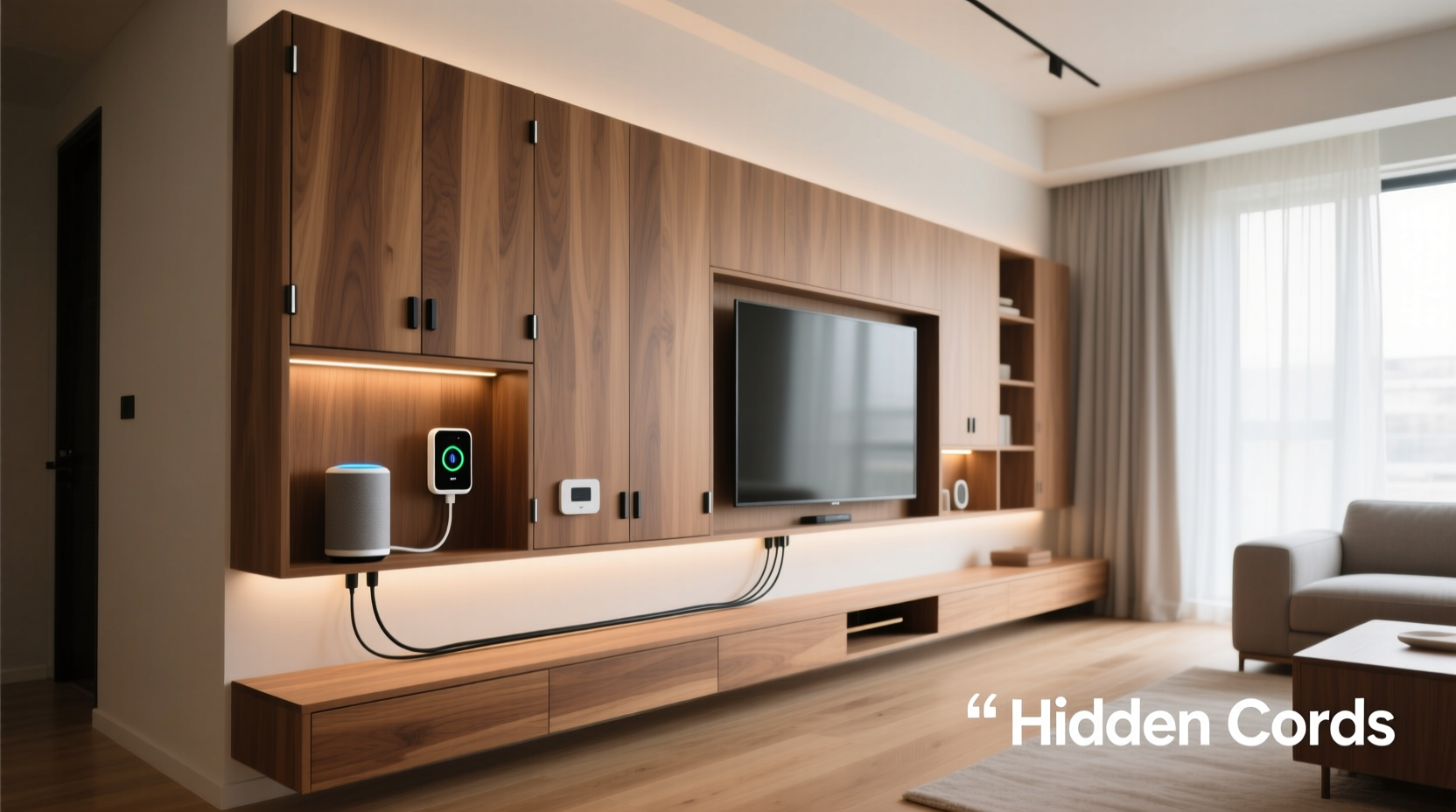
Smart homes are built on connectivity, but that doesn’t mean your living space should look like a server room. Visible cords detract from interior design, make cleaning more difficult, and can be especially problematic in high-traffic areas or homes with children and pets. Beyond aesthetics, poorly managed cables can lead to tangling, overheating, and even electrical issues over time.
Proper cord organization supports both safety and longevity of your devices. It also makes troubleshooting easier—when every wire has a designated path, identifying which one powers what becomes intuitive. Most importantly, a tidy setup reflects intentionality, turning functional necessity into an opportunity for design cohesion.
Creative & Stylish Ways to Hide Smart Home Cords
The key to successful cord concealment lies in matching the solution to your room’s layout, furniture, and decor style. Here are several proven methods, ranging from budget-friendly DIY hacks to professional-grade installations.
1. Use Cord Covers and Raceways
Cord covers, also known as cable raceways, are plastic channels that mount directly to walls or baseboards. They come in various colors and finishes—including white, beige, wood grain, and even paintable options—so they can blend seamlessly into trim work. These are ideal for routing multiple cords along a wall from a smart TV, entertainment center, or desk setup.
Modern raceways feature snap-on lids for easy access and modular designs that allow bends and corners. Some brands offer magnetic versions for renters who need non-permanent solutions. When installed correctly, they’re nearly invisible from a distance.
2. Route Cords Through Furniture
Many modern desks, nightstands, and media consoles include built-in grommets or cable management compartments. If yours doesn’t, consider retrofitting. Drill discreet holes in the back or underside of furniture to feed cords through, then use adhesive-lined grommet rings to protect the edges and add a polished finish.
This method keeps cords tucked behind drawers or inside closed cabinets, minimizing visibility. Pair it with fabric-covered extension strips or braided power cords for a cohesive, upscale look.
3. Employ Cord Concealers Behind Baseboards
For permanent installations, running cords behind baseboards is one of the neatest solutions. Carefully remove the baseboard, route low-voltage cables (like those for smart speakers or sensors) behind it, then reinstall. Use staples or clips to secure wires out of sight.
This works best during renovations or when installing new flooring, but careful removal and reattachment can be done without damage. Always check local building codes and avoid running high-voltage wiring this way unless handled by a licensed electrician.
4. Use Decorative Cord Wraps and Sleeves
Braided nylon sleeves or fabric wraps bundle multiple cords together into a single, textured strand that looks intentional rather than messy. Available in neutral tones and bold patterns, these sleeves let you coordinate with throw pillows or rugs for a designer touch.
They’re particularly effective for cords that must remain partially exposed—like those connecting a floor-standing smart speaker or robotic vacuum dock. Simply slide the sleeve over grouped cords and secure with Velcro or zip ties at the ends.
5. Integrate Cords Into Wall Art or Shelving
Get creative by using floating shelves or framed artwork as physical barriers. Mount a shelf just above a charging station or router, allowing cords to drop down behind it. Alternatively, hang a narrow decorative panel or canvas slightly away from the wall to create a hidden channel behind it.
One homeowner used a vintage-style mirror frame mounted 2 inches from the wall to conceal cords feeding a smart display behind it. The result was elegant and unexpected—a conversation starter rather than an eyesore.
“Cord management isn’t about hiding function—it’s about elevating form. The best systems disappear because they were designed with the room, not against it.” — Lena Park, Interior Technologist & Smart Home Designer
Step-by-Step Guide to Neatly Conceal Smart Home Cords
Follow this systematic approach to achieve a clean, organized setup across any room:
- Map Your Devices: List all smart devices and their power/data needs. Note whether they require constant power, periodic charging, or Ethernet connections.
- Identify Cord Paths: Trace where each cord runs from outlet to device. Look for natural routes—along baseboards, behind furniture, under rugs (only if safe), or through walls.
- Group Like Cables: Bundle cords serving the same area (e.g., entertainment center) using velcro ties or sleeves. Avoid tight rubber bands that can damage insulation.
- Choose Concealment Method: Match each section of cabling to the most appropriate solution—raceway for walls, furniture routing for desks, sleeves for visible drops.
- Install Safely: Use wall-safe adhesives or screws as needed. Never staple or nail through power cords. Keep ventilation clear around transformers and power bricks.
- Label and Test: Label each cord at plug and device end. Plug everything back in and test functionality before finalizing concealment.
- Maintain Access: Ensure future access for updates or replacements. Avoid gluing or permanently sealing cords unless absolutely necessary.
Do’s and Don’ts of Smart Home Cord Management
| Do | Don't |
|---|---|
| Use adhesive-backed clips to guide cords along baseboards | Run cords under heavy furniture that may crush them |
| Invest in fabric-wrapped power strips that match your decor | Overload outlets or daisy-chain multiple extension cords |
| Paint plastic raceways to match your wall color | Conceal high-heat devices (like power adapters) inside enclosed spaces without ventilation |
| Use wireless alternatives (e.g., Bluetooth speakers) when possible | Ignore manufacturer clearance recommendations for smart hubs or routers |
| Secure long cords with under-desk trays or magnetic holders | Leave sharp bends or kinks in data cables, which degrade signal quality |
Real-World Example: Transforming a Cluttered Living Room
Sarah, a remote worker and smart home enthusiast, struggled with a chaotic entertainment center. Her smart TV, soundbar, gaming console, streaming stick, and Wi-Fi hub generated a tangled web of cords snaking across the floor to a power strip behind the sofa. Guests often tripped, and dust buildup required weekly cleaning.
She applied a multi-tiered strategy: First, she installed a white plastic raceway along the baseboard from the TV to an outlet behind the couch. Inside, she routed HDMI, power, and Ethernet cables. Next, she replaced her black power strip with a fabric-covered model in charcoal gray that matched her rug. She used a braided nylon sleeve to bind the cords dropping from the TV to the raceway, painting the top inch to match the wall.
Finally, she added a floating shelf above the soundbar to block the view of any remaining connections. The transformation took three hours and cost under $50. Now, the setup looks intentional and streamlined—and Sarah no longer worries about unplugging the wrong device.
Checklist: Achieve a Wire-Free-Look in 7 Steps
- ✅ Audit all smart devices and their cord types (power, USB, Ethernet)
- ✅ Plan cable routes avoiding foot traffic and heat sources
- ✅ Purchase appropriate concealment tools (raceways, sleeves, clips)
- ✅ Group and label cords before installation
- ✅ Install raceways or use furniture-integrated routing
- ✅ Test all devices after concealment
- ✅ Schedule quarterly checks for wear, overheating, or dust accumulation
Frequently Asked Questions
Can I paint plastic cord covers to match my walls?
Yes, many plastic raceways accept latex paint. Clean the surface with rubbing alcohol first, apply a primer for plastic, then paint with a small brush or spray. Allow full drying between coats. Test on a spare piece if available.
Are wireless chargers a good alternative to reduce cords?
Wireless charging pads eliminate the need for constant plugging and unplugging of smartphones and earbuds. While they still require a power source, they reduce daily cord handling and can be neatly connected via raceways. However, they generate more heat and charge slower than wired options, so use them selectively.
Is it safe to run cords behind drywall?
Low-voltage cables (like Ethernet or speaker wire) can be safely run behind drywall during renovations. High-voltage power cords should never be embedded in walls unless installed in approved conduits by a licensed electrician. For existing walls, use surface-mounted raceways instead.
Final Thoughts: Design Meets Functionality
Hiding cords from smart home devices isn’t about perfection—it’s about progress toward a cleaner, safer, and more intentional environment. The most effective solutions are those that respect both the technology and the space it inhabits. Whether you opt for sleek raceways, clever furniture hacks, or decorative bundling, the goal remains the same: to let your smart home serve you without dominating your décor.
Start small. Tackle one corner of a room. See how a simple sleeve or clip transforms the look and feel. Over time, these incremental improvements compound into a space that feels calm, curated, and truly modern—not just in its gadgets, but in its execution.




 浙公网安备
33010002000092号
浙公网安备
33010002000092号 浙B2-20120091-4
Comments
No comments yet. Why don't you start the discussion?