
A sleek entertainment center or minimalist workspace can be instantly ruined by a tangle of cords snaking behind your TV or desk. Exposed cables not only look messy but can also pose tripping hazards, collect dust, and make it difficult to reposition furniture. Fortunately, managing these wires doesn’t require advanced technical skills—just a few smart strategies and the right tools. Whether you're setting up a new home theater or optimizing your home office, this guide will show you how to hide cords neatly, safely, and efficiently.
Why Cable Management Matters
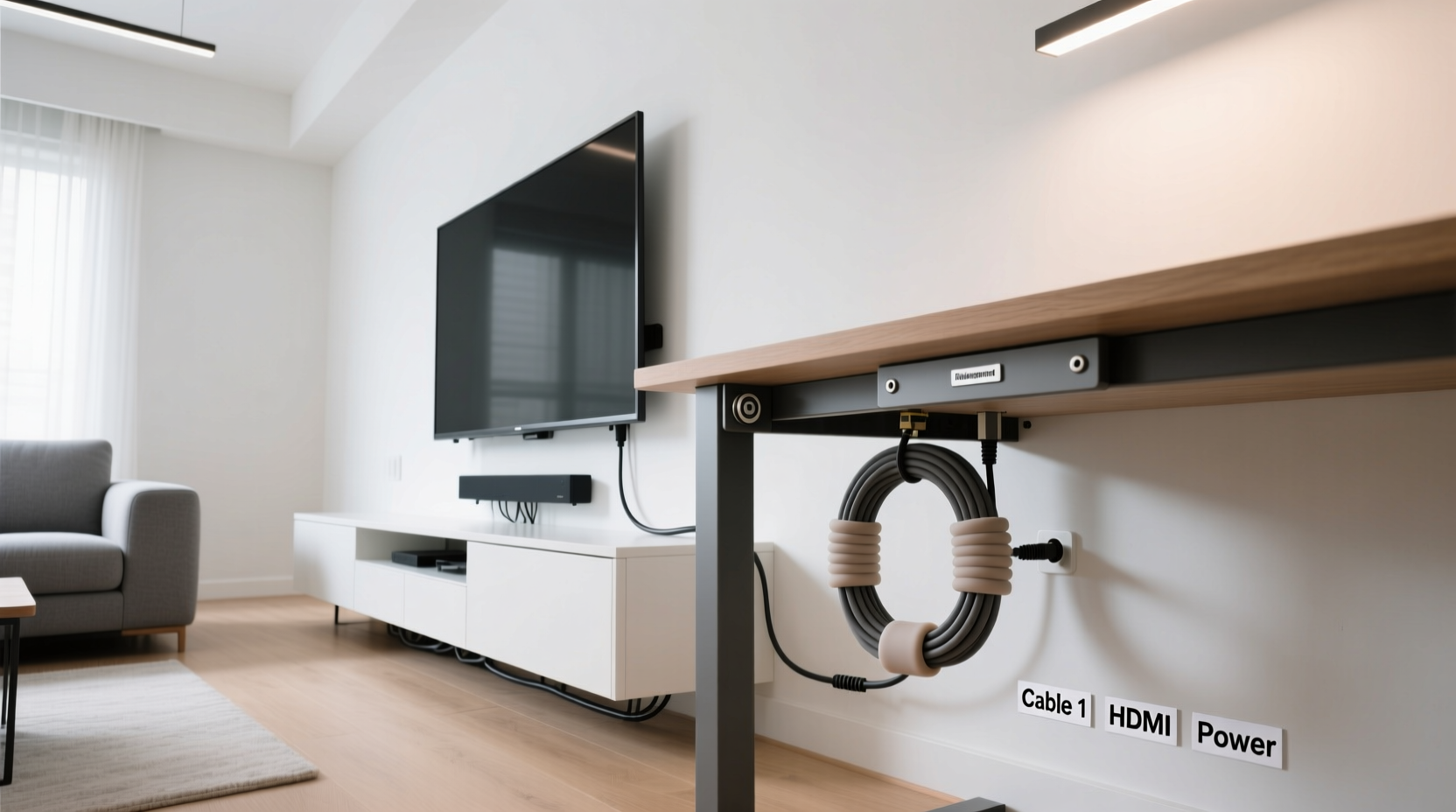
Beyond aesthetics, proper cable management improves safety, functionality, and even device performance. Tangled cords are harder to troubleshoot when something goes wrong. They’re also more prone to wear and tear from constant bending or accidental tugs. A well-organized setup makes cleaning easier, reduces fire risks from overheating, and creates a more professional environment—especially important in shared living spaces or remote work setups.
According to interior designer Marcus Tran, “A clean back panel is just as important as the front-facing design. It reflects intentionality and care in your space.” With that mindset, let’s explore effective ways to tame the cord chaos.
Essential Tools for Cord Concealment
Before diving into installation techniques, gather the right supplies. The effectiveness of any cable management system depends on using appropriate materials. Here’s what you’ll typically need:
- Cable clips or raceways: Adhesive channels that bundle and route cords along walls or furniture.
- Cable ties or Velcro straps: Reusable fasteners for grouping wires without damaging them.
- Cord covers (baseboard or surface-mounted): Plastic channels that conceal multiple cables and blend with walls.
- Power strip with mounting options: Allows secure placement behind TVs or under desks.
- Hook-and-loop tape: Ideal for temporary or adjustable bundling.
- Wall anchors and screws: For securing heavier raceways or power strips.
- Cable sleeves or braided wraps: Provide a neat, fabric-covered finish for grouped cords.
Step-by-Step Guide: Hiding Cords Behind Your TV
Televisions often connect to multiple devices—streaming boxes, soundbars, gaming consoles, and HDMI switches—making cord clutter inevitable. Follow this sequence to achieve a clean look:
- Unplug all devices and lay them out. Identify which cable belongs to each component. Take photos during disassembly for reference.
- Trim excess length where possible. Use zip ties to coil extra cable neatly rather than letting it drape loosely.
- Group similar cables together. Use Velcro straps to bundle HDMI, power, and audio cables separately.
- Install a low-profile raceway behind the TV mount. Choose a paintable white cover that blends with your wall. Route all grouped cables through it.
- Mount a power strip vertically or horizontally behind the TV. Use an adhesive-backed or screw-mounted strip to keep outlets accessible yet hidden.
- Run the main power cord down the wall to an outlet. Use baseboard cord covers or flat adhesive channels to follow the wall’s edge discreetly.
- Reconnect everything and test. Ensure all devices function properly before finalizing the setup.
If your TV is mounted on drywall, consider installing an in-wall power kit designed for safe electrical routing. These kits include fire-rated plates and UL-listed components to meet building codes while allowing cords to disappear into the wall.
Desk Cable Management: From Cluttered to Clean
Desks accumulate a web of power adapters, USB hubs, monitors, lamps, and docking stations. Without organization, this becomes both unsightly and inefficient. Start by evaluating your current layout.
First, determine whether your desk allows for under-desk mounting. Many modern desks include grommet holes or built-in cable trays. If not, retrofit solutions are available. Next, decide if you want access to ports from above or below—this affects where you place power strips and USB hubs.
Effective Desk Cord Strategies
- Use adhesive cable clips underneath the desk surface to guide cords toward a central hub.
- Attach a mesh under-desk tray to hold power strips and prevent dangling plugs.
- Employ magnetic cable holders for frequently disconnected devices like laptops or tablets.
- Choose a desk with a built-in cable management system if replacing furniture.
- Route all cords through a single vertical sleeve near the desk leg for a unified appearance.
Comparison Table: Cord Hiding Methods
| Method | Best For | Pros | Cons |
|---|---|---|---|
| Adhesive Raceways | TVs, walls, baseboards | Easy install, paintable, affordable | Not ideal for heavy-duty use; may peel over time |
| Cable Sleeves | Short runs, visible bundles | Flexible, decorative, removable | Limited protection; can trap heat |
| Under-Desk Trays | Workstations, offices | Keeps power strips organized and accessible | Requires mounting; adds bulk underneath |
| In-Wall Power Kits | Mounted TVs, permanent setups | Completely hides cords; professional finish | Requires drilling; must follow electrical codes |
| Cord Covers (Baseboard) | Floor-to-outlet runs | Blends with trim; protects cables | Visible unless painted; installation takes time |
Mini Case Study: From Chaotic to Calm – A Home Office Transformation
Jamie, a freelance graphic designer in Portland, struggled with a desk that looked like a spiderweb of black cords. Her dual monitors, drawing tablet, external hard drives, and charging stations created daily frustration. After one misplaced tug disconnected her primary display mid-client call, she decided to fix it.
She began by unplugging everything and labeling each cable. Using a combination of Velcro straps and an under-desk mesh tray, she grouped peripherals by function: display cables, USB devices, and power adapters. She installed a 6-outlet power strip beneath the desk and routed all cords through a fabric-wrapped sleeve attached to the desk leg. Finally, she used a baseboard cord cover to run the main power line along the floor to the outlet.
The result? A streamlined workspace that saved her time, reduced stress, and even improved airflow around her equipment. “I didn’t realize how much mental clutter those wires were causing,” she said. “Now my focus stays on my work, not my mess.”
“Good cable management isn’t about perfection—it’s about creating systems that support your daily life.” — Lena Patel, Organizational Psychologist
Do’s and Don’ts of Cord Concealment
To avoid common pitfalls, follow this checklist of best practices:
| Do | Don't |
|---|---|
| Use Velcro instead of zip ties for easy adjustments | Over-tighten ties, which can damage wire insulation |
| Leave some slack in cords to prevent strain | Run power and data cables side by side for long distances (can cause interference) |
| Paint cord covers to match your wall color | Hide damaged or frayed cords without repair |
| Anchor long cable runs every 12–18 inches | Place heavy objects on top of concealed wires |
| Test all connections before sealing raceways | Ignore ventilation needs around power strips |
Checklist: Achieve a Cord-Free Look in 7 Steps
Follow this actionable checklist to hide cords neatly behind your TV and desk:
- Unplug and identify all cables.
- Label each cord for future reference.
- Group cables by type (power, video, audio, data).
- Select appropriate concealment method (raceway, sleeve, in-wall, etc.).
- Secure power strips under desks or behind TVs.
- Route cables through covers or clips along walls or furniture edges.
- Test all devices and finalize placement.
Frequently Asked Questions
Can I run cords inside the wall safely?
Yes—but only with approved in-wall rated kits designed for low-voltage and power use. Never run standard extension cords inside walls, as this violates electrical codes and poses fire hazards. In-wall power kits include insulated channels and safety plates to protect wires and comply with regulations.
How do I hide cords without drilling holes?
Use adhesive-backed raceways, baseboard cord covers, or fabric sleeves attached with removable clips. These solutions require no permanent modifications and work well in rentals or temporary setups. Just ensure surfaces are clean and dry before applying adhesives.
What’s the best way to manage cords with a standing desk?
For sit-stand desks, use a retractable cable management arm or a spiral wrap sleeve that expands and contracts with movement. Avoid rigid raceways, which can bind or break during height adjustments. Mount power strips to the desk frame so they move with the structure.
Final Thoughts: Create Space That Works for You
Hiding cords neatly behind your TV and desk isn’t just about appearances—it’s about crafting a space that supports clarity, efficiency, and peace of mind. A few hours of organization today can save countless minutes of frustration tomorrow. Whether you choose simple adhesive clips or invest in integrated raceway systems, the key is consistency and planning.
Start small: tackle one area at a time. Label as you go. Choose solutions that match your lifestyle—renters might prefer non-invasive methods, while homeowners can explore permanent upgrades. Over time, thoughtful cable management becomes second nature.




 浙公网安备
33010002000092号
浙公网安备
33010002000092号 浙B2-20120091-4
Comments
No comments yet. Why don't you start the discussion?