
In modern homes, functionality often clashes with design. The router and modem—essential for connectivity—are also among the most visually disruptive devices in living spaces. Tangled cords, blinking lights, and bulky shapes can ruin an otherwise well-curated interior. While some resort to stuffing them into cabinets or closets, this often leads to poor signal strength and overheating. A smarter solution? Hide them in plain sight using decorative baskets. This approach maintains Wi-Fi performance while blending technology seamlessly into your decor.
Why Hiding Your Router Matters (And Why Most Methods Fail)
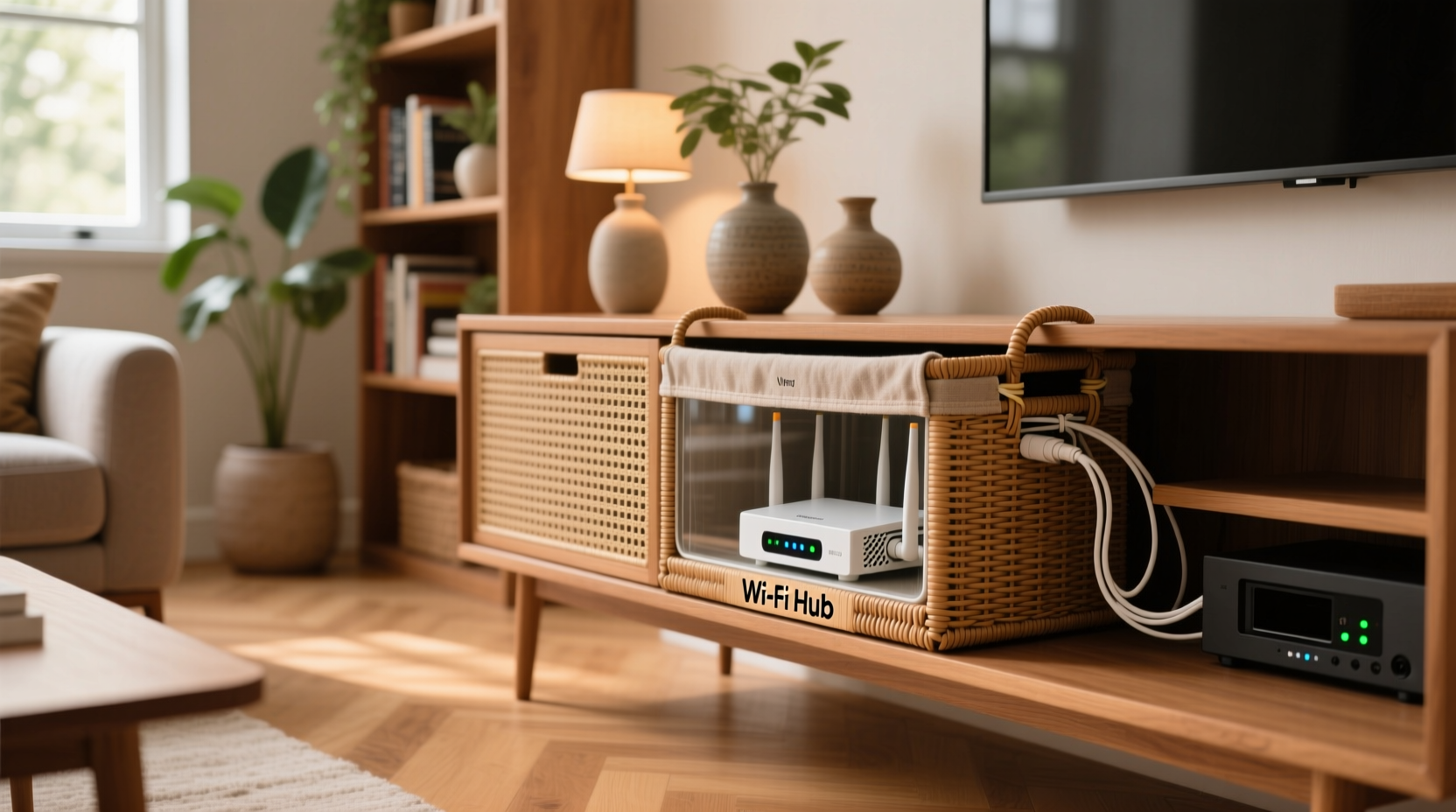
Routers and modems are typically designed for utility, not beauty. Their industrial appearance rarely complements contemporary interiors. Many homeowners attempt to conceal them behind furniture, inside entertainment centers, or beneath shelves. However, these methods frequently backfire.
Metal enclosures, solid wood cabinets, and thick materials block radio waves, weakening Wi-Fi signals. Enclosing a router in a closed space also traps heat, reducing device lifespan and increasing the risk of intermittent disconnections. According to FCC guidelines, routers must have adequate ventilation to operate safely and efficiently. Poor airflow can lead to thermal throttling, where the device slows down to prevent damage.
The key is strategic concealment: hiding the visual clutter while preserving airflow, signal transmission, and accessibility. That’s where decorative baskets come in.
Choosing the Right Basket for Your Router Setup
Not all baskets work equally well for concealing routers. The ideal choice balances aesthetics, material composition, and structural design. Consider the following factors when selecting a basket:
- Size: Measure your router and modem together (including power adapters). Add 2–3 inches on each side for airflow and cable management.
- Material: Natural fibers like seagrass, rattan, or wicker are breathable and stylish. Avoid metal or plastic-lined baskets, which can interfere with signals.
- Weave Density: Open weaves allow better airflow and minimal signal obstruction. Tight weaves may look neater but can partially block Wi-Fi bands.
- Shape: Rectangular or square baskets accommodate equipment more easily than round ones. Look for low-profile designs if placing on a shelf.
- Lid Options: Some baskets come with removable lids. These can be used to cover the top (where antennas often protrude) while still allowing signal dispersion.
Baskets made from organic materials not only blend into bohemian, farmhouse, or minimalist interiors but also naturally dissipate heat. Unlike synthetic materials, they don’t retain warmth, helping maintain optimal operating temperatures.
“Hiding tech doesn’t mean compromising performance. With the right materials and placement, you can maintain strong signals while improving room aesthetics.” — David Lin, Home Network Consultant at Smart Dwelling Labs
Step-by-Step Guide: Concealing Your Router and Modem
Follow this practical sequence to hide your equipment effectively:
- Unplug and organize your setup. Turn off and disconnect your router and modem. Label cables if needed (e.g., power, Ethernet, coaxial).
- Choose a central, elevated location. Place the basket on a shelf, console table, or media stand where the router previously sat. Avoid corners or floors.
- Test fit the basket. Place both devices inside to ensure there’s enough clearance—especially above for antennas and around for ventilation.
- Arrange devices strategically. Position the modem in the back, router in front. If possible, angle external antennas upward through the basket opening.
- Route cables neatly. Use twist ties, velcro straps, or a small cable sleeve to bundle cords. Let excess run discreetly behind furniture.
- Reconnect and power up. Plug everything back in and wait for full reboot (usually 2–3 minutes).
- Test your Wi-Fi. Use a speed test app on your phone or laptop. Compare results before and after. If speeds drop significantly, reposition the basket or switch to a more open weave.
- Add finishing touches. Place a small potted plant, book, or fabric liner beside or atop the basket to further integrate it into the space.
Do’s and Don’ts: Best Practices for Hidden Routers
To avoid common pitfalls, refer to this comparison table outlining recommended and discouraged actions.
| Do’s | Don’ts |
|---|---|
| Use open-weave natural fiber baskets | Use sealed wooden boxes or metal containers |
| Leave 2+ inches of space around all sides | Cram devices tightly into undersized baskets |
| Elevate the basket off the floor | Place it behind sofas or under rugs |
| Label cables for easy access | Allow tangled cords to bunch underneath |
| Check device temperature weekly | Ignore hot spots or frequent restarts |
| Blend the basket into existing decor | Use a basket that looks out of place |
Remember, the goal isn’t invisibility—it’s harmony. The basket should look intentional, like part of the room’s styling, not a cover-up.
Real-Life Example: Transforming a Cluttered Living Room Corner
Sarah M., a graphic designer from Portland, struggled with her home office corner. Her ISP-provided modem and mesh router sat exposed on a low shelf next to her sofa, surrounded by power strips and coiled Ethernet cables. “It looked like a tech junkyard,” she said. “Every time I had guests, I felt embarrassed.”
She measured her devices and visited a local home goods store, selecting a rectangular seagrass basket with wide gaps between strands. She added a neutral linen liner to soften the look and used adhesive cable clips to route cords along the back of the shelf. After setup, she tested her Wi-Fi throughout the house. Speeds remained within 5% of previous levels, and the connection stayed stable during video calls and streaming.
“Now it just looks like I have a nice storage basket with a plant on top,” Sarah shared. “No one even realizes my internet hub is there.”
This case illustrates how simple changes, guided by technical awareness and aesthetic intent, can resolve persistent household frustrations.
Enhancing the Look: Styling Tips for Seamless Integration
A basket doesn’t have to scream “I’m hiding something.” With thoughtful styling, it becomes a functional decor piece. Try these ideas:
- Add a fabric liner: Use a removable cotton or burlap liner to mute the look of black plastic devices and add texture.
- Top with a small object: Place a ceramic vase, stack of coffee table books, or faux succulent on the basket’s edge to draw attention away from its contents.
- Match your color scheme: Choose baskets in tones that echo nearby furniture—warm browns, soft grays, or woven whites work in most palettes.
- Group with other baskets: If you already use baskets elsewhere (e.g., for blankets or toys), adding one for tech creates visual consistency.
- Use LED strip lighting: Attach a subtle warm-white LED strip inside the basket base to create a soft glow that disguises equipment at night.
The psychology of concealment plays a role here. When a device is partially visible but styled intentionally, the brain registers it as “organized” rather than “exposed.” This reduces visual stress without deception.
Frequently Asked Questions
Will a basket weaken my Wi-Fi signal?
Most natural fiber baskets have minimal impact on Wi-Fi, especially if the weave is loose and the router isn’t fully covered. Signals in the 2.4 GHz and 5 GHz bands can penetrate small gaps in woven materials. However, dense or metallic linings may cause interference. Always test speeds after installation.
Can I use a basket with a lid?
Yes, but only if the lid is removable or made of the same breathable material as the basket. Avoid solid lids. If your router has external antennas, consider cutting a small hole in the lid or leaving it slightly ajar.
How do I access the router for reboots or updates?
Design for accessibility. Choose a basket with an open top or removable front panel. Keep essential tools (like reset pins) in a nearby drawer. If you frequently update firmware, position the basket so devices can be pulled out easily without unplugging everything.
Final Checklist Before You Begin
Before purchasing a basket or rearranging your setup, go through this quick checklist:
- ✅ Measured router and modem dimensions (with accessories)
- ✅ Confirmed central location with minimal obstructions
- ✅ Selected a breathable, non-metallic basket with open weave
- ✅ Planned cable routing to reduce visibility
- ✅ Tested Wi-Fi strength in key areas post-installation
- ✅ Added a decorative element to blend the basket into the room
Conclusion: Blending Technology and Design Thoughtfully
Hiding your router and modem doesn’t require expensive solutions or technical expertise. With a well-chosen decorative basket, you can maintain strong Wi-Fi, protect your devices from dust, and elevate your room’s aesthetic—all at once. The secret lies in balance: respecting the technical needs of your equipment while honoring the visual language of your home.
Start small. Find a basket that fits, test your signal, and style it with confidence. Over time, you’ll realize that smart design isn’t about removing technology from sight—it’s about welcoming it into your space with intention.




 浙公网安备
33010002000092号
浙公网安备
33010002000092号 浙B2-20120091-4
Comments
No comments yet. Why don't you start the discussion?