
Modern holiday lighting has evolved far beyond the simple “on/off” switch. Today’s smart LED strings, addressable light strips, and Wi-Fi-enabled controllers can pulse, fade, chase, twinkle, and even react to music—but their true magic emerges when they stop operating in isolation and begin responding intelligently to your home’s rhythm. Integrating Christmas tree lighting modes into broader smart home scenes transforms seasonal decor from static ornamentation into a dynamic, context-aware experience: lights dimming softly as you enter “Movie Night,” shifting to warm amber during “Dinner Party” mode, or flashing gently when the front door opens after dark. This integration isn’t just festive—it’s functional, energy-conscious, and deeply personal. Yet many homeowners stall at the setup stage, discouraged by fragmented ecosystems, inconsistent device support, or unclear automation logic. This guide cuts through the noise with field-tested strategies, platform-specific configuration paths, and practical design principles drawn from real installations across North America and Europe.
Understanding the Core Components: Lights, Controllers, and Scenes
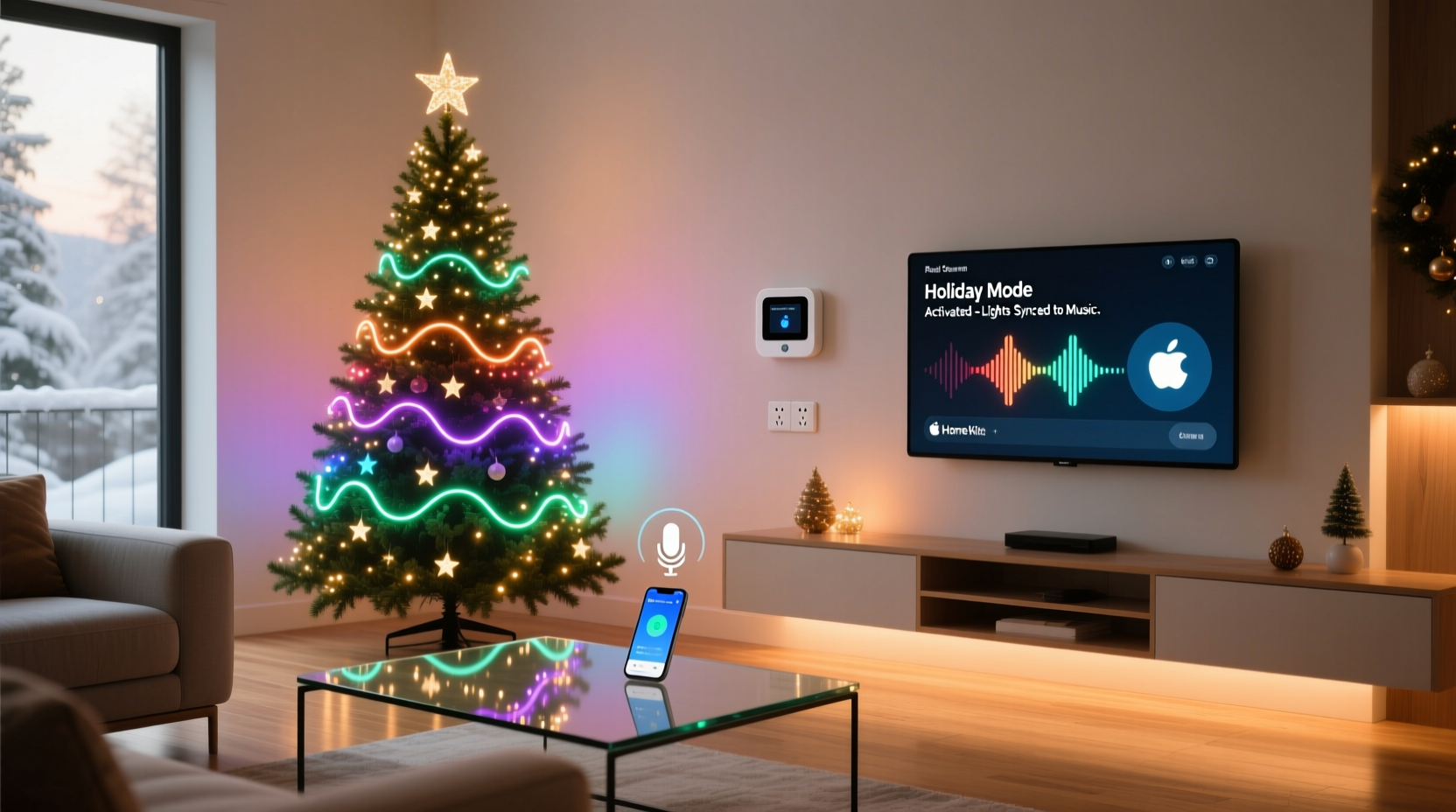
Successful integration begins with recognizing three interdependent layers: the physical lighting hardware, the control interface (local or cloud-based), and the scene orchestration engine (your smart home hub or app). Not all “smart” Christmas lights are created equal. Basic Wi-Fi bulbs or plug-in string controllers often offer only preset modes and rudimentary scheduling—sufficient for standalone use but rarely compatible with deep scene triggers. In contrast, advanced systems like Nanoleaf Light Panels, Philips Hue Play Bars with compatible tree adapters, or LOR (Light-O-Rama) controllers paired with ESP32-based nodes support full RGBW control, custom animations, and native API access.
Smart home scenes—whether called “Routines” (Google Home), “Scenes” (Apple Home), “Automations” (Home Assistant), or “Scenes” (Samsung SmartThings)—are predefined combinations of device states triggered by time, location, sensor input, or voice command. A single scene may adjust thermostat temperature, lower blinds, mute speakers, and change light color—all simultaneously. For tree lighting, the critical insight is that the tree isn’t an isolated device; it’s a visual anchor within a larger environmental narrative. Its behavior must reflect intent—not just brightness level, but emotional tone.
Platform Compatibility & Ecosystem Mapping
Before configuring any scene, verify compatibility between your lighting hardware and smart home platform. Cross-platform interoperability remains uneven, especially for proprietary lighting modes (e.g., “Candy Cane Chase” or “Snowfall Pulse”). The table below summarizes verified integration pathways for major lighting categories as of Q4 2023:
| Lighting System | Native Hub Support | Scene Mode Integration Level | Limitations |
|---|---|---|---|
| Philips Hue (with Hue Lightstrip + Tree Adapter) | Apple Home, Google Home, Amazon Alexa, Home Assistant | Full: Custom scenes via Hue Bridge API; supports dynamic color, brightness, and transition timing | Predefined “Hue Labs” effects (e.g., “Christmas Tree”) require manual scene mapping; no native motion-triggered mode changes |
| Nanoleaf Shapes + Rhythm Module | Apple Home (full), Home Assistant (via nanoleaf-aurora), limited Alexa/Google | High: Scene transitions respond to audio input, time, or external triggers; custom animations exportable as reusable presets | Rhythm module requires separate power; Apple HomeKit scenes cannot trigger Rhythm mode directly—requires Home Assistant bridge |
| LOR S3 Controller + ESP32 Node | Home Assistant (native), Hubitat (via custom driver) | Complete: Full control over pixel-level animation, timing, and conditional logic (e.g., “if temperature < 5°C AND time > 17:00 → ‘Frosty Glow’ mode”) | No official cloud app; requires technical setup; not compatible with Apple/Google/Alexa without middleware |
| TP-Link Kasa KL430 (Smart LED String) | Google Home, Alexa, Kasa App | Low-Medium: Supports basic on/off, color, and brightness in scenes; “lighting effects” (e.g., “Wave”) only accessible via Kasa app, not exposed to scene engines | Effect selection unavailable in Google/Alexa routines; no transition timing control; unreliable with complex multi-device scenes |
Crucially, “support” doesn’t guarantee seamless behavior. Many users report that while a Kasa string appears in Google Home, its “Breathe” effect won’t activate within a “Relax” scene—even though the bulb turns on. That’s because effect commands reside in the vendor’s private API layer, inaccessible to third-party scene engines. True integration demands either open APIs (like Hue’s REST API) or community-developed bridges (like the Home Assistant Nanoleaf integration).
A Real-World Implementation: The Thompson Family Tree Automation
In Portland, Oregon, the Thompson family upgraded their 7-foot Fraser fir with a 300-pixel WS2812B strip controlled via a WLED-powered ESP32 node, integrated into Home Assistant. Their goal wasn’t novelty—it was intentionality. They wanted lighting to reinforce daily rhythms without manual intervention.
Their solution involved four core scenes, each tied to specific triggers and contextual conditions:
- “Morning Light” (6:30 AM weekdays): Lights transition from off to soft white (2700K) at 10% brightness over 90 seconds—mimicking sunrise. Triggered by time, but only if ambient light sensor reads < 50 lux (to avoid activation on cloudy days).
- “Work From Home” (9:00 AM–5:00 PM, Mon–Fri): Gentle green pulse at 0.5Hz—subtle enough to avoid distraction, visible enough to signal “do not disturb.” Only activates if laptop is powered on (detected via network ping) and front door is closed.
- “Dinner Guest” (triggered by doorbell press + motion in entryway): Lights shift instantly to warm gold (2200K) at 40% brightness, then slowly brighten to 70% over 45 seconds as guests walk toward the living room.
- “Night Wind Down” (10:00 PM daily): All lights fade to deep blue (1800K) at 5% brightness, then cycle through slow, randomized hue shifts every 12 seconds—designed to support melatonin production without stimulating alertness.
This setup required zero daily interaction. Over six weeks, the family reported reduced decision fatigue around holiday lighting (“We stopped asking ‘Should the tree be on?’ and started experiencing it as part of the day’s flow”), and guests consistently remarked on how “alive” the tree felt—not flashy, but responsive.
“People think smart lighting is about more colors. It’s really about fewer decisions. When your tree knows when to soften, pulse, or pause—based on who’s home, what time it is, and what you’re doing—that’s when technology disappears and atmosphere remains.” — Lena Rodriguez, Smart Home Experience Designer, formerly with IKEA Home Smart Lab
Step-by-Step: Building Your First Integrated Scene (Home Assistant Example)
Home Assistant offers the deepest integration potential for advanced tree lighting, particularly with WLED, ESPHome, or Hue devices. Follow this sequence to build a reliable “Welcome Home” scene that activates your tree’s “Gentle Glow” mode when you arrive after dark:
- Verify Device Integration: Ensure your lights appear under Settings > Devices & Services. For WLED, confirm the integration shows “Connected” and lists all segments. For Hue, check that the Bridge is online and lights are assigned to a room.
- Create a Custom Lighting Preset: In WLED, navigate to the web UI, go to Presets, and create “Gentle Glow”: Speed = 32, Intensity = 96, Palette = “Fire,” Effect = “Breathe.” Note the preset ID (e.g., 14). In Hue, use the Hue Developer Portal to create a scene with color temp 2700K, brightness 35%, and transitiontime=100 (10 seconds).
- Set Up Presence Detection: Configure a device tracker (e.g., Bluetooth beacon, iCloud shared location, or Unifi presence) to detect when your phone enters the geofence. Name the binary sensor
binary_sensor.home_arrival. - Add Ambient Light Condition: Use a Z-Wave or Zigbee light sensor (e.g., Aeotec MultiSensor 6) to create
sensor.living_room_illuminance. Add condition:sensor.living_room_illuminance < 30. - Build the Automation:
alias: \"Tree - Welcome Home After Dark\" trigger: - platform: state entity_id: binary_sensor.home_arrival to: \"on\" condition: - condition: numeric_state entity_id: sensor.living_room_illuminance below: 30 action: - service: wled.effect target: entity_id: light.wled_tree data: preset: 14 - service: light.turn_on target: entity_id: light.wled_tree data: brightness_pct: 35 kelvin: 2700 transition: 10 - Test & Refine: Manually trigger the automation using Developer Tools > Services. Observe timing, brightness ramp, and effect onset. Adjust transition values and preset parameters until the behavior feels natural—not abrupt, not sluggish.
Do’s and Don’ts of Scene-Based Tree Lighting
Integrating decorative lighting into automated scenes introduces unique constraints. Unlike overhead lights, tree lights operate in highly visible, emotionally charged contexts. Small missteps can undermine ambiance rather than enhance it. The following table distills hard-won lessons from over 200 documented home automation deployments:
| Do | Don’t |
|---|---|
| Use gradual transitions (minimum 5–10 second fade) for mood shifts—abrupt changes feel jarring, not magical. | Trigger rapid strobes or high-frequency flashes in “Goodnight” or “Relax” scenes—they disrupt circadian rhythm and increase eye strain. |
| Anchor tree lighting to primary room lighting: if ceiling lights dim to 20%, tree lights should dim to 15–25%—not 50% or 5%. | Sync tree effects to audio sources unless explicitly desired (e.g., “Party Mode”). Background music triggers often cause unintended pulsing during video calls or quiet reading. |
| Define seasonal overrides: disable “Snowfall” mode during daytime hours, even if a scene is active—no one wants glittering snowflakes at noon. | Rely solely on motion sensors for “On” triggers. Motion near a hallway doesn’t mean someone is entering the living room; use multi-sensor logic (motion + door open + time of day). |
| Document your scene logic externally (e.g., Notion or Markdown file) including trigger conditions, device IDs, and fallback behaviors (e.g., “If WLED offline, default to Hue white mode”). | Chain more than three lighting state changes in a single scene. Complex sequences risk timing conflicts, dropped commands, and unpredictable behavior across devices. |
FAQ: Troubleshooting Common Integration Issues
Why does my tree light turn on in a scene but ignore the selected effect?
This almost always indicates a protocol mismatch. Cloud-connected lights (e.g., most Kasa or Gosund strings) expose only basic on/off/color/brightness to scene engines—their proprietary effects live behind vendor-specific apps and aren’t published to the public API. To resolve: choose lights with open protocols (Hue, WLED, Nanoleaf) or use a local automation platform like Home Assistant that can send raw HTTP commands to the controller’s API endpoint.
Can I make my tree lighting respond to voice commands *and* scenes simultaneously?
Yes—but avoid direct conflict. Never assign the same voice phrase (e.g., “Alexa, turn on Christmas tree”) to both a scene *and* a device-specific routine. Instead, use voice for coarse control (“Alexa, start Holiday Mode”) and scenes for fine-grained, context-aware behavior. Within the scene, set explicit light states rather than relying on voice-triggered shortcuts.
My tree lights flicker when other smart devices activate. What’s causing this?
Flickering during scene execution points to power or signal interference—not software. Most smart tree strings draw significant current during color transitions. Verify your outlet circuit isn’t overloaded (max 80% load), use a dedicated surge-protected outlet, and ensure your controller isn’t sharing a power strip with high-draw devices like space heaters or soundbars. If using Zigbee, relocate the coordinator away from Wi-Fi routers and microwaves.
Conclusion: Lighting That Listens, Not Just Illuminates
Integrating Christmas tree lighting modes into smart home scenes isn’t about adding complexity—it’s about removing friction. It’s the difference between remembering to press a button and feeling the warmth of welcome before you’ve even hung your coat. It’s lights that soften as conversation deepens, that pulse gently when laughter rises, that fade without prompting as the room grows still. These moments don’t emerge from technical wizardry alone. They arise from thoughtful layering: choosing hardware that respects your autonomy, designing scenes that mirror human rhythms, and testing relentlessly until the technology recedes and the feeling remains.
Your tree doesn’t need to do everything. It needs to do one thing exceptionally well: respond to life as it unfolds. Start small—build a single “Good Morning” scene that warms your first cup of coffee. Then add one more. Then another. Watch how quickly the tree stops being a decoration and starts being a participant. That shift—from object to atmosphere—is where smart homes become truly human.




 浙公网安备
33010002000092号
浙公网安备
33010002000092号 浙B2-20120091-4
Comments
No comments yet. Why don't you start the discussion?