
In large homes, weak Wi-Fi signals are more than an annoyance—they disrupt work, entertainment, and smart home functionality. Walls, floors, appliances, and even furniture can block or weaken your router’s signal, leaving dead zones where connectivity fails. Fortunately, with the right approach, you can achieve consistent, high-speed coverage across every room. This guide explores proven techniques—from strategic placement to advanced networking solutions—that ensure your Wi-Fi reaches every corner of your home.
Understand How Wi-Fi Signals Travel
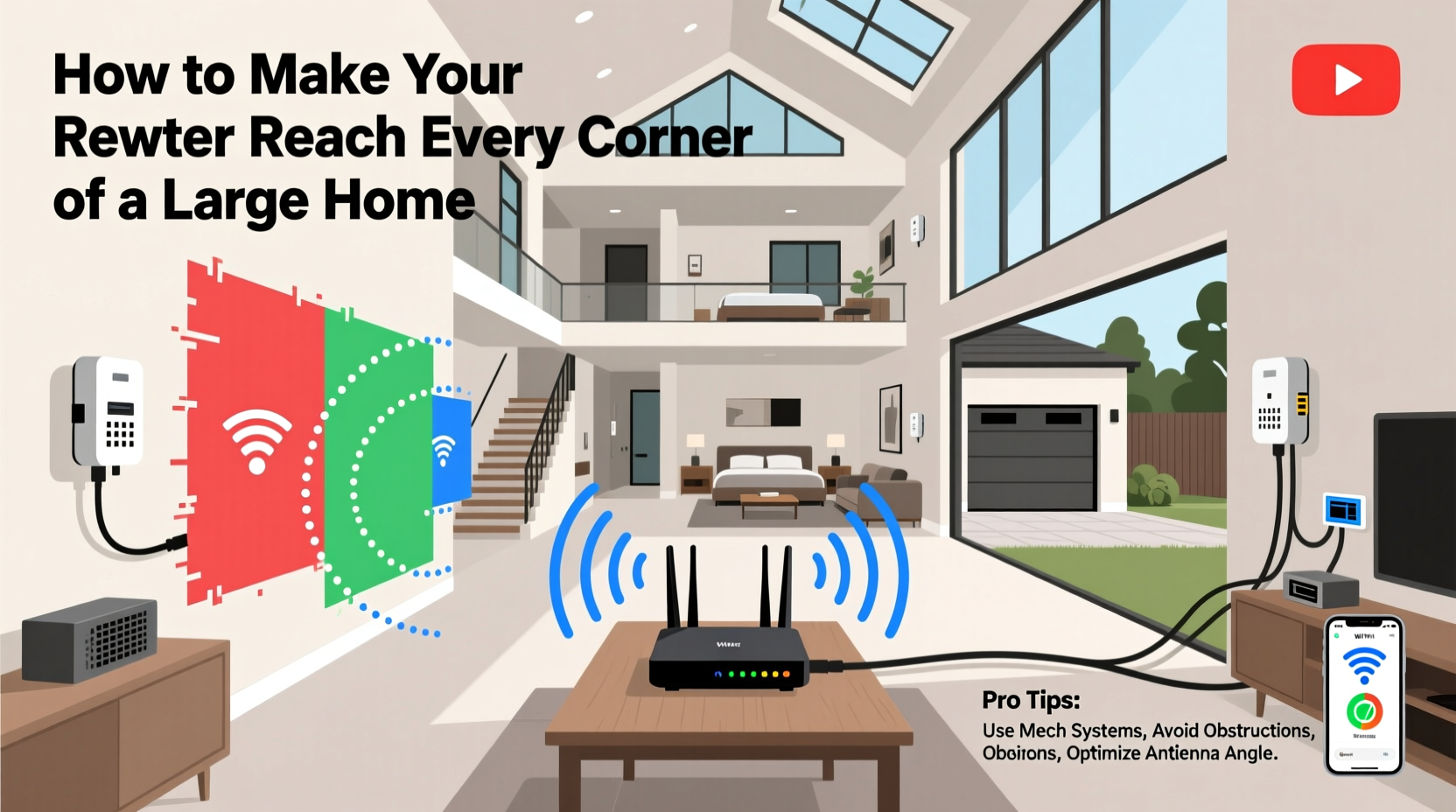
Wi-Fi operates on radio frequencies—typically 2.4 GHz and 5 GHz—each with distinct characteristics. The 2.4 GHz band travels farther and penetrates walls better but is slower and more prone to interference from microwaves, cordless phones, and neighboring networks. The 5 GHz band offers faster speeds and less congestion but has a shorter range and struggles with obstacles.
Signal degradation occurs due to absorption (materials like concrete or metal absorb signals), reflection (signals bounce off surfaces, causing interference), and diffraction (signals bend around objects, losing strength). Multi-story homes, thick walls, and metal framing significantly impact performance. Knowing these limitations helps in choosing the right solution for your space.
“Wi-Fi isn’t magic—it follows physics. Understanding how signals behave in your environment is the first step toward full coverage.” — Dr. Alan Torres, Wireless Network Engineer at MIT Lincoln Laboratory
Optimize Router Placement for Maximum Coverage
The location of your router is one of the most impactful factors in signal distribution. Even a high-end device will underperform if placed poorly.
Avoid corners, basements, cabinets, or behind large appliances. These positions trap signals or expose them to interference. Instead, place the router centrally and elevated—ideally on a shelf or desk in a common area like the living room or hallway. Keeping antennas vertical ensures optimal horizontal dispersion, which benefits single-floor layouts.
Common Router Placement Mistakes
| Mistake | Why It Hurts Signal | Better Alternative |
|---|---|---|
| Placed in a basement | Signals must travel upward through dense flooring | Elevated central location on main floor |
| Hidden in a cabinet | Wood and metal block RF waves | Open shelf with clear surroundings |
| Near microwave or fridge | Appliances emit electromagnetic interference | At least 5–6 feet away from electronics |
| Close to exterior walls | Signal leaks outside, reducing indoor strength | Centered within interior space |
Upgrade Your Equipment Strategically
If optimization doesn’t solve coverage issues, it’s time to upgrade. Not all routers are built for large spaces. Entry-level models designed for apartments often lack the power and features needed for multi-room or multi-floor homes.
Look for routers with high transmit power, beamforming technology (which directs signals toward connected devices), and MU-MIMO (Multi-User, Multiple Input, Multiple Output) support to handle multiple devices simultaneously without slowdowns. For homes over 3,000 square feet, consider a Wi-Fi 6 or Wi-Fi 6E model with improved efficiency and reduced latency.
When to Consider Mesh Wi-Fi Systems
For larger or complex layouts, mesh networks outperform traditional extenders. Unlike range extenders that simply rebroadcast the signal (often halving bandwidth), mesh systems use multiple nodes that communicate seamlessly to form a single, unified network.
Nodes are placed throughout the home—typically one near the modem and others in distant areas. They automatically route traffic through the strongest path, ensuring consistent performance. Brands like Google Nest Wifi, Eero, and TP-Link Deco offer user-friendly setups with mobile apps for monitoring and management.
Step-by-Step Guide to Full Home Coverage
Follow this sequence to systematically eliminate dead zones:
- Assess your current setup: Walk through your home with a Wi-Fi analyzer app (like NetSpot or Wi-Fi Analyzer) to map signal strength. Note areas below -70 dBm, which typically indicate poor connectivity.
- Reposition your router: Move it to a central, elevated, unobstructed location. Re-test signal distribution after relocation.
- Update firmware: Check your router’s admin panel for updates. New firmware can improve stability and performance.
- Switch bands strategically: Use 5 GHz for nearby devices requiring speed; reserve 2.4 GHz for distant or low-bandwidth devices like smart plugs.
- Add a mesh node or extender: Install a secondary unit halfway between the router and a dead zone. For best results, use mesh nodes rather than basic extenders.
- Test and adjust: Re-scan your network after installation. Fine-tune node placement based on real-world performance.
- Consider wired backhaul: If possible, connect mesh nodes via Ethernet (using existing coaxial or power lines with MoCA or Powerline adapters) to avoid wireless backhaul bottlenecks.
Alternative Solutions for Challenging Layouts
Some homes present unique challenges—stone walls, detached garages, or sprawling ranch-style designs. In these cases, standard solutions may fall short.
Powerline adapters use electrical wiring to transmit data. Plug one adapter near the router (connected via Ethernet) and another in a distant room. While effective in older homes without Ethernet cabling, performance depends on circuit quality and can be inconsistent.
MoCA (Multimedia over Coax Alliance) adapters leverage existing coaxial cables (commonly used for cable TV). With speeds up to 1 Gbps and low latency, MoCA is ideal for connecting access points in distant rooms. Requires coax outlets in both locations and a compatible adapter.
Dedicated access points (APs) are the gold standard for large homes. Installed in ceilings or walls and connected via Ethernet, they provide enterprise-grade coverage. Though more expensive and complex to install, they deliver seamless roaming and maximum throughput. Best paired with a managed switch and VLAN setup for scalability.
Mini Case Study: Solving Connectivity in a 4,500-Sq-Ft Colonial Home
The Reynolds family struggled with spotty Wi-Fi in their three-story colonial. Video calls dropped in the upstairs office, and the basement rec room couldn’t stream 4K content. Their ISP-provided router sat in a closet on the ground floor.
They began by relocating the router to a central hallway table. Signal improved slightly but remained weak upstairs and nonexistent in the basement. They then installed a three-node mesh system: one main unit connected to the modem, a second on the second floor, and a third in the basement.
After setup, all areas registered above -65 dBm. To further boost reliability, they used MoCA adapters to hardwire the basement node, eliminating buffering during gaming sessions. Today, every room enjoys stable gigabit-speed internet, supporting 15+ devices simultaneously.
Checklist: Achieve Whole-Home Wi-Fi Coverage
- ✅ Conduct a Wi-Fi heat map using a mobile app
- ✅ Relocate router to a central, elevated position
- ✅ Ensure firmware is up to date
- ✅ Choose the right frequency band per device
- ✅ Install a mesh Wi-Fi system for large or multi-floor homes
- ✅ Position mesh nodes within optimal range (not at signal edge)
- ✅ Use Ethernet, MoCA, or Powerline for backhaul when possible
- ✅ Test speed and stability in previously weak areas
- ✅ Add dedicated access points for permanent, high-performance zones
- ✅ Monitor network usage and adjust QoS settings as needed
Frequently Asked Questions
Can I use my own router instead of the ISP’s equipment?
Yes. Most ISPs allow you to use your own router. Doing so often improves performance and reduces monthly rental fees. Ensure compatibility with your ISP’s connection type (e.g., DOCSIS 3.1 for cable).
Do mirrors or glass affect Wi-Fi signals?
Yes. Mirrors contain metallic backing that reflects signals, potentially creating interference. Large glass doors or windows with metallic coatings can also block or distort Wi-Fi. Avoid placing routers directly behind them.
How many mesh nodes do I need?
As a rule of thumb: one node per 1,500–2,000 sq ft beyond the router’s effective range. A 3,000 sq ft home may need just the main router and one satellite, while a 6,000 sq ft estate could require four or more.
Conclusion
Eliminating Wi-Fi dead zones in a large home is not about buying the most expensive gear—it’s about applying smart strategies grounded in real-world physics and network design. From optimizing placement to leveraging mesh systems and wired backhauls, each step brings you closer to seamless, reliable coverage. Technology should serve your lifestyle, not frustrate it. By taking control of your home network, you empower every device, every user, and every room with the connectivity they deserve.




 浙公网安备
33010002000092号
浙公网安备
33010002000092号 浙B2-20120091-4
Comments
No comments yet. Why don't you start the discussion?