
A strong, reliable internet connection is essential in modern homes. Yet many people overlook one of the most impactful factors affecting their Wi-Fi performance: router placement. Even a high-end router can underperform if placed poorly. The physical location of your router influences signal strength, coverage, and overall speed. By making small adjustments to where your router sits and how it’s oriented, you can significantly improve your internet experience—without upgrading your plan or hardware.
The Science Behind Wi-Fi Signal Propagation
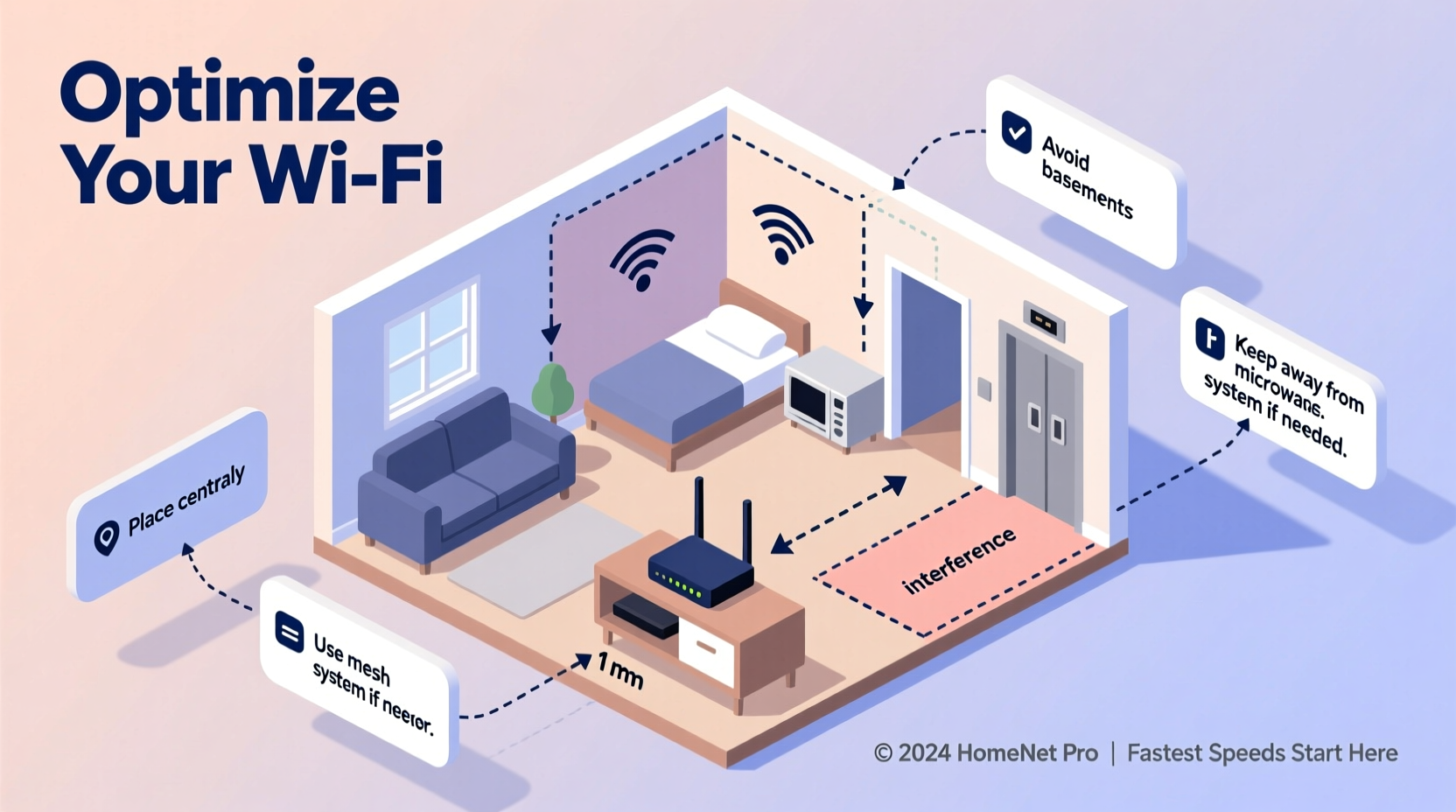
Wi-Fi operates using radio waves, typically on the 2.4 GHz and 5 GHz frequency bands. These signals travel outward from your router but are easily disrupted by obstacles such as walls, furniture, and appliances. The 2.4 GHz band has better range and penetrates walls more effectively, while the 5 GHz band offers faster speeds but over shorter distances and with less wall penetration.
Understanding how these signals behave helps explain why placement matters. Radio waves don’t just pass through objects—they reflect, diffract, and absorb depending on the material. For example:
- Metal reflects signals and creates dead zones.
- Concrete and brick walls absorb signals, weakening them dramatically.
- Water (like in fish tanks or plumbing) absorbs 2.4 GHz signals efficiently.
- Electronic devices emit electromagnetic interference that disrupts Wi-Fi.
Because of this, placing your router in a closet behind a microwave will likely result in poor connectivity—even if you’re only one room away.
“Router placement is often the single most overlooked factor in home network performance. A few feet can make the difference between buffering and seamless streaming.” — Dr. Lin Zhao, Network Infrastructure Engineer at Broadband Labs
Key Principles for Optimal Router Placement
To maximize Wi-Fi speed and coverage, follow these foundational principles:
- Elevate the router: Place it off the floor, ideally on a shelf or desk. Signals radiate downward and outward, so elevation improves horizontal reach.
- Center the router in your home: Position it near the middle of your living space to distribute coverage evenly.
- Keep it open and unobstructed: Avoid enclosing it in cabinets, behind books, or under furniture.
- Align antennas properly: If your router has external antennas, orient one vertically and one horizontally to support multiple device orientations.
- Minimize interference: Keep the router away from cordless phones, microwaves, baby monitors, and Bluetooth devices.
Step-by-Step Guide to Optimizing Your Router Location
Follow this actionable sequence to find the best spot for your router:
- Map your home layout: Sketch a rough floor plan showing rooms, major walls, and common device usage areas (e.g., living room, bedroom, office).
- Identify current pain points: Note where you experience slow speeds, dropped connections, or no signal.
- Choose a central starting point: Pick a location roughly equidistant from the areas where you use Wi-Fi most.
- Clear the immediate area: Remove metal objects, electronics, and large furniture within 3 feet of the router.
- Elevate the device: Place it on a shelf, table, or mount it on a wall at eye level.
- Test signal strength: Use a Wi-Fi analyzer app (like NetSpot, Wi-Fi Analyzer, or OpenSignal) to measure download speed and signal strength (RSSI) in key rooms.
- Adjust and retest: Move the router slightly—by 1–3 feet—and repeat testing. Small shifts can yield noticeable improvements.
- Finalize and document: Once optimal performance is achieved, mark the location and keep future changes minimal.
This process may take an hour or two, but the long-term gains in speed and reliability are well worth the effort.
Do’s and Don’ts of Router Placement
| Do’s | Don’ts |
|---|---|
| Place the router in a central, elevated location | Hide it in a basement, closet, or cabinet |
| Keep it away from large metal objects and mirrors | Install it behind a TV or refrigerator |
| Position antennas for multidirectional coverage | Point all antennas straight up |
| Leave space around the router for ventilation | Stack books, boxes, or electronics around it |
| Use the 5 GHz band for nearby devices needing speed | Expect 5 GHz to reliably penetrate thick walls |
Real-World Example: Improving Speed in a Two-Story Home
Consider Sarah, a remote worker living in a 1,800-square-foot two-story house. Her router was originally placed in a utility closet on the ground floor near the garage entrance. She experienced frequent lag during video calls in her upstairs office and couldn’t stream 4K video in the master bedroom.
After reading about router placement, she moved the device to a bookshelf in the center of the living room, about 5 feet off the ground. She removed a decorative metal lamp nearby and adjusted the antennas—one vertical, one angled. Using a Wi-Fi speed test app, she recorded the following improvements:
- Living room: From 45 Mbps to 92 Mbps
- Upstairs office: From 18 Mbps to 67 Mbps
- Master bedroom: From 12 Mbps to 54 Mbps
No hardware upgrades were made—only relocation and minor adjustments. This case illustrates how strategic placement alone can double or even triple effective internet speeds in critical areas.
When Placement Isn’t Enough: Knowing When to Upgrade
While proper placement can resolve many issues, some homes present structural challenges that require additional solutions. Large homes, thick masonry walls, or buildings with metal framing may still suffer from dead zones despite optimal router positioning.
In such cases, consider these enhancements:
- Mesh Wi-Fi systems: Deploy multiple nodes throughout your home to extend coverage seamlessly.
- Wi-Fi extenders: Repeat the signal to distant areas, though they may halve bandwidth.
- Powerline adapters: Use electrical wiring to transmit data to remote routers or access points.
- Dedicated access points: Install hardwired APs in far-reaching rooms for enterprise-grade reliability.
However, always optimize placement first. Many users buy mesh systems unnecessarily when a simple relocation would have solved the problem.
“We’ve seen customers spend hundreds on new equipment when moving their existing router six feet improved their speeds by 70%. Start with placement—it’s free and often transformative.” — Carlos Mendez, ISP Support Lead at NetFiber Solutions
Checklist: Optimize Your Router Placement in 10 Minutes
Use this quick checklist to audit and improve your router setup immediately:
- ☐ Is the router off the floor and elevated?
- ☐ Is it located near the center of your home?
- ☐ Are there any large metal objects within 3 feet?
- ☐ Is it away from microwaves, cordless phones, or baby monitors?
- ☐ Are the antennas positioned for optimal dispersion?
- ☐ Is the router in an open area, not inside a cabinet?
- ☐ Are there fish tanks or water pipes nearby?
- ☐ Have you tested speeds in key rooms before and after?
- ☐ Is firmware updated to the latest version?
- ☐ Are connected devices using the correct band (2.4 GHz vs 5 GHz)?
Run through this list monthly, especially if you notice performance dips after rearranging furniture or adding new electronics.
Frequently Asked Questions
Can I place my router in the attic or basement?
It’s generally not recommended. Basements and attics are often off-center and surrounded by insulation, concrete, or roofing materials that block signals. If unavoidable, pair the router with a mesh node or extender on the main living floor.
Does the direction my router faces matter?
Yes—especially if it has external antennas. Routers emit signals in patterns (often doughnut-shaped), so orientation affects coverage. Facing the router toward high-traffic areas can help, but prioritize antenna angles and elevation over front-facing direction.
Should I turn off my router at night?
Not necessary for performance, but rebooting once a week can clear memory leaks and refresh connections. Turning it off nightly may reduce lifespan due to thermal cycling. Use scheduled restarts instead if available in settings.
Conclusion: Maximize What You Already Have
You don’t need the latest tri-band router or a $500 mesh system to enjoy fast internet. Often, the simplest solution—repositioning your existing router—delivers the most dramatic improvement. By applying fundamental principles of signal propagation, avoiding common placement mistakes, and validating results with real-world testing, you can unlock your network’s full potential.
Taking an hour to experiment with placement could eliminate buffering, stabilize video calls, and enhance every connected experience in your home. The fastest internet isn’t always about speed tiers—it’s about smart optimization.




 浙公网安备
33010002000092号
浙公网安备
33010002000092号 浙B2-20120091-4
Comments
No comments yet. Why don't you start the discussion?