
A well-organized gaming desk isn’t just about aesthetics—it directly impacts your focus, reaction time, and long-term comfort. Whether you're a competitive player, a streamer, or someone who enjoys extended gaming sessions, the layout of your workspace can make the difference between fatigue and flow. Clutter distracts, cables tangle, and poor ergonomics lead to strain. The solution lies in intentional design: a system that supports quick access, clean visuals, and seamless transitions between tasks. This guide walks through the principles, tools, and real-world strategies to transform your gaming station into a high-performance hub.
Assess Your Space and Needs
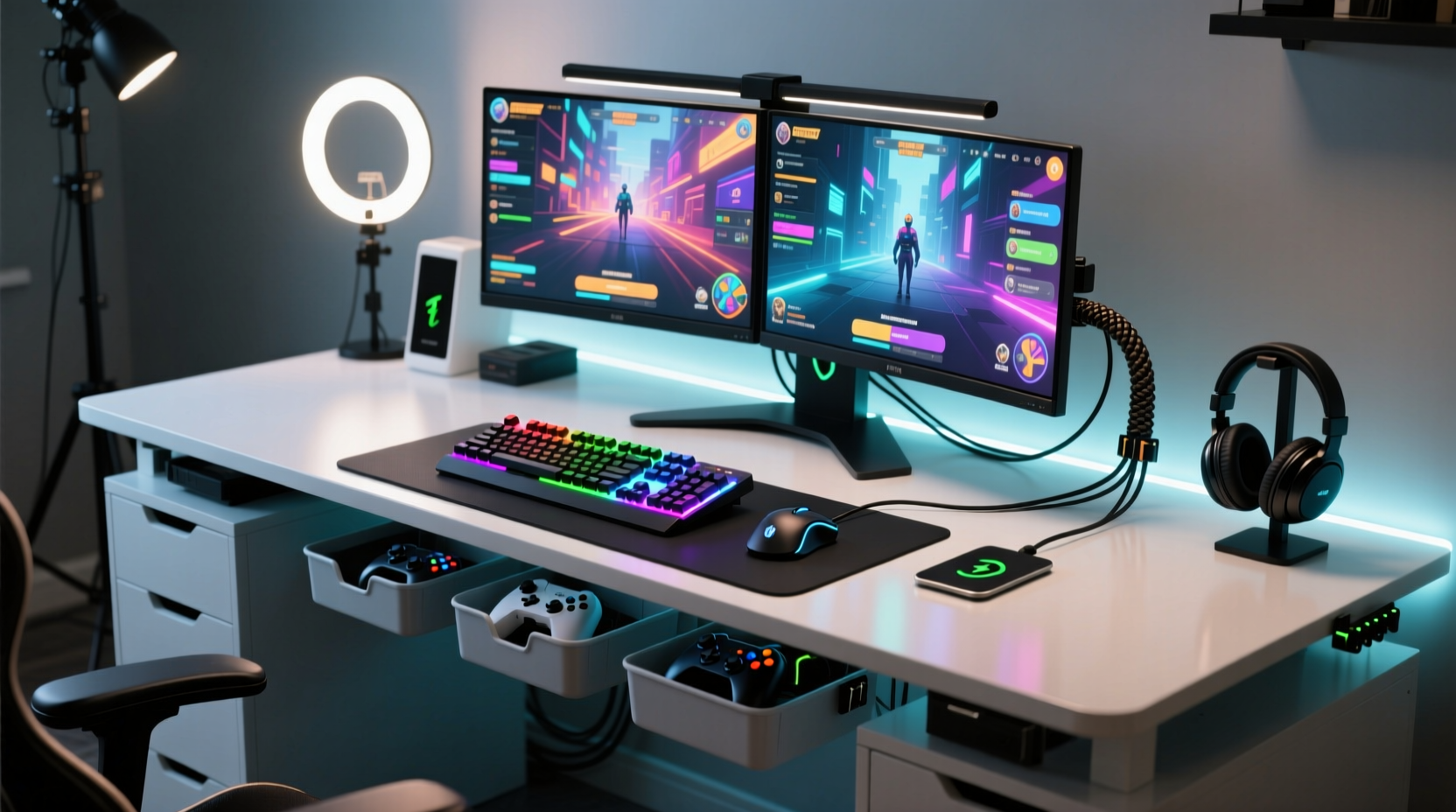
Before adding any accessories or rearranging equipment, evaluate your current setup and usage patterns. Not all gamers need the same configuration. A streamer with multiple monitors and audio gear has different demands than a casual player using a laptop and headset. Start by answering three key questions:
- What devices do I use regularly? (e.g., keyboard, mouse, controller, mic, capture card)
- How much physical space do I have? Measure desk depth, width, and clearance around outlets.
- What activities happen at this desk? Gaming, streaming, work, video calls, etc.
This assessment helps avoid overbuying organizers or cramming too many components into a small area. For example, a 42-inch desk may comfortably fit dual monitors and peripheral trays, while a 30-inch model requires more minimalist planning.
Design an Ergonomic Layout
Ergonomics is not just for office workers—gamers spend hours in static positions, making posture and reach critical. An efficient desk layout reduces strain on wrists, neck, and eyes. Follow these spatial guidelines:
- Monitor position: Top of screen at or slightly below eye level, about an arm’s length away.
- Keyboard and mouse: Keep them close enough so your elbows stay at 90 degrees when typing.
- Wrist support: Use padded wrist rests if needed, but ensure they don’t elevate the hands above the keyboard surface.
- Cable routing: Plan paths along desk edges or underside channels to prevent tripping hazards.
Popular desk arrangements include:
| Layout Type | Best For | Key Features |
|---|---|---|
| Symmetrical Dual-Screen | Streamers, multitaskers | Main monitor centered, secondary screen angled inward; leaves center free for keyboard |
| Single-Monitor Focus | Casual and competitive players | Clear central zone, peripherals grouped on dominant side |
| L-Shaped Multi-Station | Content creators, pros | Primary gaming rig on main desk, secondary gear (audio, lighting) on extension |
The goal is balance: easy access without overreaching, visual clarity without overcrowding.
Manage Cables Like a Pro
No amount of aesthetic effort matters if your desk is undermined by a jungle of cords. Poor cable management increases stress, slows down troubleshooting, and collects dust. Effective cable control involves three phases: sorting, bundling, and concealing.
- Identify essential vs. redundant cables. Remove old chargers, broken adapters, or unused USB hubs.
- Use Velcro straps or braided sleeves to group similar wires (e.g., monitor, power strip, PC connections).
- Route cables under the desk using adhesive clips or raceways. If possible, drill a grommet hole near the back edge to feed bundles through.
For desks against walls, consider a fabric cable management sleeve that runs vertically from desk to floor outlet. Label each cable end with masking tape or commercial tags—this saves time during upgrades or reboots.
“Over 70% of tech-related frustration in home setups comes from poor cable organization.” — Dr. Alan Reyes, Human-Computer Interaction Researcher, MIT Media Lab
Optimize Storage and Accessibility
Efficiency means having what you need within reach—but not everywhere at once. Strategic storage eliminates constant reaching or shuffling items mid-game. Consider these zones:
- Primary Zone (center): Keyboard, mouse, headset—items used continuously.
- Secondary Zone (sides): Controller, phone stand, drink holder—used intermittently.
- Tertiary Zone (rear or drawers): Spare cables, games, manuals—rarely accessed.
Invest in modular solutions such as:
- Magnetic cable holders for earbuds and charging cords.
- Under-desk drawers for small tools or accessories.
- Monitor stands with shelves to store flash drives or notebooks.
- Modular trays that attach to desk edges for controllers or mice.
Avoid stacking items vertically unless supported by stable platforms. Top-heavy arrangements risk tipping during intense gameplay.
Mini Case Study: From Chaos to Control
Mark, a part-time streamer from Austin, struggled with lagging productivity and frequent interruptions during live sessions. His 36-inch desk held two monitors, a full-sized keyboard, a capture card, microphone, webcam, and four separate power adapters—all plugged into an overloaded surge protector. Wires snaked across the floor, and his headset often got yanked when he leaned back.
After auditing his setup, Mark replaced the surge protector with a right-angled power strip mounted under the desk. He used labeled Velcro ties to group cables by function and installed a magnetic pad behind his monitor to dock his wireless earbuds. He moved his mic arm to the left side and added a sliding drawer beneath the desk for game discs and spare controllers.
Within a week, Mark reported fewer technical glitches, faster post-stream cleanup, and improved viewer engagement due to a cleaner background. “It feels like I upgraded my entire rig,” he said, “but really, I just stopped fighting my desk every night.”
Create a Maintenance Routine
An organized desk doesn’t stay that way without upkeep. Dust accumulates, cables loosen, and new gadgets disrupt established systems. Build a simple maintenance plan to preserve order:
- Daily: Wipe down surfaces with a microfiber cloth. Return items to designated spots.
- Weekly: Check cable tension and re-secure loose ties. Empty trash bin or cup holder.
- Monthly: Unplug devices and clean under keyboard/mousepad. Inspect for wear on mats or stands.
- Quarterly: Reassess layout based on new software/hardware. Donate or recycle unused gear.
Think of your desk like a high-performance vehicle: regular tune-ups keep it running smoothly. Set calendar reminders or link cleanup tasks to existing habits (e.g., after Sunday streams).
Checklist: Quick Desk Optimization Actions
Follow this actionable checklist to begin organizing today:
- ✅ Remove all non-essential items from the desk surface.
- ✅ Group cables by device and secure with Velcro straps.
- ✅ Position monitor(s) at proper height and distance.
- ✅ Assign storage zones (primary, secondary, tertiary).
- ✅ Install under-desk power strip or cable tray.
- ✅ Add a headset hook or stand.
- ✅ Label power cords and data cables.
- ✅ Clean desk mat and replace worn wrist rests.
- ✅ Test chair height and backrest alignment.
- ✅ Schedule monthly review of setup efficiency.
Frequently Asked Questions
How small can a gaming desk be and still be functional?
A minimum of 30 inches wide is acceptable for a single monitor and compact peripherals. However, 40+ inches provides room for dual monitors, mouse pads, and accessories without crowding. Depth should be at least 20 inches to accommodate keyboards and allow airflow behind the monitor.
Should I go wireless to reduce clutter?
Wireless devices eliminate some cables, but they introduce battery management and potential latency concerns. For critical inputs like mouse and keyboard, prioritize low-latency wireless (e.g., Logitech Lightspeed, Razer HyperSpeed). Use wireless headsets and phone chargers where convenience outweighs performance trade-offs. Even wireless setups require occasional charging cables—plan docking stations accordingly.
Is a standing desk good for gaming?
Adjustable standing desks offer flexibility and promote movement, which benefits circulation and focus during long sessions. However, fast-paced games may feel less comfortable when standing due to reduced stability. Use a hybrid approach: sit during intense play, stand during breaks or casual browsing. Ensure monitor height adjusts seamlessly between modes.
Final Thoughts: Build a System, Not Just a Setup
Organizing a gaming desk isn’t a one-time task—it’s the creation of a sustainable system. Efficiency comes not from owning the most expensive gear, but from designing a workflow that aligns with how you actually play. Minimal clutter reduces cognitive load, enhances immersion, and makes your space inviting for both gaming and other digital activities.
Start small: clear the surface, manage one cable bundle, define a storage spot for your headset. Then build incrementally. Over time, these adjustments compound into a workspace that feels intuitive, responsive, and truly yours. The best gaming environment doesn’t distract—it disappears, leaving only the game.




 浙公网安备
33010002000092号
浙公网安备
33010002000092号 浙B2-20120091-4
Comments
No comments yet. Why don't you start the discussion?