
For tech professionals on the move, a cluttered backpack is more than just inconvenient—it's a productivity killer. Tangled charging cables, misplaced adapters, and damaged connectors can turn a smooth commute into a frustrating scramble. Yet, despite carrying essential gear daily, many overlook one of the most critical aspects of digital mobility: cable organization. A well-organized backpack doesn’t just look better; it saves time, reduces wear and tear, and ensures your devices are always ready when you need them.
The challenge isn’t just about fitting everything in—it’s about making each item accessible, protected, and logically arranged. This guide breaks down proven methods to streamline your tech load, from choosing the right storage solutions to adopting habits that prevent chaos before it starts.
Assess Your Tech Load and Cable Types
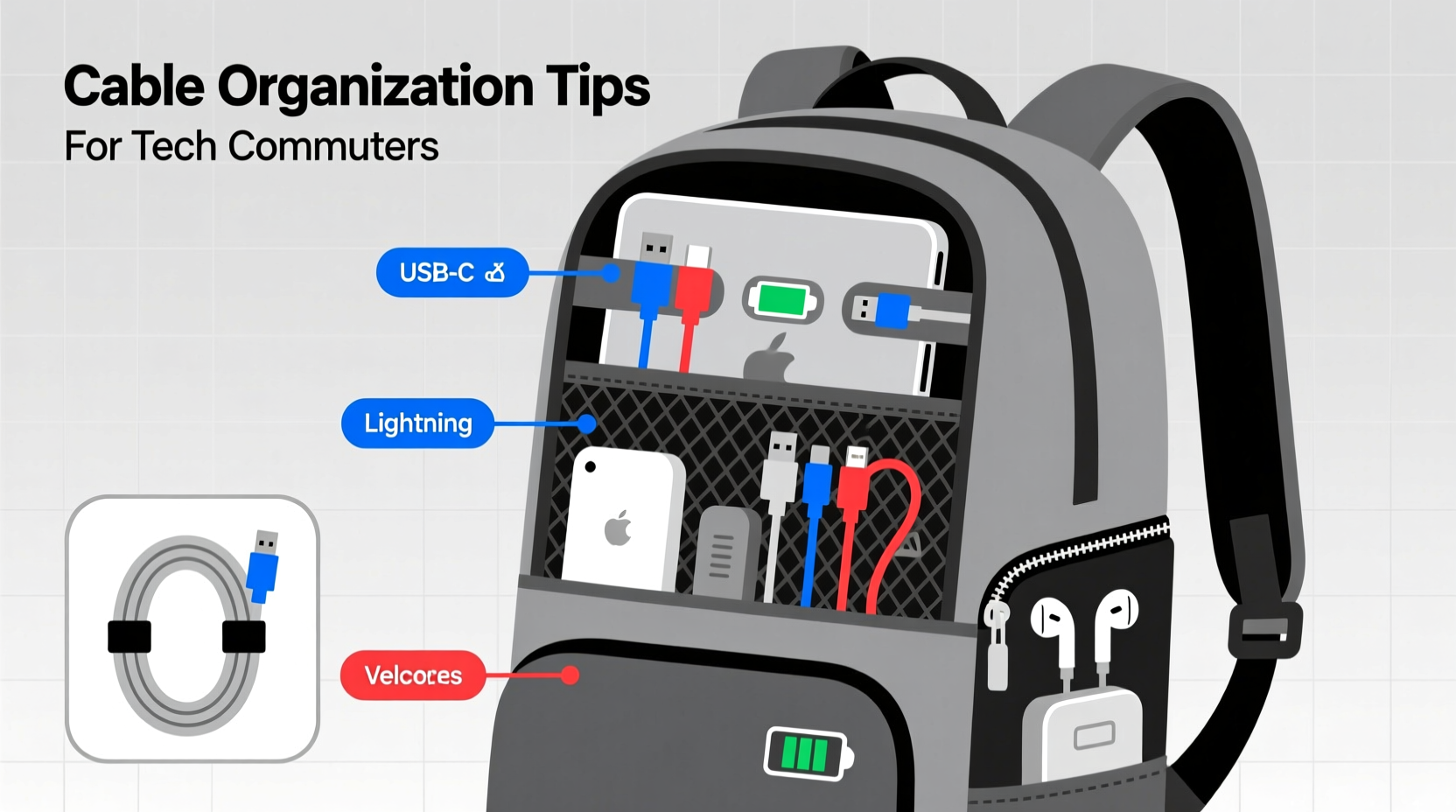
Before organizing anything, take inventory. The first step to an orderly backpack is understanding exactly what you carry. Most tech commuters transport a combination of:
- Laptop charging cable (USB-C, MagSafe, or barrel plug)
- Smartphone charger (USB-A to USB-C, Lightning, etc.)
- Tablet or e-reader cable
- Headphones or earbuds with charging case
- Power bank and its own charging cable
- Bluetooth peripherals (mouse, keyboard) with micro-USB or USB-C cables
- Multi-port USB hub or docking adapter
- International travel adapter (if applicable)
Each of these comes with at least one cable, and often multiple. Without a system, they quickly become a nest of frustration. Start by laying out all your cables and accessories on a flat surface. Group them by device and note which ones are used daily versus occasionally.
Choose the Right Backpack Features
Not all backpacks are created equal—especially for tech-heavy loads. An ideal commuter pack should have specific design elements that support cable management:
| Feature | Why It Matters | Recommended Examples |
|---|---|---|
| Dedicated tech compartment | Separates electronics from other items; often padded and lined with soft fabric | Peak Design Travel Pack, Thule Subterra, Osprey Digitally Yours |
| Internal mesh pockets | Perfect for sorting small cables and adapters without tangling | AmazonBasics Laptop Backpack, Targus CityLite Pro |
| Cable passthrough ports | Allows you to route a headphone or charging cable outside while devices stay inside | Most premium commuter packs include this feature |
| External access to laptop sleeve | Enables quick airport security checks without unpacking | Frequent flyer essentials for business travelers |
| Compression straps or internal dividers | Keeps cables snug and prevents shifting during transit | Backpacks designed for photographers or urban cyclists |
If your current bag lacks these features, consider upgrading. Alternatively, use modular add-ons like magnetic cable clips or detachable pouches to retrofit older models.
“Tech organization begins with the right container. A backpack that supports accessibility and protection reduces stress and extends the life of your gear.” — David Lin, Productivity Consultant and Digital Nomad Coach
Step-by-Step Guide to Cable Organization
Follow this five-step process to systematically organize your cables inside your backpack:
- Declutter ruthlessly. Discard frayed, outdated, or redundant cables. If you haven’t used a cable in six months, it’s likely not essential.
- Group by function. Keep all phone-related items together, laptop accessories in another cluster, and so on. Use small zippered pouches to contain each group.
- Coil cables properly. Avoid wrapping tightly around your hand—a method that causes kinks. Instead, use the “over-under” technique: loop the cable alternately over and under your fingers to prevent twists.
- Secure with reusable ties. Velcro straps, silicone bands, or waxed cord locks hold coils neatly without damaging insulation.
- Assign fixed locations. Every cable should have a designated pocket or slot. Consistency eliminates search time and prevents disarray.
This routine takes less than 10 minutes weekly but pays dividends in efficiency. Treat it like brushing your teeth—an automatic habit built into your workflow.
Real Example: A Day in the Life of a Tech-Savvy Commuter
Sarah, a UX designer based in Portland, used to spend 15 minutes every morning untangling her MacBook charger from her headphones and power bank cable. After spilling coffee on her bag and shorting a USB hub, she decided to reorganize her setup.
She invested in a new backpack with dedicated internal compartments and purchased three small neoprene organizers: one for Apple accessories, one for Android testing devices, and one for universal adapters. She labeled each with color-coded tags and adopted the over-under coiling method.
Within a week, Sarah cut her morning prep time in half. More importantly, she stopped replacing damaged cables every few months. Her colleagues noticed the change and asked her to lead a team workshop on digital minimalism.
Best Storage Solutions for Cables On the Go
While your backpack provides structure, internal organizers enhance functionality. Here are the most effective tools for keeping cables tidy:
- Zippered Electronics Pouches: Small, rigid-lined cases with mesh pockets help separate chargers, dongles, and cables. Look for water-resistant materials.
- Modular Cable Reels: Devices like the Nomatic Cable Organizer or Grovemade Cable Wrap allow you to wind and lock cables securely.
- Magnetic Cable Clips: Attach to metal surfaces inside your bag to hold loose ends. Great for headphone cords or spare USB cables.
- Self-Adhesive Cord Wraps: Stick-on silicone loops mounted inside pockets let you wrap and secure cables in place.
- Roll-Up Travel Kits: Fabric rolls with elastic loops and pockets roll up into compact cylinders—ideal for infrequent travelers.
Avoid using rubber bands or twist ties—they degrade over time and can damage cable sheathing. Also, never force a thick cable bundle into a tight space; compression leads to internal wire breakage.
Do’s and Don’ts of Cable Management
| Action | Do | Don't |
|---|---|---|
| Coiling | Use the over-under method to prevent twists | Wrap tightly around your hand or objects |
| Storage | Store in ventilated, dry compartments | Leave in direct sunlight or damp areas |
| Accessories | Use Velcro or silicone straps | Rely on rubber bands or paper clips |
| Heat Exposure | Keep away from hot laptops or car seats | Leave cables compressed under heavy items |
| Travel | Use labeled pouches for international adapters | Mix all cables into one bulk compartment |
Prevent Damage and Extend Cable Lifespan
Proper organization isn’t just about convenience—it directly impacts durability. Cables fail most often at stress points: near the plug heads and where bends occur repeatedly. By managing tension and minimizing friction, you can double or even triple their usable life.
One key strategy is strain relief. When packing, ensure no cable is stretched taut between two points. Leave a slight slack and avoid sharp folds. For high-use cables like laptop chargers, consider braided nylon versions—they resist fraying far better than standard PVC-coated wires.
Another overlooked factor is temperature. Lithium-ion batteries generate heat, especially when charging. Never pack a warm laptop directly against delicate cables. Allow a few minutes to cool down, or use a padded divider.
“Every time you yank a tangled cable free, you’re doing microscopic damage. Prevention through organization saves money and reduces e-waste.” — Dr. Lena Patel, Sustainable Technology Researcher at MIT Media Lab
FAQ
How do I keep my headphones from tangling in my bag?
Wrap them using the “circle method”: hold the plug in one hand, wrap the cable evenly around your palm, then thread the earbuds through the loop to secure. Store in a dedicated side pocket or soft case.
Can I charge my devices while they’re packed in my backpack?
Yes—if your backpack has external passthrough ports. Route the cable from an internal power bank or wall charger through the port to your phone or tablet. Never charge while walking unless the connection is secure, as movement can damage ports.
What’s the best way to clean dirty cables?
Use a microfiber cloth dampened with isopropyl alcohol (70%) to wipe down the exterior. Avoid submerging cables or getting moisture into the connectors. Let them dry completely before use.
Checklist: Daily & Weekly Cable Maintenance
- ✅ Unpack and inspect cables after each use for signs of wear
- ✅ Coil each cable using the over-under technique before repacking
- ✅ Verify all adapters are returned to their assigned pouch
- ✅ Wipe down frequently touched cables (e.g., phone chargers) weekly
- ✅ Audit your kit monthly—remove obsolete items and replace damaged ones
- ✅ Ensure ventilation—don’t seal cables in airtight plastic
Conclusion
Organizing cables in a backpack isn’t a one-time fix—it’s an ongoing practice that enhances reliability, safety, and peace of mind. Whether you're commuting across town or traveling internationally, a disciplined approach to cable management reflects professionalism and preparedness. The small effort invested in proper coiling, smart storage, and consistent placement compounds into significant time savings and reduced equipment costs over time.
Start today: empty your backpack, sort your cables, and assign each one a home. Choose the right tools, follow the steps, and make organization part of your daily rhythm. Your future self—rushing to a meeting with a fully charged phone and intact cables—will thank you.




 浙公网安备
33010002000092号
浙公网安备
33010002000092号 浙B2-20120091-4
Comments
No comments yet. Why don't you start the discussion?