
In a world powered by devices, charging cables are as essential as keys or wallets. Yet most people treat them like afterthoughts—tossed into drawers, tangled in bags, or strewn across desks. The result? Daily frustration when you need a specific cable and can’t find it. The solution isn’t buying more; it’s organizing what you already have. By sorting and storing your charging cables by type, you eliminate clutter, save time, and streamline your digital life. This guide walks you through a proven system that turns cable chaos into order—permanently.
Why Cable Organization Matters More Than You Think
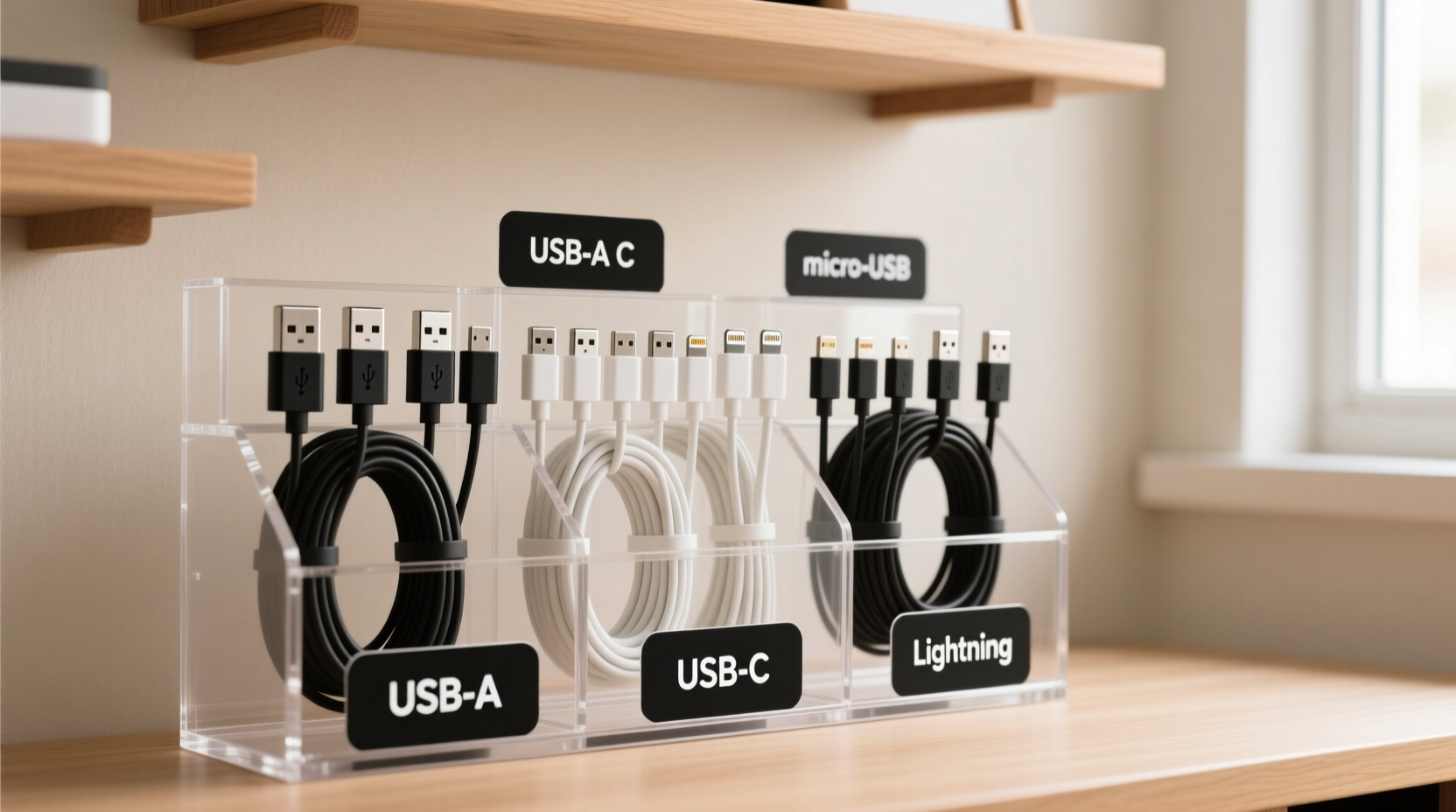
Charging cables may seem trivial, but disorganization has real consequences. A 2023 productivity survey by TechLife Insights found that the average person spends nearly 11 minutes per week searching for misplaced electronics accessories—over nine hours a year. Beyond wasted time, tangled cords degrade faster, reducing their lifespan. Frayed wires, bent connectors, and damaged insulation lead to slower charging, device damage, or even safety hazards.
Organizing by type—not just tossing everything into a box—ensures you can instantly identify and access the right cable. Whether it's a USB-C for your laptop, a Lightning cable for your iPhone, or a micro-USB for an older tablet, a structured system prevents confusion and preserves cable integrity.
“Cable management is not about aesthetics—it’s about efficiency and longevity. A well-organized setup reduces wear, improves workflow, and minimizes electronic waste.” — David Lin, Electronics Maintenance Specialist at PowerFlow Labs
Step-by-Step: How to Sort and Store Cables by Type
Creating an effective cable organization system takes less than an hour and pays dividends every day. Follow this five-phase process to build a sustainable solution.
Phase 1: Gather and Audit Your Cables
Collect every charging cable you own—from desk drawers to travel bags to bedside tables. Lay them out on a clean surface. As you do, ask three questions:
- Does this cable still work?
- Is it compatible with any device I currently use?
- Have I used it in the past six months?
If a cable fails any of these tests, recycle it responsibly. Many electronics retailers offer e-waste drop-off bins. Keeping dead or obsolete cables only adds clutter.
Phase 2: Categorize by Connector Type
The foundation of smart organization is categorization. Group your working cables by their physical connector types. The most common include:
- USB-C: Used by modern smartphones (Android), tablets, laptops, and some headphones.
- Lightning: Exclusive to Apple devices (iPhone, iPad, AirPods).
- Micro-USB: Found on older Android phones, Bluetooth speakers, and budget gadgets.
- Magnetic (e.g., MagSafe): Proprietary Apple chargers with magnetic attachment.
- Dedicated proprietary cables: Brand-specific cables (e.g., certain gaming controllers or fitness trackers).
Phase 3: Choose the Right Storage System
How you store cables determines how easily you’ll access them. Avoid dumping them into a single pouch—this defeats the purpose. Instead, match your storage method to your lifestyle.
| Storage Method | Best For | Limits |
|---|---|---|
| Labelled compartments (e.g., divided drawer organizer) | Home office or nightstand use | Not portable |
| Zippered cable organizer with labeled pockets | Travel or multi-device users | Can be bulky if overfilled |
| Wall-mounted cable station with hooks | Frequent desk users | Requires wall space |
| Velcro cable wraps + container | Budget-conscious organizers | Less protection from dust |
| Rotating desktop hub with labeled slots | High-cable households | Higher cost ($25–$50) |
Phase 4: Label and Secure Each Cable
Even within categories, similar-looking cables can confuse. Prevent mix-ups with simple labeling techniques:
- Use color-coded rubber bands: Red for home, blue for work, green for travel.
- Attach mini flag labels with a permanent marker.
- Slide on numbered shrink tubes and keep a master list (“#3 = iPad Pro charger”).
To prevent tangles, always coil cables loosely using the over-under method: alternate loops clockwise and counterclockwise. Never wrap tightly around your hand—that causes internal wire strain.
Phase 5: Maintain the System Weekly
Like any organizational system, cable order requires light maintenance. Set a weekly two-minute reminder to:
- Return any misplaced cables to their designated spot.
- Check for fraying or exposed wires.
- Remove any new obsolete cables.
This habit ensures long-term success and prevents backsliding into old patterns.
Real-Life Example: From Chaos to Clarity
Sarah, a freelance graphic designer in Portland, used to keep all her cables in a zippered pouch. She owned two laptops, three phones, a tablet, and multiple peripherals. Every morning, she’d spend 5–10 minutes untangling and identifying the right charger. After reading about type-based organization, she spent one Sunday categorizing her cables: USB-C for her MacBook and Android phone, Lightning for her personal iPhone, and micro-USB for her backup power bank.
She bought a six-pocket zip organizer, labeled each compartment, and added Velcro wraps. Now, she grabs the correct cable in seconds. “It sounds minor, but it reduced my morning stress significantly,” she said. “I even started keeping a spare set coiled and labeled in my work bag.”
Common Mistakes That Undermine Cable Organization
Even with good intentions, people often sabotage their efforts. Avoid these pitfalls:
- Mixing cable types in one bin: Defeats the purpose of categorization.
- Using twist ties or hair elastics: These can damage insulation over time.
- Ignoring cable length: Long cables should be stored separately to avoid bulk.
- Forgetting travel needs: If you’re mobile, ensure your system is portable.
- Skipping labeling: Without labels, distinctions blur quickly.
Essential Tools for Long-Term Success
You don’t need expensive gear to stay organized. Start with these affordable, high-impact tools:
- Velcro cable ties (reusable): $5 for a pack of 10—gentle on wires and adjustable.
- Plastic label maker or waterproof stickers: $10–$15, ensures lasting identification.
- Stackable desktop organizer: Look for modular units with removable dividers.
- Small mesh pouches: Ideal for grouping subcategories (e.g., all USB-C cables under 3 feet).
For tech-heavy households, consider investing in a magnetic cable management board. These mount to walls or desks and use magnetic strips to hold coiled cables securely, making them visible and accessible.
FAQ: Quick Answers to Common Questions
Can I use the same cable for multiple devices?
Only if they share the same connector and power requirements. For example, a USB-C cable rated for 60W can safely charge most laptops and phones. However, avoid using low-amperage cables (e.g., 1A) on high-drain devices—they can overheat or fail prematurely.
How often should I replace charging cables?
Inspect cables monthly. Replace immediately if you notice fraying, stiffness, or intermittent charging. With proper care, most quality cables last 18–36 months. Poor storage cuts that in half.
What’s the best way to pack cables for travel?
Use a padded cable case with individual slots. Coil each cable with a Velcro tie and label it. Include only what you need—overpacking leads to confusion. Pro tip: Pack one universal adapter if traveling internationally.
Checklist: Build Your Cable Organization System in One Hour
- ✅ Collect all charging cables from every room and bag.
- ✅ Test each cable—discard broken or obsolete ones.
- ✅ Group cables by connector type (USB-C, Lightning, etc.).
- ✅ Choose a storage solution (drawer organizer, travel case, wall station).
- ✅ Label each cable or its storage compartment clearly.
- ✅ Coil cables properly using the over-under method.
- ✅ Place storage unit in a consistent, accessible location.
- ✅ Set a weekly reminder to maintain the system.
Final Thoughts: Turn Small Habits Into Lasting Order
Organizing charging cables by type isn’t just about tidiness—it’s about reclaiming time, reducing stress, and treating your tech with care. A few intentional choices today create a frictionless routine for months to come. Once you experience the ease of grabbing the right cable without hesitation, you’ll wonder why you waited so long.
The goal isn’t perfection. It’s progress. Start small: sort just your desk cables tonight. Then expand to your travel kit, your car, your nightstand. Within a week, you’ll have built a system that works for your life.




 浙公网安备
33010002000092号
浙公网安备
33010002000092号 浙B2-20120091-4
Comments
No comments yet. Why don't you start the discussion?